Tired of scrubbing through lengthy YouTube videos when the answer you're looking for is one timestamp away? Have you ever wished you could get the CliffsNotes version of a video? AI can help. Let's go over how to summarize a YouTube video with AI.
Why You'll Love This Tip
- Catch the most important points of longer videos.
- Read what a video is about if you're in an environment where you can't play the audio aloud.
How to Summarize a YouTube Video
System Requirements
This tip was performed on an iPhone 15 Pro running iOS 27 (available as a beta now and to be shipped universally in September 2026). Also included are steps for users running iOS 26. Find out how to update to the latest version of iOS.
YouTube videos can take a long time to watch, and oftentimes, the information you're searching for is buried deep in the video. That means you either have to watch the whole thing or scrub through the video to find what you're looking for. Alternatively, if you're out and about and unable to play the video aloud, it might be easier to just read a summary. AI can help summarize YouTube videos in seconds. For more useful ways to use AI in your daily life, be sure to sign up for our free Tip of the Day newsletter. Now, here's how to summarize YouTube videos with AI:
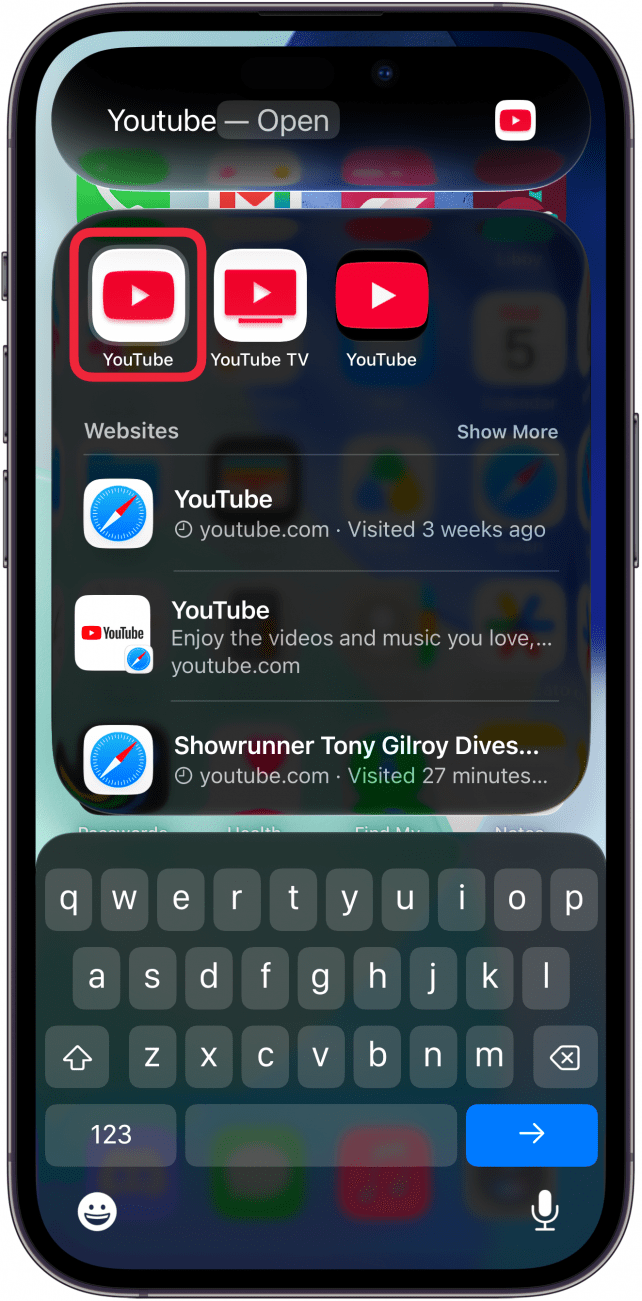
- Start by opening the YouTube app and finding the video you want to summarize.
![a screenshot of the iphone home screen with a red box around the youtube app]()
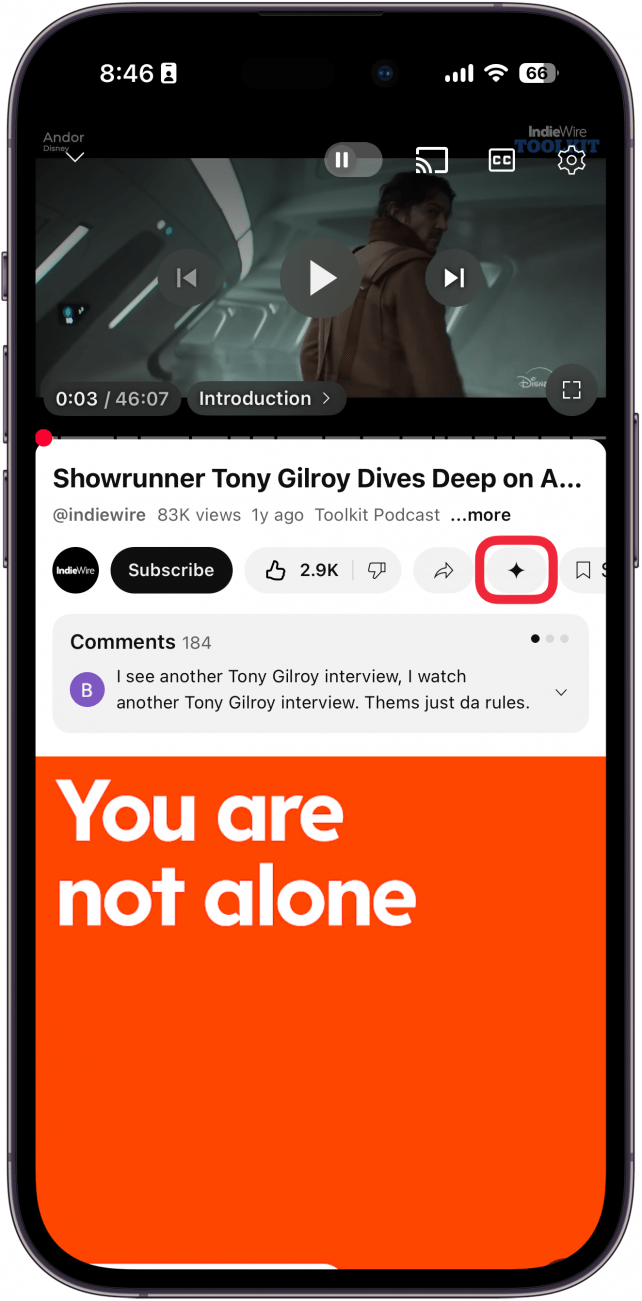
- With the video open, tap the Gemini icon.
![a screenshot of the youtube displaying a video with a red box around the gemini icon]()
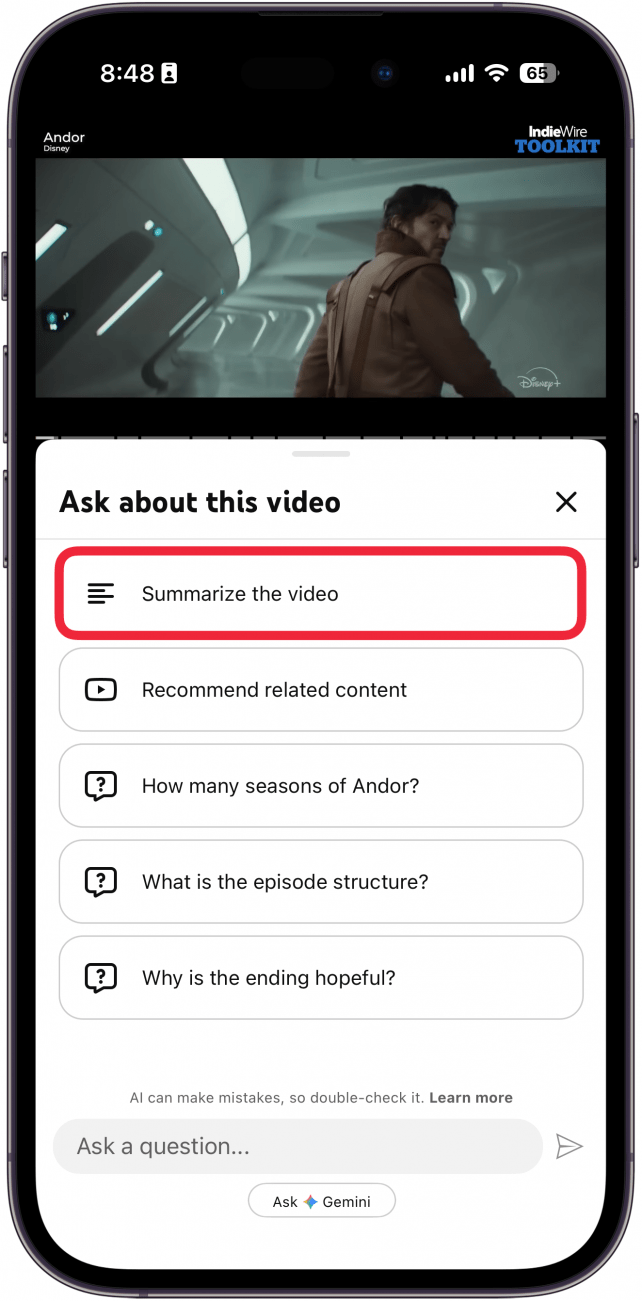
- Select Summarize the video.
![a screenshot of the youtube app with gemini open and a red box around the summarize video button]()
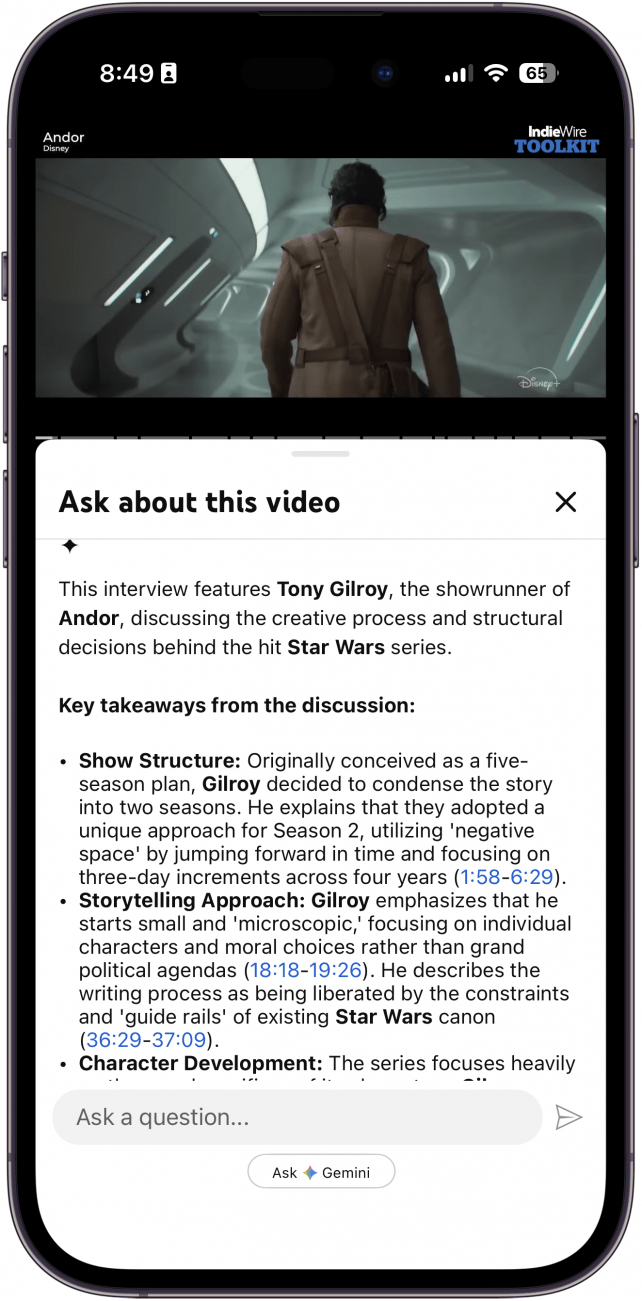
- Scroll down to find the video summary.
![a screenshot of the youtube app with gemini open and a summary of the video]()
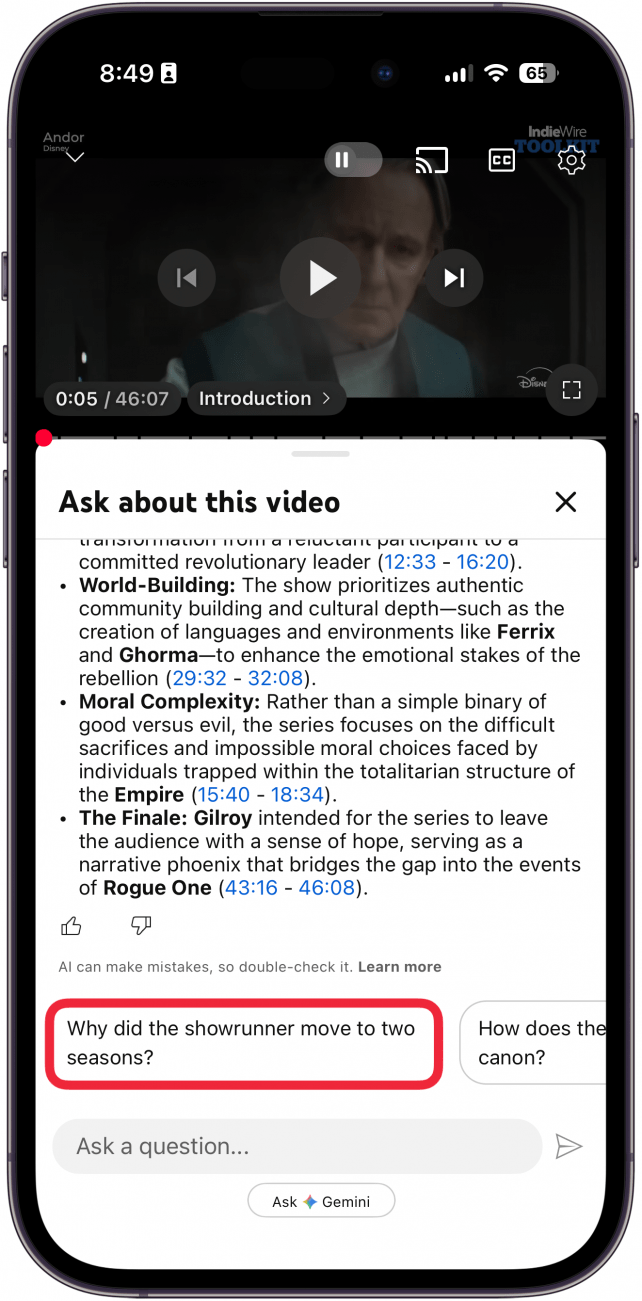
- At the bottom of the summary, Gemini may suggest other questions to ask.
![a screenshot of the youtube app disaplying gemini with a summary of the video and a red box around an extra question that AI has suggested]()
That's how to summarize YouTube videos using AI. Now, if you come across a YouTube video that's a bit too long, you can just get the essential bullet points.