Create Safari Extensions in Seconds


A lifelong tech enthusiast, with experiences ranging from jailbreaking his iPhone to building his own gaming PC, Rhett specializes in maintaining privacy in a digital world and iPhone security.
Learn More A lifelong tech enthusiast, with experiences ranging from jailbreaking his iPhone to building his own gaming PC, Rhett specializes in maintaining privacy in a digital world and iPhone security.
Learn MoreWith the power of Apple Intelligence, you can now create extensions for Safari on your iPhone and Mac. If you need a specific type of extension that you can't find on the App Store, you can just create it yourself with the power of AI! Here's how.
Why You'll Love This Tip
- Create extensions for specific situations to fit your needs.
- If you can't find an extension on the App Store, you can create it yourself.
How to Add Extensions to Safari Using AI
System Requirements
This tip was performed on an iPhone 15 Pro running iOS 27. Find out how to update to the latest version of iOS.
Safari extensions on the iPhone are add-ons for Safari that modify how your browser behaves in specific situations. The most common extensions are ad blockers. They modify web pages so that you never have to see ads, but there are extensions that do many other things. For example, an extension could translate words and phrases, compare prices, or help with your grammar and spelling. With iOS 27, you can use Apple Intelligence to create extensions by simply describing what you want the extension to do. AI will handle the rest. In this example, we'll show you how to create an extension that blocks cookies on any website you visit. For more on how to get the most out of AI on your iPhone, be sure to sign up for our free Tip of the Day newsletter. Now, here's how to add extensions to Safari using AI:
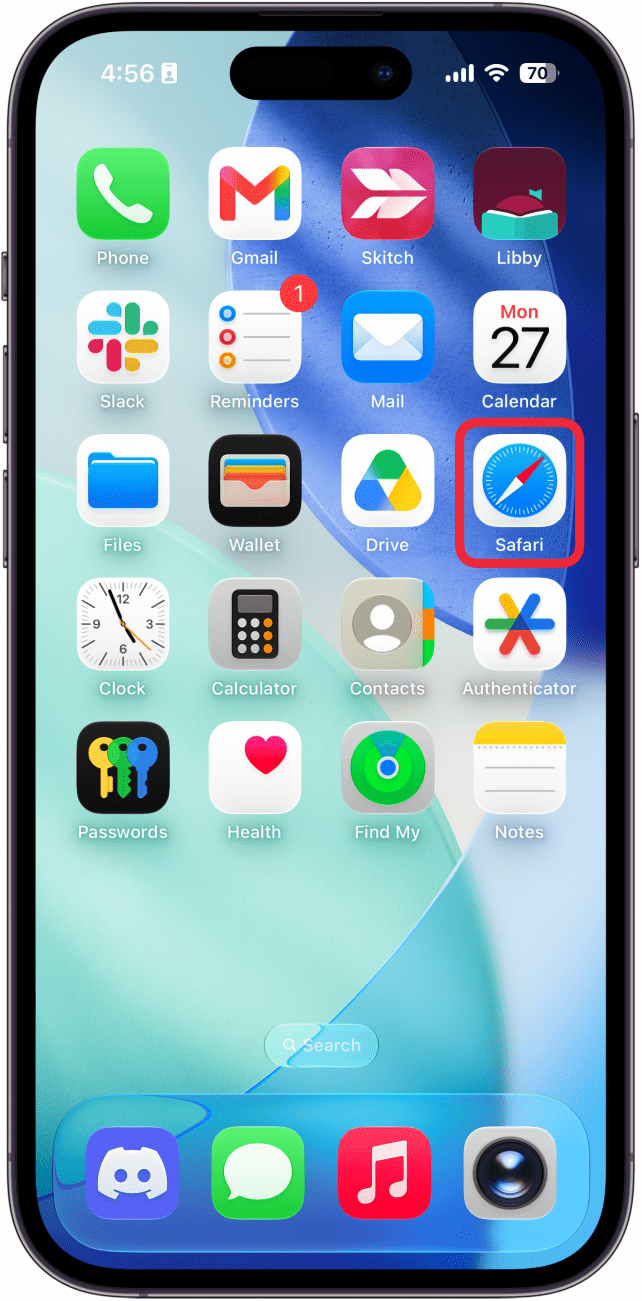
- Open Safari.
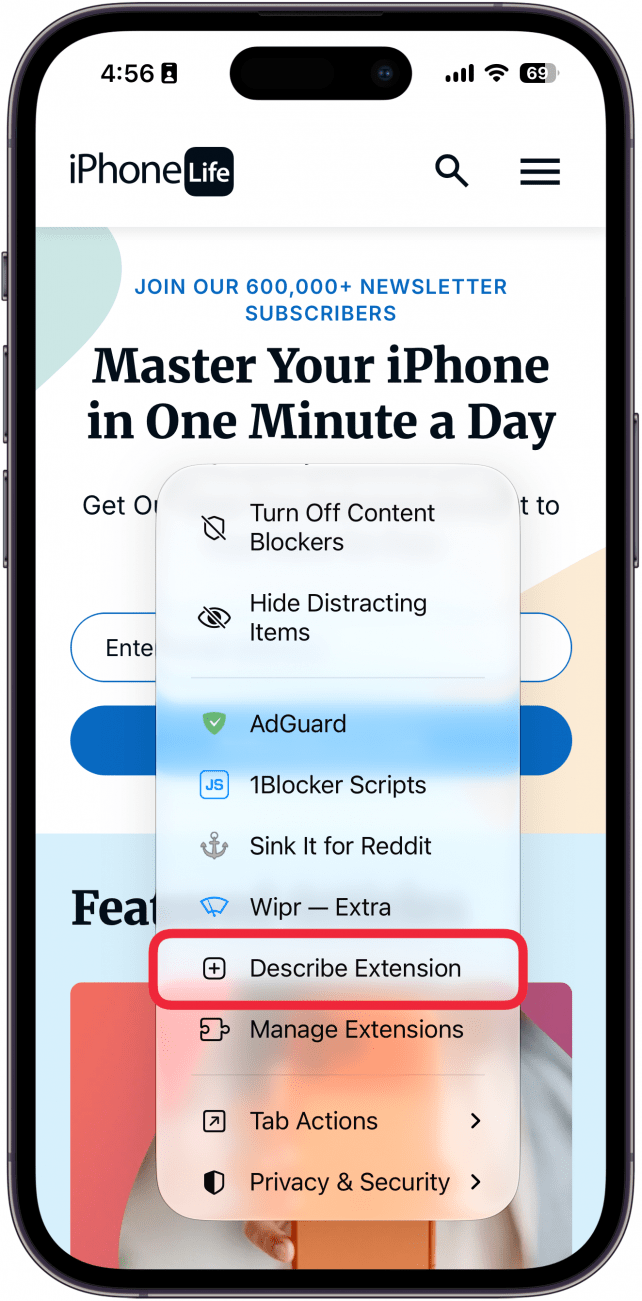
- Tap the Page Menu icon (it should either look like a puzzle piece above two horizontal lines or just the horizontal lines without the puzzle piece).

- In the menu that appears, scroll down and tap Describe Extension.
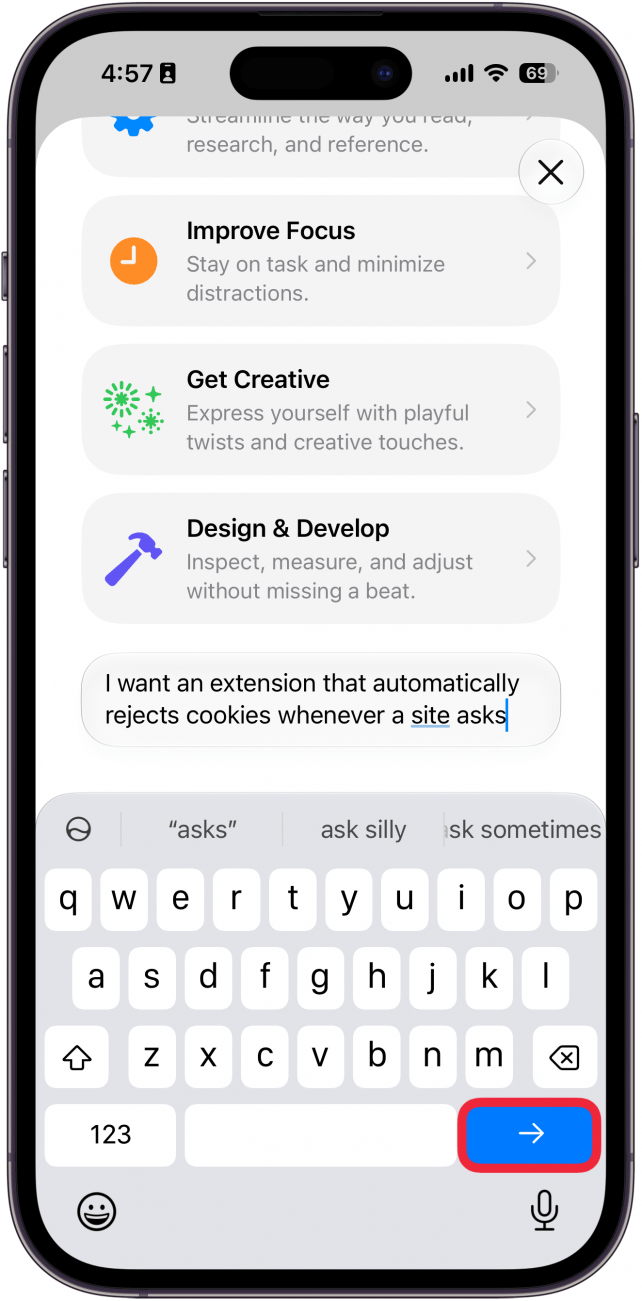
- Tap the text box, type in what you want the extension to do, and tap the send icon.
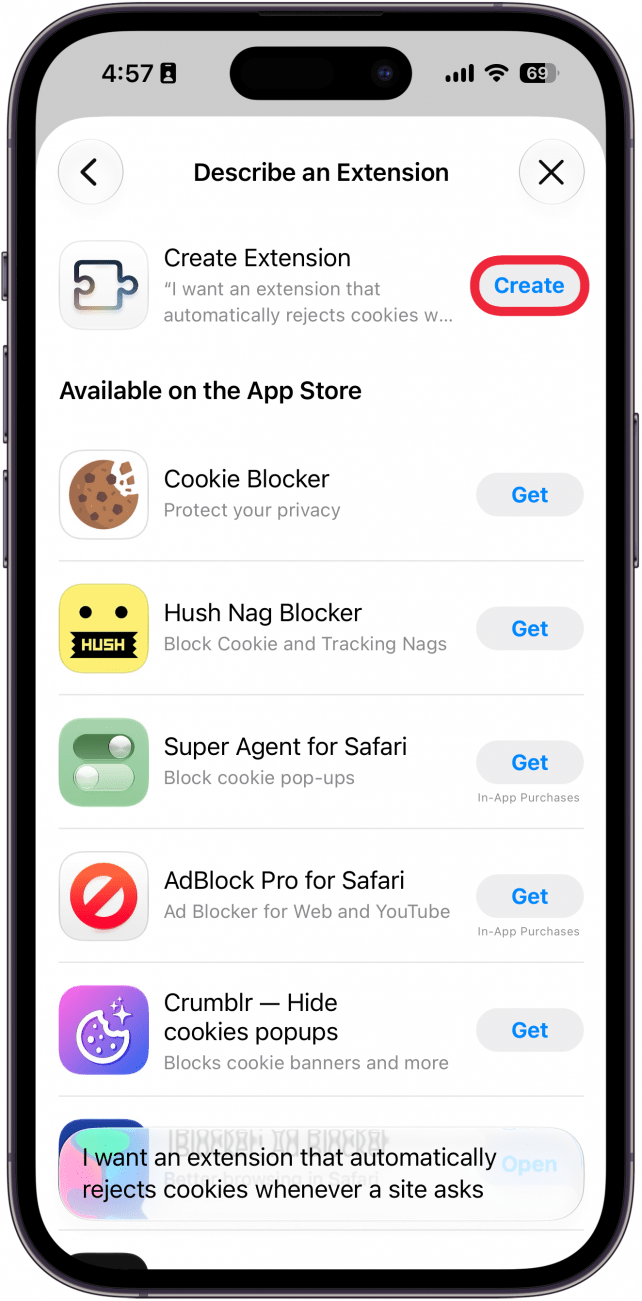
- In this screen, you'll see extensions that are available in the App Store. You can tap Get to install one of these. If the App Store options don't satisfy your needs, skip to the next step to allow Apple Intelligence to create the extension for you.
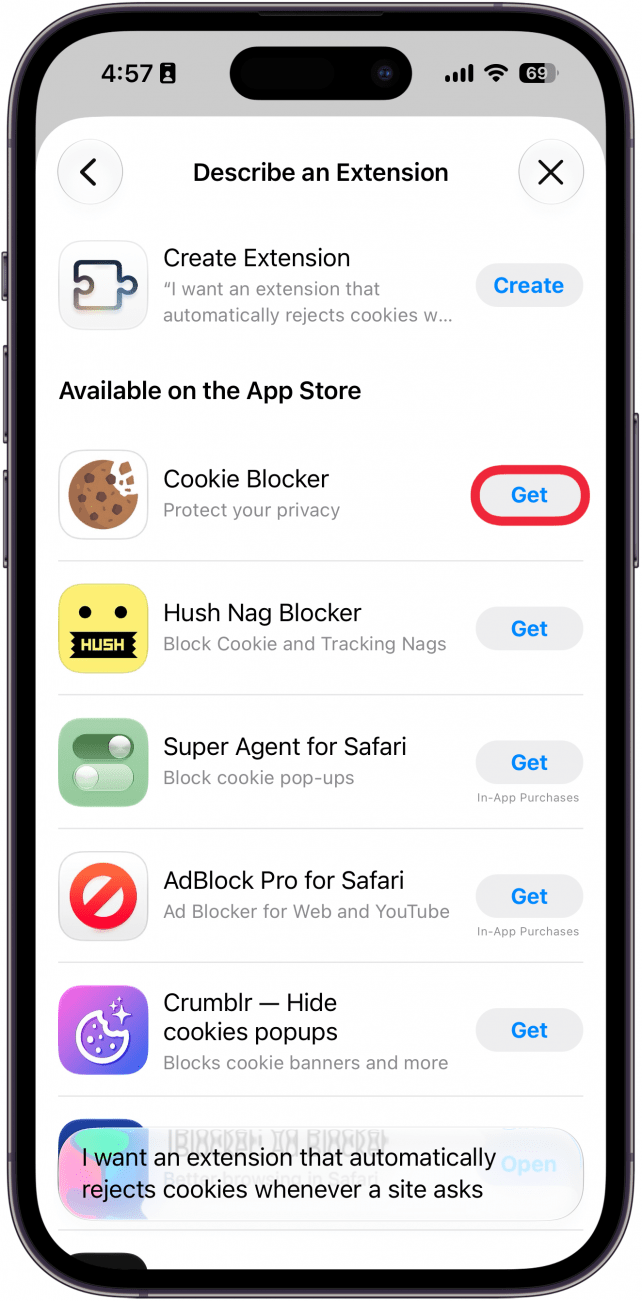
- Select Create.
- You'll see the progress of the extension's creation at the top of the screen. You can tap the stop icon to cancel it.

- Once the extension is ready, you can tap Try. Since our "Cookie Rejector" extension doesn't show any visible results, we won't see anything special on screen. But if you create an extension such as "put every website I visit in Dark mode by default," you should see the results now.

- Tap Edit if you want to change anything about the extension, or tap the checkmark to dismiss the banner.

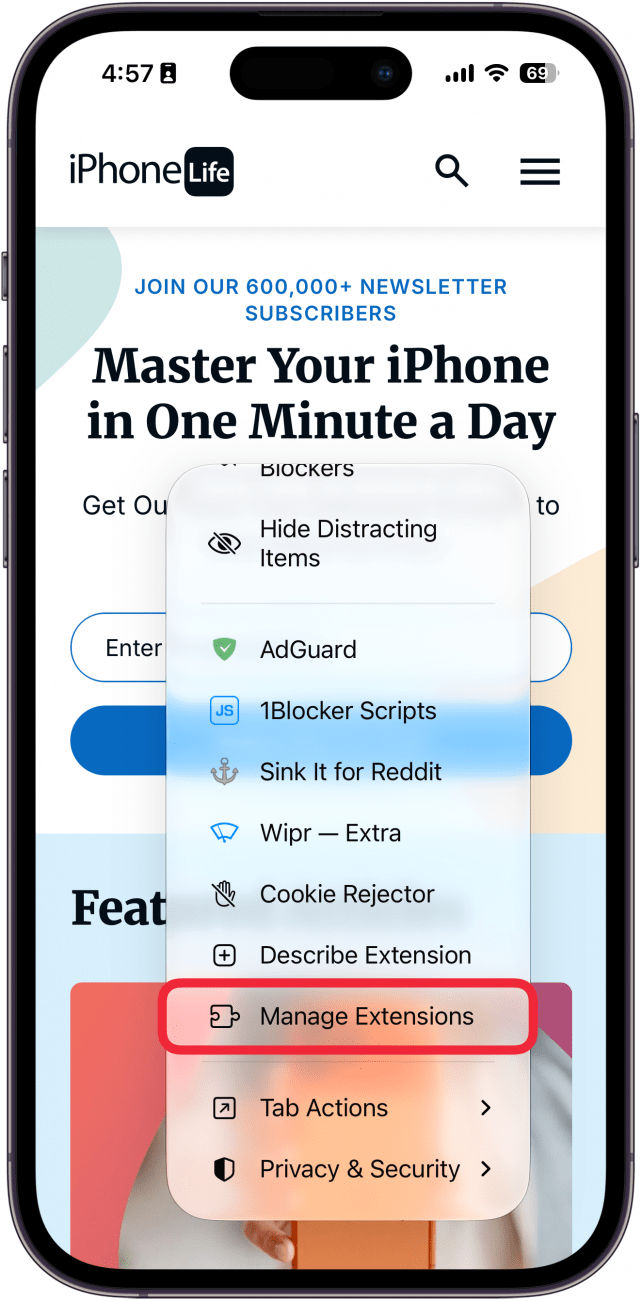
- If you want to edit the extension later, go to Manage Extensions in the Page Menu (see step 2 for how to open this menu).
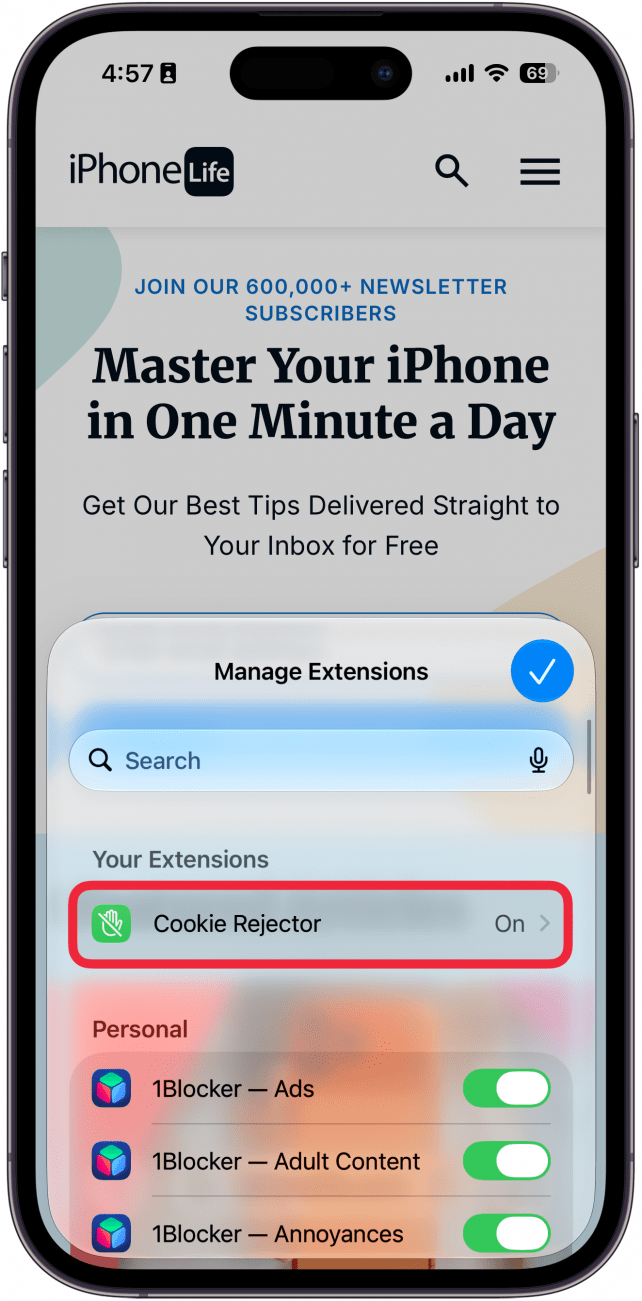
- Select your extension.
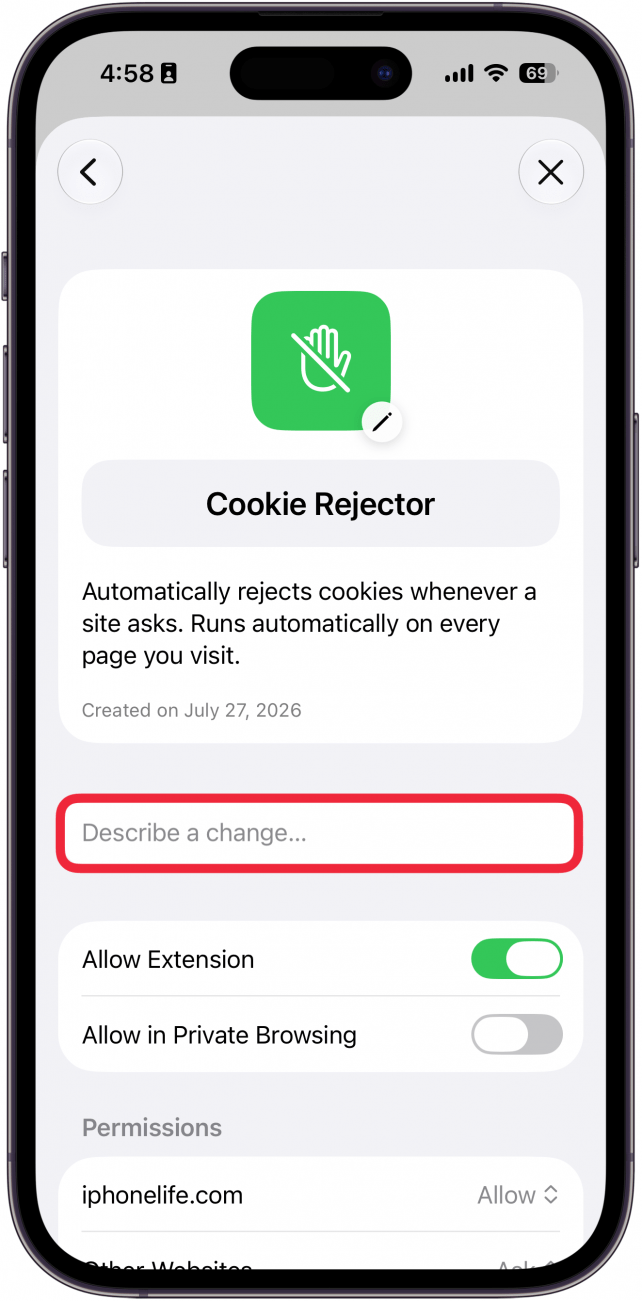
- Tap Describe a change… if there are changes you want to make.
- If you want to delete the extension, scroll down to Delete Extension.
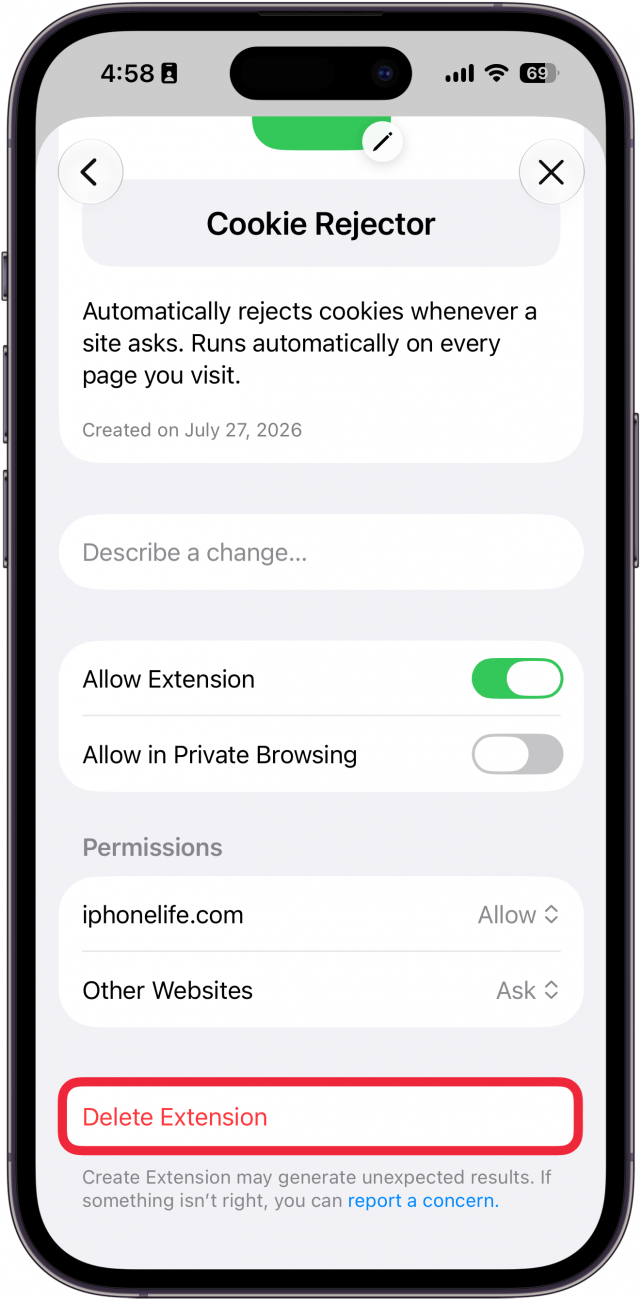
That's how to add an extension to Safari using Apple Intelligence. These steps work on macOS 27 as well, but will look slightly different since it's a desktop computer rather than the iPhone.
More On: Safari on iPhone

Every day, we send useful tips with screenshots and step-by-step instructions to over 600,000 subscribers for free. You'll be surprised what your Apple devices can really do.

Rhett Intriago
Rhett Intriago is a Feature Writer at iPhone Life, offering his expertise in all things iPhone, Apple Watch, and AirPods. He enjoys writing on topics related to maintaining privacy in a digital world, as well as iPhone security. He’s been a tech enthusiast all his life, with experiences ranging from jailbreaking his iPhone to building his own gaming PC.
Despite his disdain for the beach, Rhett is based in Florida. In his free time, he enjoys playing the latest games, spoiling his cats, or discovering new places with his wife, Kyla.

 Amy Spitzfaden Both
 Rhett Intriago
 Olena Kagui




 Rachel Needell





 Leanne Hays