How to Use Ask to Buy to Approve Kids’ Purchases & Downloads

Leanne puts her love of troubleshooting and repair to use managing our Ask an Expert Facebook group and has authored hundreds of how-to, Apple news, and gear review articles.
Learn More Leanne puts her love of troubleshooting and repair to use managing our Ask an Expert Facebook group and has authored hundreds of how-to, Apple news, and gear review articles.
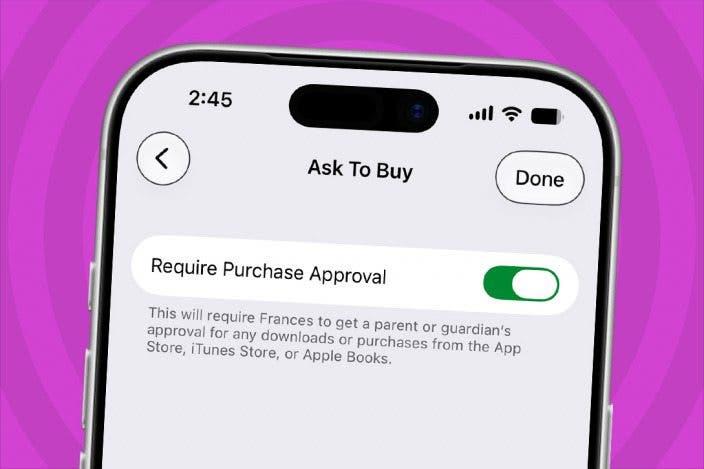
Learn MoreIf your kids love purchasing and downloading apps from the App Store, adding on in-app purchases, or need to redownload apps shared in your Family Group, you need to know how to turn on Ask to Buy. Ask to Buy sends a request to the designated adult in the Family Group, who can then review and approve or disapprove the requested item. Here's how to turn on this important parental control.
Why You'll Love This Tip
- Make sure your kids aren't running up bills in the App Store by turning on Ask to Buy.
- Check age ratings and content warnings before allowing kids access to free or paid content.
How to Use Ask to Buy to Approve Kids’ Purchases on Your iPhone & iPad
System Requirements
This tip was tested on an iPhone 17 running iOS 27. These steps do not work for users running iOS 26. Find out how to update to the latest version of iOS.
You need to set up Family Sharing and add your kids to the group before you can turn on Ask to Buy. Once you've set up Family Sharing, you can set up Ask to Buy and other Parental Controls; here's how:
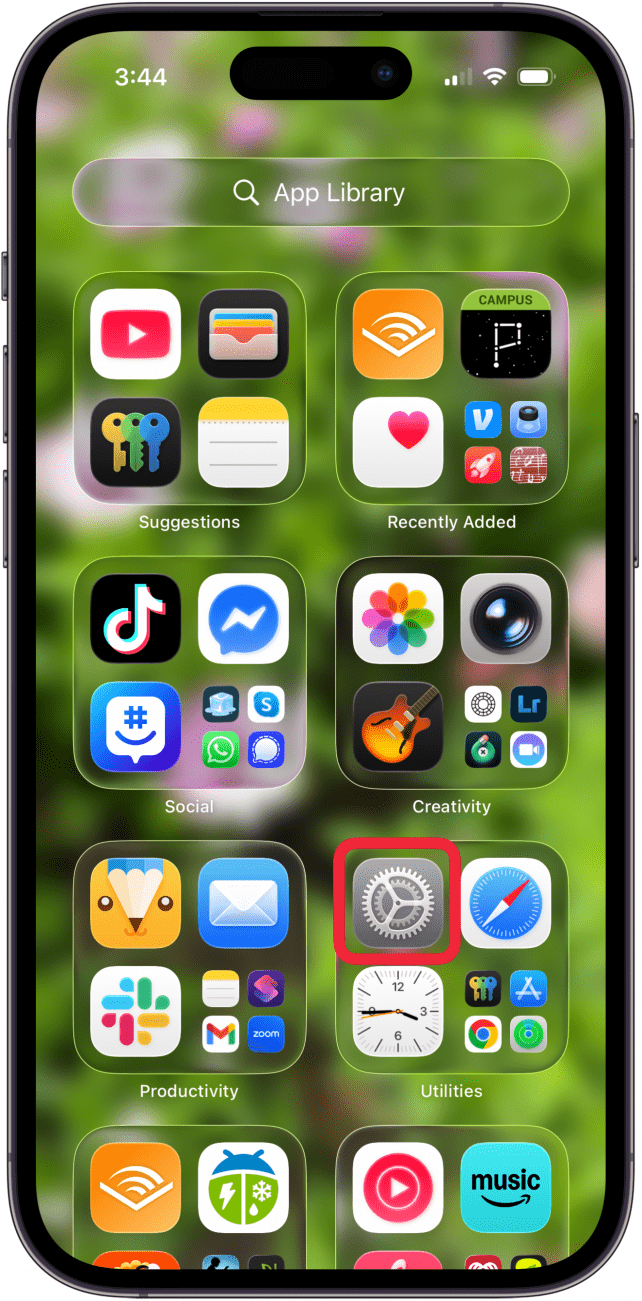
- Open the Settings app.
- Tap Family.

- Tap your child's name.

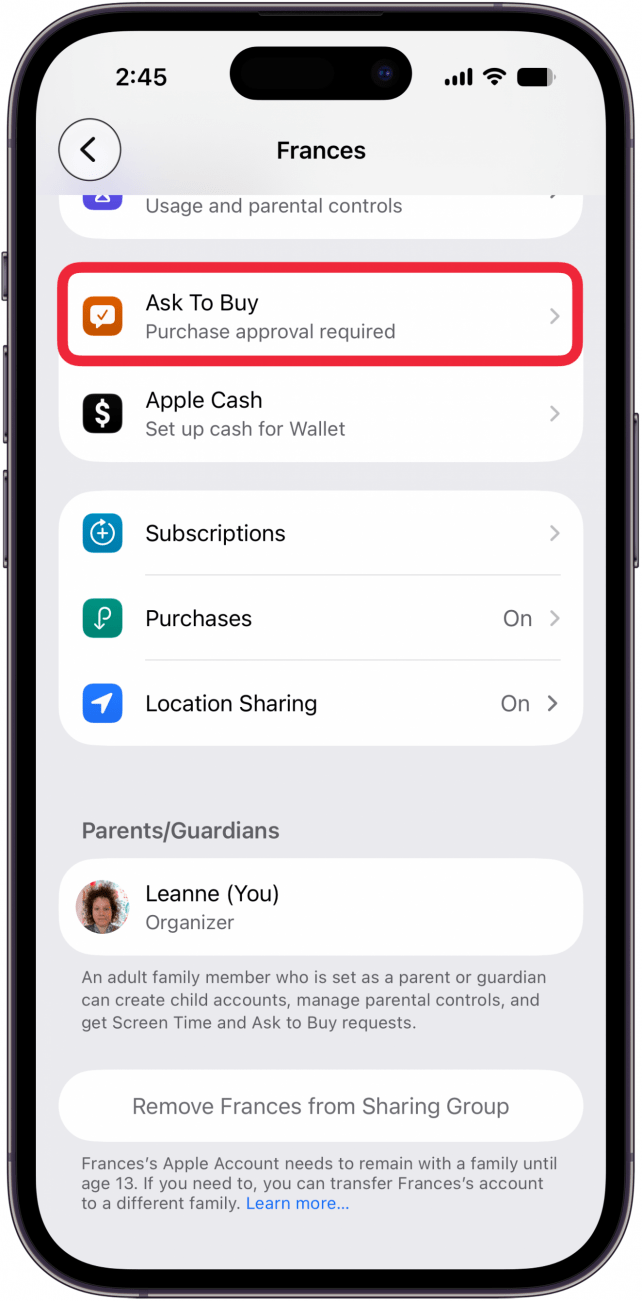
- Tap Ask to Buy.
- Toggle on Require Purchase Approval.
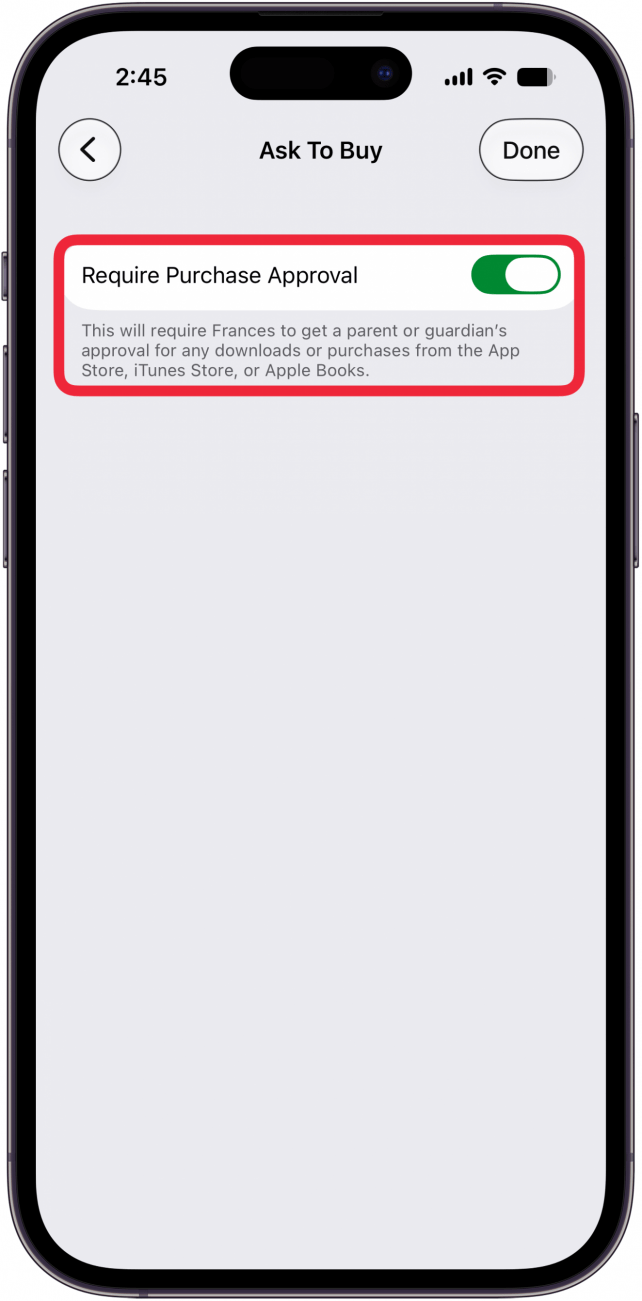
- Tap Done.

Now you know how to turn on Ask to Buy on your iPhone and iPad. If you're wondering how to turn off Ask to Buy, just repeat these steps, then toggle off Require Purchase Approval.
Be sure to check out our free Tip of the Day for more parental controls tutorials.

Every day, we send useful tips with screenshots and step-by-step instructions to over 600,000 subscribers for free. You'll be surprised what your Apple devices can really do.

Leanne Hays
Leanne Hays has more than sixteen years of experience writing for online publications. As a SEO Specialist and Feature Writer for iPhone Life, she has authored hundreds of how-to, Apple news, and gear review articles, as well as a comprehensive Photos App guide. Leanne holds degrees in education and science and loves troubleshooting and repair. This combination makes her a perfect fit as manager of our Ask an Expert service, which helps iPhone Life Insiders with Apple hardware and software issues.
In off-work hours, Leanne is a mother of two, homesteader, audiobook fanatic, musician, and learning enthusiast.

 Rhett Intriago
 Amy Spitzfaden Both
 Leanne Hays

 Olena Kagui




 Susan Misuraca