How to Assign Star Ratings to Photos

A lifelong tech enthusiast, with experiences ranging from jailbreaking his iPhone to building his own gaming PC, Rhett specializes in maintaining privacy in a digital world and iPhone security.
Learn More A lifelong tech enthusiast, with experiences ranging from jailbreaking his iPhone to building his own gaming PC, Rhett specializes in maintaining privacy in a digital world and iPhone security.
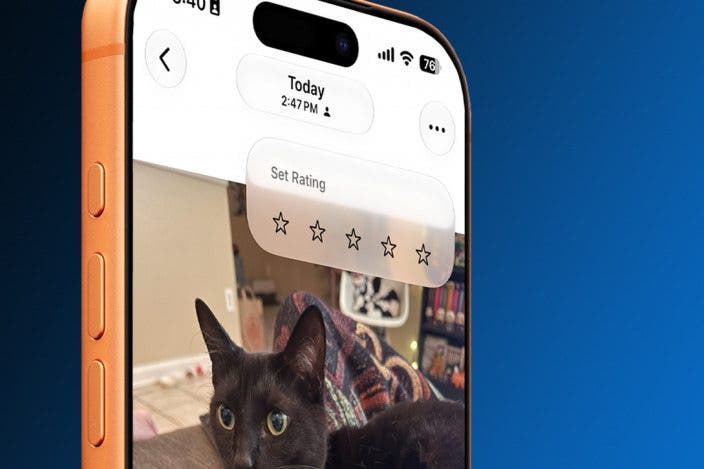
Learn MoreDid you know you can rate your own photos? On the latest iOS software, you can enable a hidden setting that lets you assign a rating of 1 to 5 stars to any photo. Read on to find out how to rate your photos in the Photos app!
Why You'll Love This Tip
- Assign ratings of 1 to 5 stars to your own photos.
- Filter photos by rating to make them easier to sort through.
How to Rate Photos on iPhone
System Requirements
This tip was performed on an iPhone 15 Pro running iOS 27. Find out how to update to the latest version of iOS.
The newest iPhone update adds a new feature that allows you to rate your photos between 1 and 5 stars. You can then filter your photos based on your star ratings. To unlock more of your iPhone's secrets, be sure to check out our free Tip of the Day newsletter. Now, here's how to enable photo ratings and filter your photos by rating:
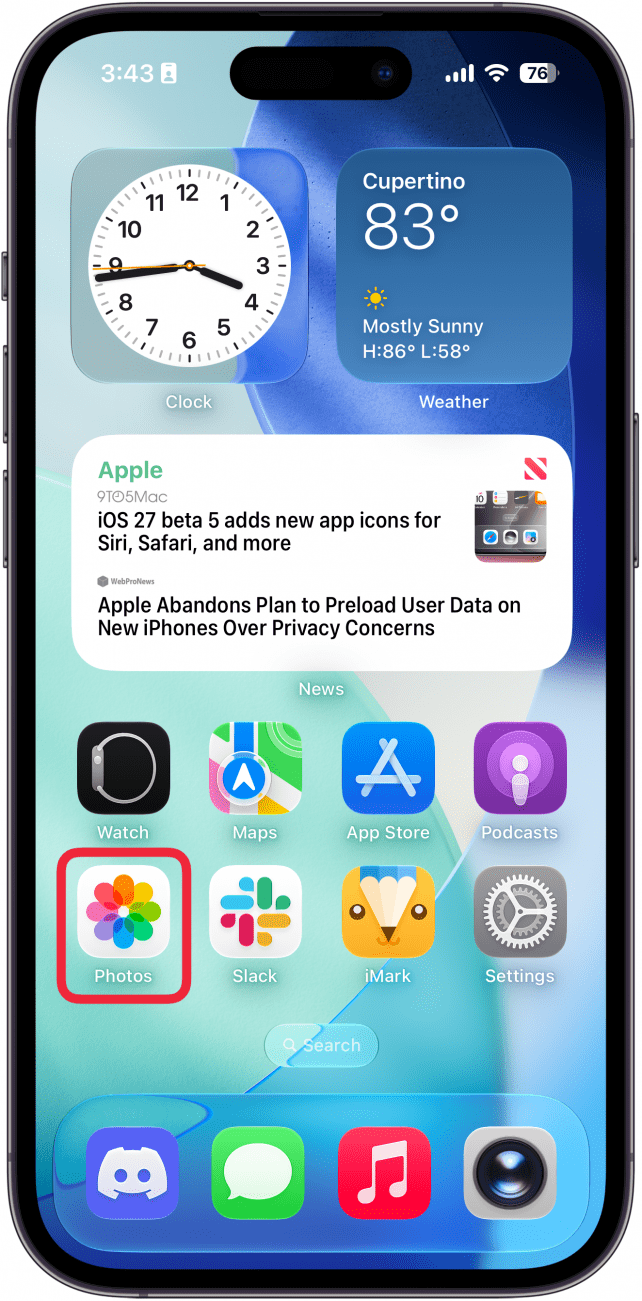
- Open the Photos app.
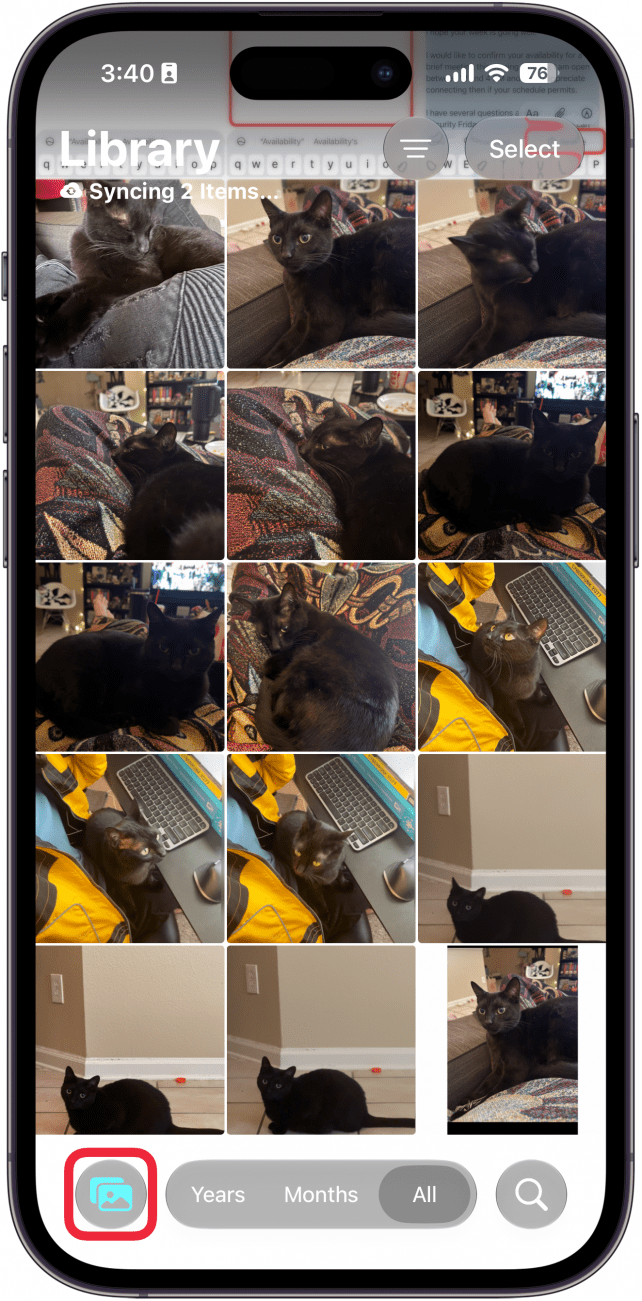
- If you see Years, Months, and All at the bottom of the screen, tap the Library icon. Otherwise, proceed to step 3.
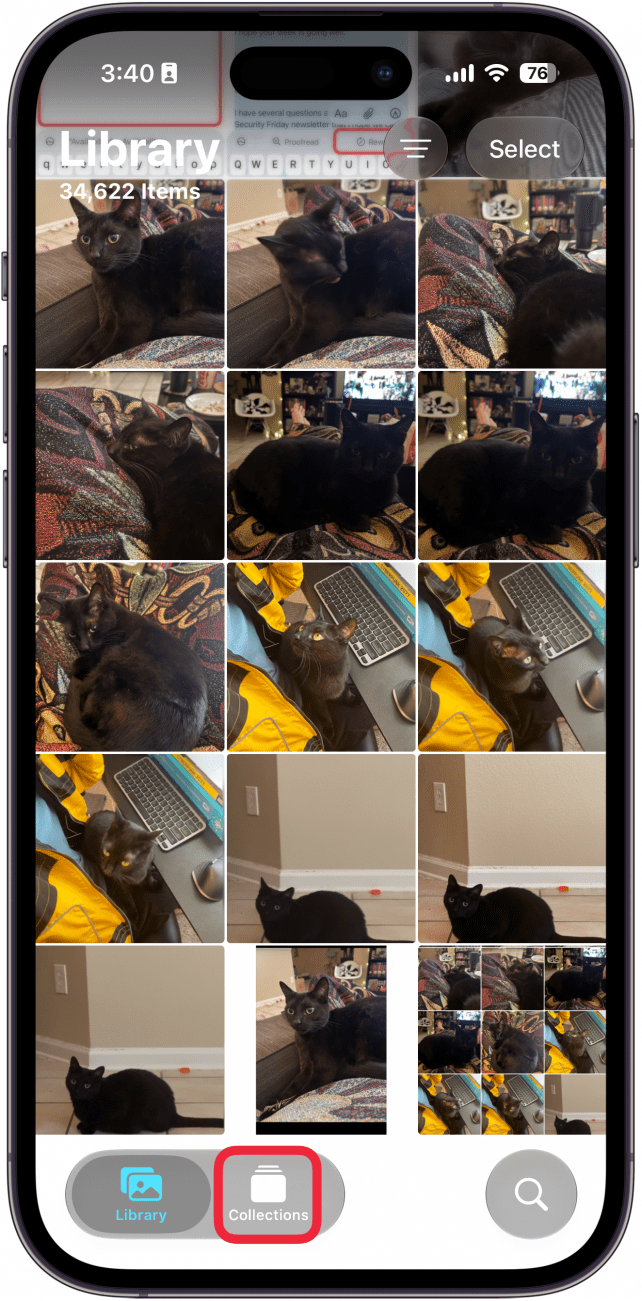
- Tap Collections.
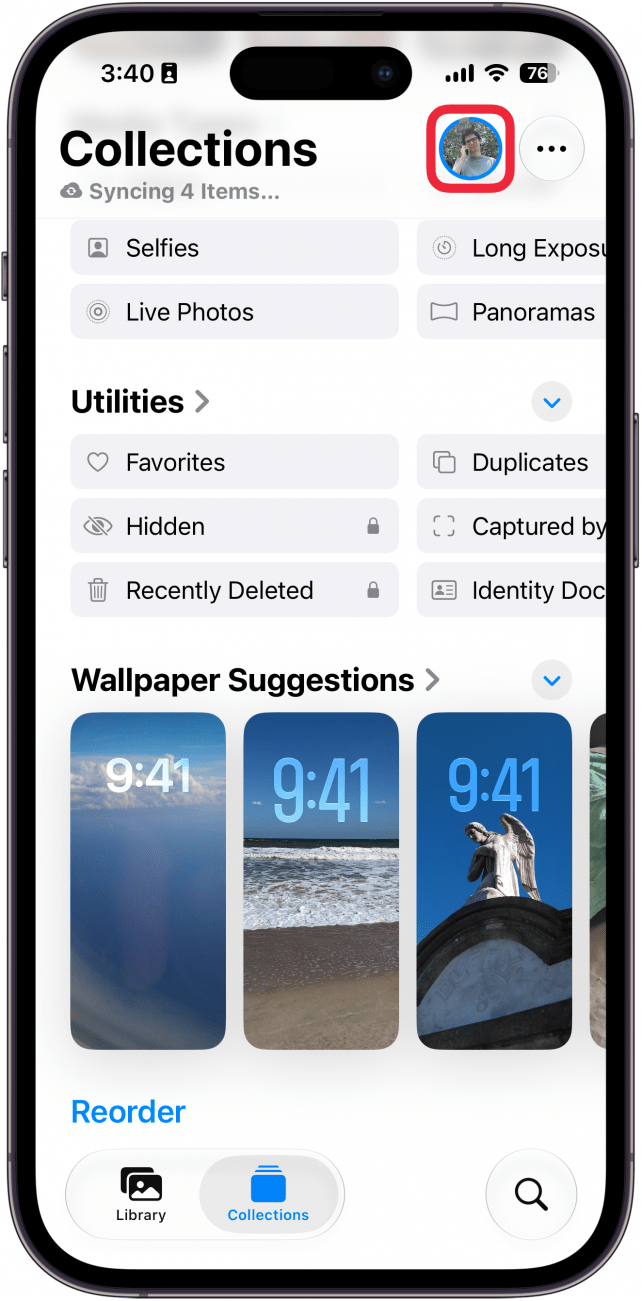
- Tap your profile icon in the upper right.
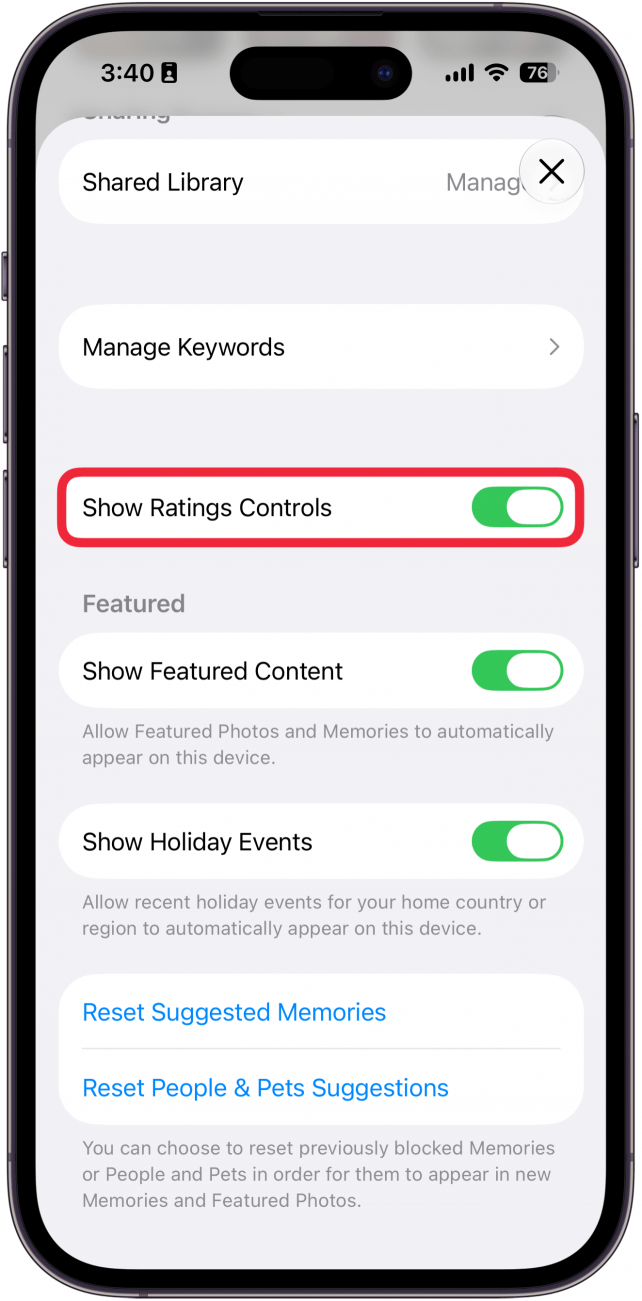
- In this menu, scroll down and toggle on Show Rating Controls.
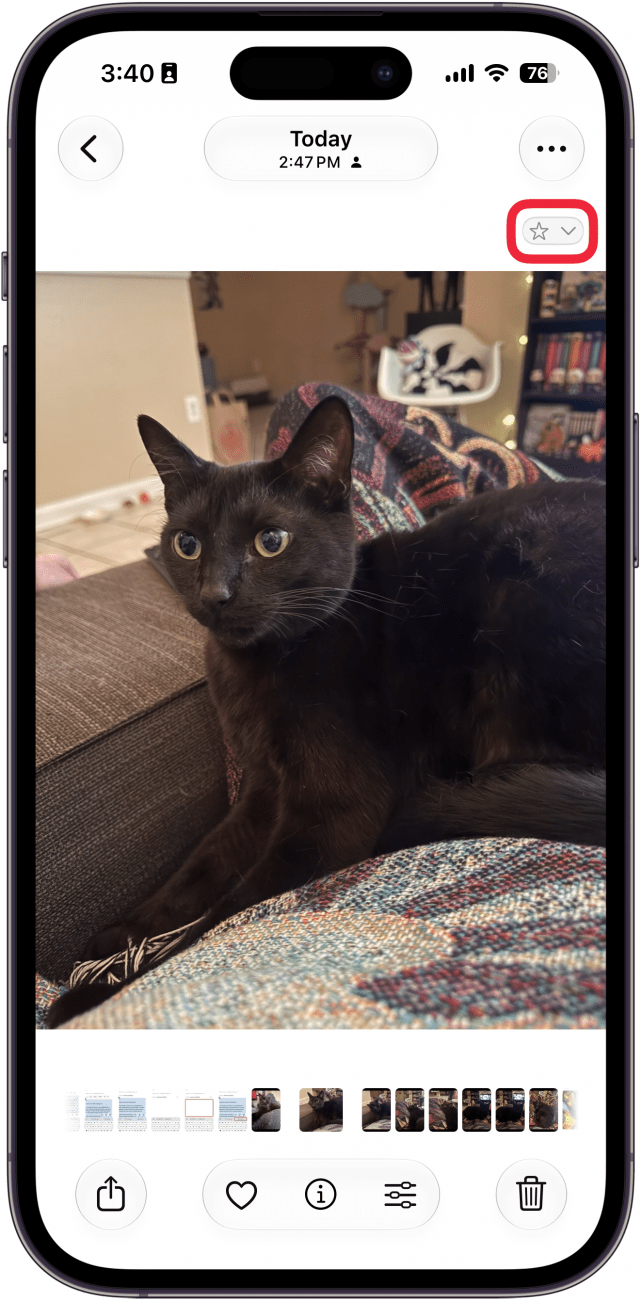
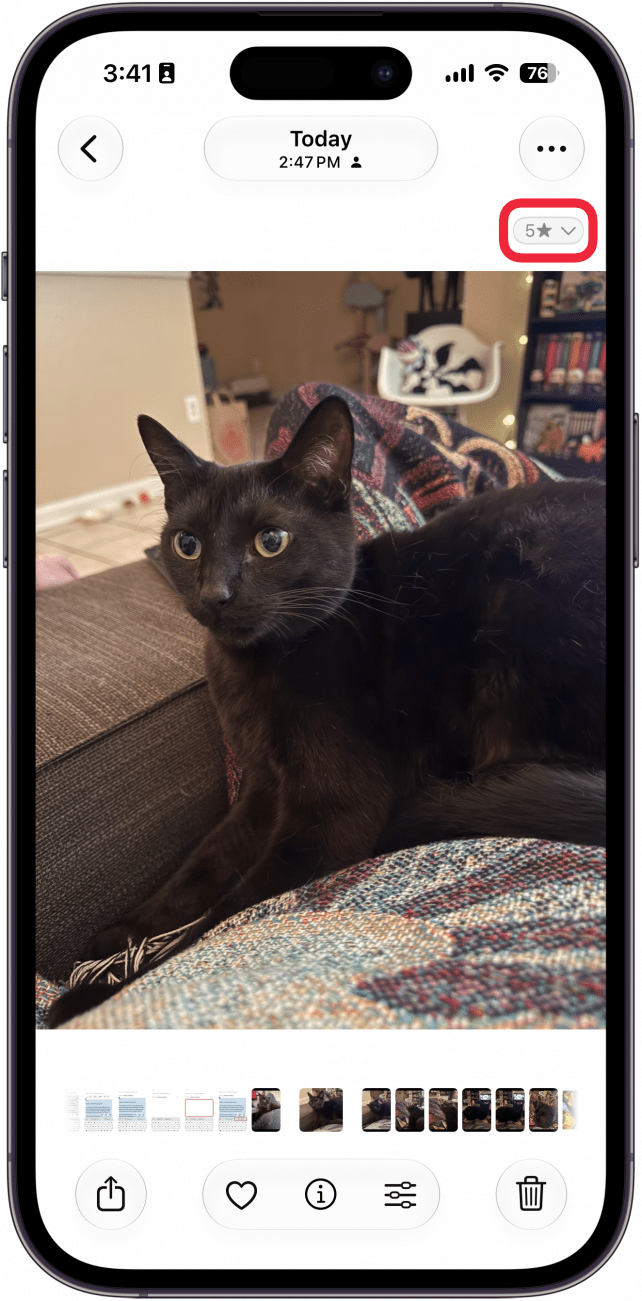
- Find the photo you want to rate, and look for the new star icon that appears.
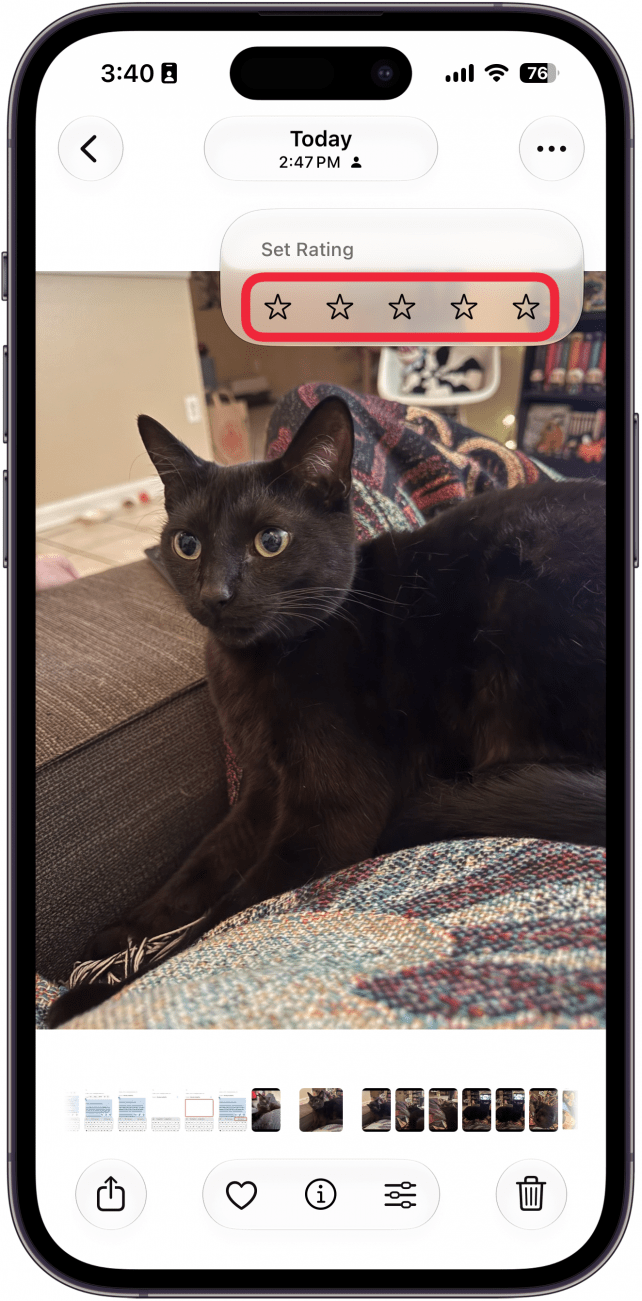
- When you tap it, you can assign a rating of 1 to 5 stars.
- You'll see the star rating on the photo now.
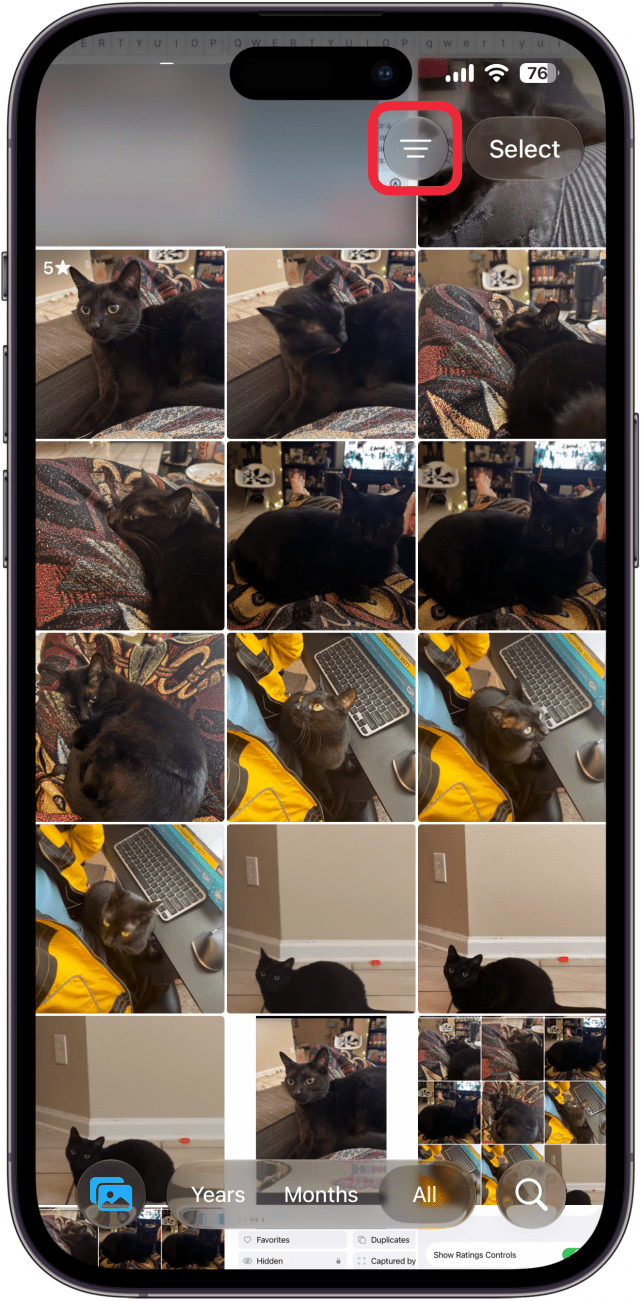
- Tap the filter icon to filter photos by rating.
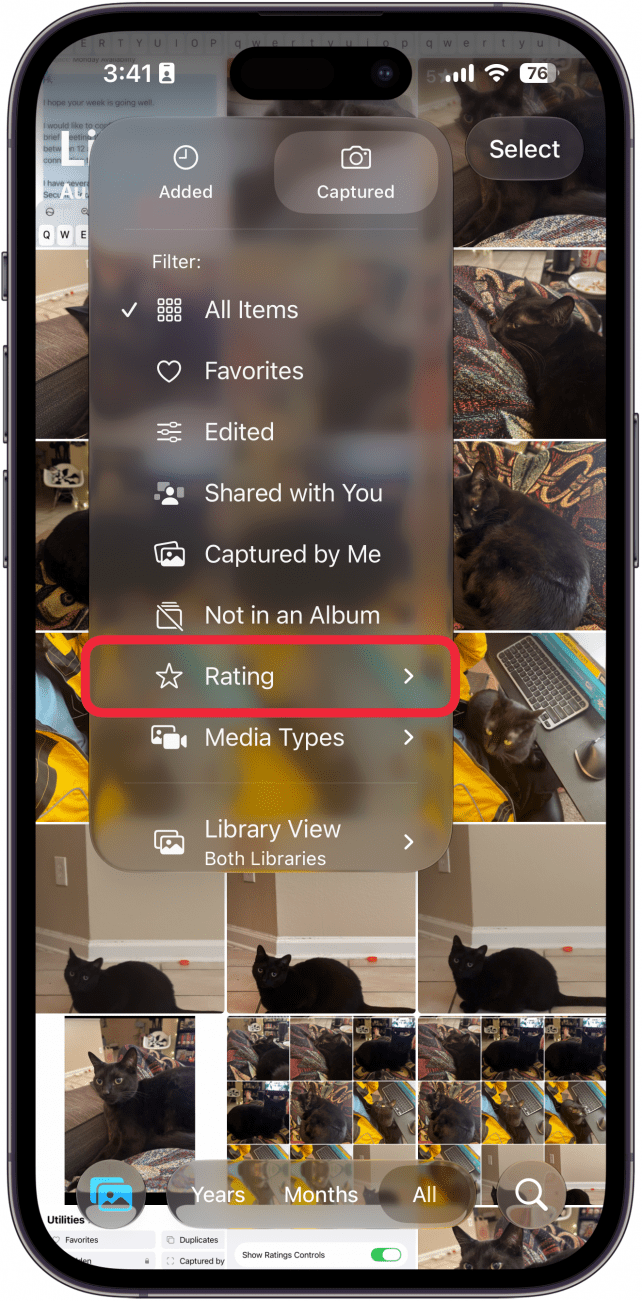
- Tap Rating.
- Select the star rating by which you want to filter.
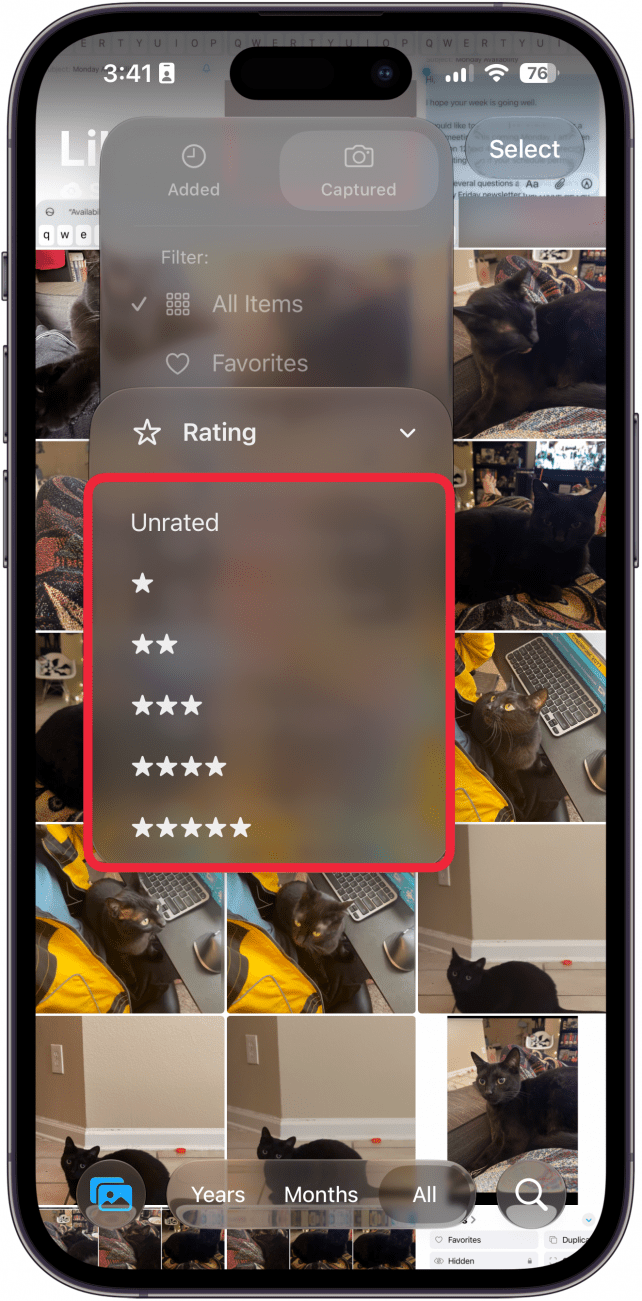
Now, you can rate your photos and sort through them later!

Every day, we send useful tips with screenshots and step-by-step instructions to over 600,000 subscribers for free. You'll be surprised what your Apple devices can really do.

Rhett Intriago
Rhett Intriago is a Feature Writer at iPhone Life, offering his expertise in all things iPhone, Apple Watch, and AirPods. He enjoys writing on topics related to maintaining privacy in a digital world, as well as iPhone security. He’s been a tech enthusiast all his life, with experiences ranging from jailbreaking his iPhone to building his own gaming PC.
Despite his disdain for the beach, Rhett is based in Florida. In his free time, he enjoys playing the latest games, spoiling his cats, or discovering new places with his wife, Kyla.
 Leanne Hays
 Rhett Intriago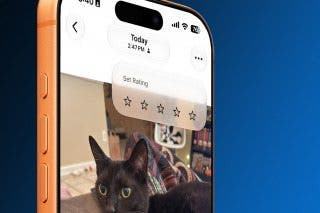
 Rachel Needell
 Olena Kagui

 Amy Spitzfaden Both

 Susan Misuraca