Organize Your Photos with Keywords

A lifelong tech enthusiast, with experiences ranging from jailbreaking his iPhone to building his own gaming PC, Rhett specializes in maintaining privacy in a digital world and iPhone security.
Learn More A lifelong tech enthusiast, with experiences ranging from jailbreaking his iPhone to building his own gaming PC, Rhett specializes in maintaining privacy in a digital world and iPhone security.
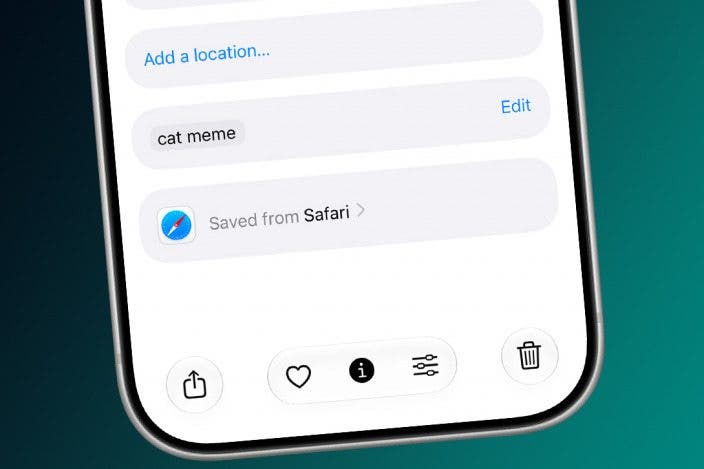
Learn MoreOrganizing your photos just got a lot easier. The latest version of iOS has a feature that allows you to add keywords to photos so you can search for them with ease.
Why You'll Love This Tip
- Keep your photos organized by keyword.
- Easily search for photos using unique keywords.
How to Tag Photos with Keywords on iPhone
System Requirements
This tip was performed on an iPhone 15 Pro running iOS 27. Find out how to update to the latest version of iOS.
The latest version of iOS gives you the option to add keywords to your photos. You can then search for these keywords in the Photos app, and any photos tagged with that keyword will appear in the search results. To find out more about iOS 27's hidden features, be sure to sign up for our free Tip of the Day newsletter. Now, here's how to add keywords to photos:
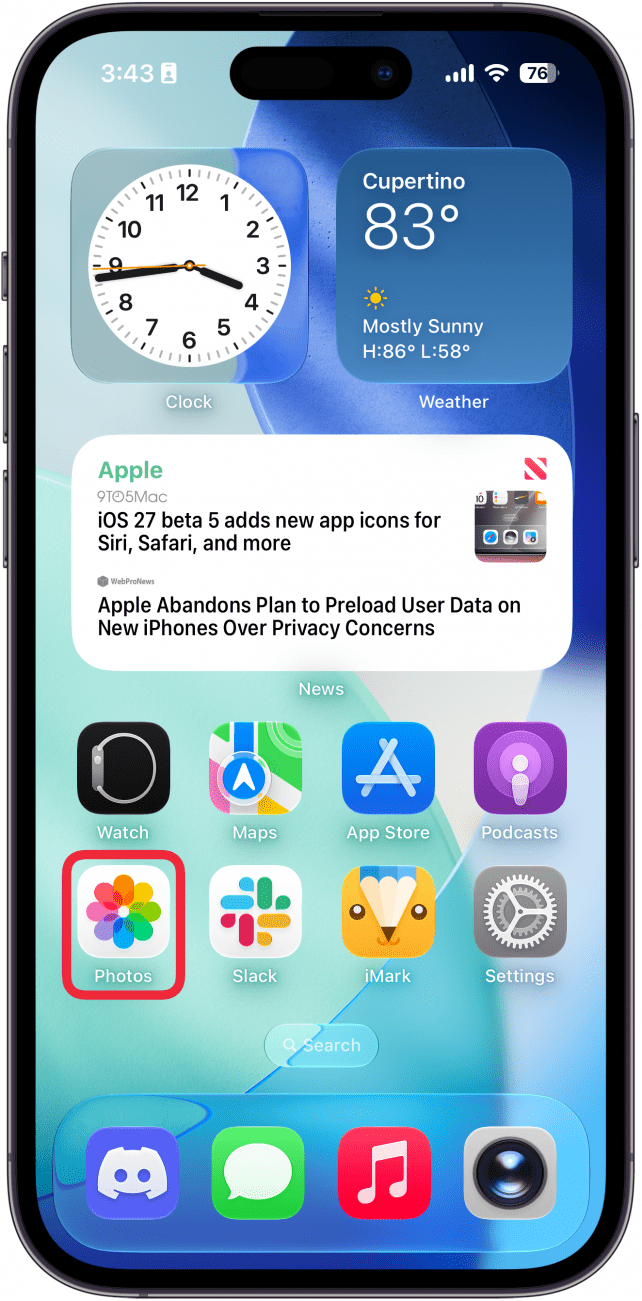
- Open the Photos app.
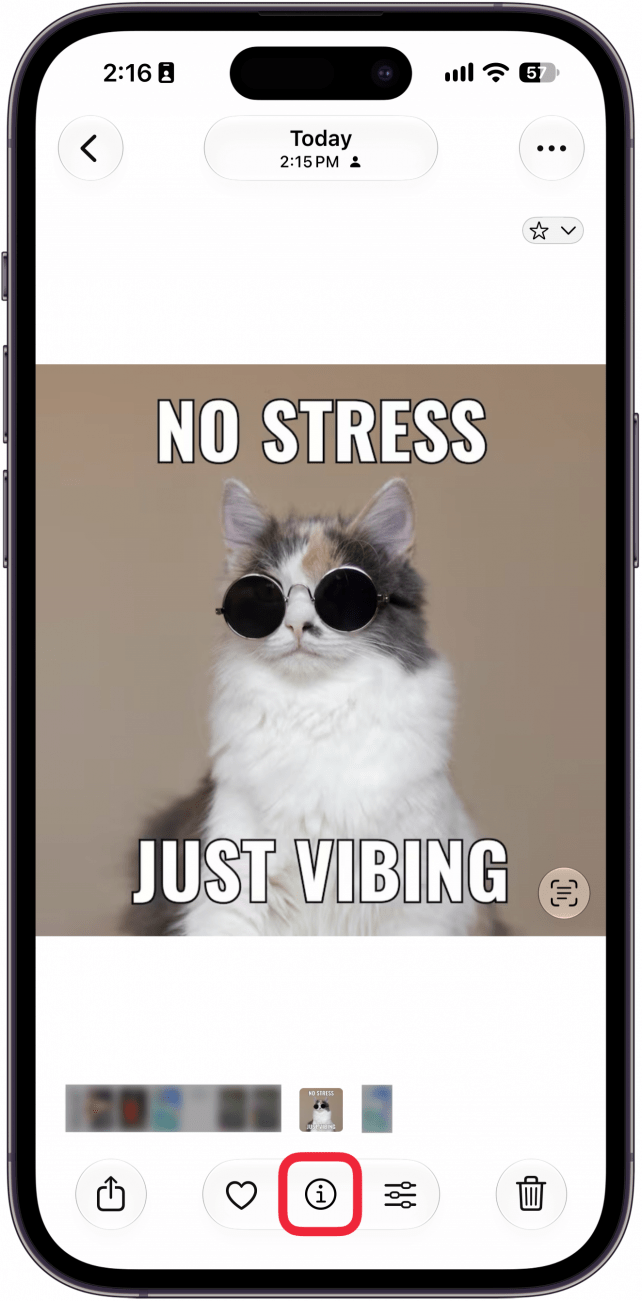
- When you locate the photo you want to tag, tap the info icon or swipe up on the photo.
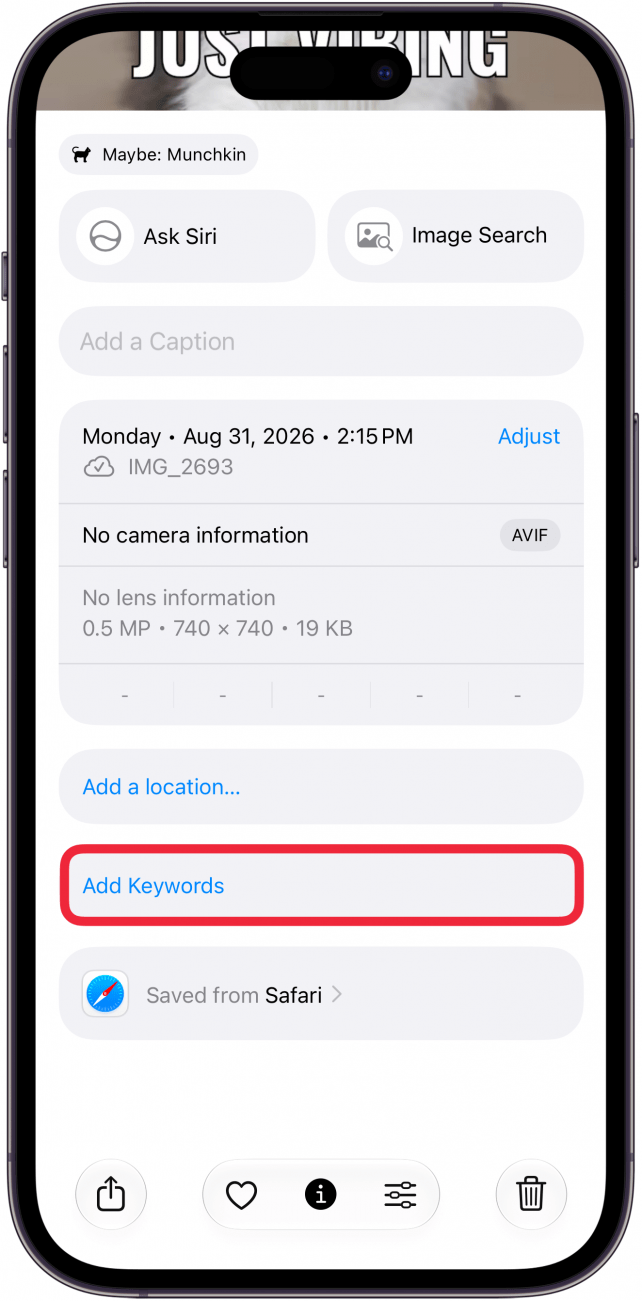
- Scroll down and tap Add Keywords.
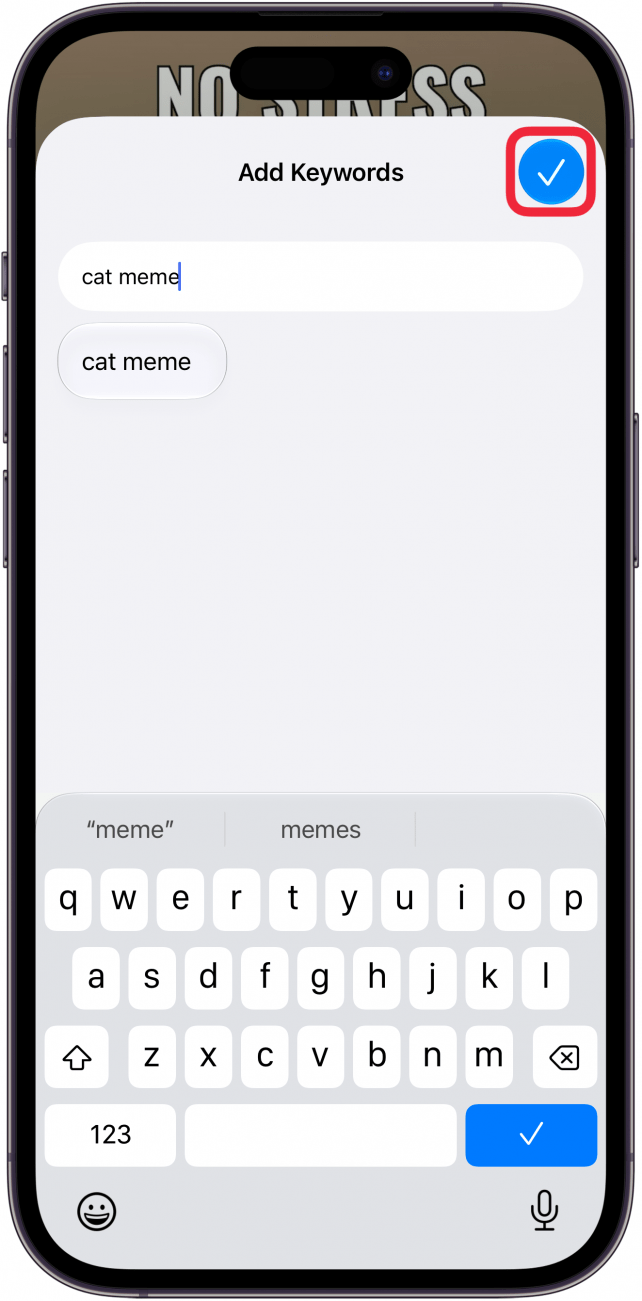
- Enter the keyword(s) you want to add and then tap the checkmark icon.
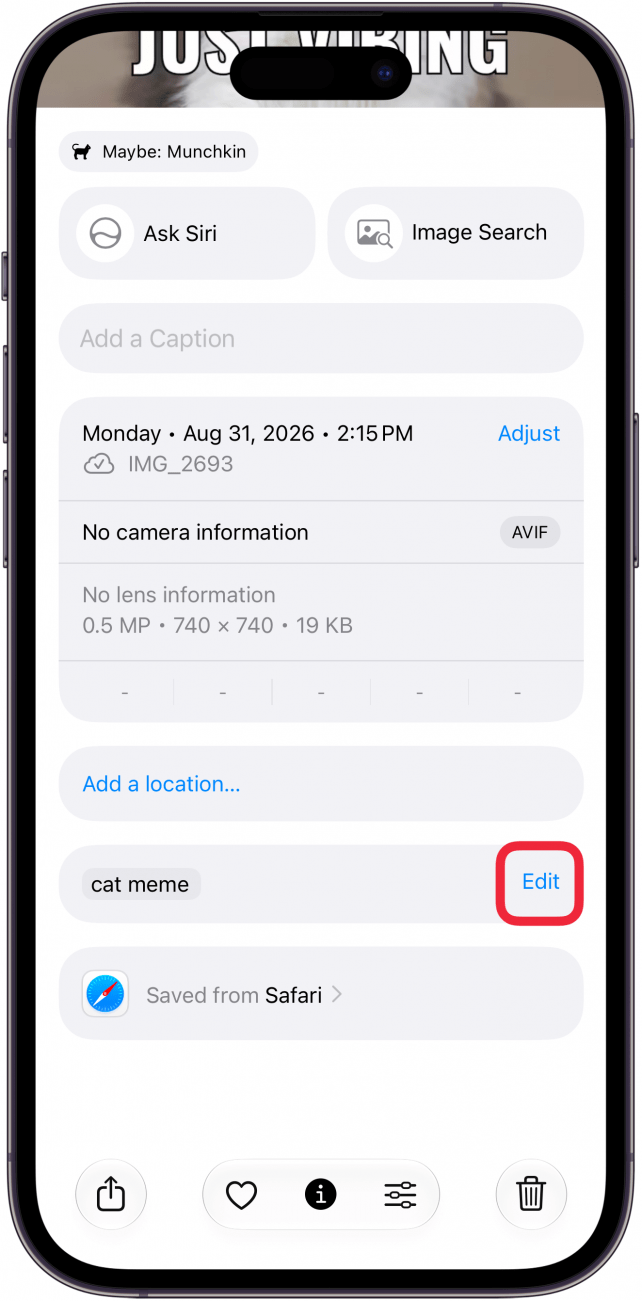
- If you want to edit or add more keywords later, you can tap Edit.
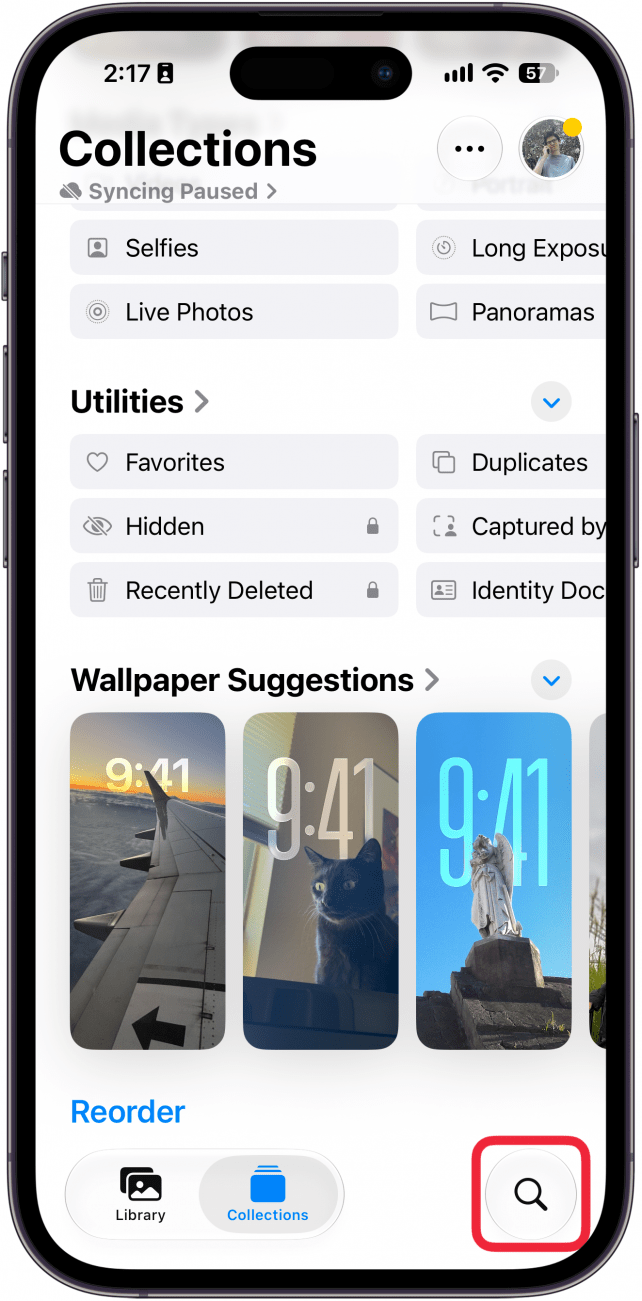
- To search the Photos app, tap the search icon (it looks like a magnifying glass).
- Type in the keyword and you should see the photo you tagged.
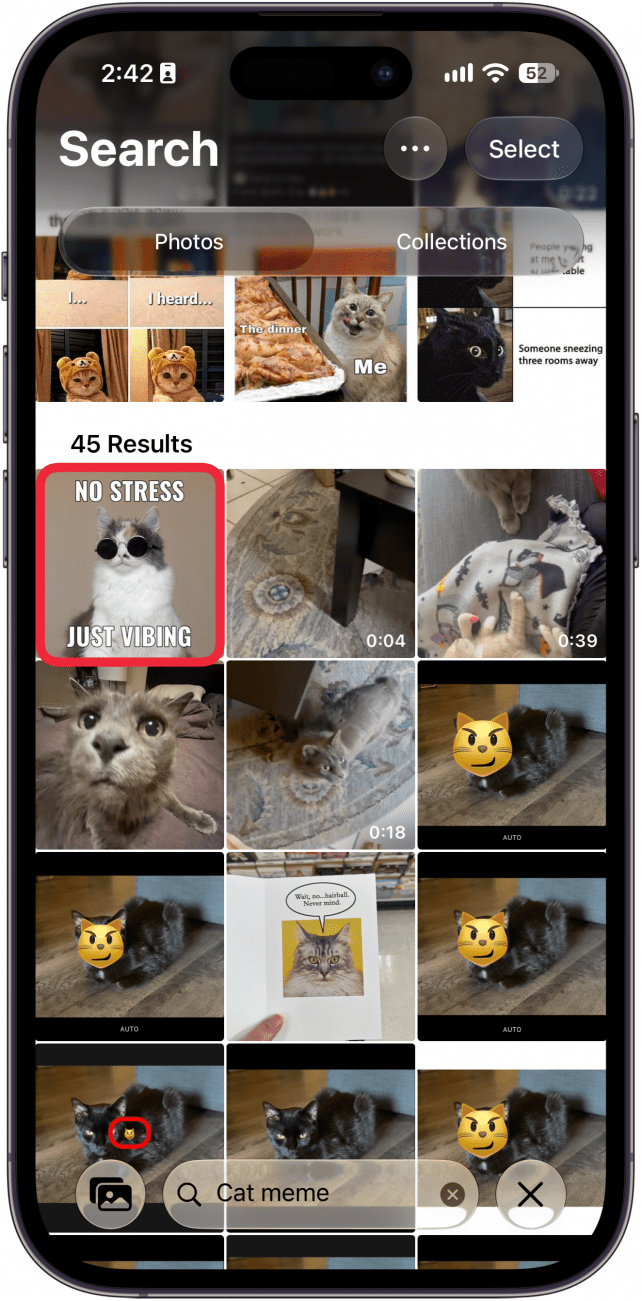
That's how to tag your photos with keywords on the iPhone! Now you can keep your photos organized by keyword.

Every day, we send useful tips with screenshots and step-by-step instructions to over 600,000 subscribers for free. You'll be surprised what your Apple devices can really do.

Rhett Intriago
Rhett Intriago is a Feature Writer at iPhone Life, offering his expertise in all things iPhone, Apple Watch, and AirPods. He enjoys writing on topics related to maintaining privacy in a digital world, as well as iPhone security. He’s been a tech enthusiast all his life, with experiences ranging from jailbreaking his iPhone to building his own gaming PC.
Despite his disdain for the beach, Rhett is based in Florida. In his free time, he enjoys playing the latest games, spoiling his cats, or discovering new places with his wife, Kyla.
 Rhett Intriago

 Olena Kagui
 Leanne Hays



 Cullen Thomas
 Rachel Needell
 Amy Spitzfaden Both


 Michael Schill