How to Create a Dream Travel Itinerary Using AI


In the last 10 years, Olena has been published in dozens of publications internationally and written hundreds of how-to articles and complex guides about Apple products, software, and apps.
Learn More In the last 10 years, Olena has been published in dozens of publications internationally and written hundreds of how-to articles and complex guides about Apple products, software, and apps.
Learn MorePlanning a trip can be daunting because it requires researching what activities are available to you, when certain businesses are open, how much time and/or experience is needed for a particular experience, and what you need to bring/wear for the occasion. The perks of using AI for travel itineraries is that it can save you a lot of time by doing all the research for you and helping you schedule everything based on location, opening hours, budget, and so much more.
Why You'll Love This Tip
- Learn how to plan a trip via a single prompt that covers all the bases.
- Plan a trip you don't know much about by having your AI assistant ask the important questions and give you options.
- Ask for sources so you can easily double-check everything before booking.
How to Plan Your Trip Using an AI Assistant
Travel agents and planners can be expensive, but looking up every detail of a trip is extremely time-consuming. Luckily, AI can help you plan a trip quickly and smoothly. Just remember to double-check any information that could make or break your trip, because AI can make mistakes. Here is a list of details you could consider informing AI of when asking for its help:
- Location(s) you wish to visit
- Duration of the trip, including precise departure and arrival times (unless you are completely flexible, then consider asking your AI app for the best times to visit!)
- Ages of everyone going on the trip and the total number of people
- Whether or not you are bringing pets
- Total budget and notes on how you wish to spend the money (like prioritizing luxurious accommodations or focusing on activities or gourmet food)
- Types of activities you wish to do and notes on whether you want to pack every day full of activities or take it easy
- General restrictions like allergies, disabilities, and language barriers
- Preferred transportation for getting there and back, as well as for getting around the location. Specify if you plan on using ride-share services or public transportation
- Specify when you like to get up in the morning and go to bed, and if you want to return to your accommodation between activities
And here's a list of questions and commands you might want to give your AI assistant:
- What are restaurants or stores in the area that match your budget and restrictions?
- Are reservations necessary for your favored restaurants and activities?
- What fun activities are available in the place you're planning to go?
- What cultural and historic sites are there to see?
- What are customs or rules that you might not be used to? Is tipping expected or considered rude?
- Will you need an international phone plan to use your phone?
- Do you need to carry specific paperwork or IDs?
- What type of payment should you expect to use (some places are cashless while others are cash-only)?
- What can you expect the weather to be like when you're there? You can also ask your AI assistant to take the weather into account when planning activities.
- Ask your AI to set reminders to get souvenirs or presents for those back home.
- Ask the AI to use up-to-date sources when researching and request links to the sources.
If you have any specific needs or dealbreakers, you should let your AI assistant know so it can work around them. The more details you offer, the better the results will be.
Good Examples of a Travel Plan Prompts for AI Assistants
There are two ways to approach planning a trip using an AI app. I prefer to write out a single prompt and then make changes if necessary. Others prefer to have a back-and-forth conversation with your AI assistant, during which you can specify details and make decisions as they come up. If you go the conversation route, you might want to ask for lists of options, like possible activities, and let the AI assistant know what you enjoy and what you're not interested in. You could even ask the AI assistant to ask you questions to help you determine your itinerary. This is great if you don't know anything about the location(s) and can't offer specific information until you learn more.
Here's an example of the prompt I would use that covers most things at once:
"I am traveling to [location] from [location] with [number of people and/or animals] for [duration of time]. Our budget is [number], and we hope to stay in a [budget/luxurious/1-5 star/etc] hotel. We wish to travel to and from the destination by [type of transportation]. We prefer to do activities that are [relaxed, adventurous, outdoors, educational, etc]. We hope to spend most of our budget on [activities, accommodation, eating out, etc.]. We can't forget to buy [souvenirs/gifts/etc.] before going home; please include a time and place we can shop during our trip. Please keep in mind [include disabilities, dealbreakers, and special requests]. Let me know if we need [credit cards or cash/phone plans/passports]. While creating this travel itinerary, please use the most up-to-date sources and consider opening hours when timing activities. Make sure to check Google and social media for temporary closures or private events. Include a source or a link for every suggestion."
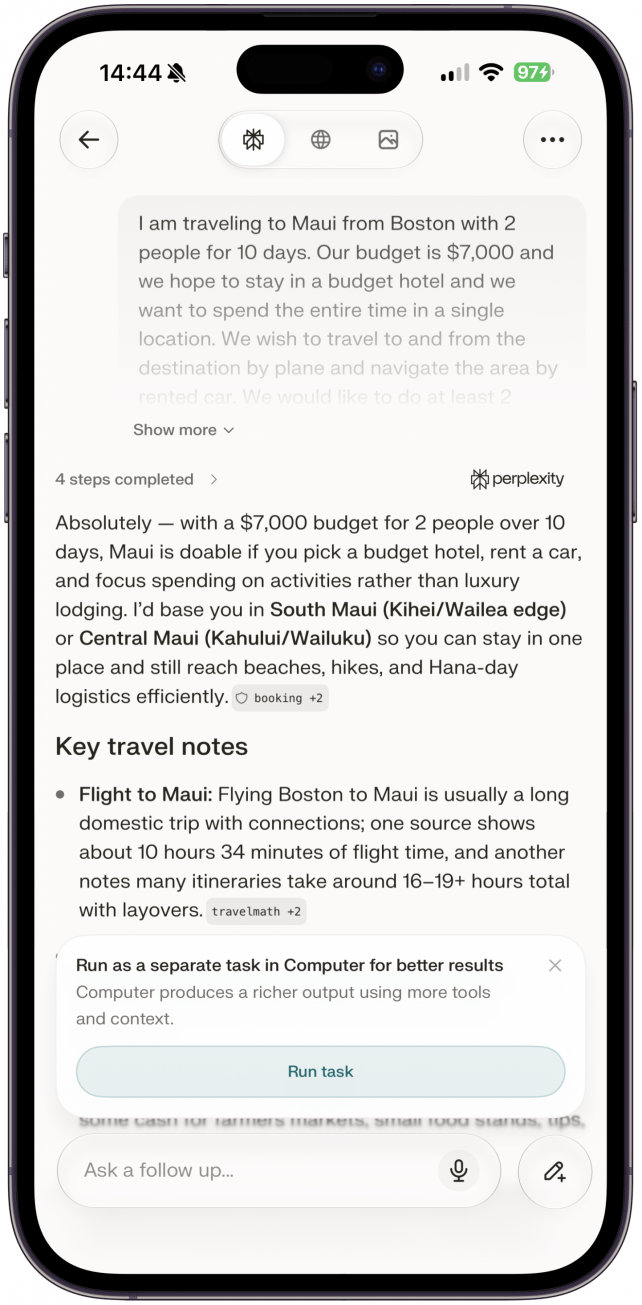
Tap this link to see the full response I got from Perplexity.
Here's an example of the initial prompt I would use if I wanted more guidance and options, expecting to have a detailed conversation with my AI assistant to finalize a good plan:
"Can you help me figure out a travel itinerary for Maui, Hawaii? We are 2 people coming from Boston for 10 days."
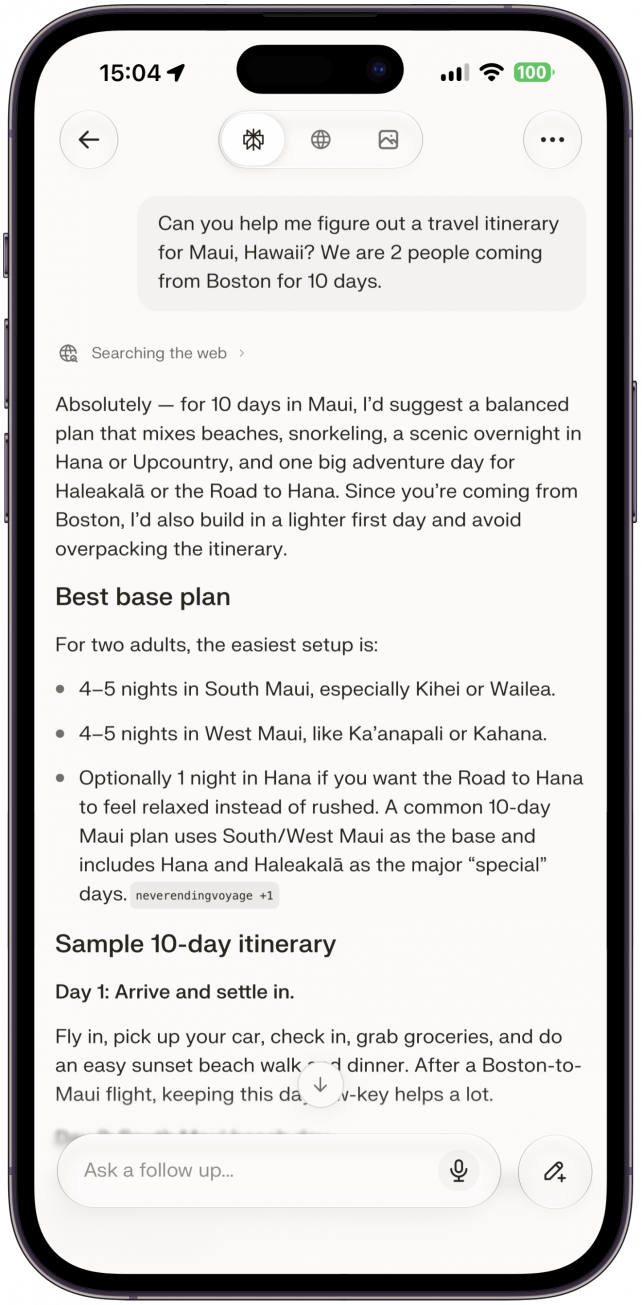
If you'd like, you can see the full response I got from Perplexity.
Once you get an itinerary, you can edit it via the AI app by requesting changes, or you can copy and paste the suggestions into a Word doc and plan the rest yourself. You can also share the plan with your fellow travelers to see if they have any notes or questions. Traveling can be stressful, and everyone plans a trip differently, which is why every piece of information you give your AI assistant is so important. Don't forget to double-check any vital information because AI can hallucinate, meaning it can make up information.
Now you know how to plan a trip using AI! You can do this in your preferred AI app, but I personally like to use Perplexity (free) because it is known for being good at providing factual information and using quality sources. You don't need a paid Perplexity plan in order to create a travel itinerary. One of our freelance writers wrote about her experience planning a vacation with AI, if you'd like to see the plan in action!
Top image credit: fizkes / Shutterstock.com

Every day, we send useful tips with screenshots and step-by-step instructions to over 600,000 subscribers for free. You'll be surprised what your Apple devices can really do.

Olena Kagui
Olena Kagui is a Feature Writer at iPhone Life. In the last 10 years, she has been published in dozens of publications internationally and won an excellence award. Since joining iPhone Life in 2020, she has written how-to articles as well as complex guides about Apple products, software, and apps. Olena grew up using Macs and exploring all the latest tech. Her Maui home is the epitome of an Apple ecosystem, full of compatible smart gear to boot. Olena’s favorite device is the Apple Watch Ultra because it can survive all her adventures and travels, and even her furbabies.

 Leanne Hays
 Olena Kagui
 Rhett Intriago









 Cullen Thomas

 Susan Misuraca