Surprise & Shine: What to Expect from Apple's September Event

In the last 10 years, Olena has been published in dozens of publications internationally and written hundreds of how-to articles and complex guides about Apple products, software, and apps.
Learn More In the last 10 years, Olena has been published in dozens of publications internationally and written hundreds of how-to articles and complex guides about Apple products, software, and apps.
Learn MoreWhat to Know
- Apple's September event, "Surprise and Shine," will be held September 9 at 10 a.m. PDT.
- Apple is expected to announce the iPhone 18 line, which may include Apple's first folding phone.
- Other potential device reveals are new Apple Watch models and maybe brand new home security products.
Apple has finally announced its fall event, where we will most likely see the new iPhone 18 line. It's being held on September 9 at 10 a.m. PDT and will be available to watch online. In addition to the usual iPhone models, we might see the Apple Watch Series 12, Apple Watch Ultra 4, and maybe the first ever folding phone and Home Hub.
When Is Apple's iPhone 18 Event?
Apple's September event titled "Surprise and Shine" was announced to be on Tuesday, September 9, at 10 a.m. Pacific time. Hopefully the name is hinting that we'll be getting some extra special surprises, which for me would be the first ever folding iPhone. Plus, "shine" makes me hope that the new devices will be available in some pretty shiny colors this time around! You can read more about our expectations about the iPhone 18 lineup, Apple Watch 12 and Ultra 4, and the other devices we think Apple might announce this year.
Apple's Fall Event: When & How to Watch
Here's how to watch Apple's fall event on September 9:
On Mac:
- The Apple TV app is a stock app on Mac. On the day of the keynote event, open the app to watch the livestream.
- On a Mac running macOS version 10.15 or later, open the App Store and download the Apple Developer app. On the day of the event, open the app to watch the livestream.
- Open Safari and visit Apple’s Event page.
- Visit Apple's official YouTube channel.
On PC:
- If you have the Edge browser by Microsoft, on the day of the event, visit Apple’s Event page or the official YouTube channel, and you’ll be able to live stream the event as easily as any Mac user. Some devices may be able to stream the event using a recent version of Chrome or Firefox.
On Apple TV, iPhone, or iPad:
- The Apple TV app is a stock app on the Apple TV, iPhone, and iPad. On the day of the event, open the app to watch the livestream.
- On iPhone, iPad, or the Apple TV HD or later, open the App Store and download the Apple Developer app. On the day of the event, open the app to watch the livestream.
Live Coverage:
- iPhone Life: Be sure to visit iPhone Life on the day of the event for our coverage of the fall event.
- Post Announcement Podcast: We’ll also be recording a special podcast episode following the event. We’ll cover all the new things we’re excited about and any parts that didn’t live up to expectations.

Olena Kagui
Olena Kagui is a Feature Writer at iPhone Life. In the last 10 years, she has been published in dozens of publications internationally and won an excellence award. Since joining iPhone Life in 2020, she has written how-to articles as well as complex guides about Apple products, software, and apps. Olena grew up using Macs and exploring all the latest tech. Her Maui home is the epitome of an Apple ecosystem, full of compatible smart gear to boot. Olena’s favorite device is the Apple Watch Ultra because it can survive all her adventures and travels, and even her furbabies.
Related Articles
 Amy Spitzfaden Both
 Rhett Intriago
 Leanne Hays
 Olena Kagui
 Rachel Needell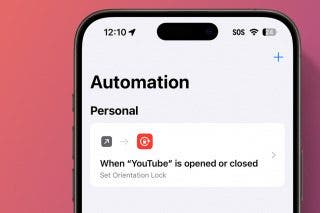
How to Set Orientation Lock on iPhone on a per App Basis