Siri Proofreads Your Texts for You!

A lifelong tech enthusiast, with experiences ranging from jailbreaking his iPhone to building his own gaming PC, Rhett specializes in maintaining privacy in a digital world and iPhone security.
Learn More A lifelong tech enthusiast, with experiences ranging from jailbreaking his iPhone to building his own gaming PC, Rhett specializes in maintaining privacy in a digital world and iPhone security.
Learn MoreThe newest version of iOS brought a whole bunch of new Apple Intelligence-powered features that should help your iPhone feel more responsive and easier to use. One of these new features is an automatic proofreading tool.
Why You’ll Love This Tip
- Quickly and easily identify mistakes and typos before you send an important text.
- Make corrections to anything you type on your iPhone within seconds.
How to Proofread Text on iPhone
System Requirements
This tip was tested on an iPhone 15 Pro running iOS 27. Find out how to update to the latest version of iOS.
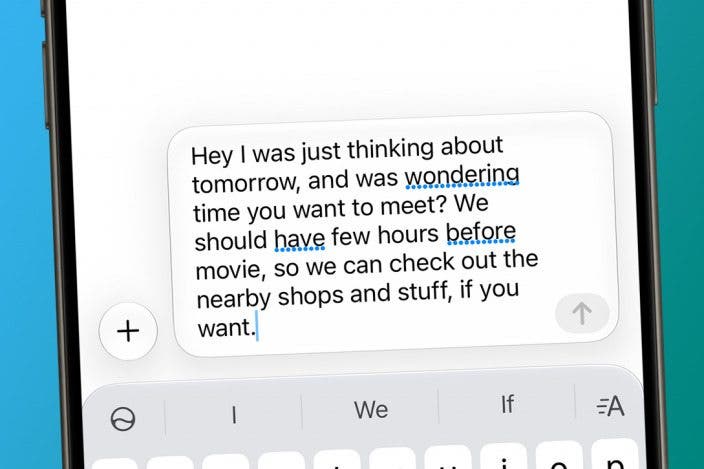
Your iPhone now automatically proofreads your writing as you type. You might have already noticed it since updating to iOS 27. For more on all of the new iOS 27 features, be sure to sign up for our free Tip of the Day newsletter. Now, here's how to use the new proofreader feature on your iPhone:
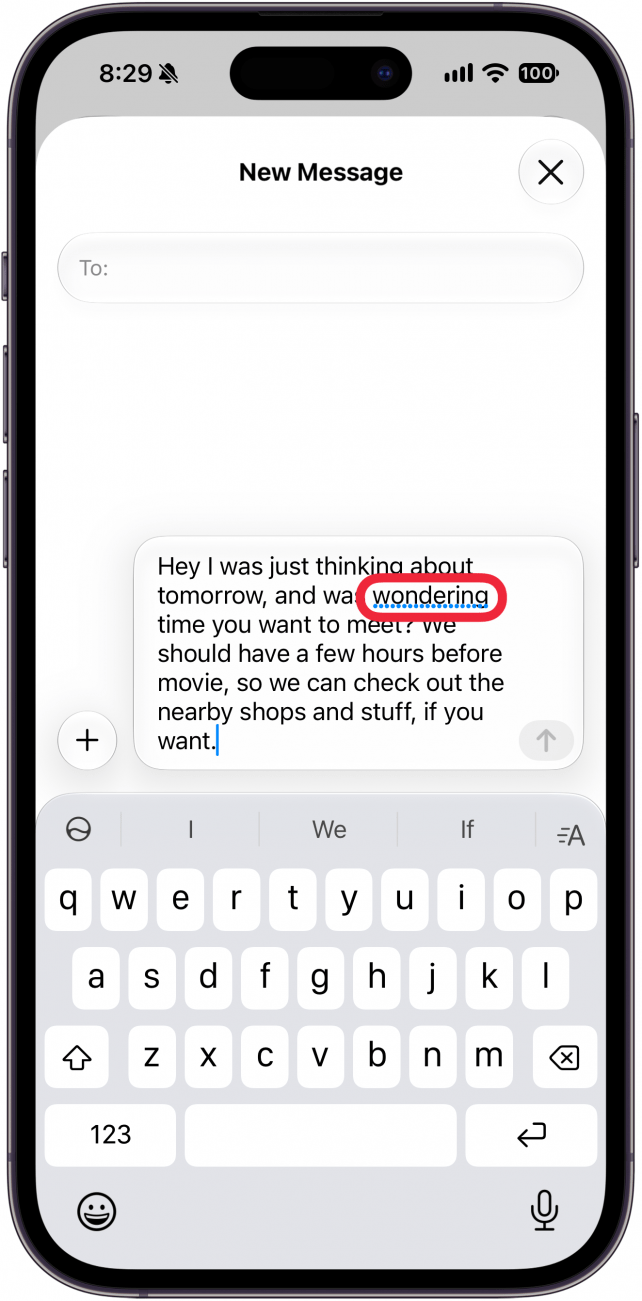
- Any time you're typing and see a blue dotted line under a word (or multiple words), simply tap it.
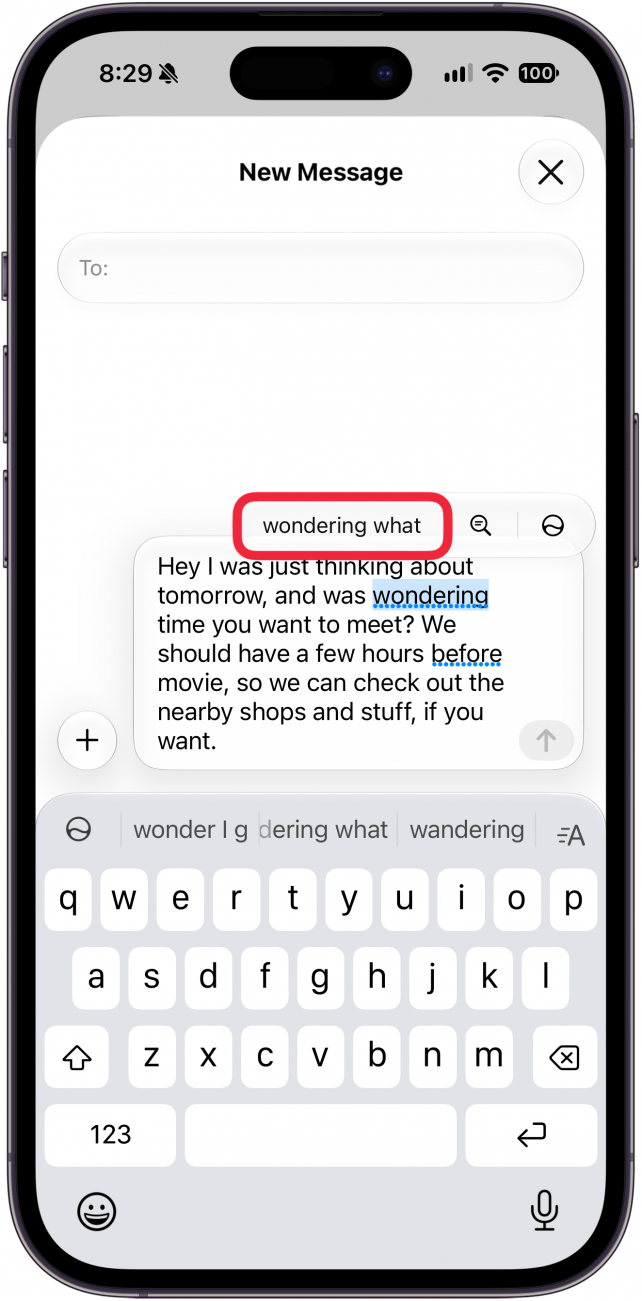
- A suggested correction will appear over the word. Tap to replace the word(s).
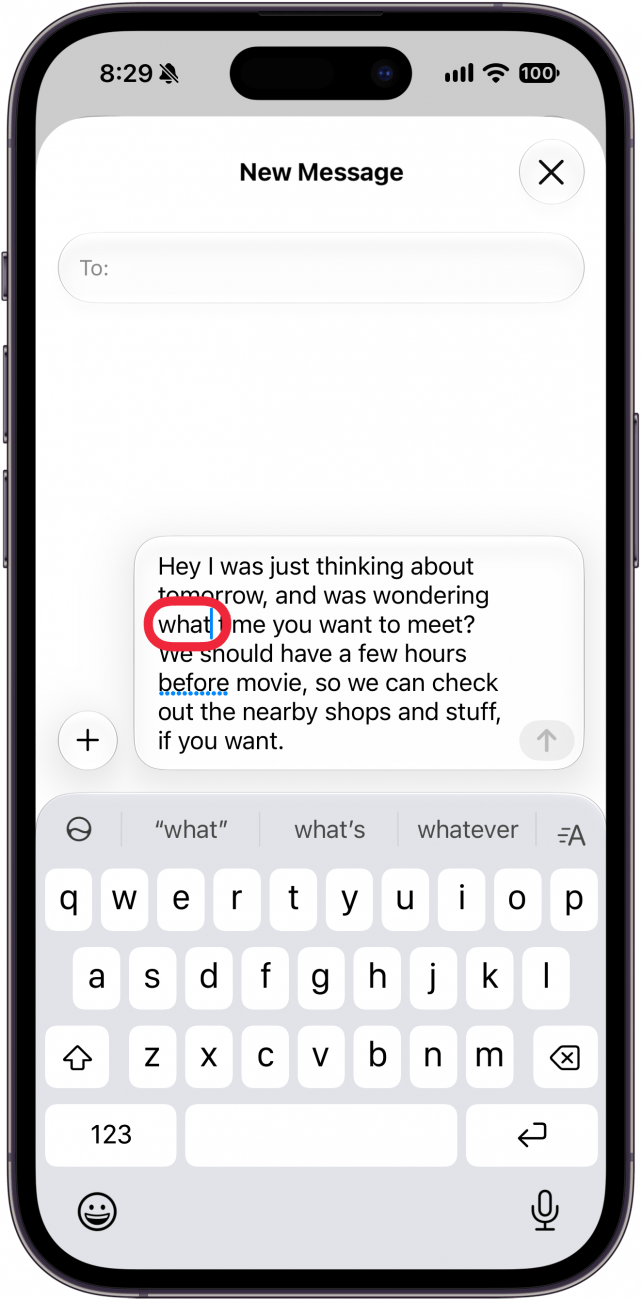
- You'll see the change immediately.
That's how to proofread text on the iPhone. This has helped me a ton when texting. I have a habit of forgetting words like "of," "to," "a," and others, but this feature has helped me catch these typos before I send texts.
More On: Typing on iPhone

Every day, we send useful tips with screenshots and step-by-step instructions to over 600,000 subscribers for free. You'll be surprised what your Apple devices can really do.

Rhett Intriago
Rhett Intriago is a Feature Writer at iPhone Life, offering his expertise in all things iPhone, Apple Watch, and AirPods. He enjoys writing on topics related to maintaining privacy in a digital world, as well as iPhone security. He’s been a tech enthusiast all his life, with experiences ranging from jailbreaking his iPhone to building his own gaming PC.
Despite his disdain for the beach, Rhett is based in Florida. In his free time, he enjoys playing the latest games, spoiling his cats, or discovering new places with his wife, Kyla.

 Amy Spitzfaden Both
 Leanne Hays
 Rachel Needell
 Olena Kagui
 Sean Dugan

 Rhett Intriago