What to Know
- You can cancel active app subscriptions in either the App Store or your Settings app.
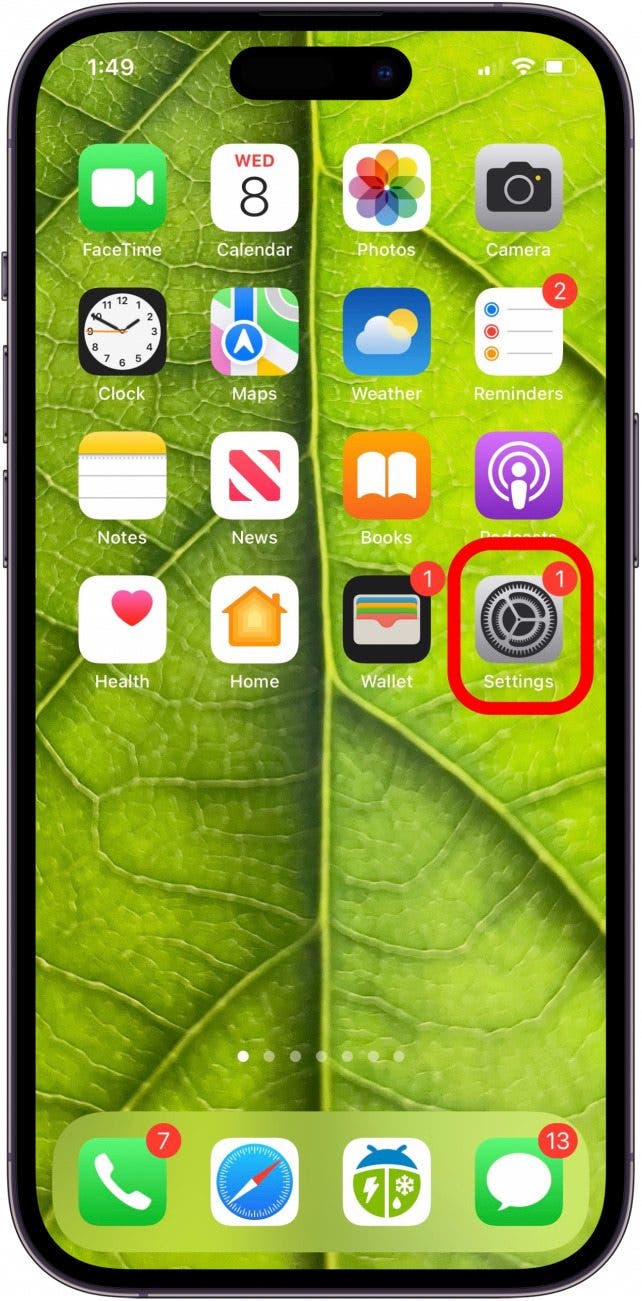
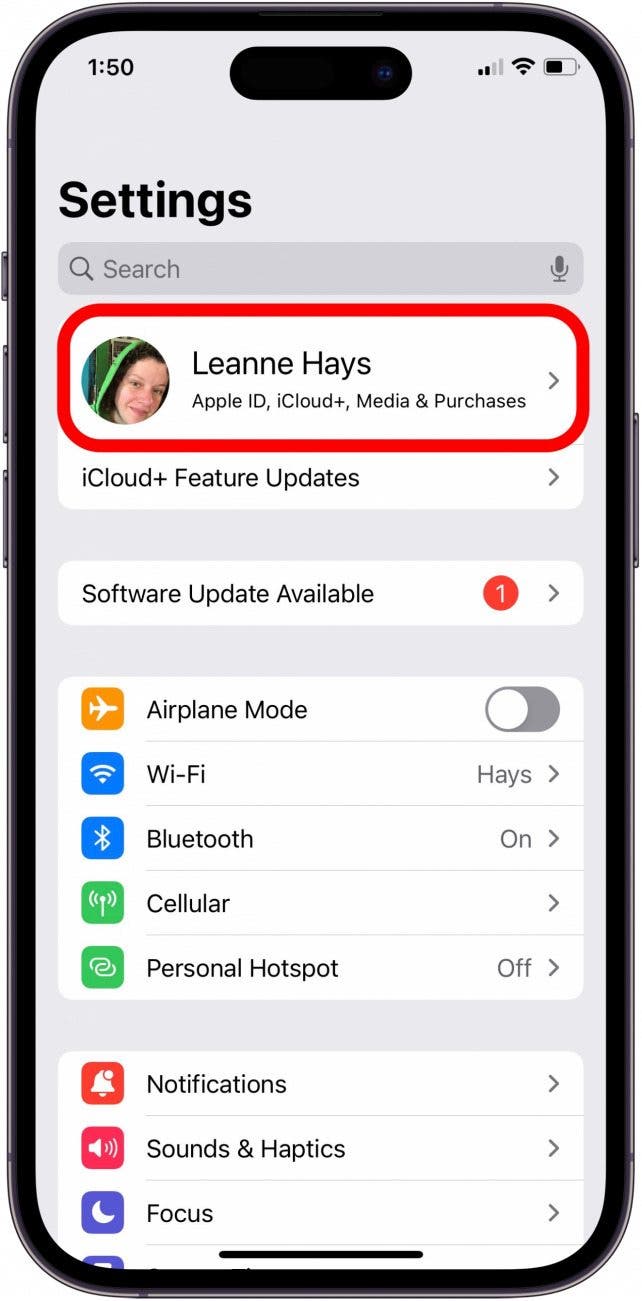
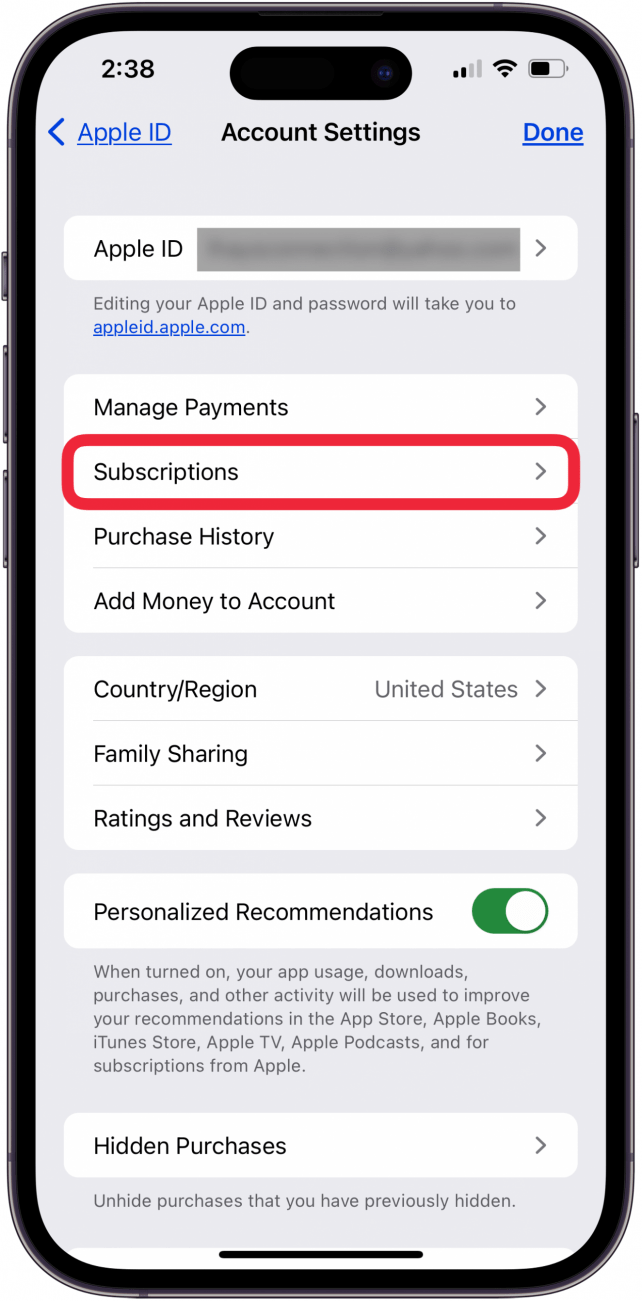
- To unsubscribe from an app in Settings, open the Settings app, tap your name, and select Subscriptions. From there, you can tap an active subscription to cancel it.
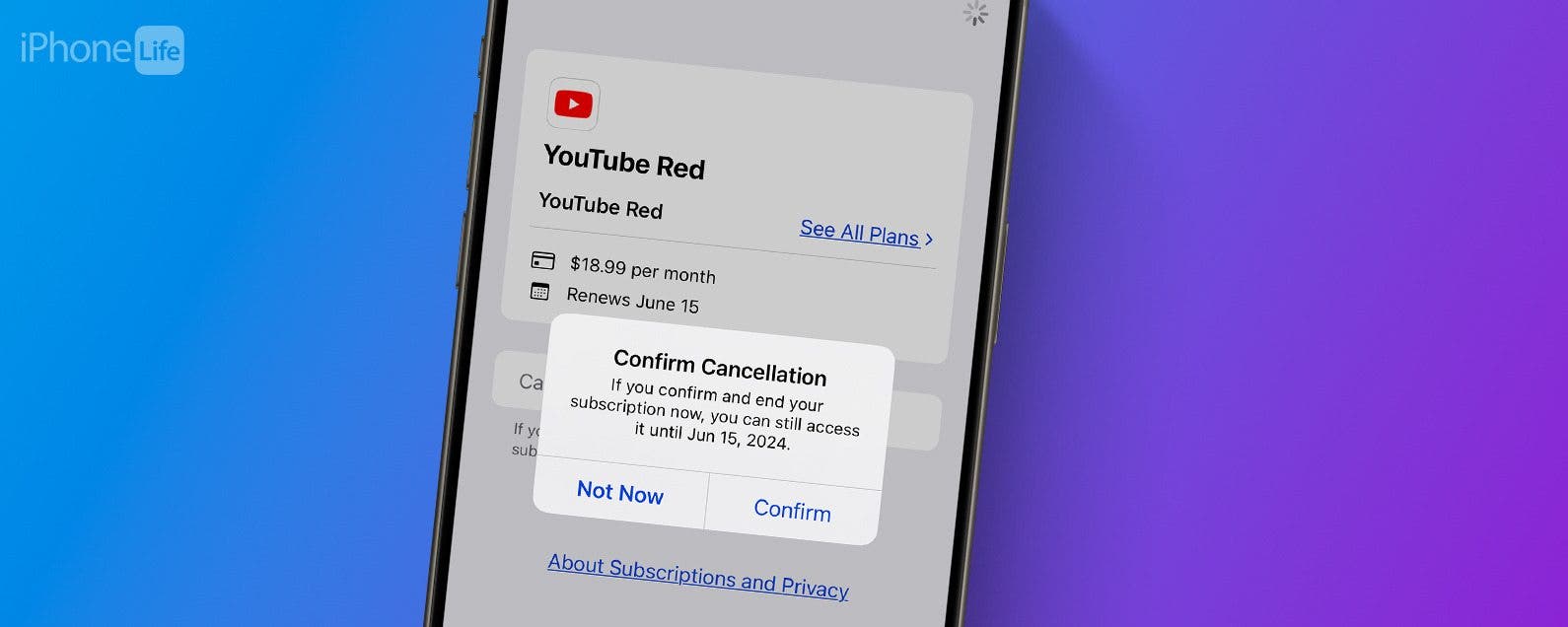
Do you have unwanted subscriptions or are not sure which apps or services you're paying for? We'll show you how to view your active subscriptions and cancel subscriptions on an iPhone or iPad. This way, you can avoid paying for apps you don't need or no longer use.
How to Unsubscribe from an App in the App Store
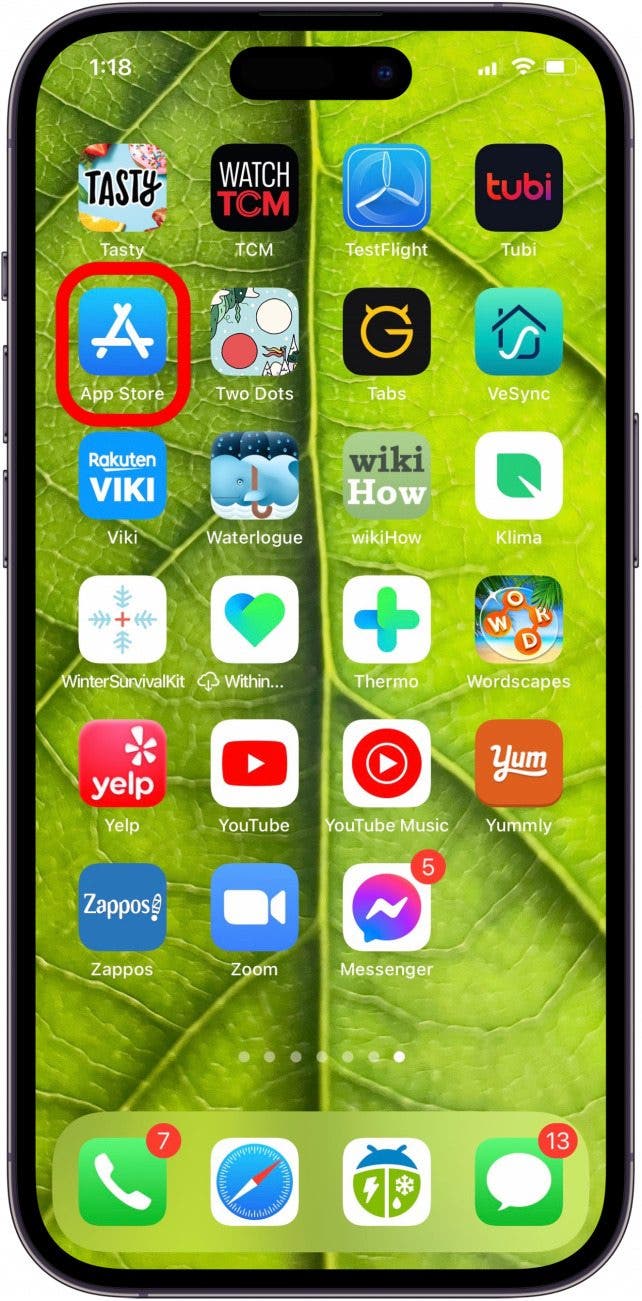
Canceling in-app auto-renewal subscriptions almost seems like a hidden feature, but you can manage App Store subscriptions (formerly iTunes subscriptions) right from the App Store! Here’s how to cancel an app subscription from the App Store on your iPhone:
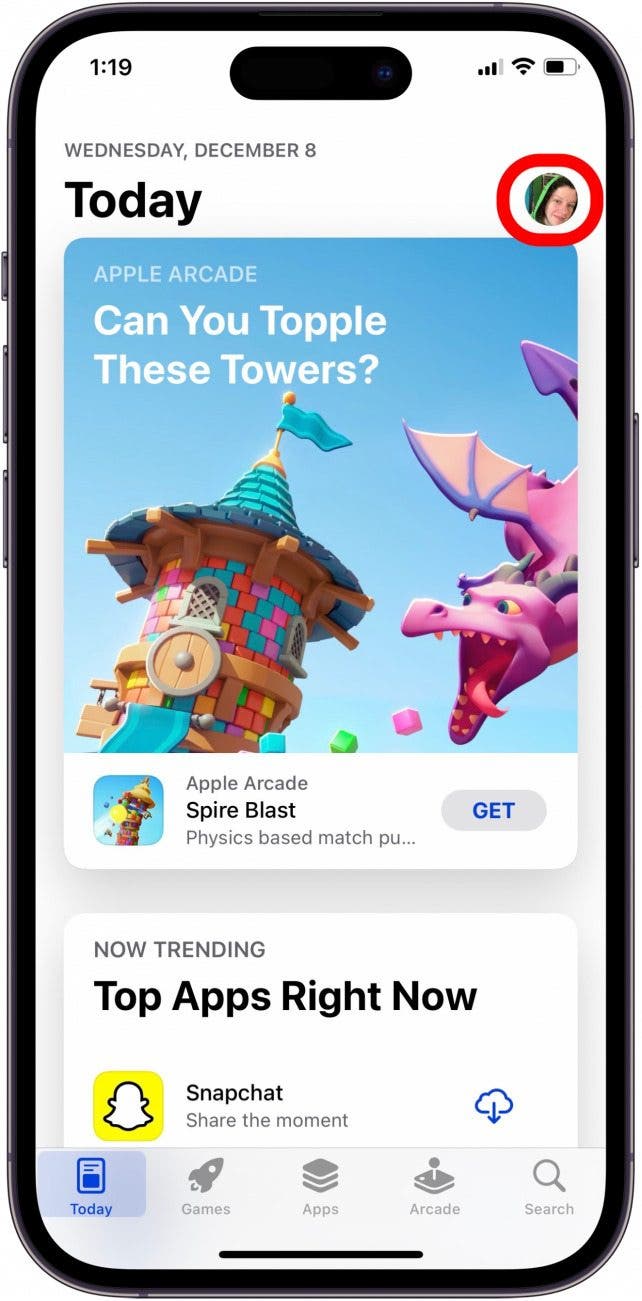
- Open the App Store app.

- Tap your profile icon in the upper right corner.

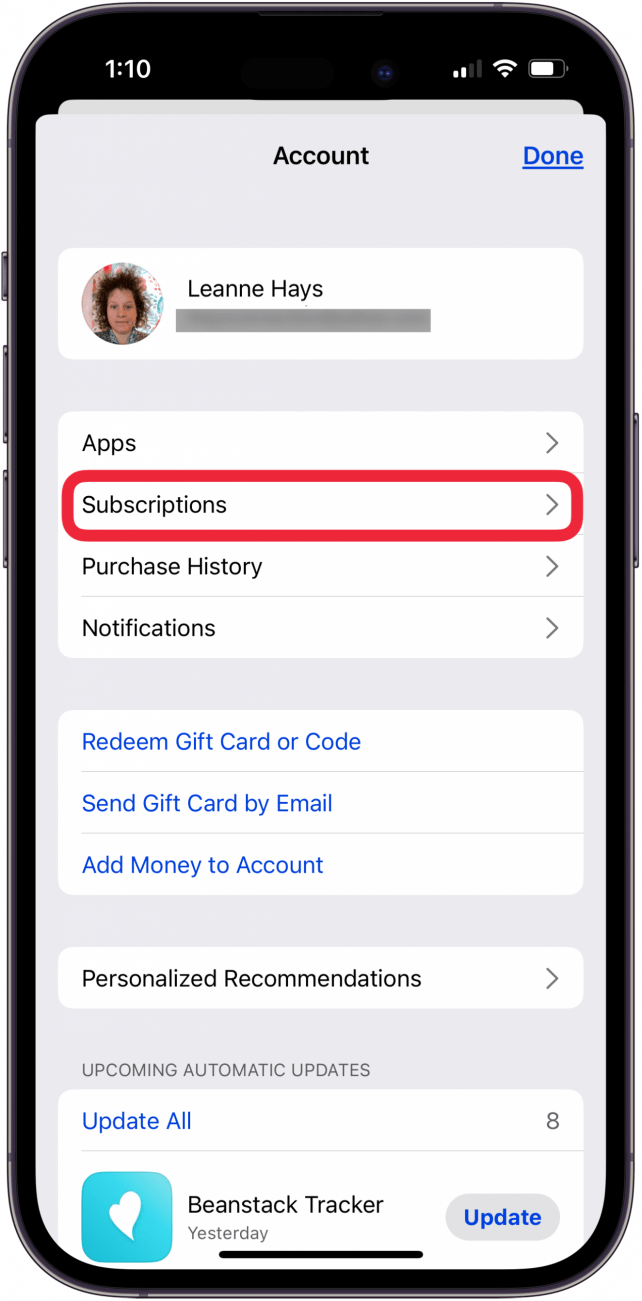
- Tap Subscriptions, and you'll be shown your active and expired app subscriptions.

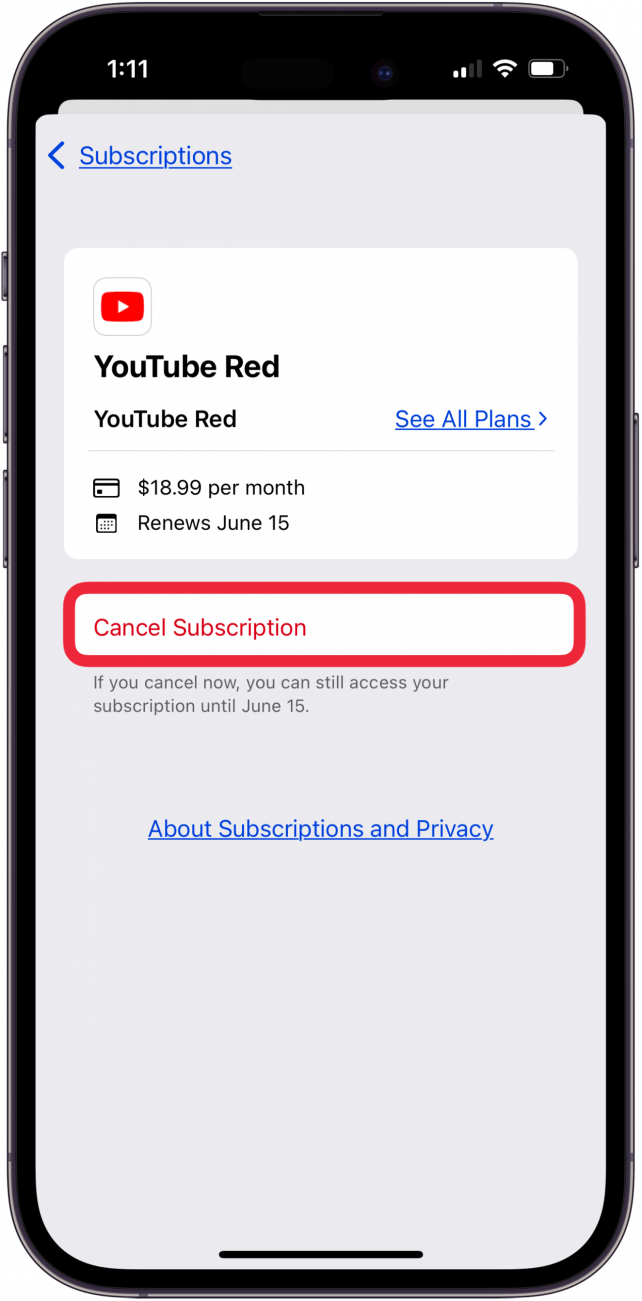
- Here's where you'll see how much you're currently paying for your apps. Tap the app subscription you want to cancel.

- Tap Cancel Subscription.

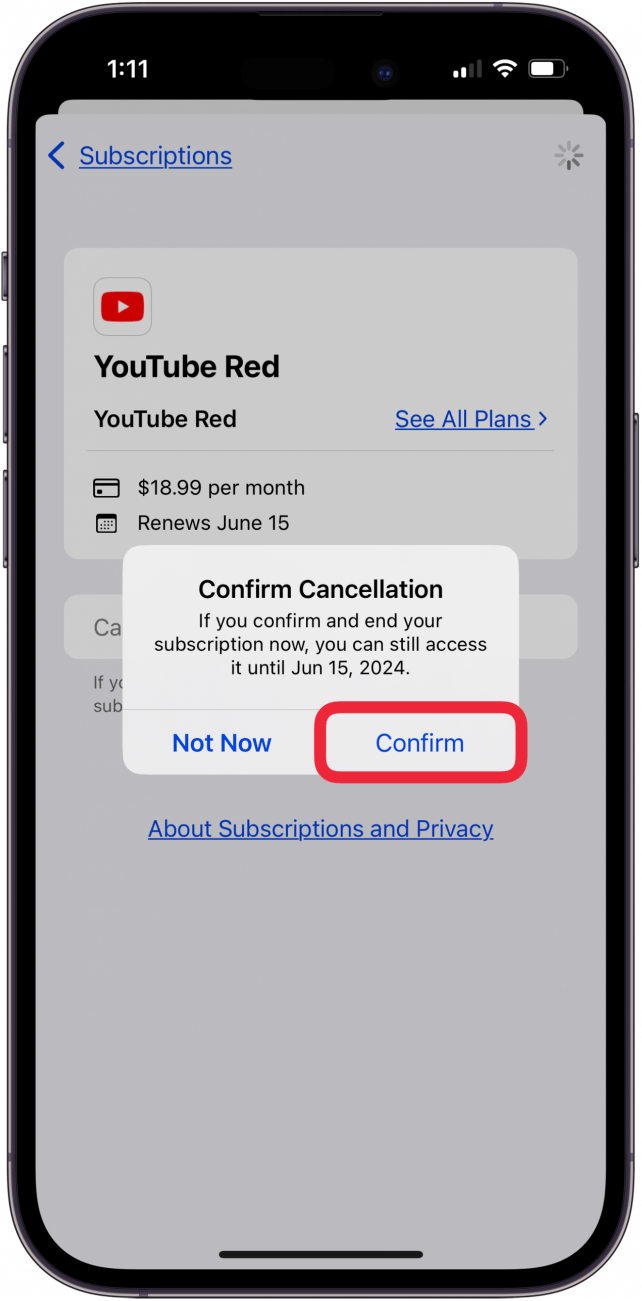
- Tap Confirm to cancel the app subscription. Tap Not Now if you've changed your mind about canceling the app subscription.


Congratulations! You've learned how to stop a subscription on your iPhone or iPad. A good practice is to check your active subscriptions every few months, which helps prevent you from paying paying for apps you're not using any longer.

How to Cancel Subscriptions on iPhone from the Settings App
From the Settings app on your iPhone, you can also cancel app subscriptions, or change the subscription level. Here's how to check and delete app subscriptions from the Settings app.
- Open the Settings app.

- Tap your name at the top of the screen.

- Tap Subscriptions.

- Tap the app you want to manage or cancel.

- Tap Cancel Subscription, or another option (they vary for each subscription).

- Tap Confirm to cancel the subscription.

For more great App Store and subscription management tutorials, check out our free Tip of the Day.
FAQ
- How do I cancel my Apple Music subscription? We have an article that walks you through how to turn off Apple Music auto renew on your iPhone or iPad; it's quick and easy!
- How do I cancel my Netflix subscription? If you subscribed to Netflix via the Netflix app, you can unsubscribe using the process in the article above. If you subscribed to Netflix via the website, we have a tutorial that shows you how to cancel your Netflix subscription.
- How do I cancel my Amazon music subscription? We have a walk-through that shows you how to cancel Amazon Music through Settings or online.
- How do I cancel my Disney Plus subscription? Whether you subscribed to Disney Plus through the app or via a web browser, we'll show you how to cancel Disney Plus auto renewal.