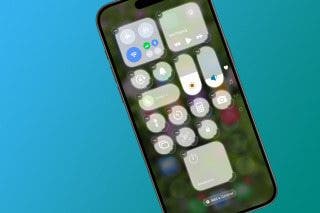
How to Make Shared Albums Temporary

A lifelong tech enthusiast, with experiences ranging from jailbreaking his iPhone to building his own gaming PC, Rhett specializes in maintaining privacy in a digital world and iPhone security.
Learn More A lifelong tech enthusiast, with experiences ranging from jailbreaking his iPhone to building his own gaming PC, Rhett specializes in maintaining privacy in a digital world and iPhone security.
Learn MoreShared photo albums got an upgrade with the latest version of iOS, allowing you to share photos at higher quality, with the tradeoff being that share photo albums now count against your iCloud storage. However, you can avoid this tradeoff by making shared photo albums temporary. Here's how it works.
Why You'll Love This Tip
Temporarily share entire photo albums with friends and family members. Share photo albums without having them count against your iCloud storage.
How to Set Shared Albums to Expire
System Requirements
This tip was performed on an iPhone 15 Pro running iOS 27. Find out how to update to the latest version of iOS.
You can now set up shared photo albums to expire after 30 days. This allows you to share entire albums without consuming your iCloud storage. For more ways to get the most out of iOS 27, be sure to sign up for our free Tip of the Day newsletter. Now, here's how to set shared photo albums to expire:
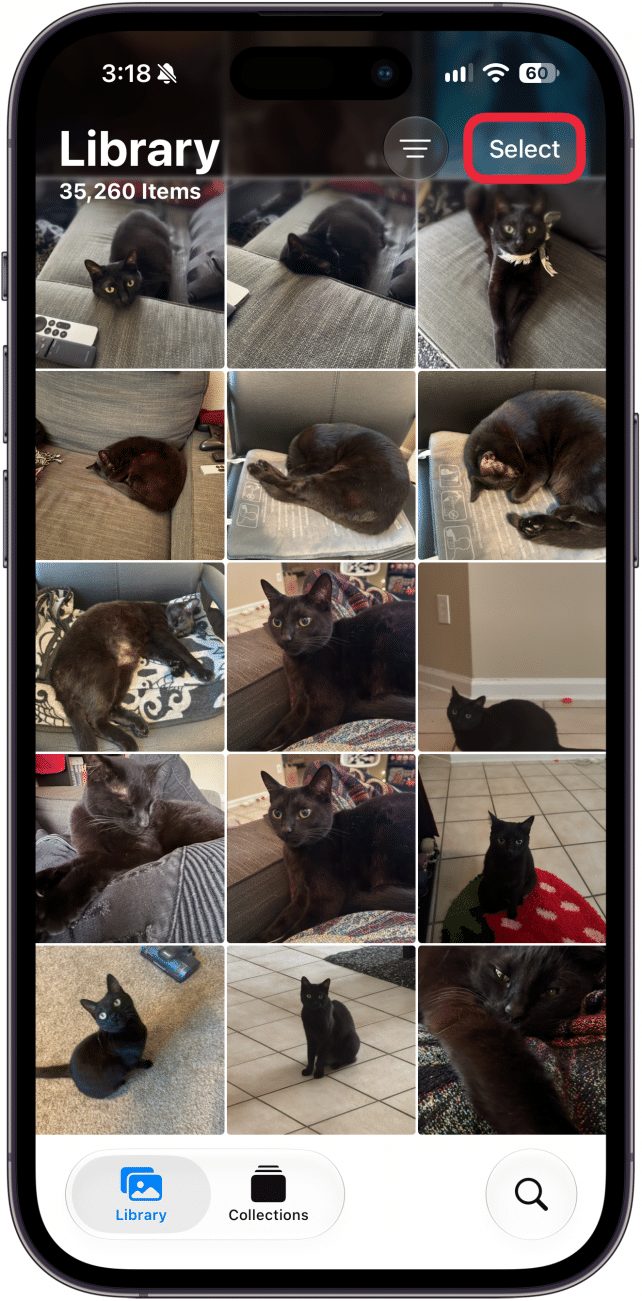
- If you want to create a new shared album, open the Photos app, and tap Select.
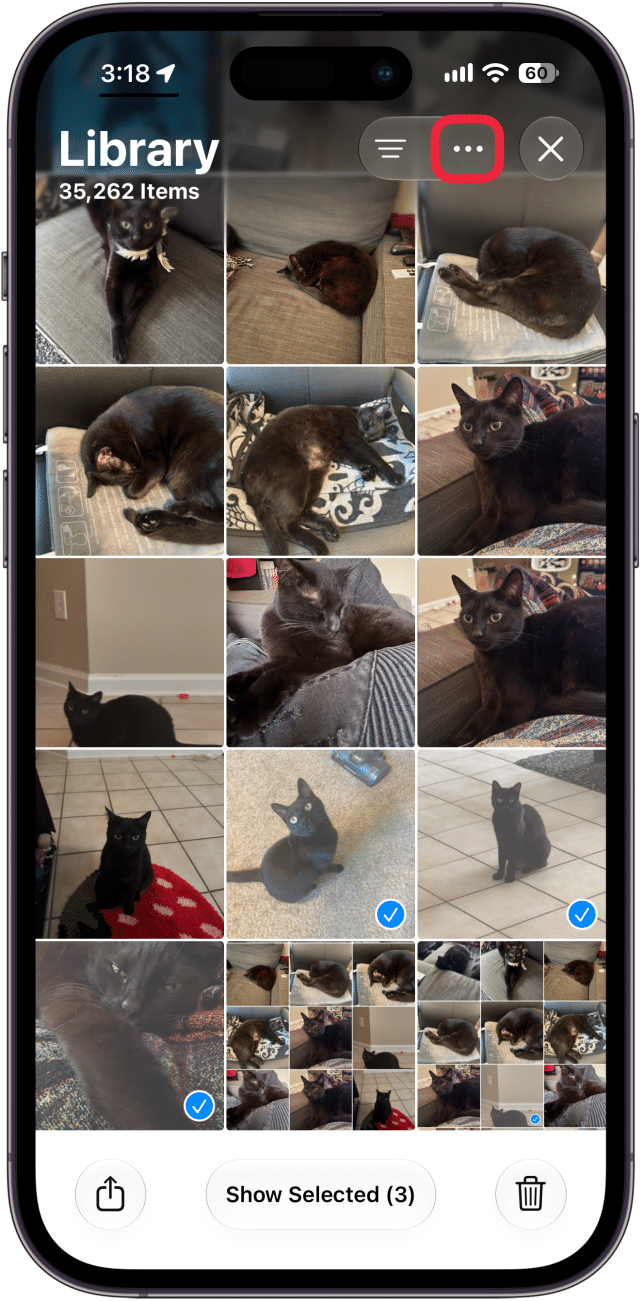
- Select the photos you want, and then tap the three dot menu icon.
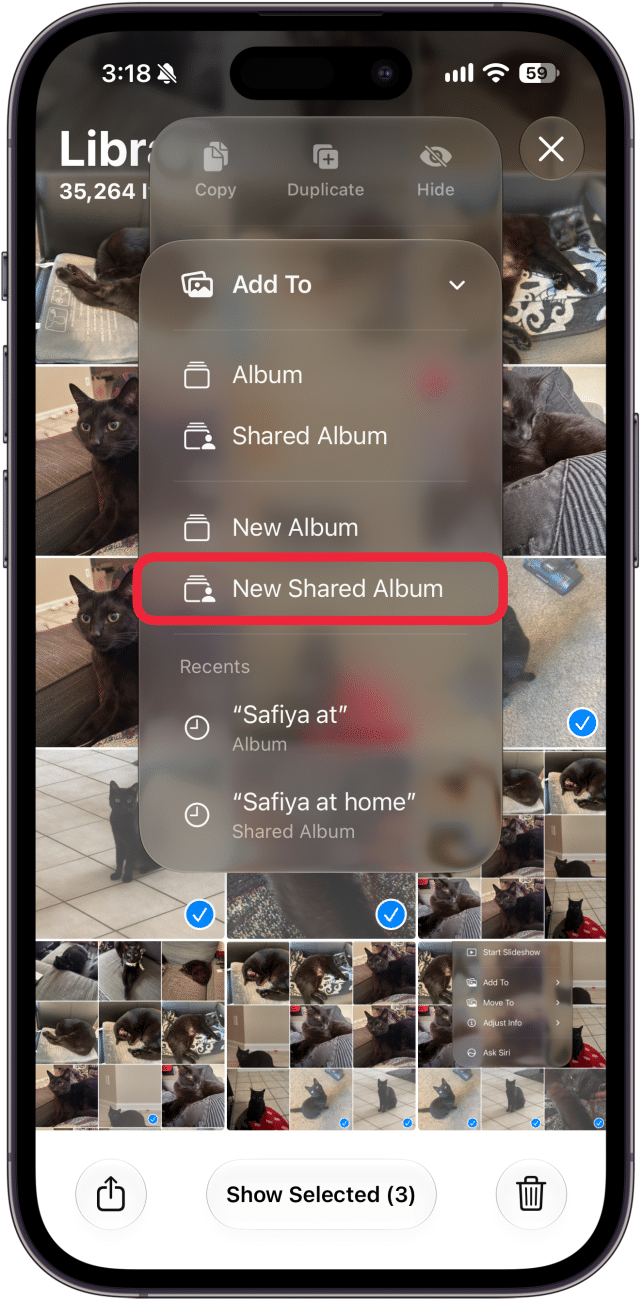
- Tap Add To.
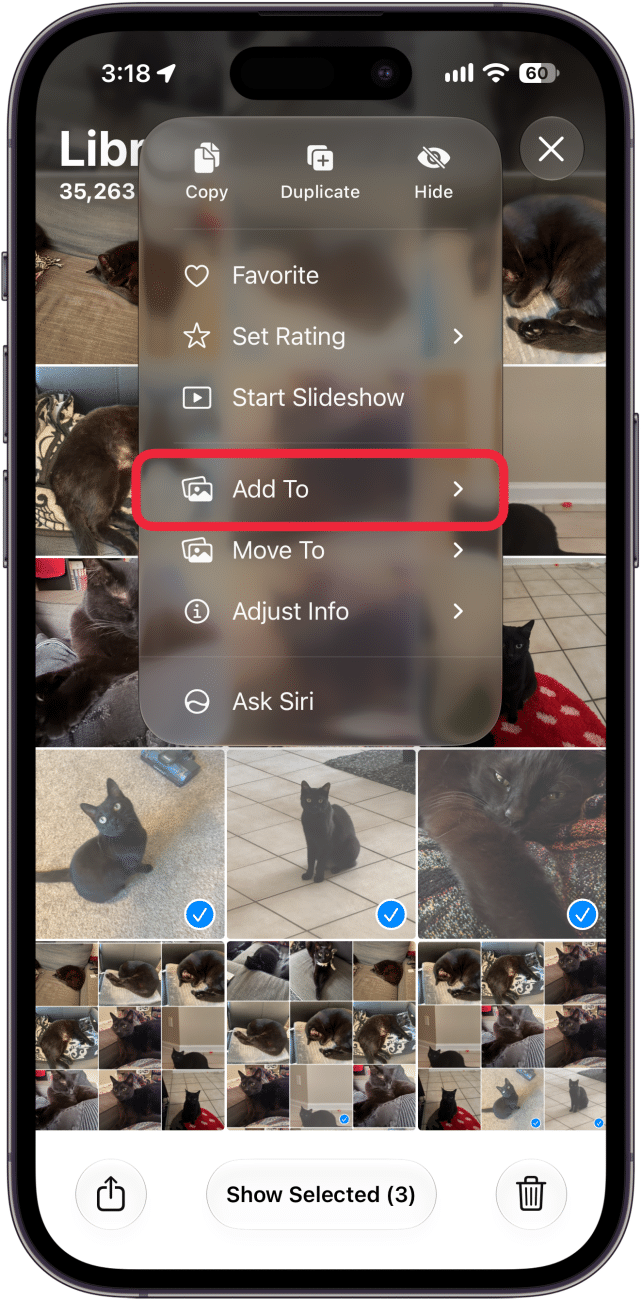
- Select New Shared Album.
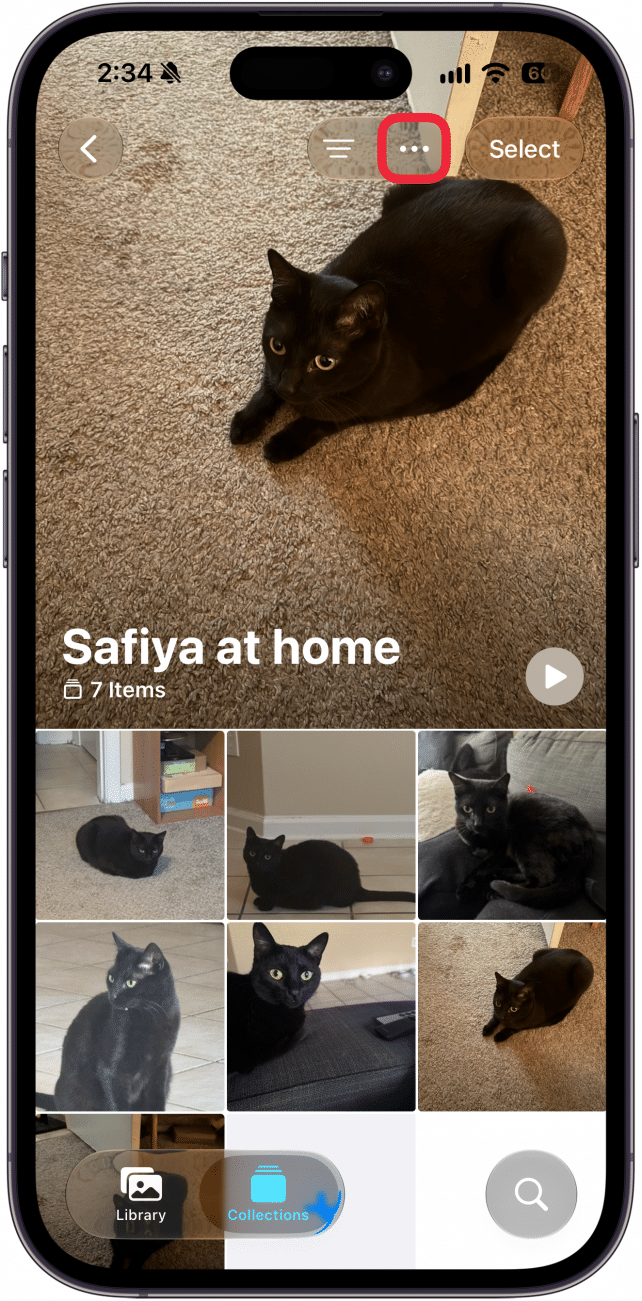
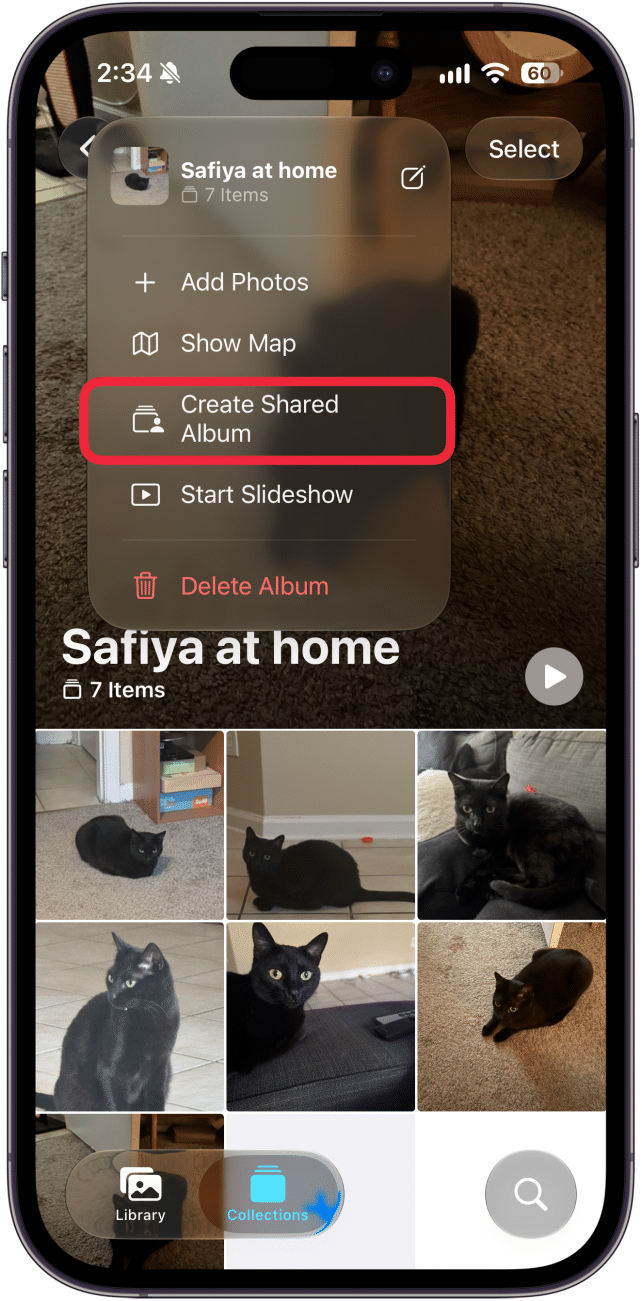
- If you want to convert an existing album into a shared album, open the album and tap the three dot button.
- Tap Create Shared Album.
- Select Sharing Options to set who has access to the album.
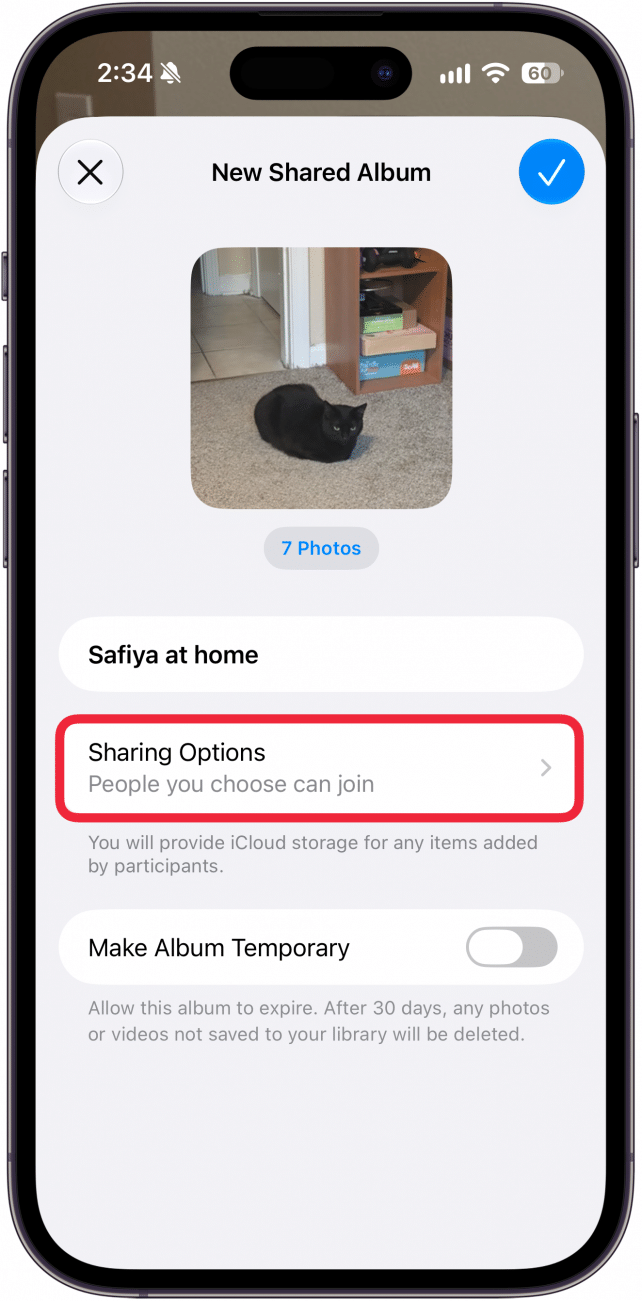
- People You Choose means only specific people that you invite will be able to access the album, whereas Anyone with the Link means just what it says: anyone, even if they don't know you, can access the album as long as they have the URL.
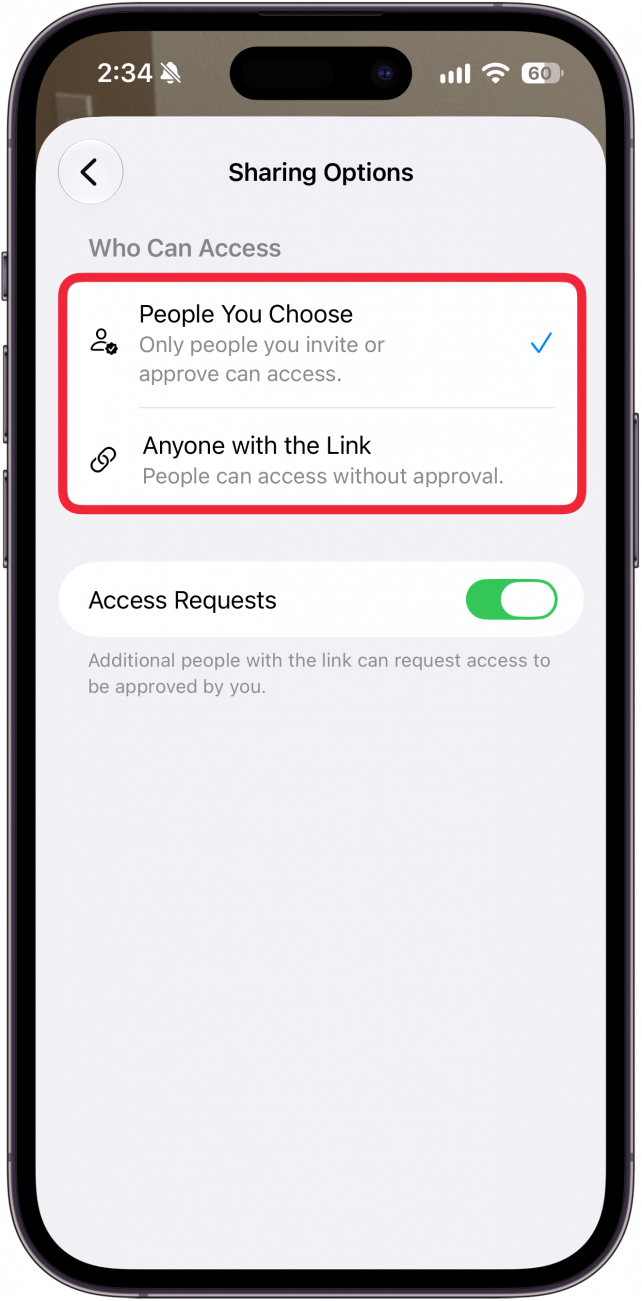
- Access Requests allows people who do not have access to the album to request access.
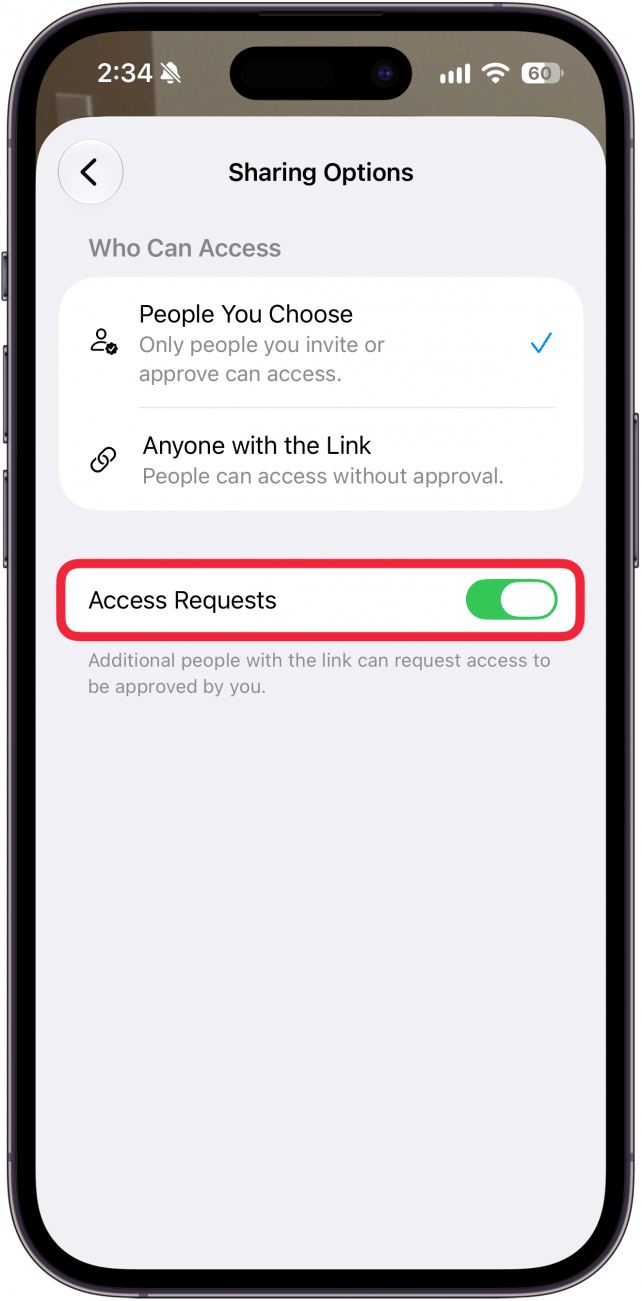
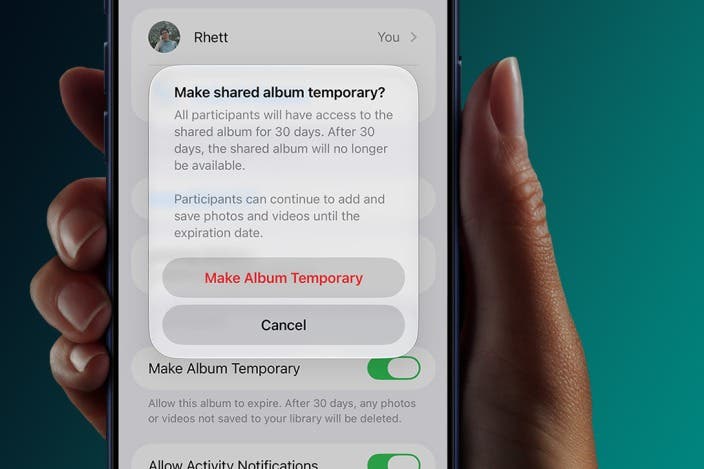
- On the previous screen, you can select the toggle next to Make Album Temporary. This will make it so that after 30 days the album will disappear and no one will have access to it anymore. You will also lose access to any photos that other participants added to the album that you have not saved yet.
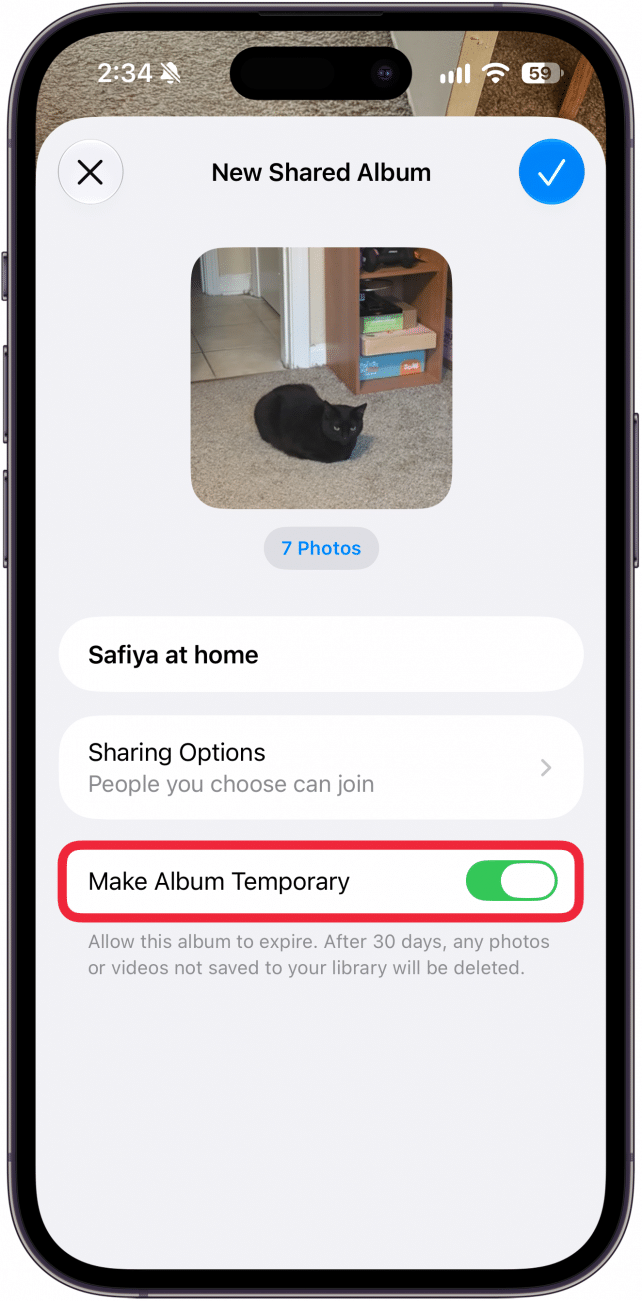
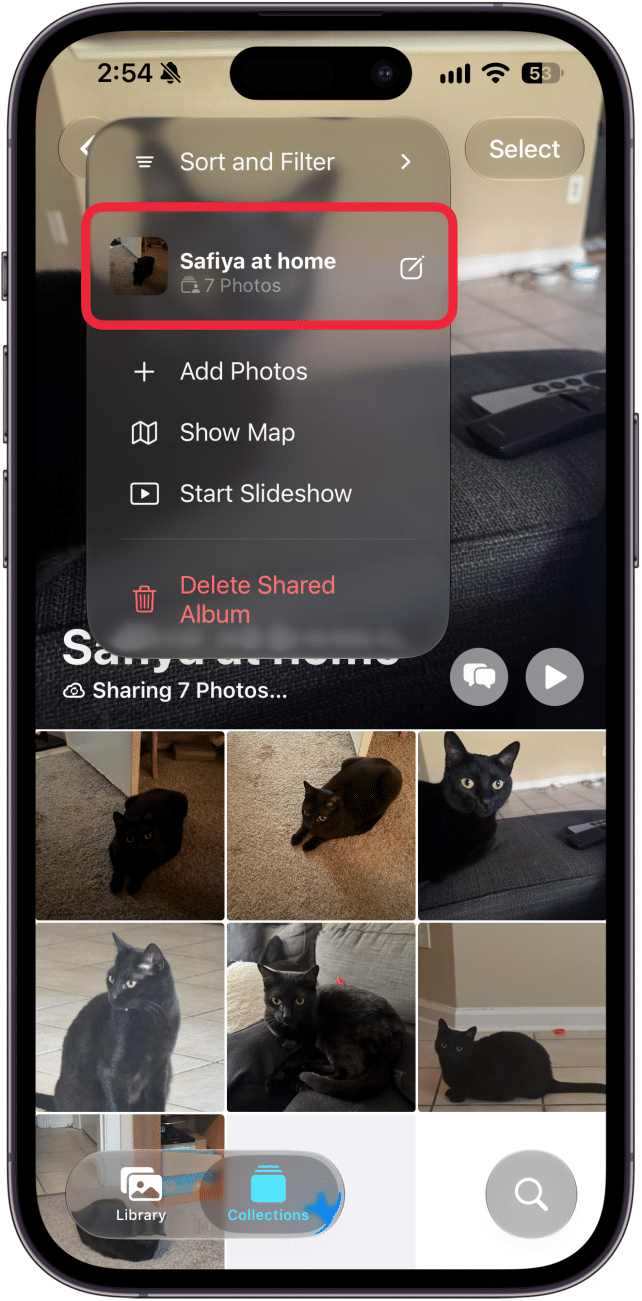
- If you want to convert an already existing shared photo album into a temporary shared album, open the album, select the three dot button, and tap the name of the album.
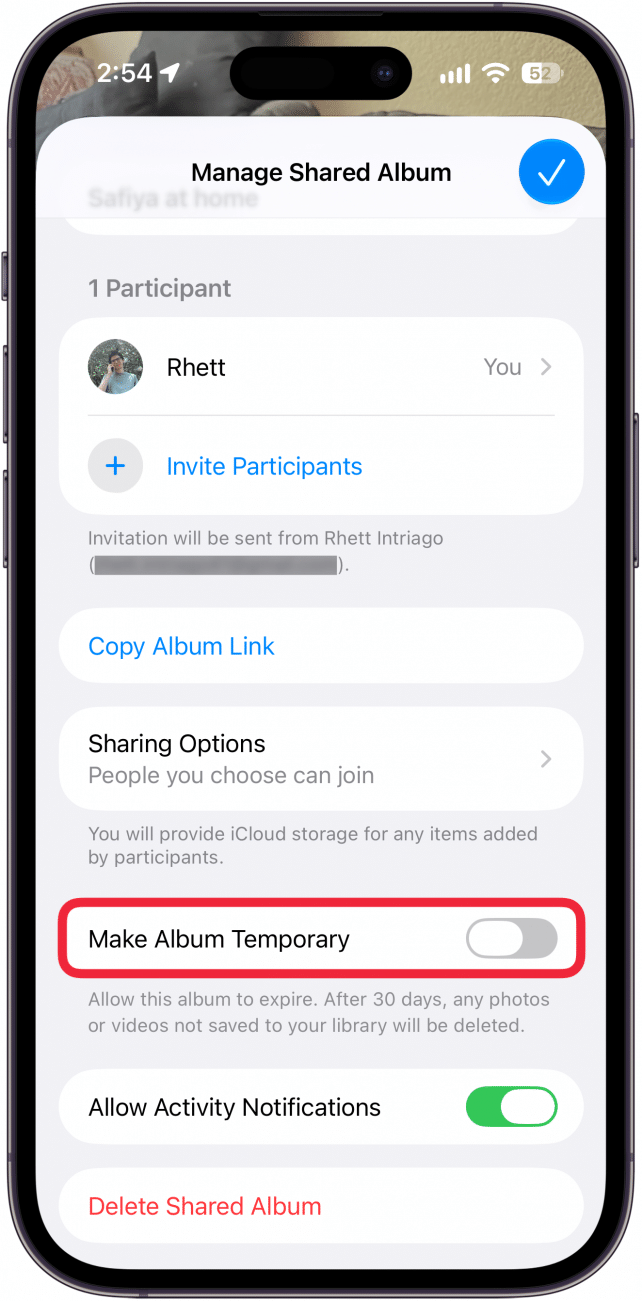
- Scroll down and tap the toggle next to Make Album Temporary.
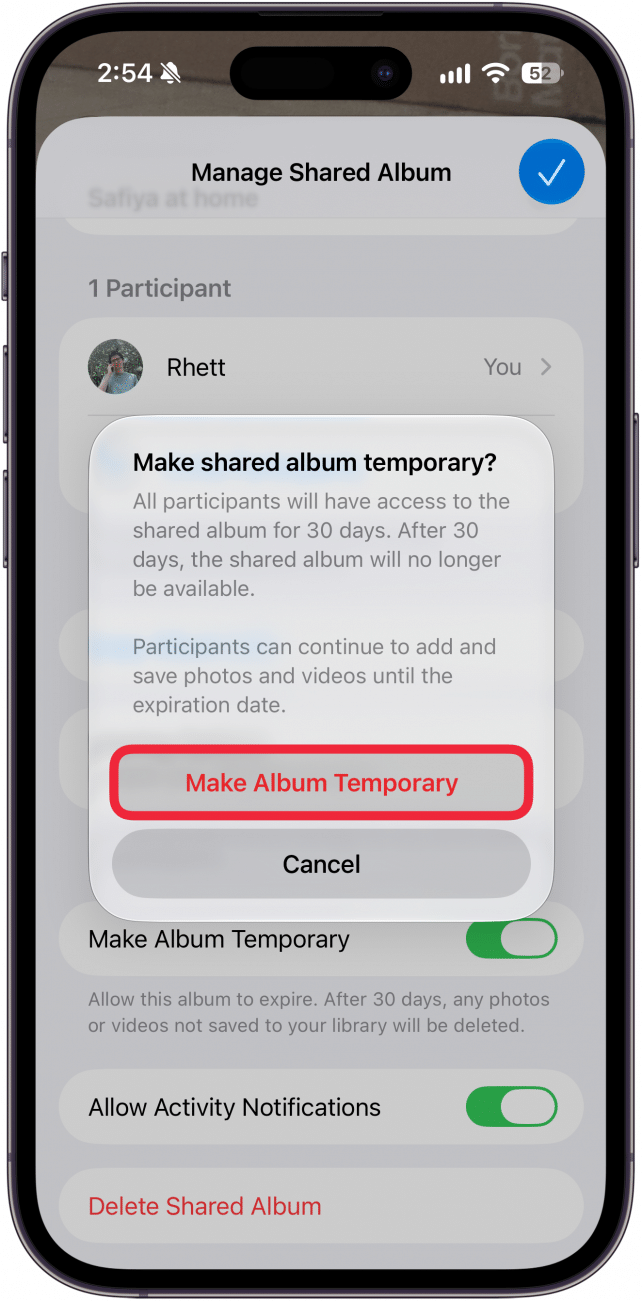
- Tap Make Album Temporary.
That's how to make temporary shared albums on your iPhone. This is a great feature for when you and a group of friends are sharing large batches of photos between each other. Rather than trying to AirDrop everything, everyone can just upload them to a temporary shared album, save the photos they want and then expire the album after 30 days so it doesn't take up valuable iCloud storage.

Every day, we send useful tips with screenshots and step-by-step instructions to over 600,000 subscribers for free. You'll be surprised what your Apple devices can really do.

Rhett Intriago
Rhett Intriago is a Feature Writer at iPhone Life, offering his expertise in all things iPhone, Apple Watch, and AirPods. He enjoys writing on topics related to maintaining privacy in a digital world, as well as iPhone security. He’s been a tech enthusiast all his life, with experiences ranging from jailbreaking his iPhone to building his own gaming PC.
Despite his disdain for the beach, Rhett is based in Florida. In his free time, he enjoys playing the latest games, spoiling his cats, or discovering new places with his wife, Kyla.
Related topics
Related Articles
 Amy Spitzfaden Both
 Rhett Intriago
 Leanne Hays


July Apple Watch News: Watch 10 Rumors, watchOS 11 Beta, More!
 Olena Kagui






 Ashleigh Page

 Cullen Thomas