Reverse Image Search with Your iPhone Camera

In the last 10 years, Olena has been published in dozens of publications internationally and written hundreds of how-to articles and complex guides about Apple products, software, and apps.
Learn More In the last 10 years, Olena has been published in dozens of publications internationally and written hundreds of how-to articles and complex guides about Apple products, software, and apps.
Learn MoreApple's Visual Intelligence feature is an alternative to Google Lens, letting you do an image search on your iPhone. You can do this super quickly using the Camera Control button as long as you have Apple Intelligence enabled on your iPhone. Learn more about this feature and how to look up an image on iPhone.
Why You'll Love This Tip
- Performing a reverse image search is the quickest way to learn about what you are seeing without having to describe it in words.
- Visual Intelligence can help you identify things and learn more about them or find an online store that sells them.
How to Google Image Search on iPhone
System Requirements
This tip was performed on an iPhone 15 Pro running iOS 27. Find out how to update to the latest version of iOS.
There are many practical ways to use the Visual Intelligence feature, and the first time you try it out, you will see several informational pop-ups that teach you how everything works. Here's how to Google search an image on iPhone using Visual Intelligence:
- There are multiple ways to launch Visual Intelligence. If you have an iPhone 16 or newer, hold your iPhone vertically (not horizontally) and press and hold the Camera Control button until the Visual Intelligence view appears.
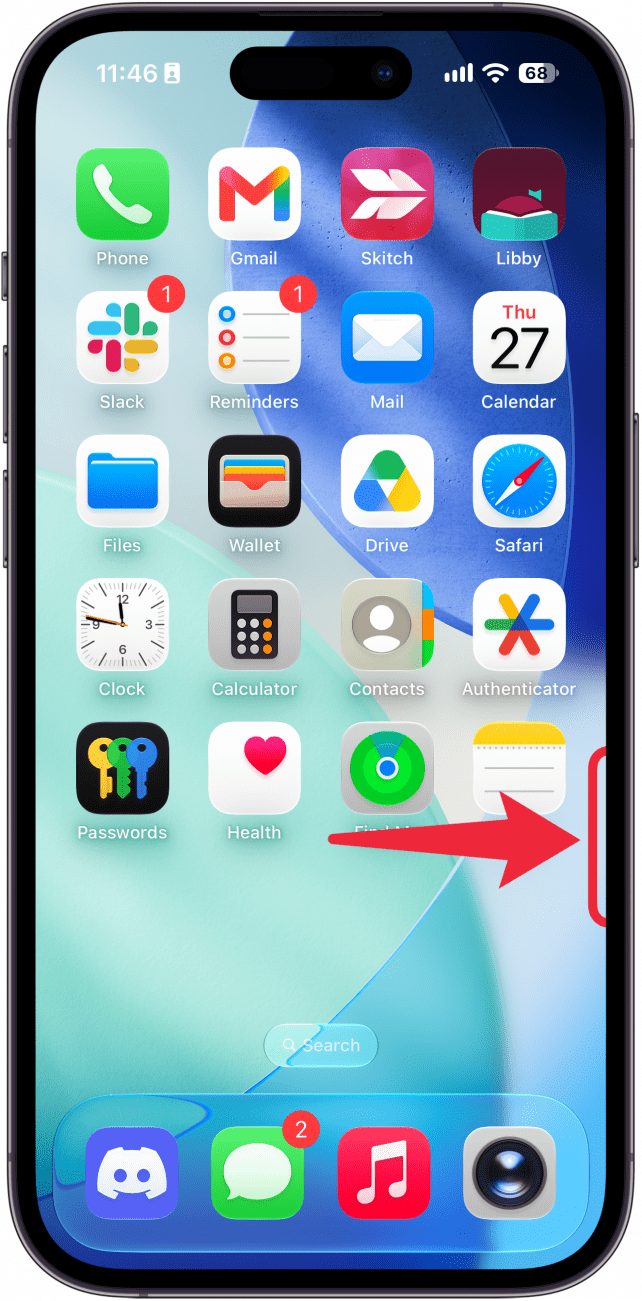
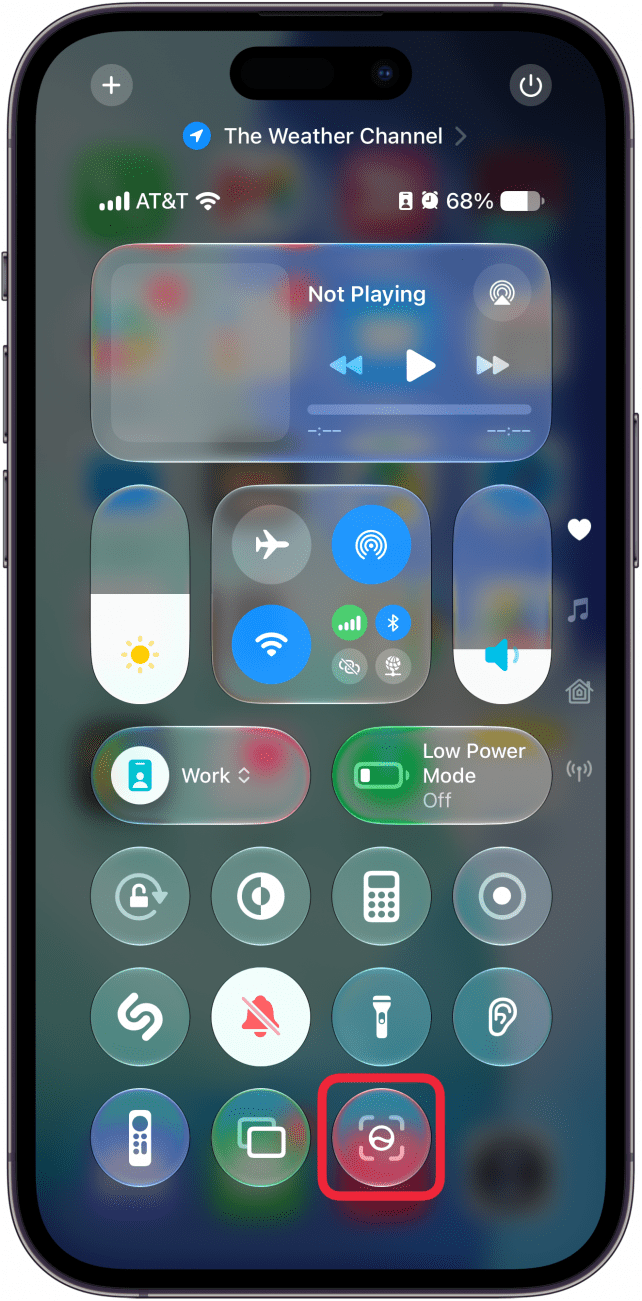
- If you have an iPhone 15 Pro, you can access Visual Intelligence by adding the Visual Intelligence button to the Control Center.
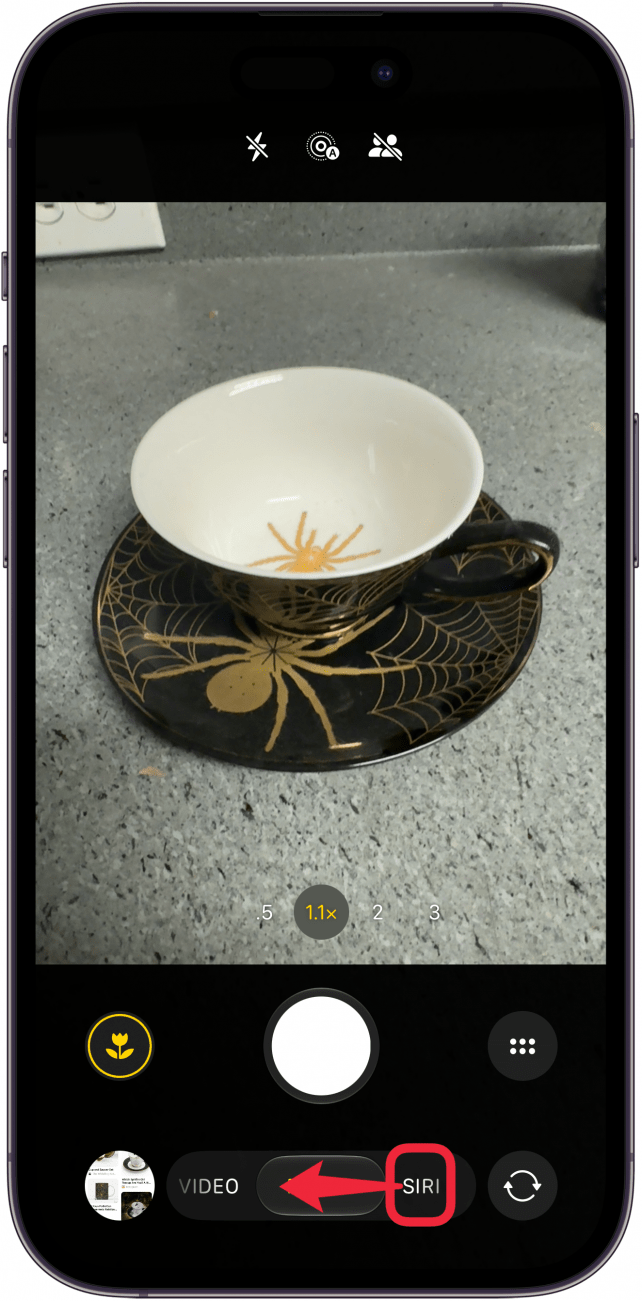
- You can also launch Visual Intelligence by opening the Camera app and swiping left to Siri.
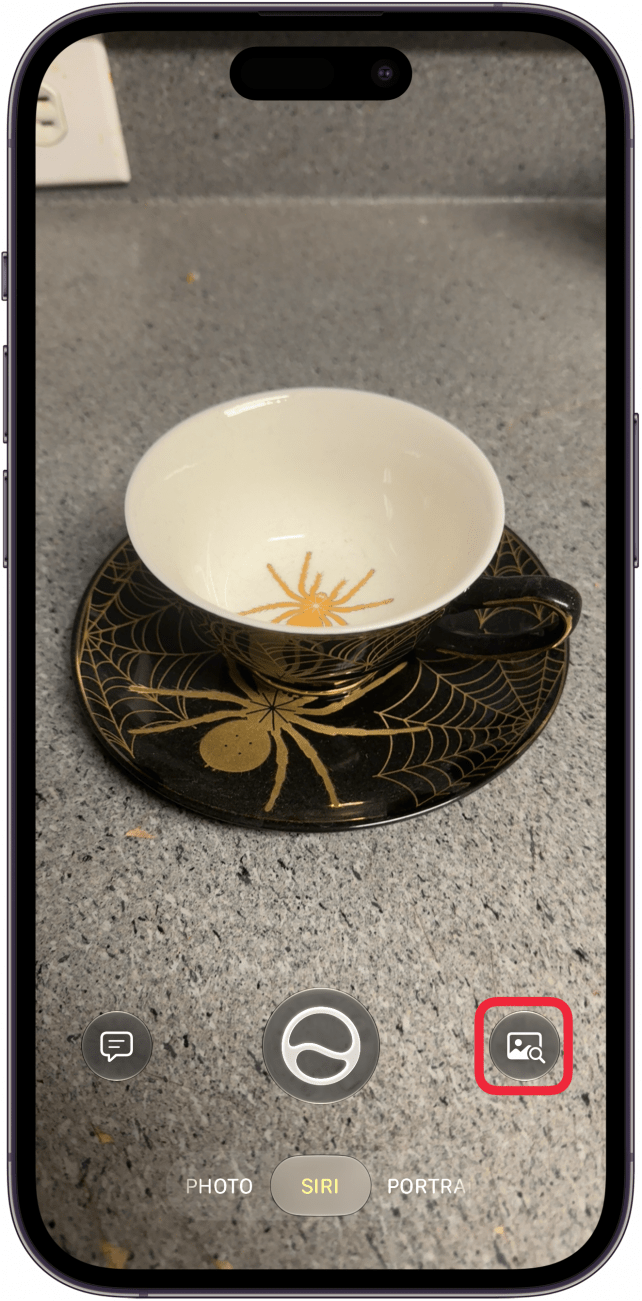
- Once you see what you wish to Google search on your display, either press the Camera Control button or tap the Search icon.
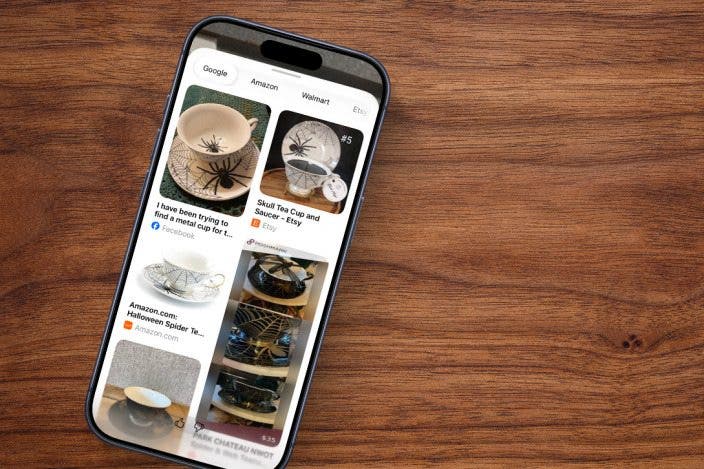
- You can search across multiple stores like Amazon and Etsy.
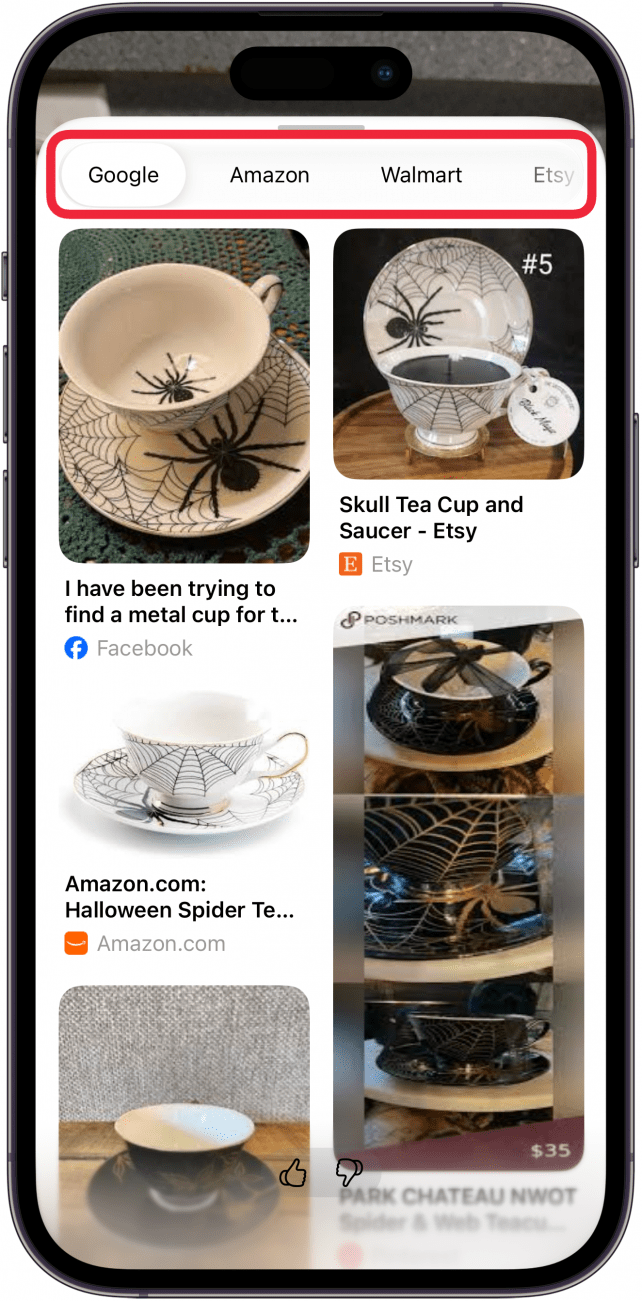
- Tap More results from Google to open the search results in full screen.
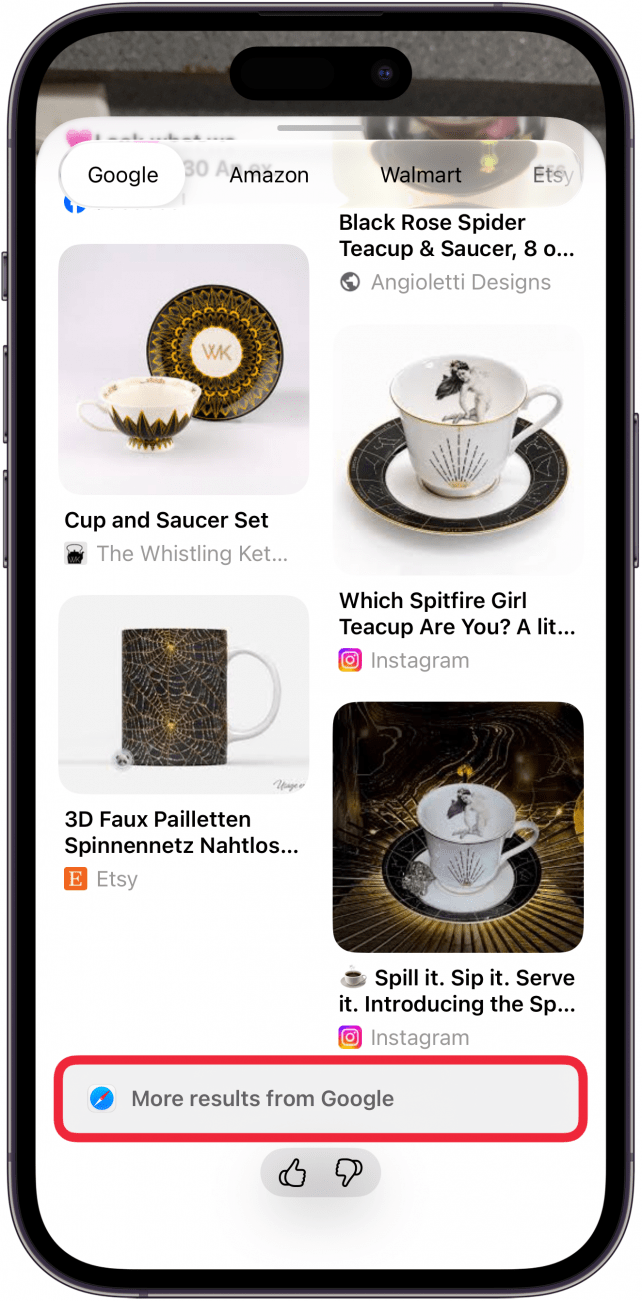
That's it! Now you know how to Google image search on iPhone. The process will give you the exact same results as using Google Lens on iPhone, just with fewer steps. If you have an older iPhone model, you can still learn how to use Google Lens on iPhone the traditional way without using Apple Intelligence.
Pro Tip
Once the Visual Intelligence view shows up, you can zoom in to take a better photo of the subject, just like you would using the Camera app. If you want to retake the photo to see it better, tap the X icon and try again.
Now you know how to use Apple Visual Intelligence using the iPhone 16 Camera Control button. Next, discover how to use Apple Intelligence to improve your writing via Writing Tools.
More on Apple Intelligence
Top image credit: Guiyuan Chen / Shutterstock.com

Every day, we send useful tips with screenshots and step-by-step instructions to over 600,000 subscribers for free. You'll be surprised what your Apple devices can really do.

Olena Kagui
Olena Kagui is a Feature Writer at iPhone Life. In the last 10 years, she has been published in dozens of publications internationally and won an excellence award. Since joining iPhone Life in 2020, she has written how-to articles as well as complex guides about Apple products, software, and apps. Olena grew up using Macs and exploring all the latest tech. Her Maui home is the epitome of an Apple ecosystem, full of compatible smart gear to boot. Olena’s favorite device is the Apple Watch Ultra because it can survive all her adventures and travels, and even her furbabies.
 Olena Kagui
 Susan Misuraca
 Leanne Hays
 Rachel Needell

 Rhett Intriago
 Ashleigh Page
 August Garry