Who Can Track Your iPhone?

Cullen has over a decade’s experience as a tech educator teaching subjects ranging from camera hardware to game design and specializes in Apple privacy and security.
Learn More Cullen has over a decade’s experience as a tech educator teaching subjects ranging from camera hardware to game design and specializes in Apple privacy and security.
Learn MoreDid you know that an iPhone’s location can be tracked even when it’s powered down? Here are the seven main ways that a phone might give away your location to someone who is trying to find, track, or surveil you, and what you can do about each of them. 1. SOCIAL MEDIA KNOWS YOUR BUSINESS Your social media profiles make public a huge amount of information about you. One of the first things you can do if you’re looking to cut down on data people have access to is remove and delete old profiles on platforms you do not use and reduce the amount of information you share on the ones you do use.
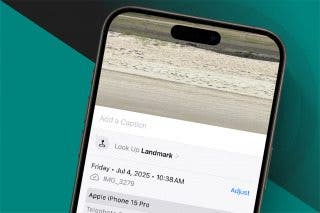
If you take photos or videos and post them to social media, then anyone watching your feed may identify your location from those images. The same social media may reveal your friends, family, and professional contacts. When friends post photos of you, those photos may also give away your location and activities, even without your consent or knowledge. Reporters, spies, private eyes, and law enforcement refer to this kind of tracking as Open Source Intelligence, or OSINT, for short, but it doesn't need a fancy acronym to help out a stalker.
The solution to this problem requires you to establish the privacy of your private life. To do this, curate your public life with care. When you share a photo from your iPhone (Photos app > select > select a photo > tap the share icon to open the share sheet), tap Options and toggle off Location. This will remove the location metadata from the photo before it's sent, but it won't hide details of the photo that might give away your location, such as road signs or business names.
2. WEBSITES AND ADVERTISERS TRACK AND PROFILE YOU
Every website you visit can track your general location through your IP address, but they also know everything you do while visiting that site, and that can include a great deal about your preferences, interests, social groups, purchases, and other activities. The data gathered by most websites is aggregated by information brokers into profiles, and when the info from many websites is combined, the result is a profile that can be incredibly revealing.
You can limit how much a website learns about you, and you can make it harder for information brokers to correlate your activity across different websites. A privacy-preserving web browser such as Safari or Onion, a privacy-preserving web search engine such as Duck Duck Go or Ecosia, a secure private VPN, and email-masking services like Apple's Hide My Email can all work together to protect your privacy. Individually, these tools address different aspects of the information broker problem. All of these tools together will make it harder for them to track and profile you in the future.
3. APPS ON YOUR IPHONE, FROM CANDY CRUSH TO TINDER, KNOW WHERE YOU ARE
Any app installed on your iPhone can request access to your location. When apps ask for this, it's usually in the guise of helping you to find a nearby branch of their business, or they may offer no explanation at all. If an app has access to your location and stores that data as part of its advertising profile of you, then information brokers such as Gravy Analytics can use that data to track your location. Gravy Analytics makes a tool marketed to private eyes and law enforcement. That tool allows a user to designate any location and view the history of every phone that has visited that location; thus, digital spooks can track a subject's movements historically, and sometimes even in real time. In 2024, Gravy Analytics was hacked and its database stolen. Reporters at 404 Media got a copy of some of the data and found that huge portions of the location data were from apps like Candy Crush, Tinder, and thousands of others. It's likely these apps didn't even know they were being used to track people. I highlight Gravy Analytics because they're one case we know about, but there is no reason that another company could not access the same advertising datasets to do the same detailed stalking.
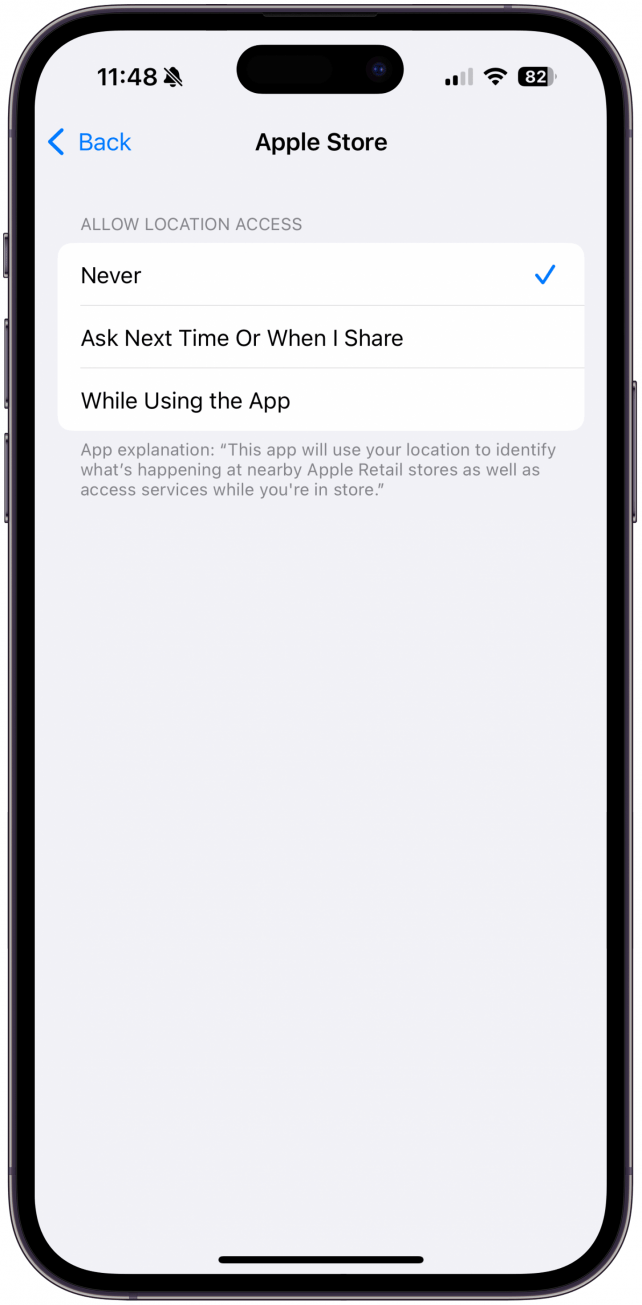
The good news is iPhones offer you excellent control over what information apps are allowed to know. On your iPhone, go to Settings > Privacy & Security > Location Services. In that menu, you can see a list of every app that has requested access to your location. Tap on an app, and you can select how much access you want that app to have to your location. I recommend setting most apps to Never. You may wish to consider tapping System Settings at the bottom of the list and disabling In-App Web Browsing and Significant Locations as well.
4. YOUR IPHONE HAS A BUILT-IN GPS
An iPhone can track global positioning satellites and use their signals to figure out where the phone is located. This feature is bundled into a system Apple calls Location Services, but Location Services doesn't just use satellites. Apple also maintains a database of Wi-Fi networks, such as those at coffee shops and homes, and knows where each one is located in the world. When your iPhone detects nearby Wi-Fi, even if it doesn't connect, it automatically checks the Wi-Fi signal against that database to see where in the world the phone currently is. This level of your location data is extremely accurate, but it's only available to Apple and would not be revealed to anyone else without a court order.
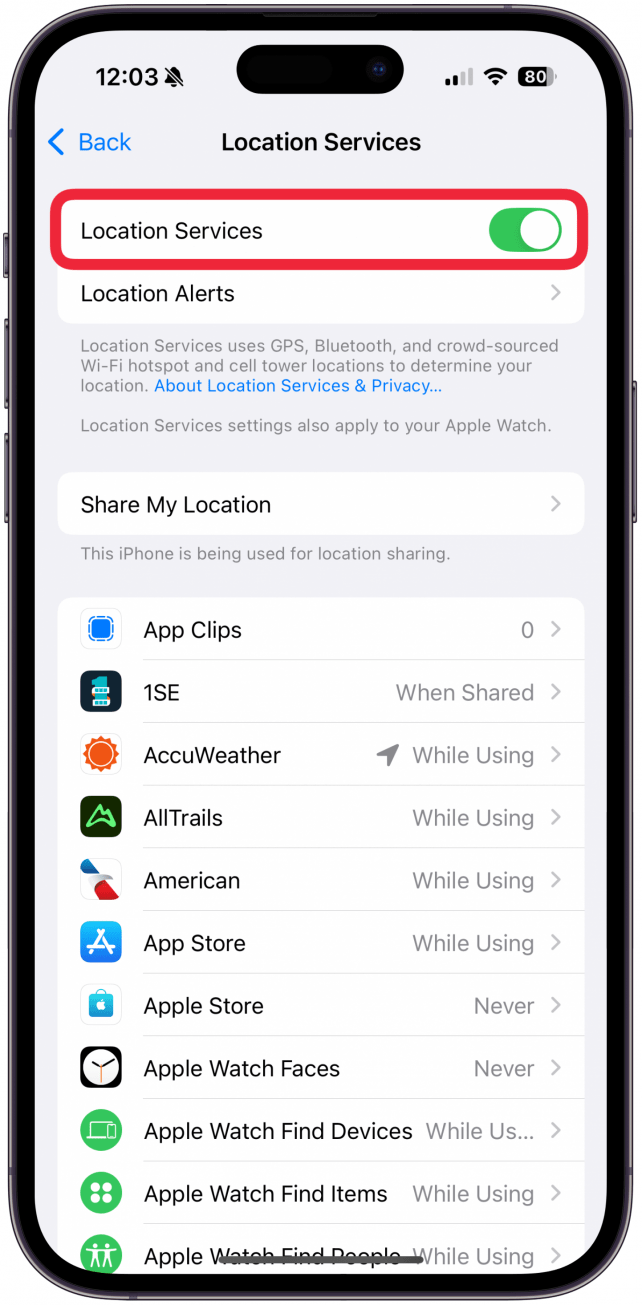
The only way to disable GPS and Wi-Fi tracking is to completely disable Location Services in Settings > Privacy & Security > Location Services. However, doing this will interfere with many normal operations of your iPhone, such as finding cell towers for a good cell connection and locating a lost iPhone. If you're going that far, you'd probably want to disable Wi-Fi as well in Settings > Wi-Fi.
5. CELL TOWERS CAN TRIANGULATE YOUR PHONE'S POSITION
In order to connect to a cellular network, your phone must identify the closest cell tower. Your cell carrier can then locate your phone by connecting to it from multiple towers and measuring the time it takes for the signal to reach you from each, then combining that information to determine your location. This can be fairly accurate in urban centers with lots of towers, but it isn't always. The location is an estimate, but it can be enough for emergency services to find you after you've dialed 911. Again, this kind of location data is available only to Apple and your cellular service provider and would not normally be revealed to others without a court order.
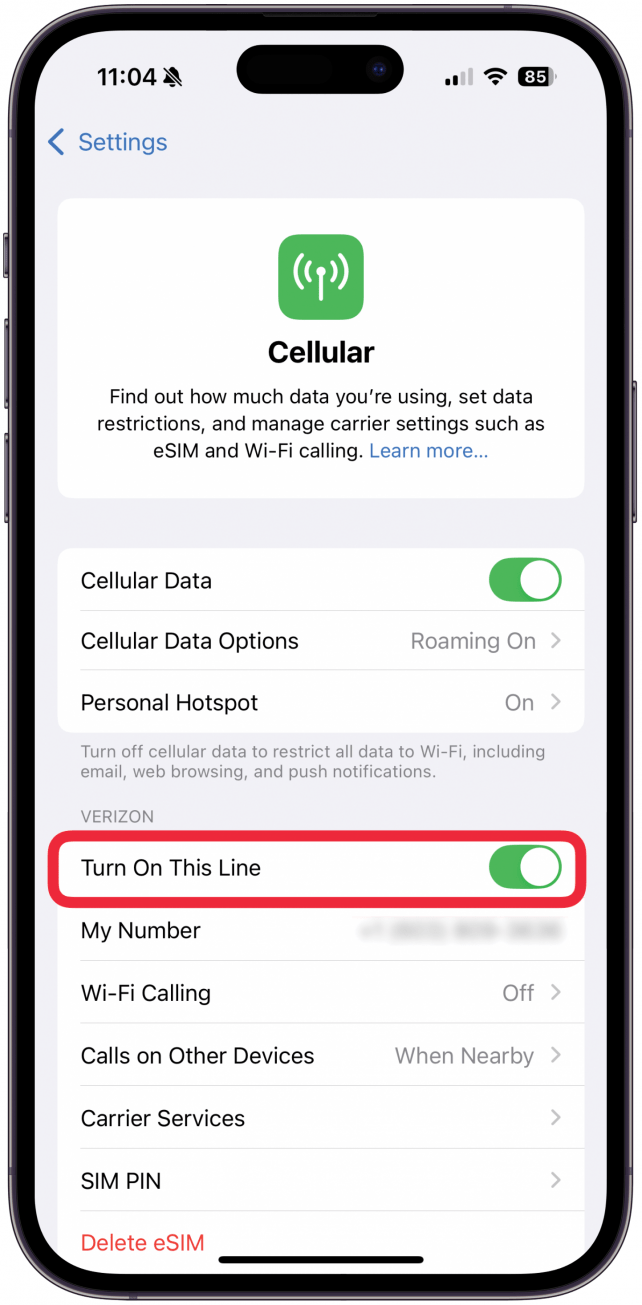
That said, in theory, if you have an eSIM, you can disable your phone line completely by opening Settings, tapping Cellular, then toggling offTurn OnThis Line or something similar, depending on what your carrier displays. If you have a regular SIM card, then you can remove it from your device by popping out the SIM tray and setting the SIM card aside somewhere safe. If you do either of these things, your phone will be unable to function as a phone, without cellular data or a cellular connection, but it should also prevent cell towers from tracking your location.
6. CELL SITE SIMULATORS
A Cell-Site Simulator (CSS) is a device that pretends to be a cell tower to trick phones into connecting, so that their signals can be intercepted. CSS range in size and mobility, but there are some small enough to fit in a backpack. CSS devices are mostly marketed to law enforcement for use with probable cause, but activists across the political spectrum have long suspected that CSS also get used to surveil legal and peaceful protests. Because a CSS is fairly short range, it is likely able to identify the location of a phone to within a few meters, as well as to capture any data transmitted from the phone to the cell network. It's unknown how common these devices are, but they are not legal for private use.
Can you avoid connecting to a CSS? As with cell towers, you can probably prevent your phone from connecting to a CSS by disabling its SIM and Wi-Fi, but this greatly limits your iPhone's functionality. As for the data intercepted by a CSS, even if you connect to one, most cell data is now encrypted in transit, such that it would be of little value to a CSS operator, but many text messages and emails are not.
7. THE FIND MY NETWORK
Even when your iPhone is completely off, you can still potentially track its location in the Find My app using the Find My network. The Find My network uses the Bluetooth capacity of every Apple device to help track its location. Bluetooth antennas are constantly picking up low-powered Bluetooth transmissions from nearby. When any Apple device detects another Apple device in that noise, even if they never connect, the two devices help each other update and track their exact locations. The low energy cost of Bluetooth signals means that they can sometimes even work passively when the device is powered down. This can be very useful to help you find a lost or stolen iPhone!
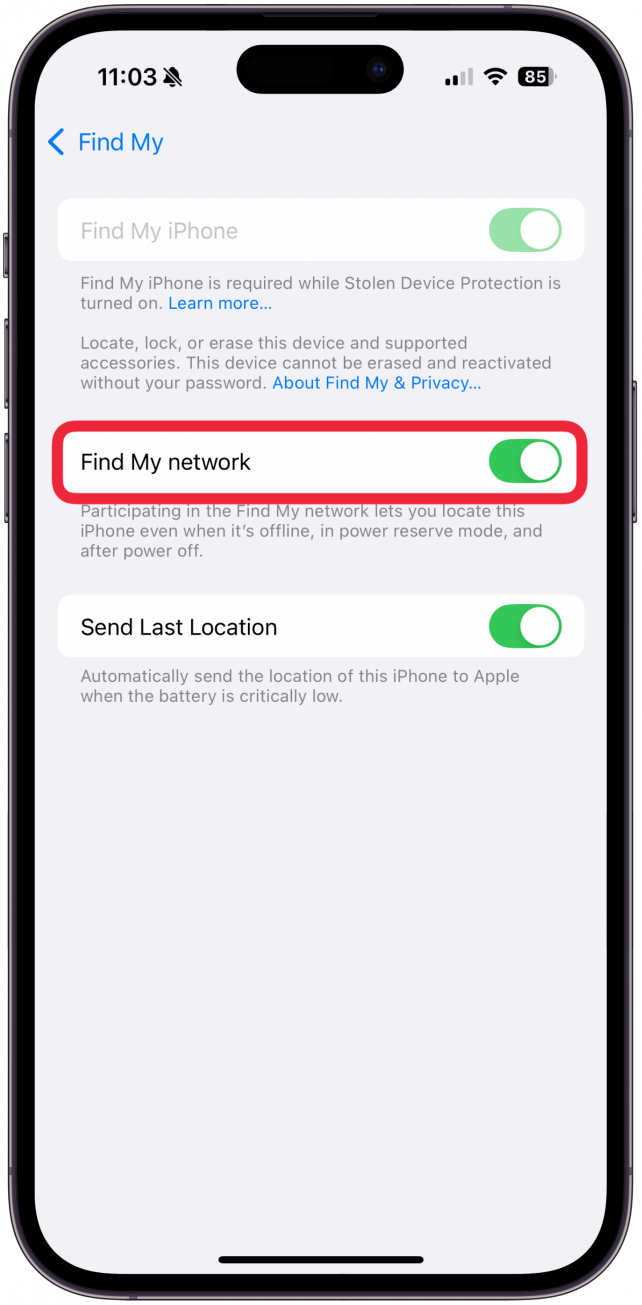
If you wish to disable the Find My Network, you can visit Settings > Apple Account > Find My and disable Find My network as well as Send Last Location. Disabling both these features before turning off your eSIM, Wi-Fi, and Bluetooth, is probably the best you can do to reduce the trackability of your iPhone, but it leaves the device with minimal functionality. The camera will still work, but you won't be able to access the internet, cell service, messaging, or any other connectivity. It might be easier to just turn off Find My and then turn off the iPhone.
Those are the seven ways your iPhone can track your location. While it is possible to cut back on all of them, each defense comes with a tradeoff. Disabling tracking altogether is only possible with the Find My network turned off and the device powered down, but in that state, the iPhone isn't very useful. One level up would be with the Wi-Fi, eSIM, Bluetooth, Location Services, and Find My Network all disabled. In that state, the phone would function as a camera, note-taking device, and music player. Kudos to Apple for including the controls to access these functions, so we can decide for ourselves.

Cullen Thomas
Cullen Thomas is a senior instructor at iPhone Life. For ten years as faculty at Maharishi University, Cullen taught subjects ranging from camera and audio hardware to game design. Cullen applies a passion for gadgetry to answer questions about iPhones, iPads, Macs, and Apple cloud services; to teach live classes; and to specialize in the privacy and security aspects of the Apple ecosystem. Cullen has dual degrees in Media & Communications and Literature, and a Masters degree from the David Lynch Graduate School of Cinematic Arts.
Offline, Cullen designs videogames with Thought Spike Games, writes fiction, and studies new nerdery.
Mastodon: @CullenWritesTech@infosec.exchange
Email: cullen@iphonelife.com
 Rhett Intriago
 Leanne Hays

 Olena Kagui

 Rachel Needell

 Nicholas Naioti
 Amy Spitzfaden Both
 Hal Goldstein