Did you know you can leave a FaceTime voicemail? The way it works is that when the person you're FaceTiming misses or declines your call, you can leave a video message that they will receive in the FaceTime app. Here's how!
Why You'll Love This Tip
- If a person doesn't pick up a FaceTime call, you can leave them a voicemail in the form of a short video message.
- Avoid missing important moments when you can't answer a FaceTime call, and ensure your friends and family don't miss out either!
How to Leave a FaceTime Video Message Voicemail
System Requirements
This tip was performed on an iPhone 16 Pro running iOS 26.4. Find out how to update to the latest version of iOS.
Before you get started, it's important to note that all parties involved in the FaceTime call must be updated to the latest version of iOS to send and receive FaceTime video voicemails. If you like keeping up to date with Apple's latest software updates, be sure to sign up for our free Tip of the Day! Now, here's how to leave a FaceTime voicemail and how to view FaceTime voicemail when you receive one:
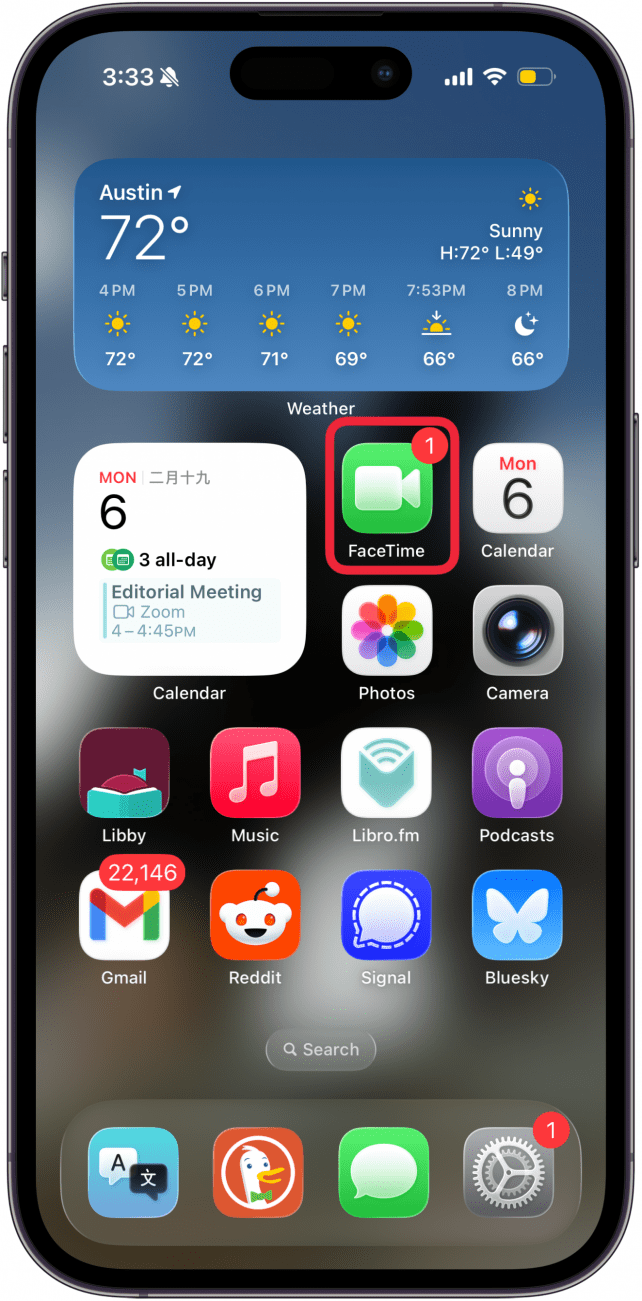
- On your iPhone, open FaceTime and begin a video call.
![a screenshot of an iphone home screen with a red box around the facetime app]()
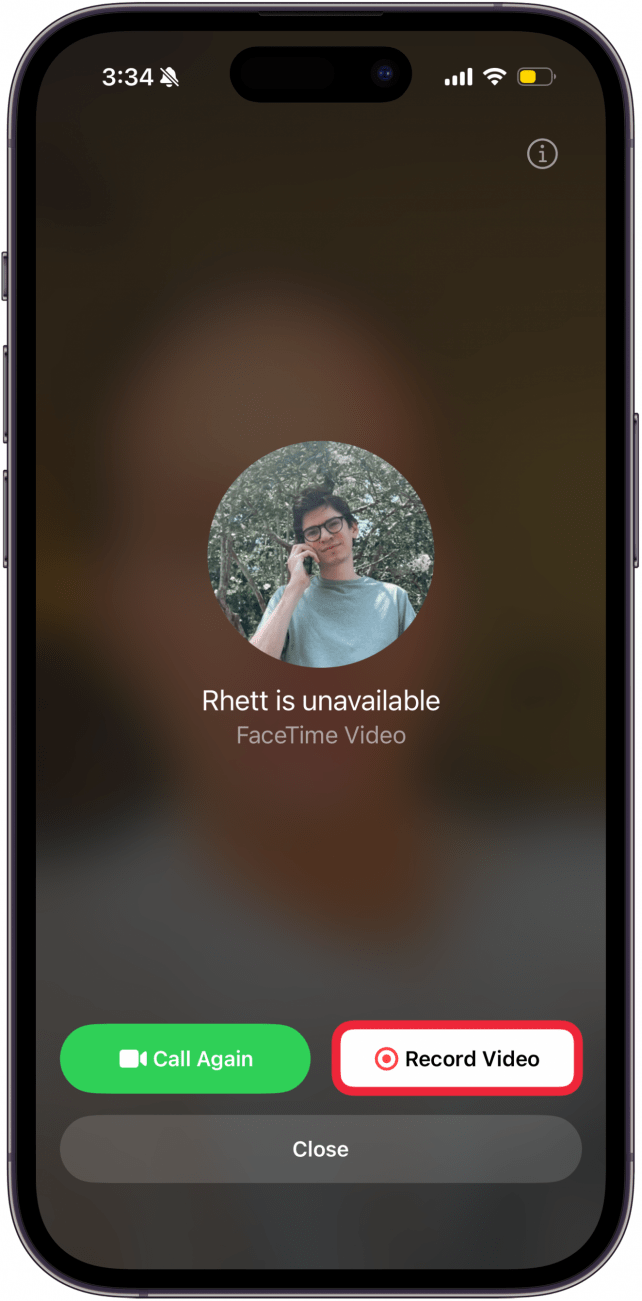
- A menu screen will come up when your call is declined or missed. Tap Record Video.
![a screenshot of the facetime app displaying a missed call screen]()
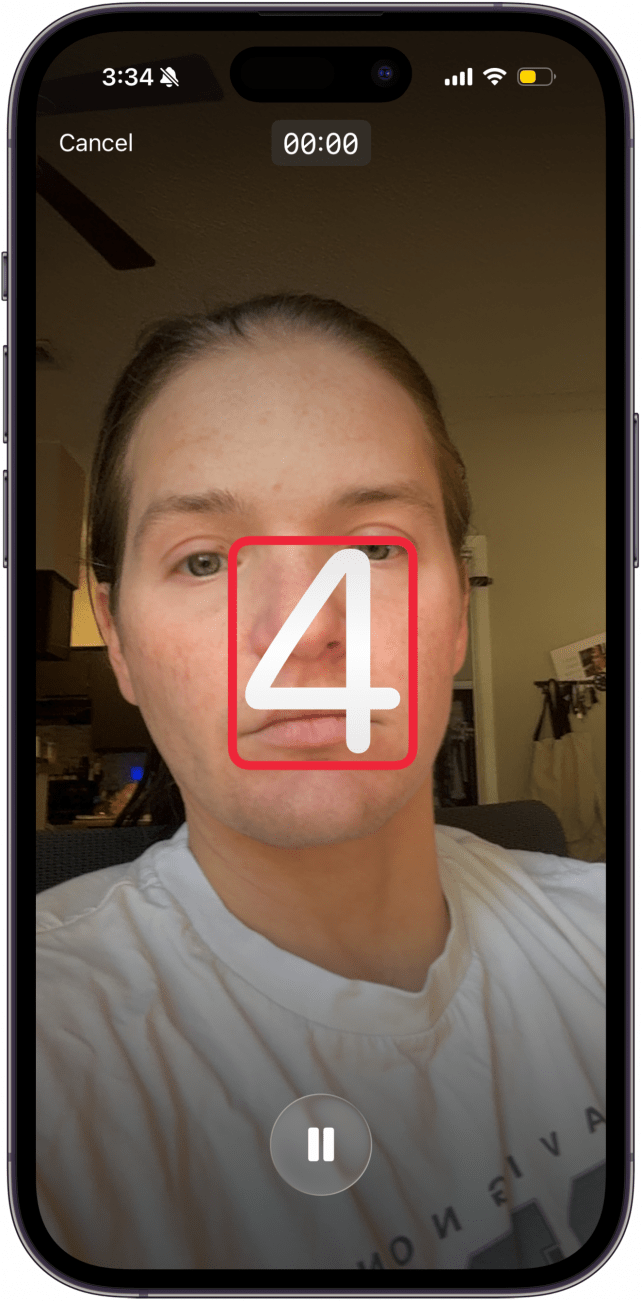
- There will be a brief countdown before you will start recording.
![a screenshot of the facetime app displaying the facetime video message screen with a red box around the countdown]()
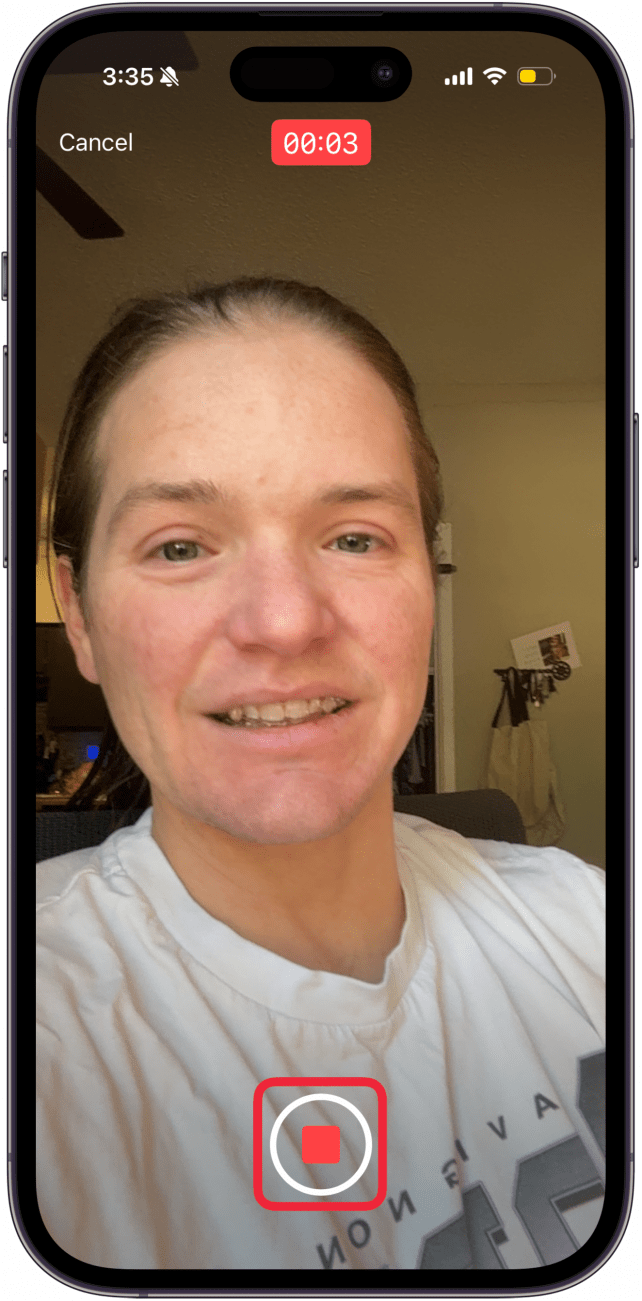
- When you are finished recording your message, tap the stop button.
![a screenshot of the facetime app displaying the facetime video message screen with a red box around the stop button]()
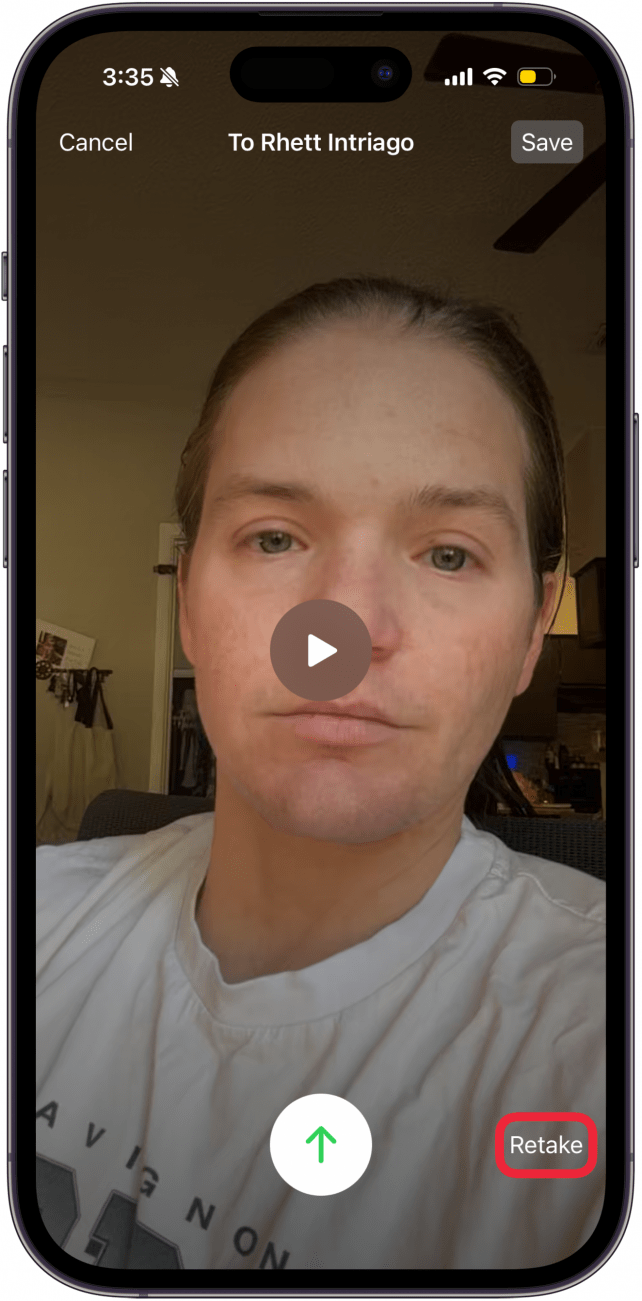
- Now, you have the option to Retake the video.
![a screenshot of the facetime app displaying the facetime video message screen with a red box around the retake button]()
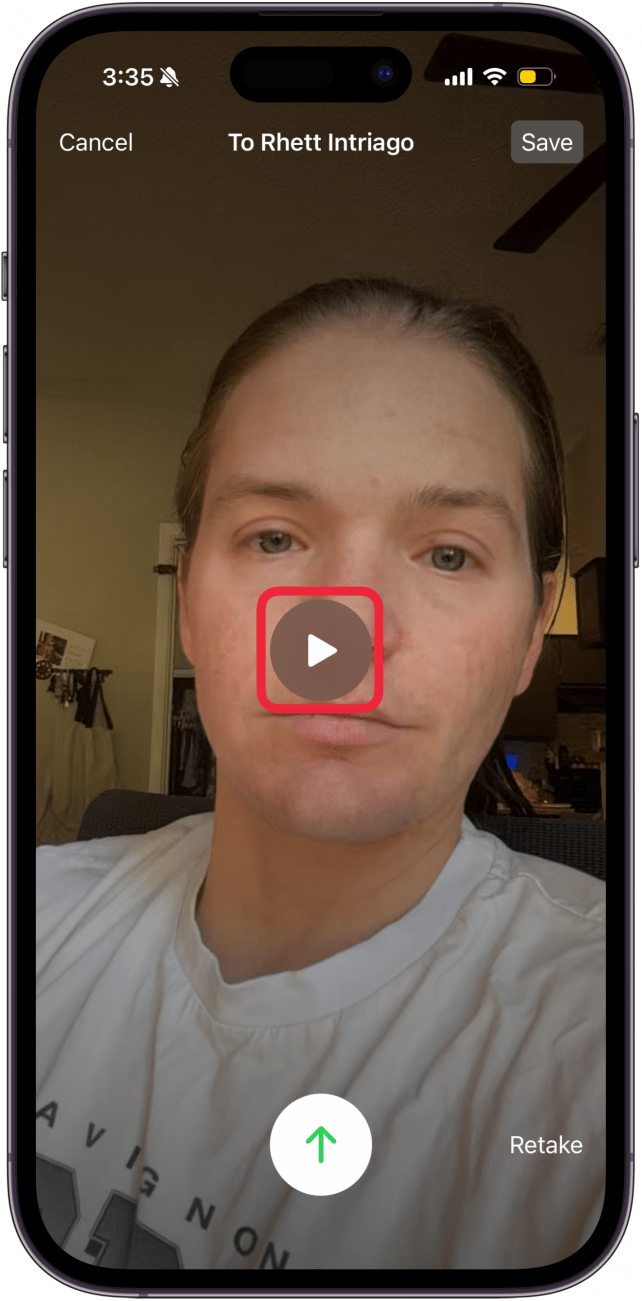
- You can also replay it by tapping the Play button.
![a screenshot of the facetime app displaying the facetime video message screen with a red box around the play button]()
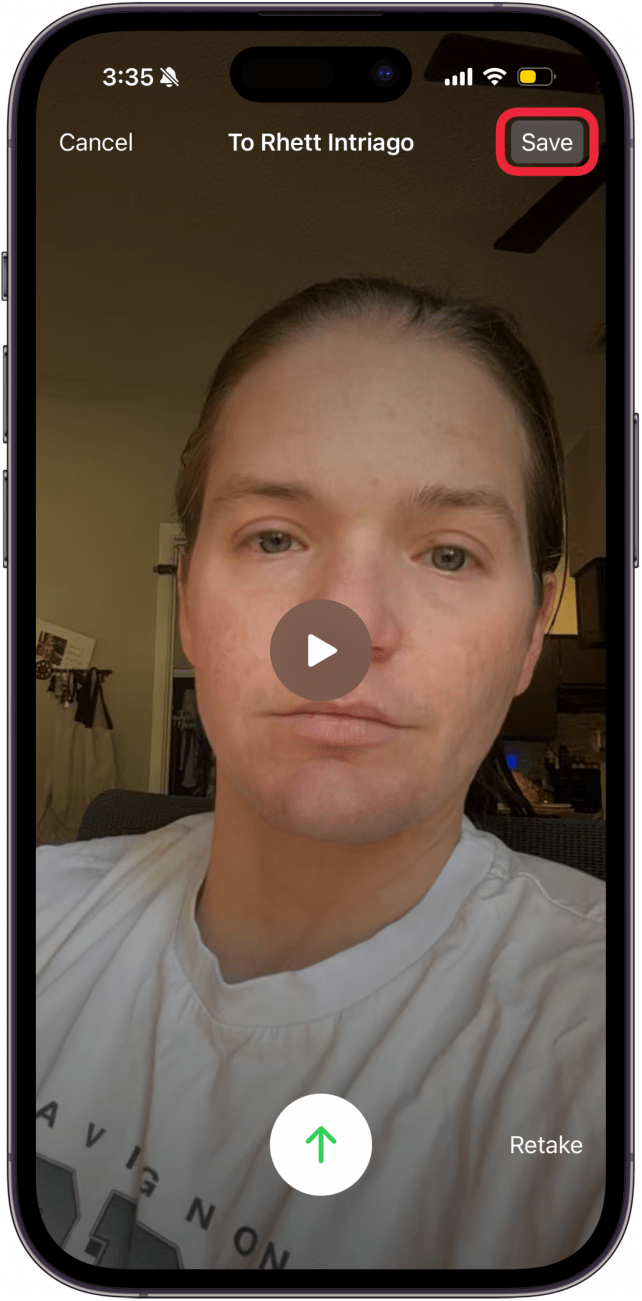
- Additionally, you can save your own video to your camera roll by tapping Save.
![a screenshot of the facetime app displaying the facetime video message screen with a red box around the save button]()
- When you're happy with your message, tap the Send button.
![a screenshot of the facetime app displaying the facetime video message screen with a red box around the send button]()
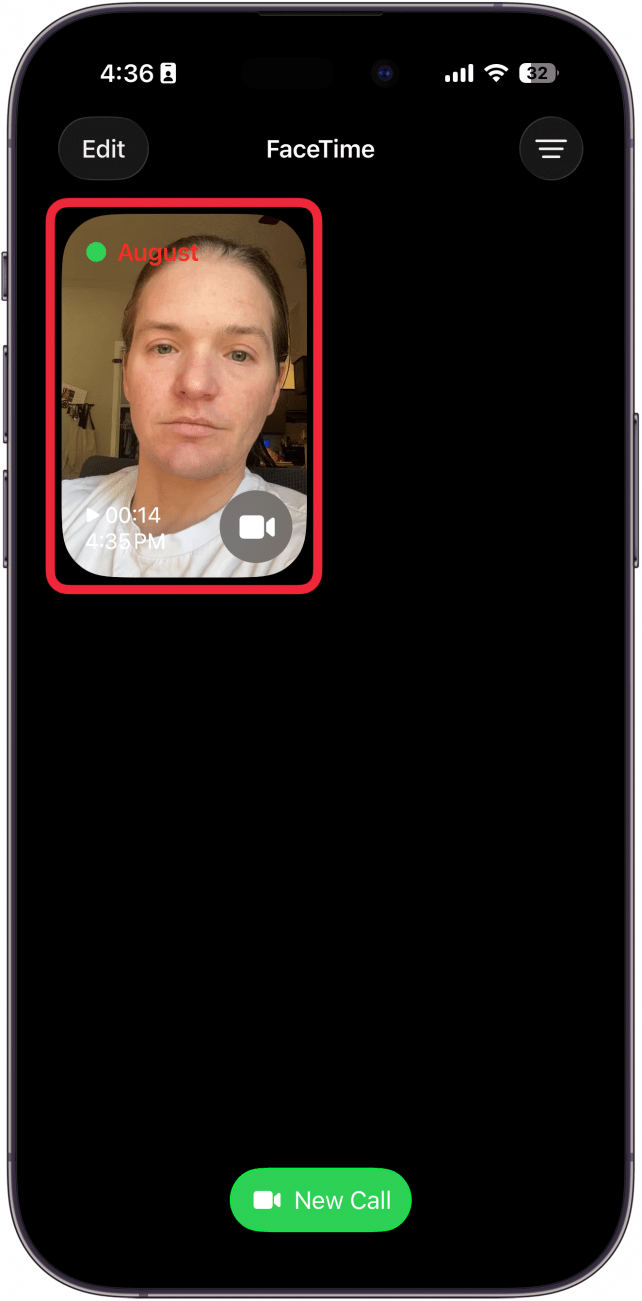
- If you're wondering how to check your FaceTime voicemail, you can find video voicemails under missed calls.
![a screenshot of the facetime app with a red box around a missed call]()

And that's how to use FaceTime's video message feature! Now that you know how to send a video voicemail on your iPhone, find out how to take Live Photos on FaceTime.

More On: FaceTime
Top image credit: TippaPatt / Shutterstock.com