Apple Offers Its Best-Yet Child Safety Features

Leanne puts her love of troubleshooting and repair to use managing our Ask an Expert Facebook group and has authored hundreds of how-to, Apple news, and gear review articles.
Learn More Leanne puts her love of troubleshooting and repair to use managing our Ask an Expert Facebook group and has authored hundreds of how-to, Apple news, and gear review articles.
Learn MoreParents rejoice! Apple announced new and improved child safety features at WWDC on June 8, and they're going to make web browsing, app usage, and communication safer than ever before. We've been able to use features like Ask to Buy, so kids can't run up a huge bill in the App Store, for years. Ditto Screen Time, which allows parents to limit usage for apps, websites, or the entire device, and lock those limits so kids can't get around them. But now, Apple has finally put some time and attention into expanding those digital fences to keep kids safer as the company leans into AI features. Let's go over the most important ways that Apple is helping parents and caregivers keep devices safe for kids.
Pre-iOS 27 Child Safety Features

Prior to iOS 27, parents and caregivers could set a child's age in their profile, then choose Unrestricted, Limit Adult Websites, or Allowed Websites (the latter of which required parents to add sites one by one in order for their kids to access them). Apps, Movies, TV Shows, Books, and more could also be set by age rating or simply by Clean/Restricted status.
Apple also offered Sensitive Photos and Videos Protection, which detects nude photos and videos in FaceTime, Messages, AirDrop, shared photo albums, the Contacts app, and even third-party apps before they're sent or seen, and blurs out the content before your kid lays eyes on it. Setting a Screen Time passcode means that kids under age 13 can't view the content without parental permission.
We've also had the ability to track our kids' screen time for several years, including how much time they've spent on apps and websites, setting daily limits for app use (broken down by category), and scheduling screen-free time.
So, what's new in Parental Controls, and what will it mean for your kids' digital life? Let's get into it!
iOS 27 Parental Controls: Updates & Brand-New Features
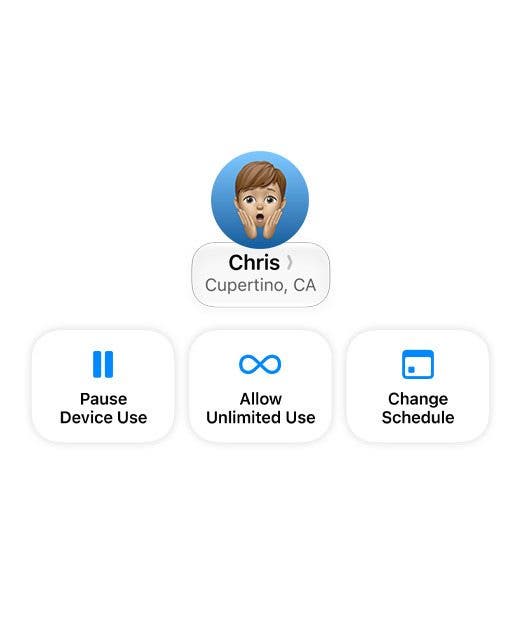
One of my favorite new Parental Controls features in iOS 27 isn't a feature at all; it's the intuitive new design in Settings. This new layout will let us see how much our kids have been using their iPhones and other devices, and adjust their schedule and access in a few easy taps. The most exciting part of this for me is the Pause Device Use button. Kid on their device and "can't hear you" when you call them down for dinner? Bing! The iPad is frozen, and suddenly the ears work again.
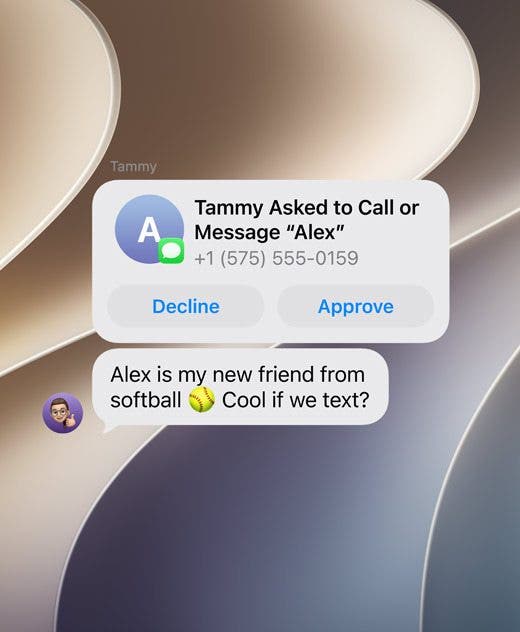
My next favorite feature is the new contact approval process. Before, parents could decide which contacts their kids were allowed to communicate with during their Down Time, so that they could still contact important people if they needed help. Now, parents get to vet ALL contacts, only allowing their children to communicate with approved people in Messages, FaceTime, and Phone. Of course, you'll still need to be aware and monitor who your kids connect with in various third-party apps.
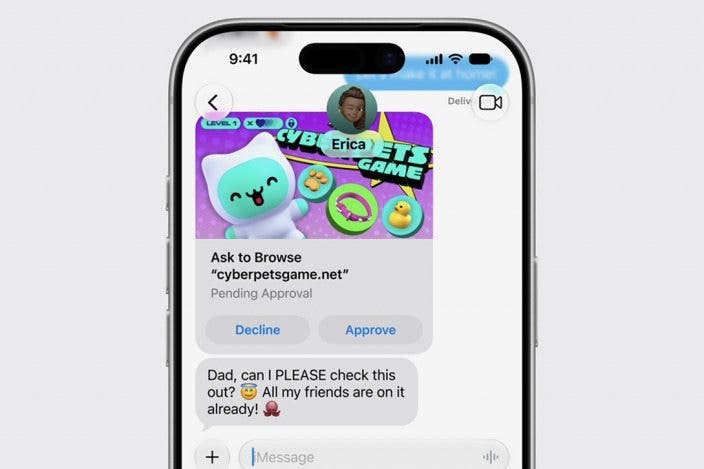
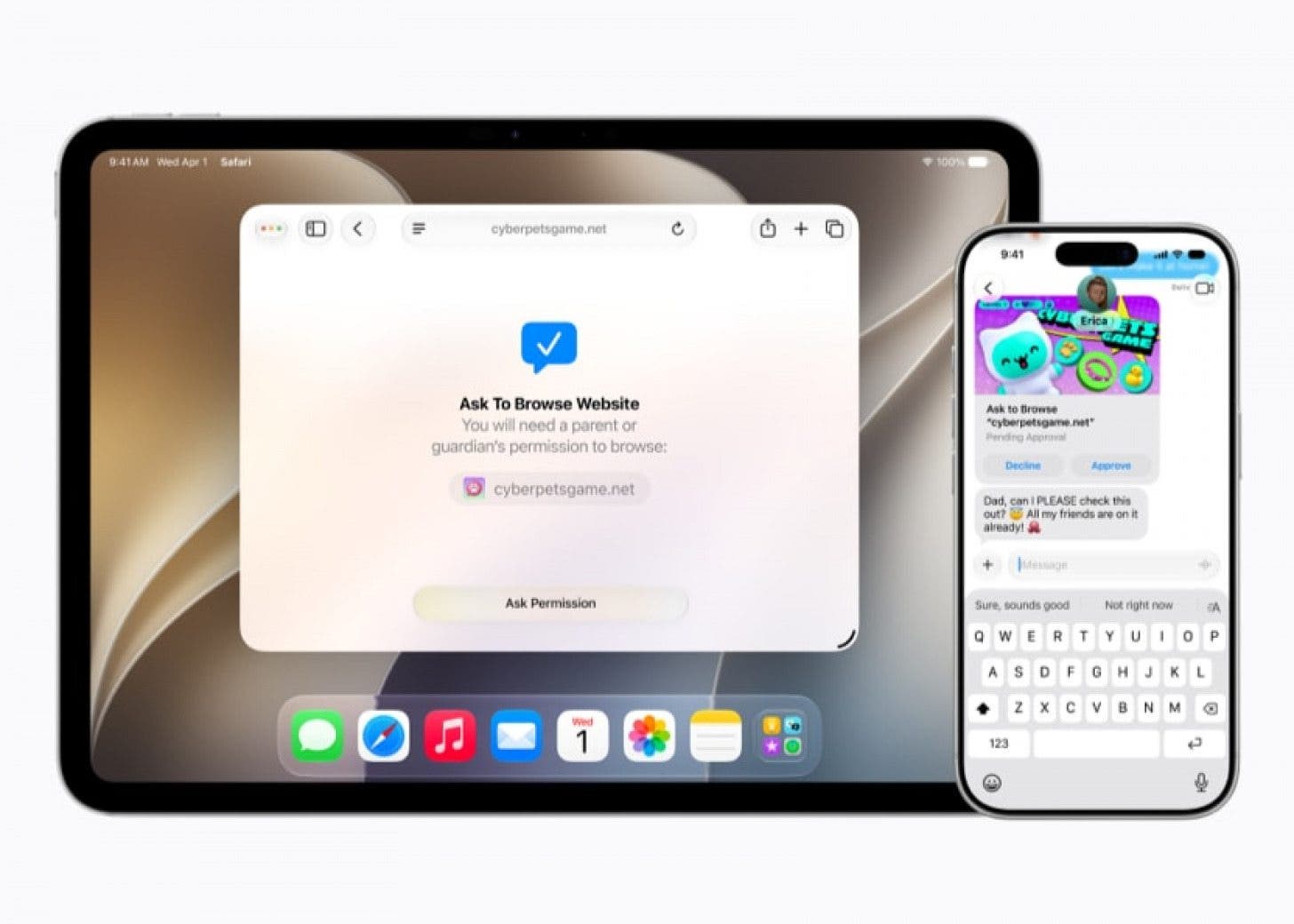
Finally, I'm excited for the rollout of Ask to Browse, which requires kids to ask for permission to access any new websites in Safari. This would have prevented my daughter's neat workaround of accessing YouTube by opening the page in Safari, even though I'd added the app to the blocked list in Screen Time controls. Clever girl!
For a complete overview of all the new Apple Parental Control features, check out the new website Apple launched today. You'll not only learn all about the latest Screen Time updates, but also get expert guidance to set the correct age-based limits and protections.
Apple's move towards stronger, more granular device and online safety for kids will have parents cheering and kids groaning across the globe. And, true to form, kids will immediately set about trying to get around the latest digital boundaries their parents have erected. Hopefully, with the help of each new operating system, parents will stay a step ahead and keep their kids safe from inappropriate content, unsavory people, and, of course, their own curiosity.

Leanne Hays
Leanne Hays has more than sixteen years of experience writing for online publications. As a SEO Specialist and Feature Writer for iPhone Life, she has authored hundreds of how-to, Apple news, and gear review articles, as well as a comprehensive Photos App guide. Leanne holds degrees in education and science and loves troubleshooting and repair. This combination makes her a perfect fit as manager of our Ask an Expert service, which helps iPhone Life Insiders with Apple hardware and software issues.
In off-work hours, Leanne is a mother of two, homesteader, audiobook fanatic, musician, and learning enthusiast.

 Rachel Needell
 Rhett Intriago
 Olena Kagui
 Amy Spitzfaden Both


 August Garry




 Leanne Hays