What to Know
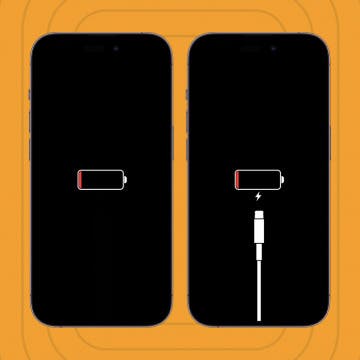
- If your iMessage doesn't say Delivered it could mean that the recipient's phone is off or out of battery.
- If the recipient has other Apple devices set up to receive messages, it might say Delivered because it was delivered to their Apple Watch, iPad, or Mac.
An "iPhone message not delivered" issue can mean several things, including that the recipient’s phone is simply off or out of battery. It is important to keep in mind that in certain circumstances, even if your contact has your number blocked and their phone is off, the iMessage might be labeled as delivered. I’ll dive into how and why this happens and how to decipher what it means.
Jump To:
Does "iMessage Not Delivered" Mean the Phone Is Off?
Sometimes. The issue with responding with a concrete yes or no is there are several factors that determine the answer to this. If an iPhone user has other Apple devices that can receive messages, the message could still be delivered, and even read on the other device, even if their iPhone is off or has run completely out of battery.
Another thing to note is that if your contact has blocked you and turned their phone off, your message might still be marked as delivered, even if they don't have other Apple devices to receive the message. Since the iOS 16.5 update, texting someone who blocked you will still show that the message was delivered, making it harder to know if someone blocked you. For more Messages app tutorials and tricks, don’t forget to check out our free Tip of the Day!

Why Does My Message Not Say "Delivered"?
There are many reasons why an iMessage you send might not get delivered, not just the recipient's phone being off. Your iPhone might be experiencing a connectivity issue or your recipient is somewhere without a good cellular or Wi-Fi connection. Sometimes if a Focus mode is on, it might take a little longer for a message to say delivered even though it was. There are also random glitches that can cause problems with delivery. If you keep experiencing issues with iMessages, check out our troubleshooting article.
I really hope this article helped answer your "message not delivered" questions! Unfortunately there’s a lot that can go wrong even if you're doing something as simple as sending a text message. However, there is always a reason or way to troubleshoot it. Next, learn how to enable iMessages on your iPhone, iPad, and Mac.
FAQ
- What does "Sent as SMS" mean? Instead of sending as an iMessage with a blue bubble, sending as SMS or RCS means it will be sent with a green bubble. This is usually suggested if a regular iMessage cannot be sent due to connectivity issues.
- Will a text say "Delivered" if blocked on iPhone? Yes. As long as the recipient who blocked you is running iOS 16.5 or later, your message will be marked as delivered even if they blocked you.
- If someone's phone is dead will it ring? No, if an iPhone is dead, the call will go straight to voicemail and won't ring.