Using the Podcasts app, iPhone users can download podcasts, create playlists, and organize them as needed. You can even activate picture in picture in the Podcasts app to keep listening while you multitask on your iPhone. The following tips will help you navigate your podcasts for the ultimate listening experience.
Jump to:
- Download Podcasts
- Delete Podcasts
- Organize Podcasts: Limit Automatic Downloads, Delete Played Episodes & Create Stations
- Manage Your Podcasts Queue
How to Download Podcasts on the iPhone
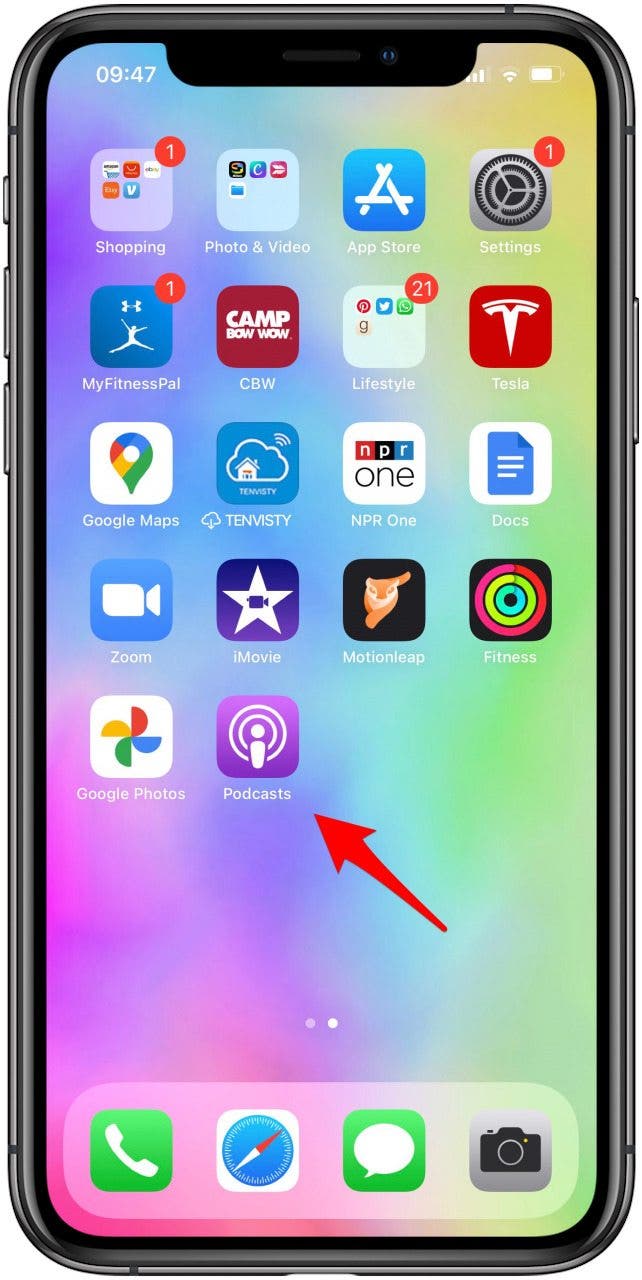
- Open the Podcasts app.
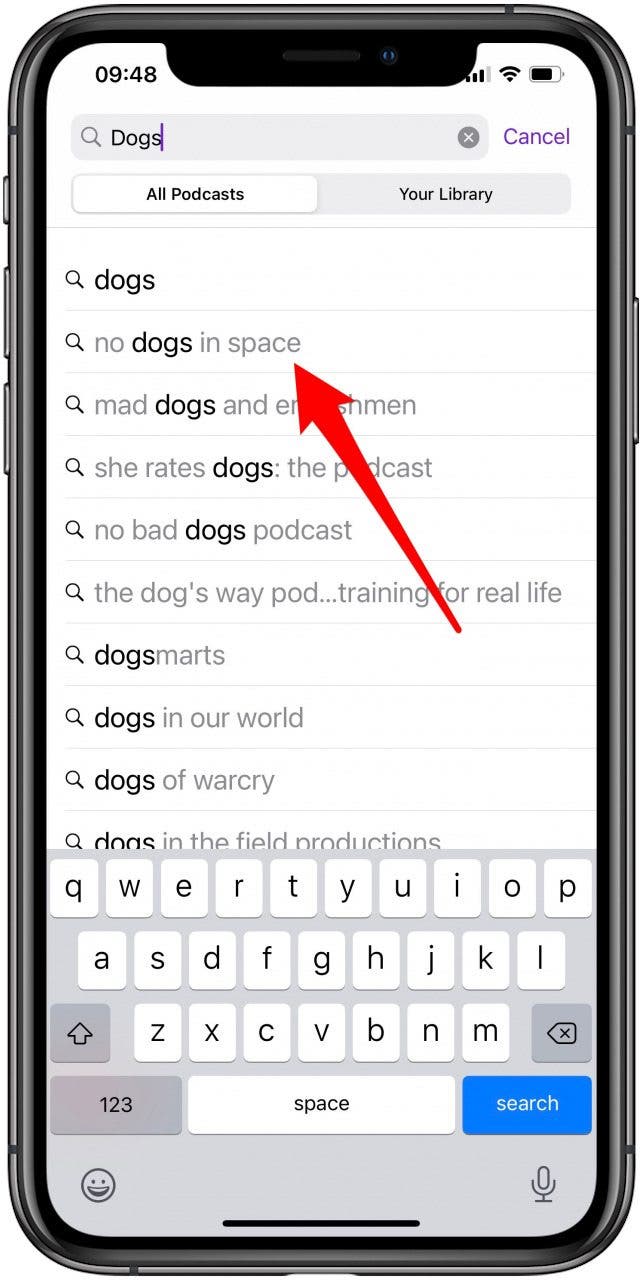
- Use the Search tab to find the podcasts you want to download.
![Open the podcasts app]()
![Search for and select the podcast you want to download]()
- Select the shows or episodes you are interested in.
- Tap Subscribe.
![Tap on Subscribe]()
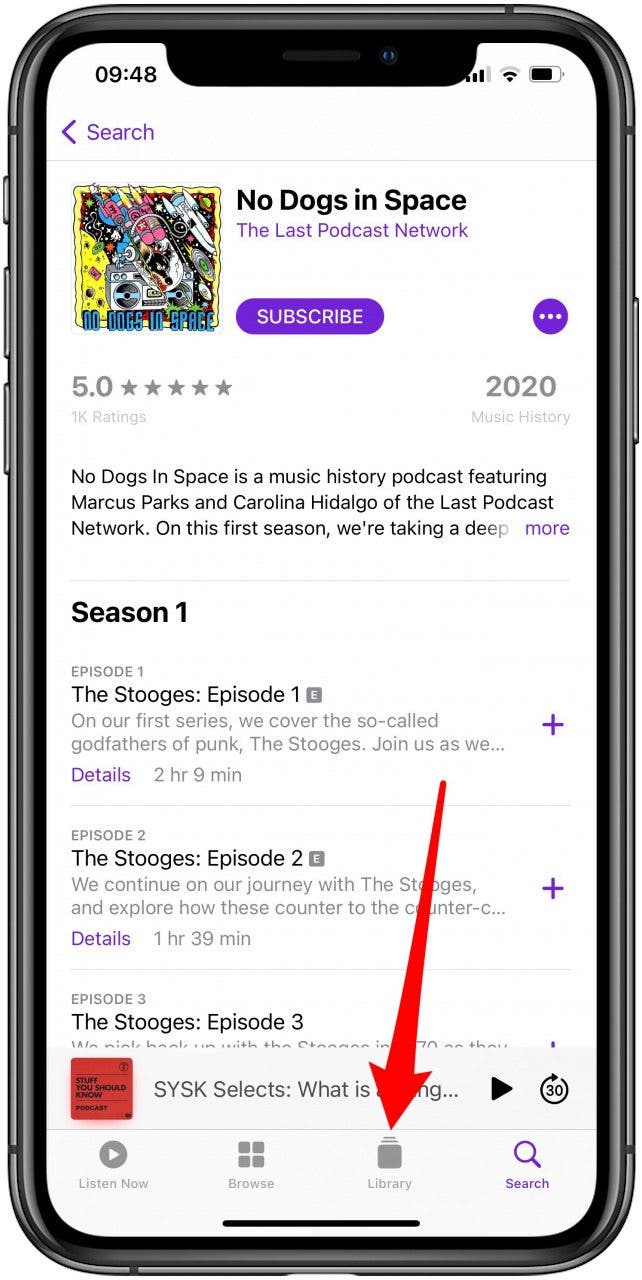
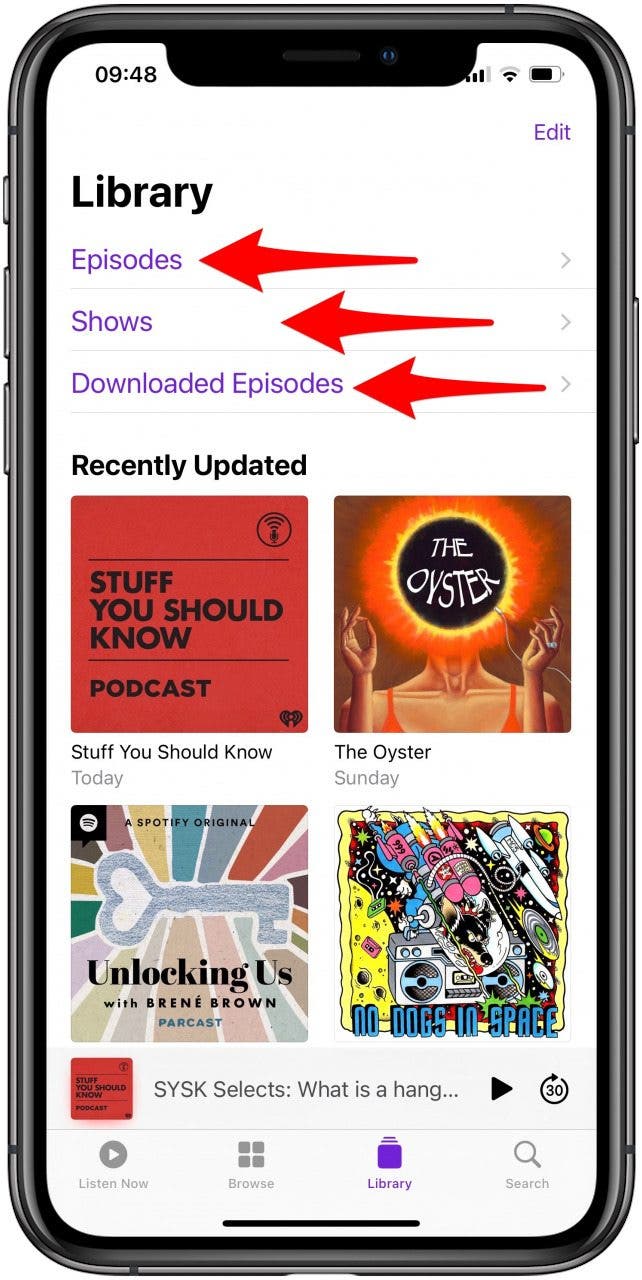
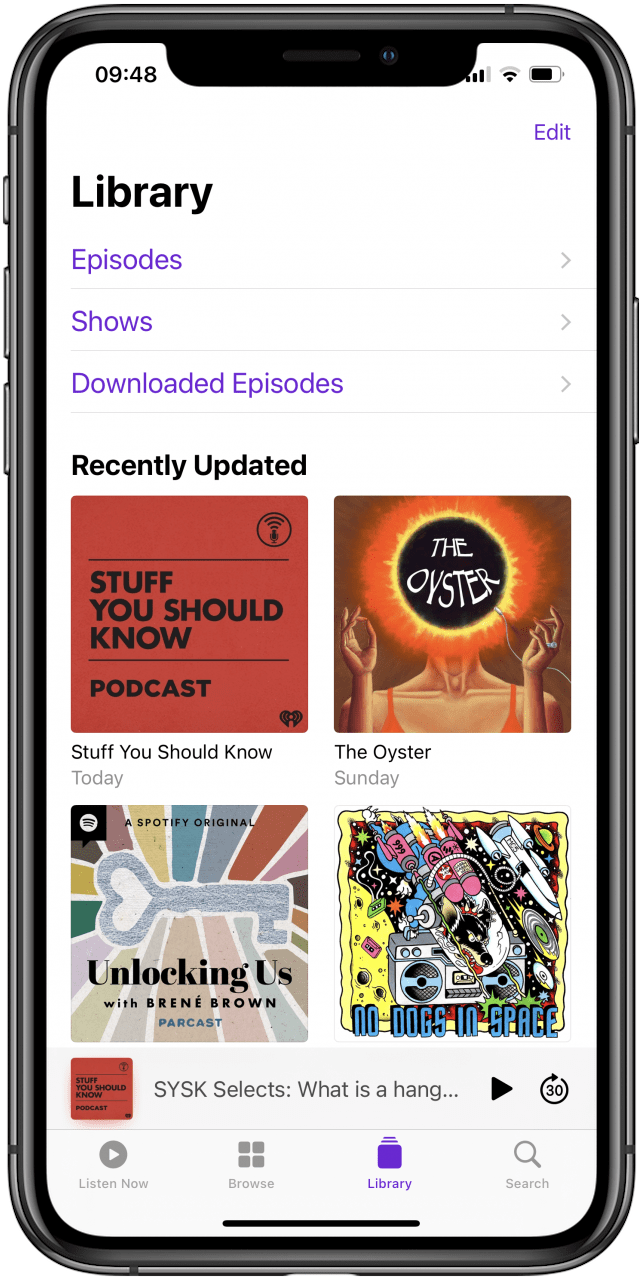
- Go to the Library tab to see your episodes, shows, and downloaded episodes.
![Tap on the Library tab]()
![]()

How to Delete Podcasts from an iPhone
- Open the Podcasts App.
- Find the podcast with the episode you want to delete.
![Open the podcasts app]()
![Select the podcast you want to delete an episode of]()
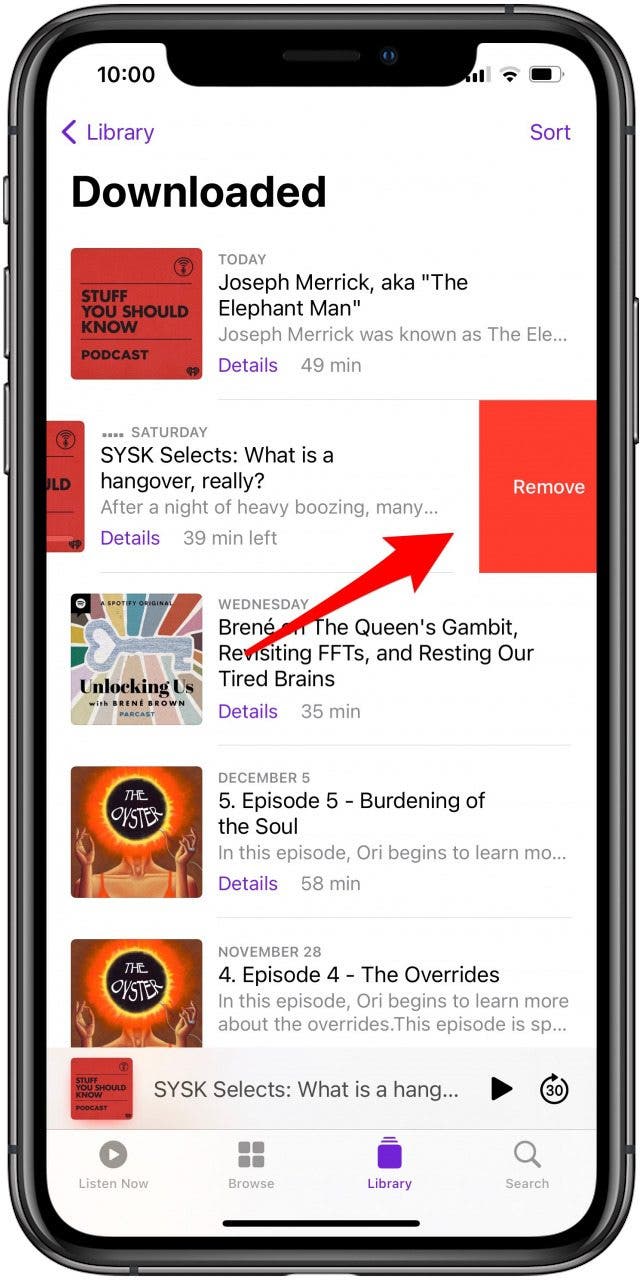
- Swipe left on the episode you want to remove.
- Tap Remove.
![Swipe left and tap Delete]()
How to Organize Podcasts on Your iPhone
There are many ways to organize podcasts on your iPhone to make it easier to enjoy your favorite shows and episodes. Creating and managing playlists, choosing what appears in your Library, arranging your queue, and exploring custom settings can help enhance your experience.
How to Limit the Number of Podcast Downloads
It's pretty easy to limit the number of podcasts downloaded to your iPhone. Once you've done that, your Podcasts app library will be much easier to manage and navigate.

How to Automatically Delete Played Podcasts
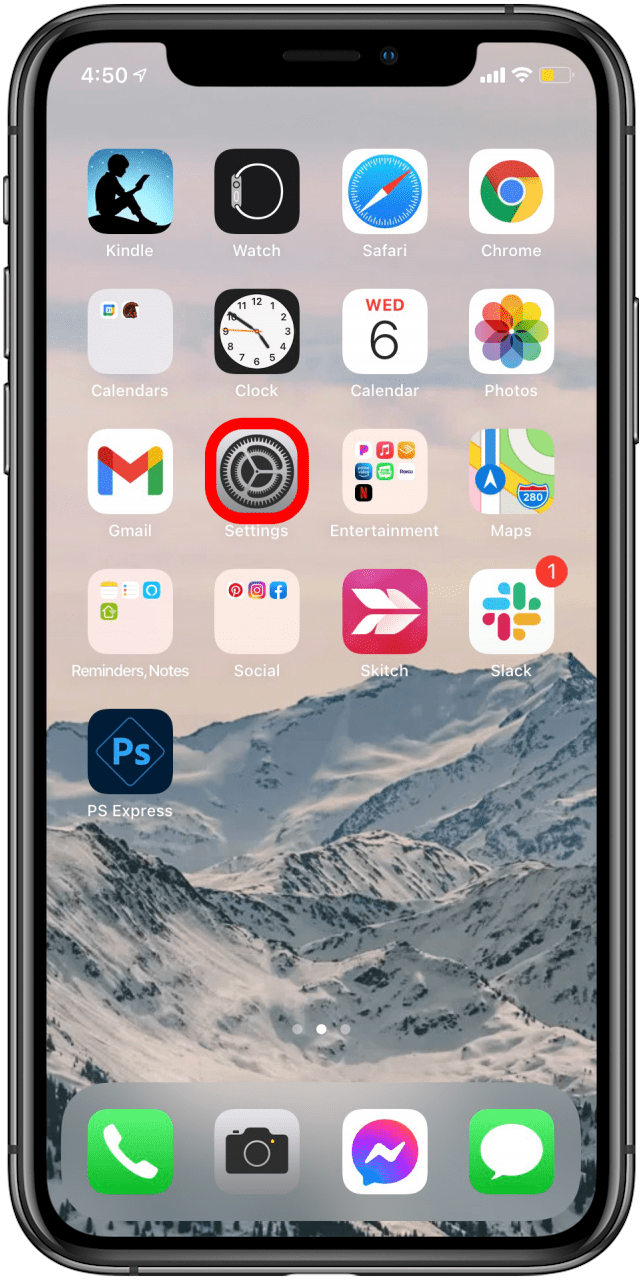
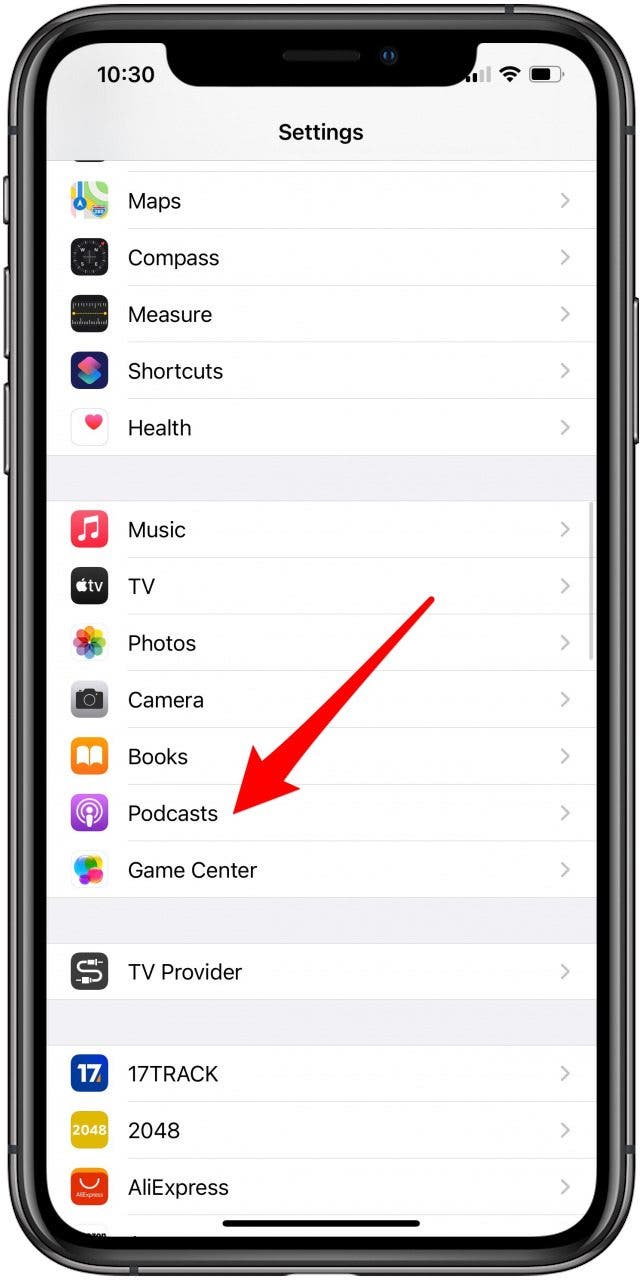
- Go to Settings.
- Scroll down and select Podcasts.
![Open the settings app to manage download podcast settings]()
![Scroll down and tap on Podcasts]()
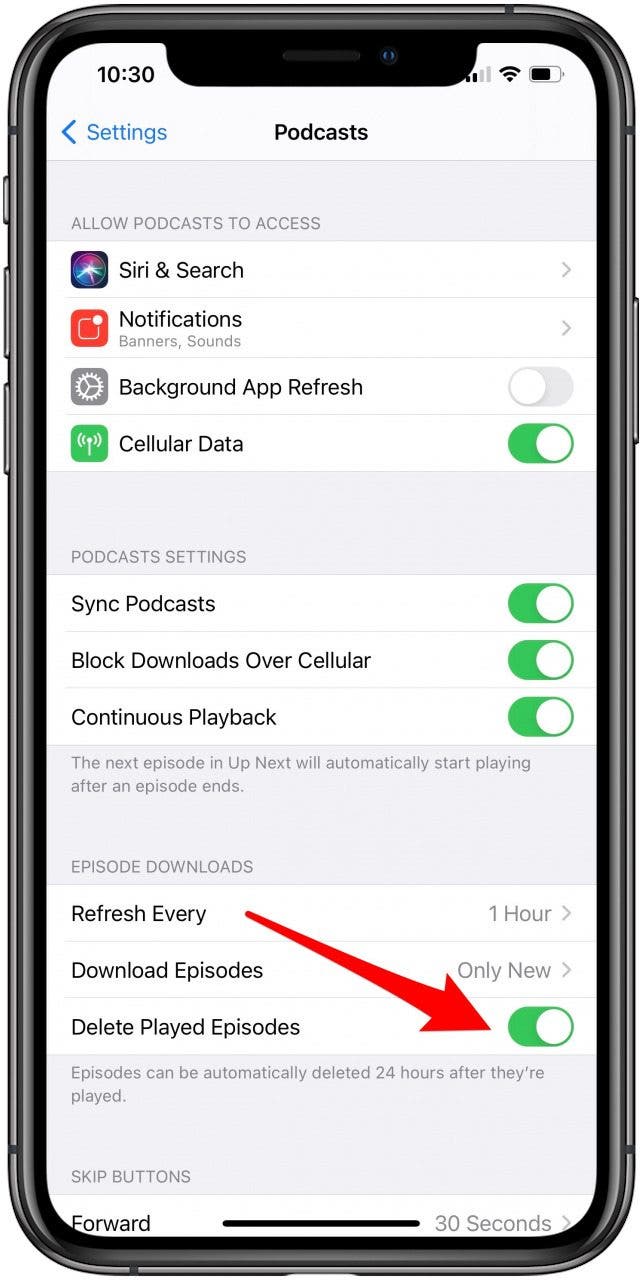
- Under Episode Downloads, toggle on Delete Played Episodes.
- Once the toggle is green, episodes will be automatically deleted 24 hours after they’re played.
![Scroll down to the Episode Downloads section and toggle on Delete Played Episodes]()
How to Create Stations in the Podcasts App
You can organize your podcasts into stations to make them easier to find, and to make sure that you don't have to search for other podcast episodes if you're listening while driving or working. Stations allow you to stick with a subject or theme for hands-free listening.
How to Manage the Podcasts in Your Queue
Once you create a playlist, you can add or remove episodes or even re-order the podcasts in your queue.
How to Add an Episode to Your Podcast Queue
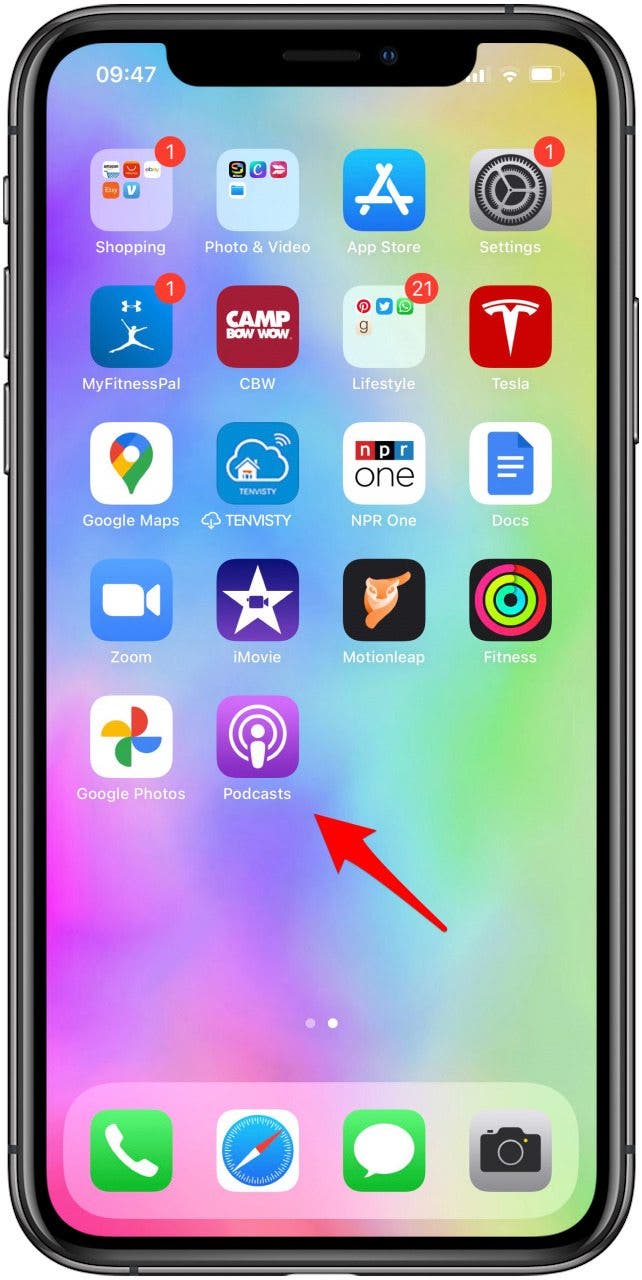
- Open the Podcasts App.
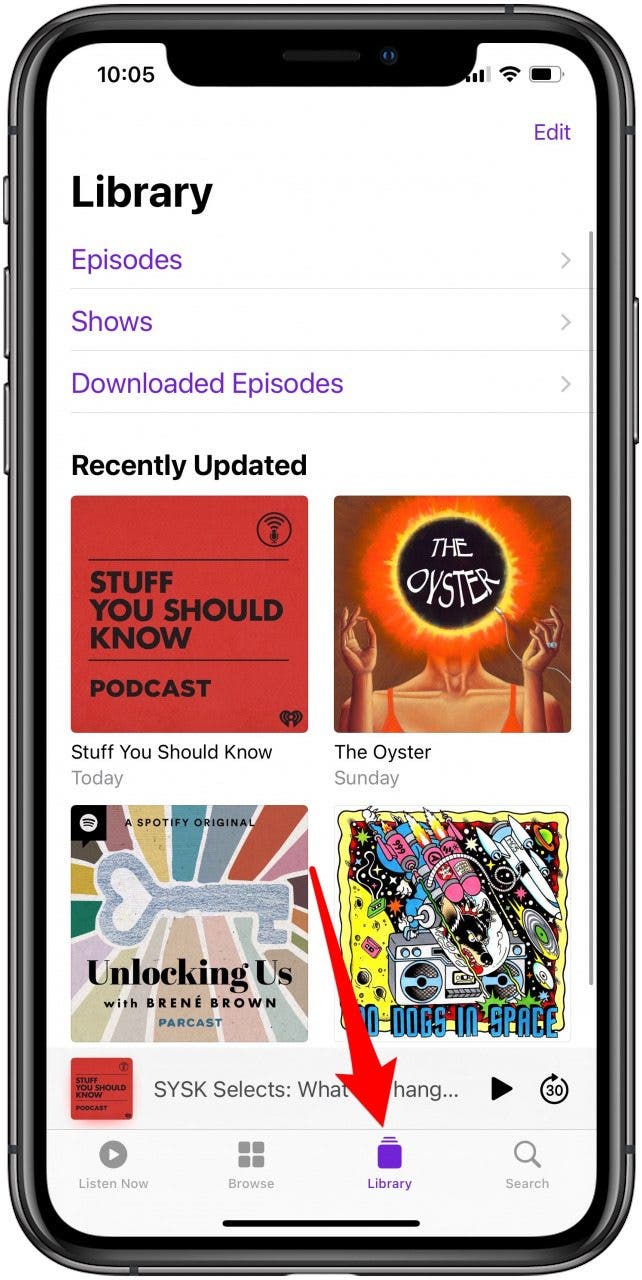
- Tap on Library.
![Open the podcasts app]()
![Tap on the Library tab]()
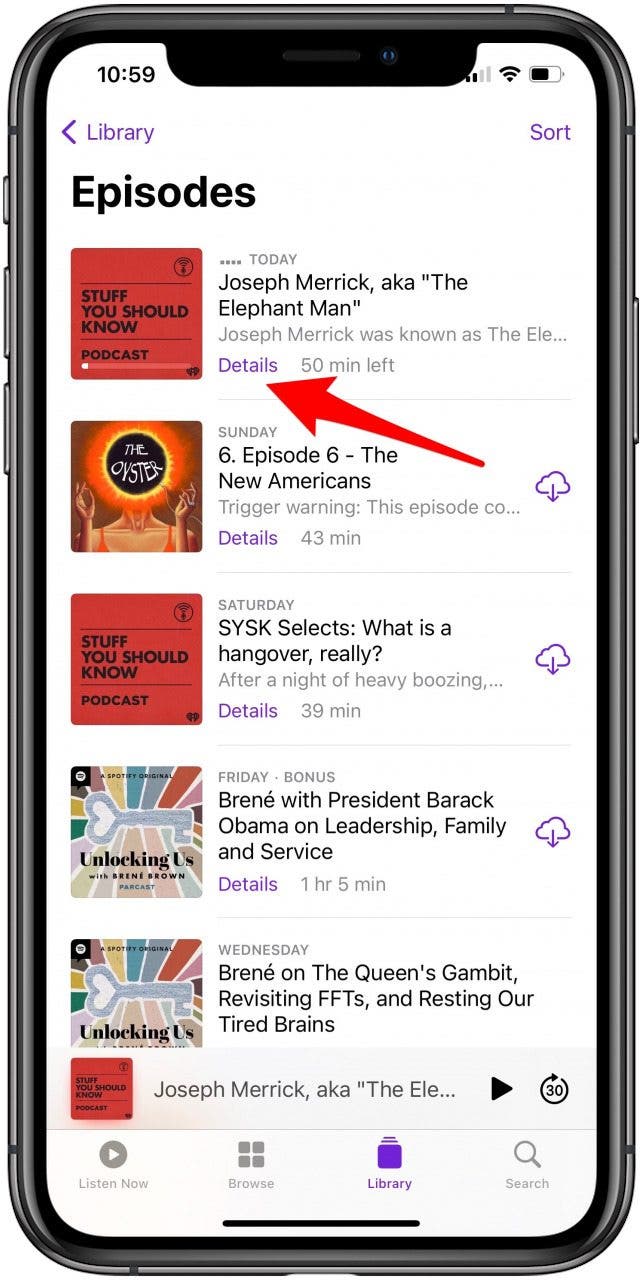
- Find the episode you want to listen to and tap Details.
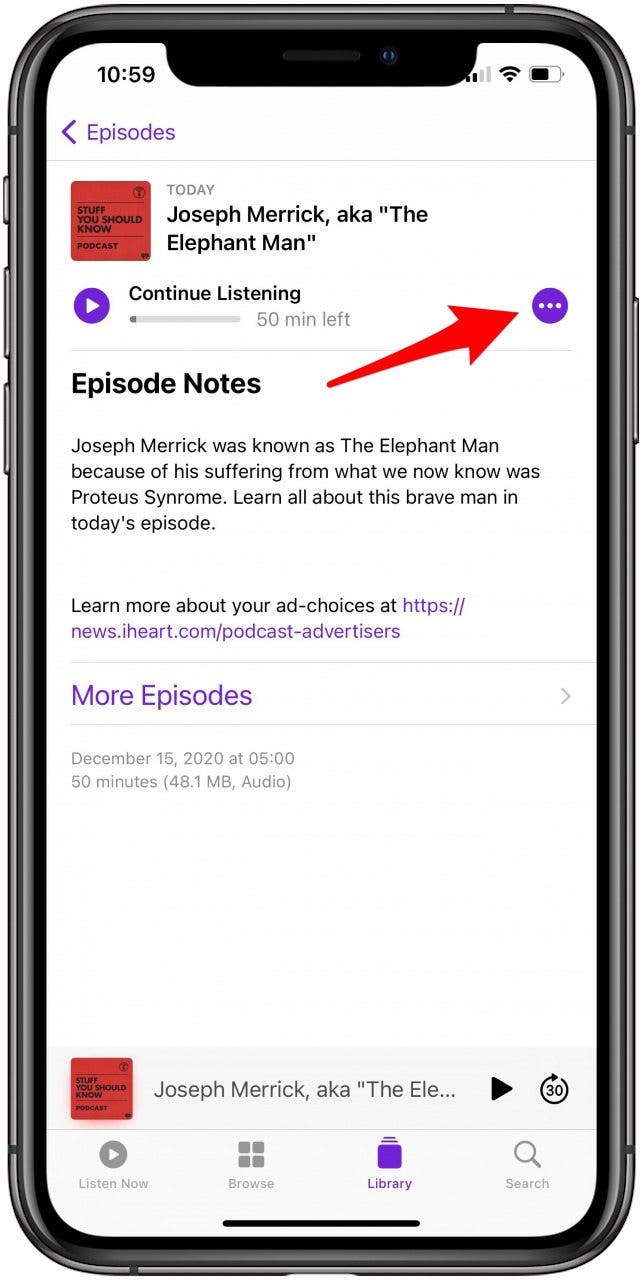
- Tap the three dots.
![Tap on Details]()
![Tap the three dot icon to see a menu for that episode]()
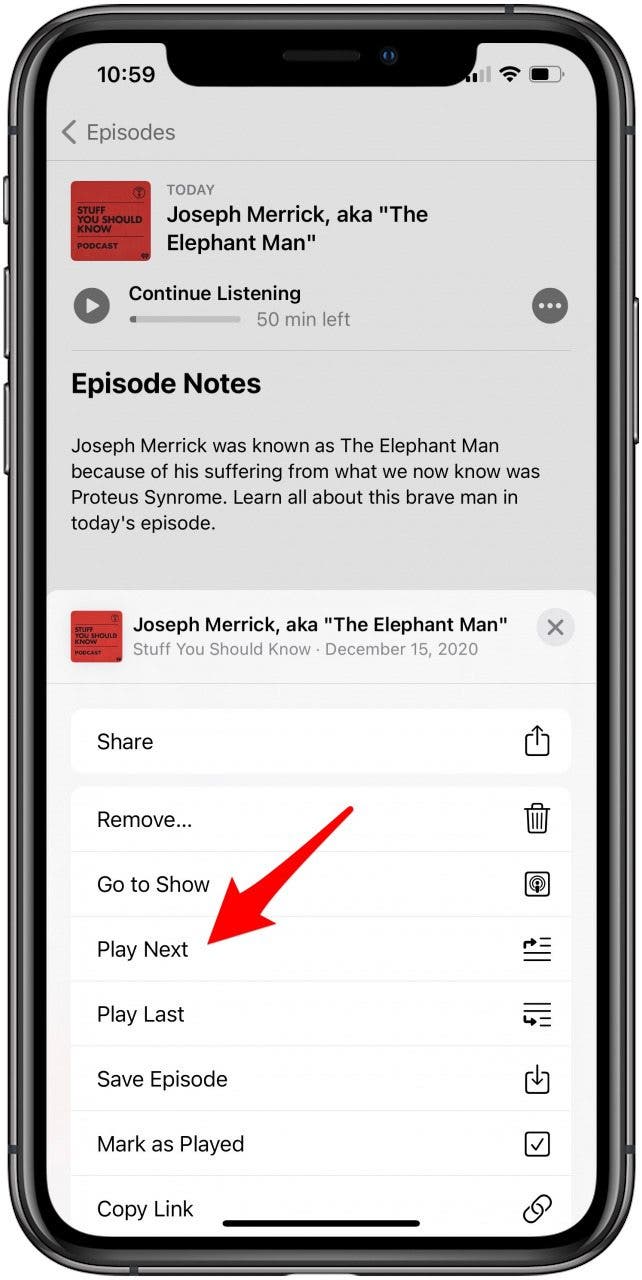
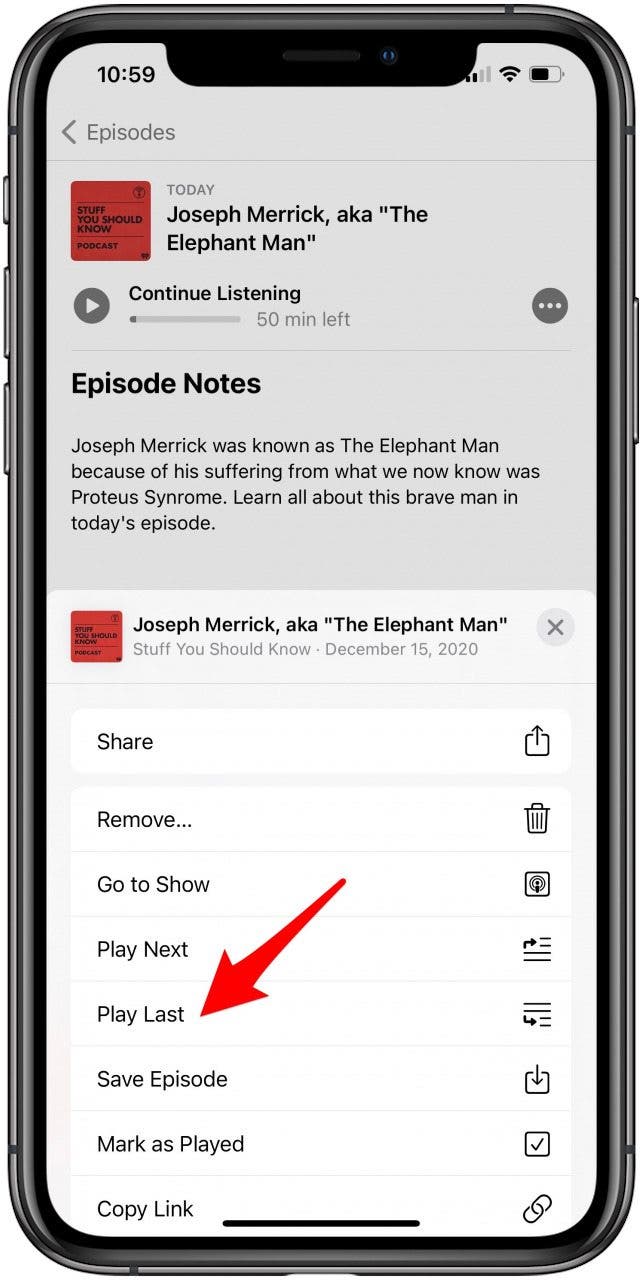
- Choose Play Next. A pop-up will confirm that the episode was Added to Queue. You can also select Play Last if you want to add it to the end of your Queue.
![Tap Play Next]()
![Or tap Play last]()
Arrange or Reorder Episodes from the Up Next Queue in Podcasts
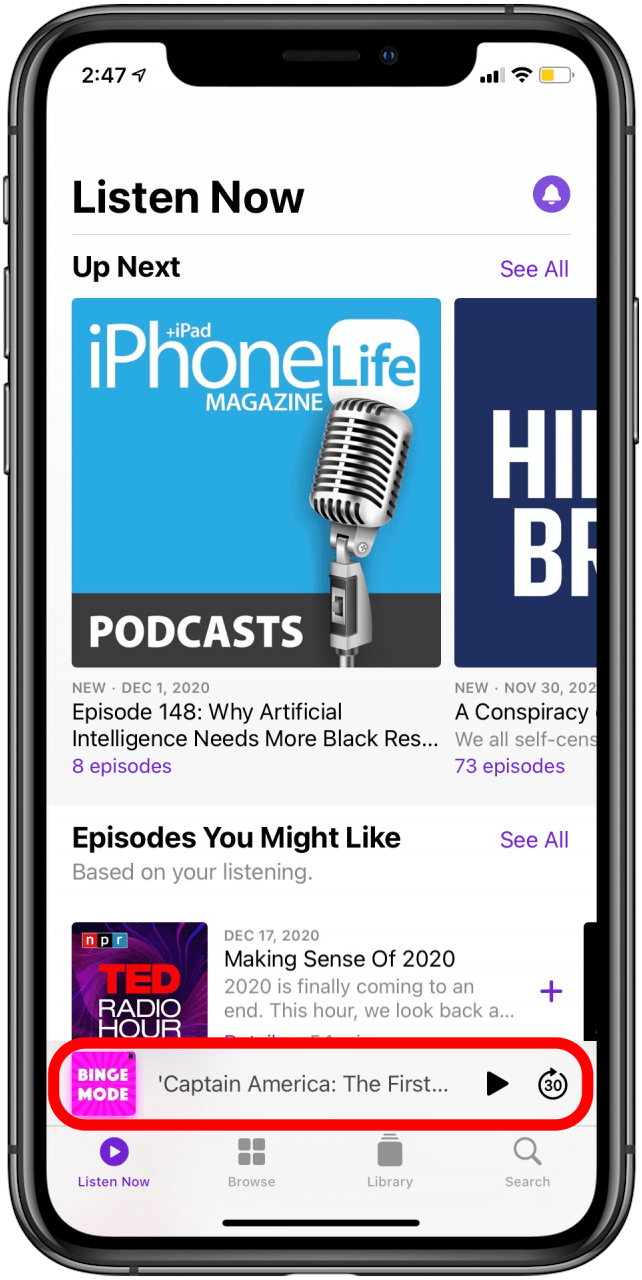
- Tap on the podcast that’s currently playing.
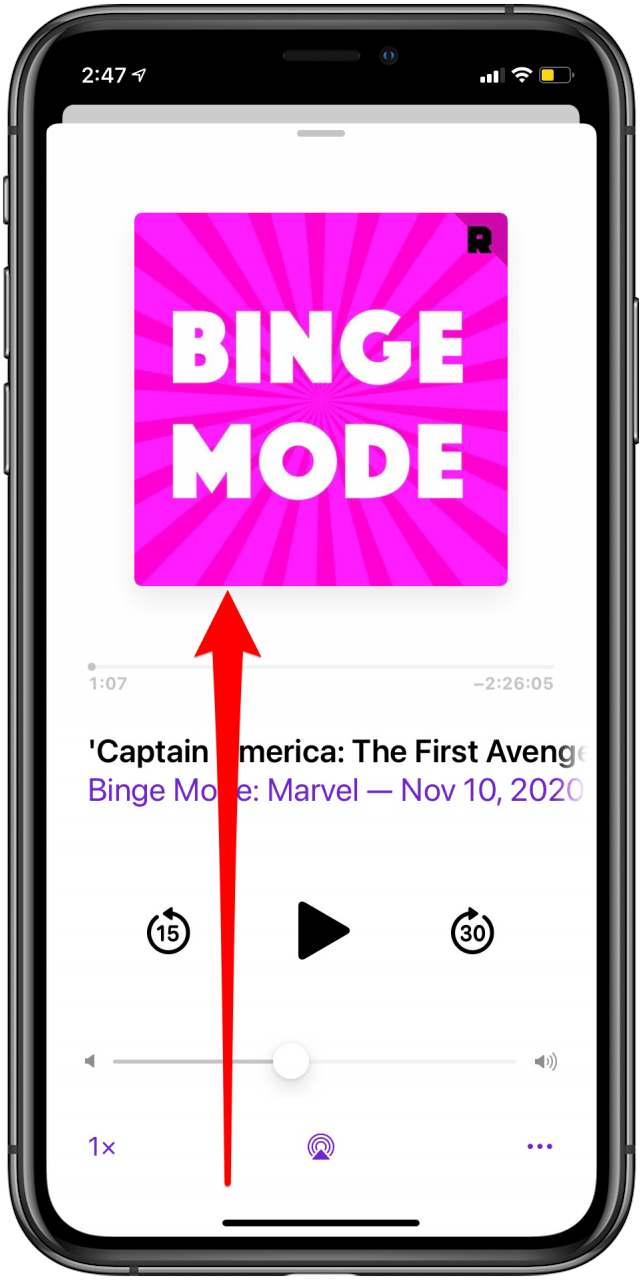
- Swipe up to reveal the Up Next queue.
![Tap on the podcast currently playing]()
![Swipe up on currently playing podcast]()
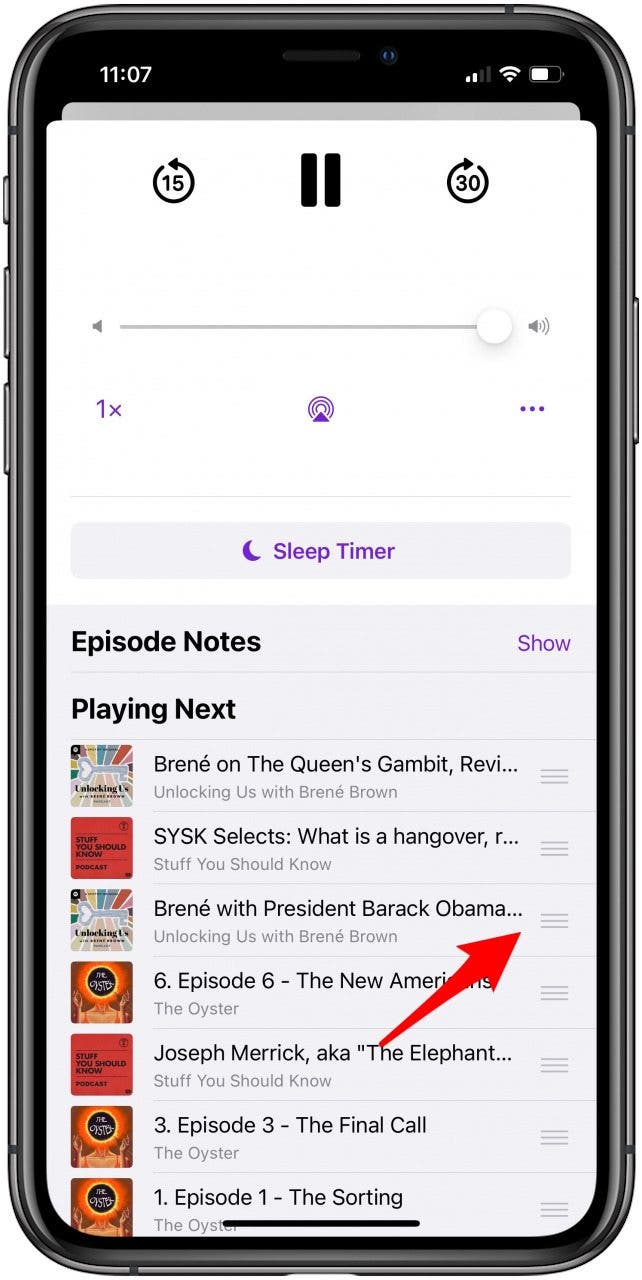
- Press and hold on the three lines next to the episode’s name to rearrange it.
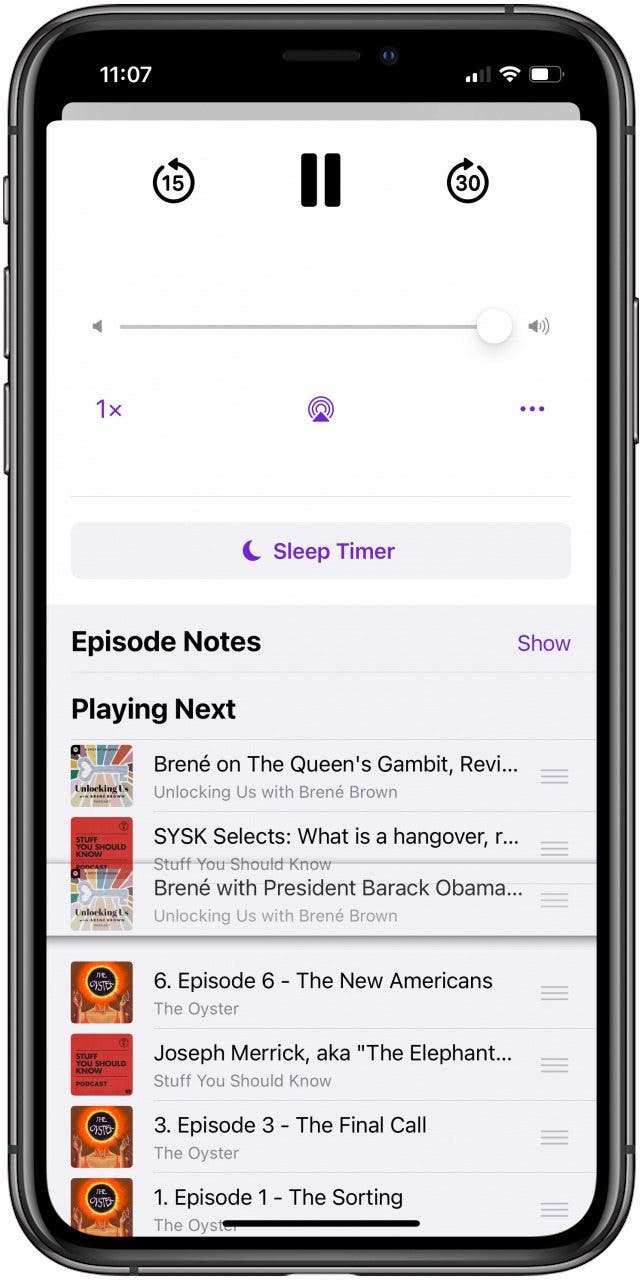
- Drag and drop the podcast where you want it to be. They are played in order from top to bottom.
![Press and hold the three lines to drag the episode to a different spot on your podcast playlist]()
![Release the episode when you're satisfied with where you've placed it]()
Remove Episodes from the Up Next Queue in Podcasts
- Open the Podcasts app.
- Select the podcast in question.
![Open the podcasts app]()
![Select the podcast you want to delete an episode of]()
- Locate the episode you want to remove.
- Swipe left on the episode.
- Tap Remove.
![Swipe left and tap Delete]()
Listening to podcasts is all the rage because it is a great tool for education and entertainment while on the go. There are millions of episodes on every topic under the sun. Learning to navigate the Podcasts app and organize your shows gives you full control over your auditory universe.