Apple Music has a new feature called Playlist Playground that allows you to create playlists using AI. When creating a new playlist, AI will now suggest ideas for your new playlist based on different moods or genres. Here's how it works.
Why You'll Love This Tip
- Create a playlist based on a specific mood when you're not sure about what songs to add.
- Discover new music you wouldn't have otherwise listened to.
How to Use Playlist Playground in Apple Music
System Requirements
This tip was performed on an iPhone 15 Pro running iOS 27.2.1. Find out how to update to the latest version of iOS.
Apple Music's AI playlist feature creates a playlist for you based on the parameters you provide. You can describe the mood or vibe you're going for and Apple Intelligence will do the rest. For more tips on how to get the most out of AI on your iPhone, be sure to sign up for our free Tip of the Day newsletter. Now, here's how to use Apple Music's Playlist Playground feature:
Note
An Apple Music subscription is required for Playlist Playground.
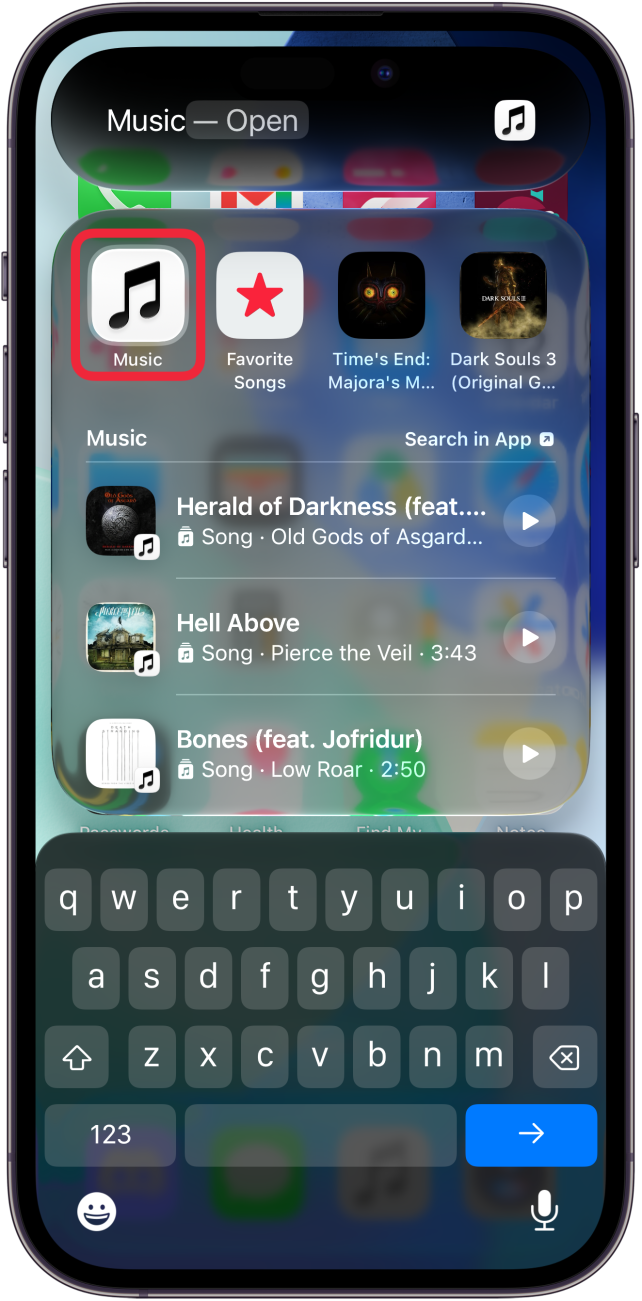
- Open the Music app.
![a screenshot of search on iphone with a red box around the music app]()
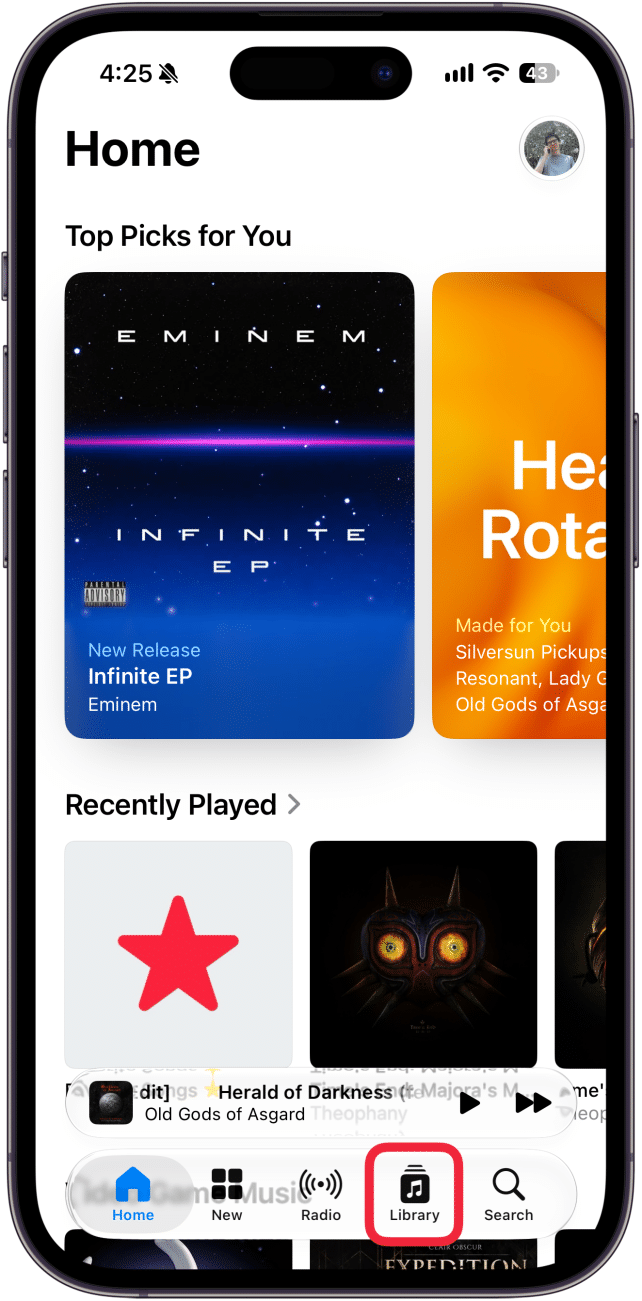
- Tap the Library tab.
![a screenshot of the music app on iphone with a red box around the library tab]()
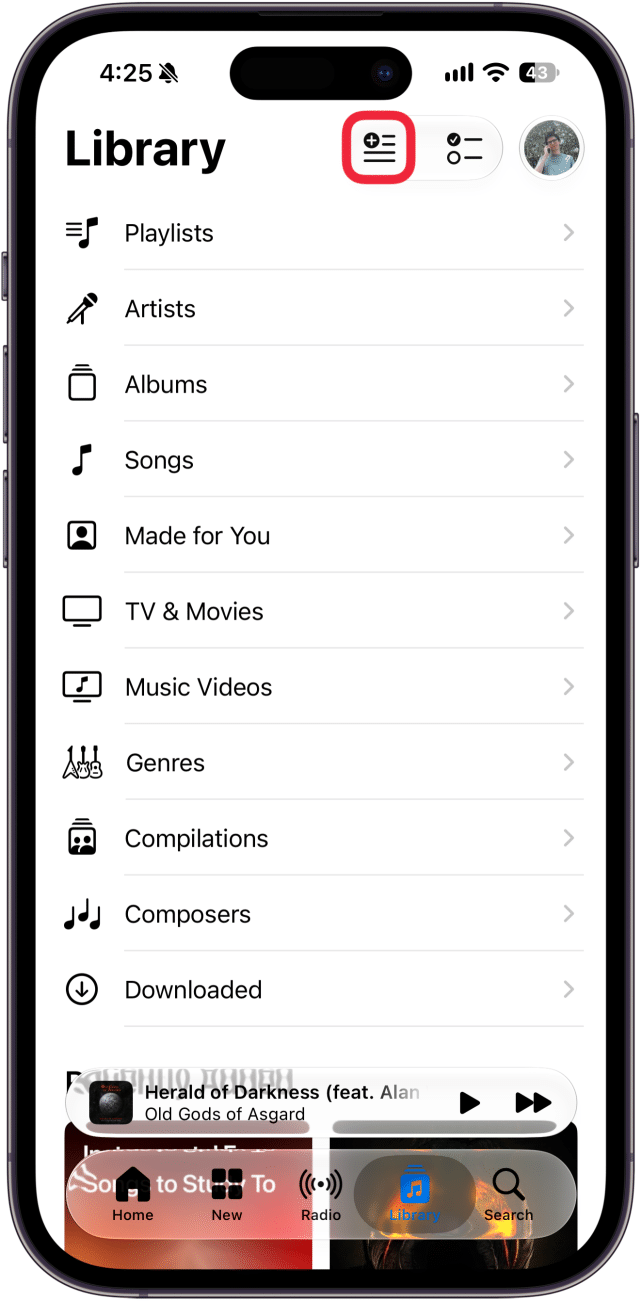
- Tap the New Playlist button, it looks like four horizontal lines with a plus symbol on top.
![a screenshot of the music app on iphone with a red box around the new playlist button]()
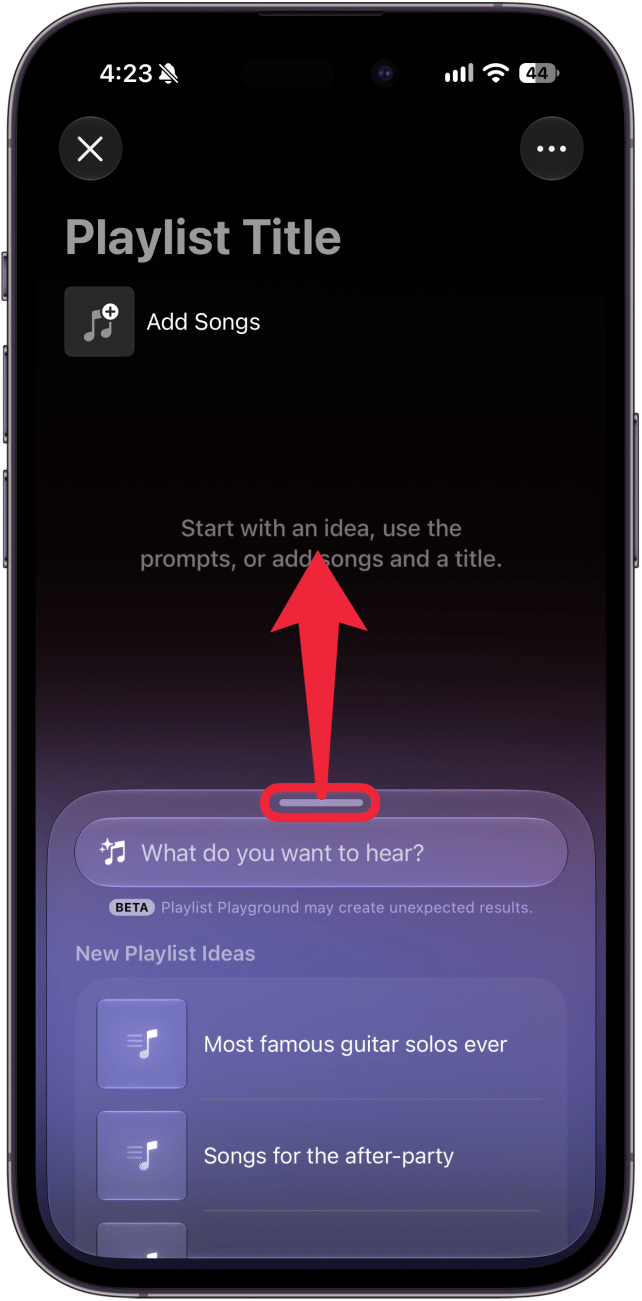
- On the new playlist screen, pull up on the gray bar to expand the playlist creation screen.
![a screenshot of the new playlist creation screen in the music app on iphone with a red box around the gray bar and a red arrow pointing upward indicating to swipe up]()
- Tap the text box to type out a prompt for the type of music you want to hear.
![a screenshot of the new playlist creation screen in the music app on iphone with a red box around the prompt text box]()
- Alternatively, you can tap one of the auto-generated playlist ideas.
![a screenshot of the new playlist creation screen in the music app on iphone with a red box around new playlist ideas]()
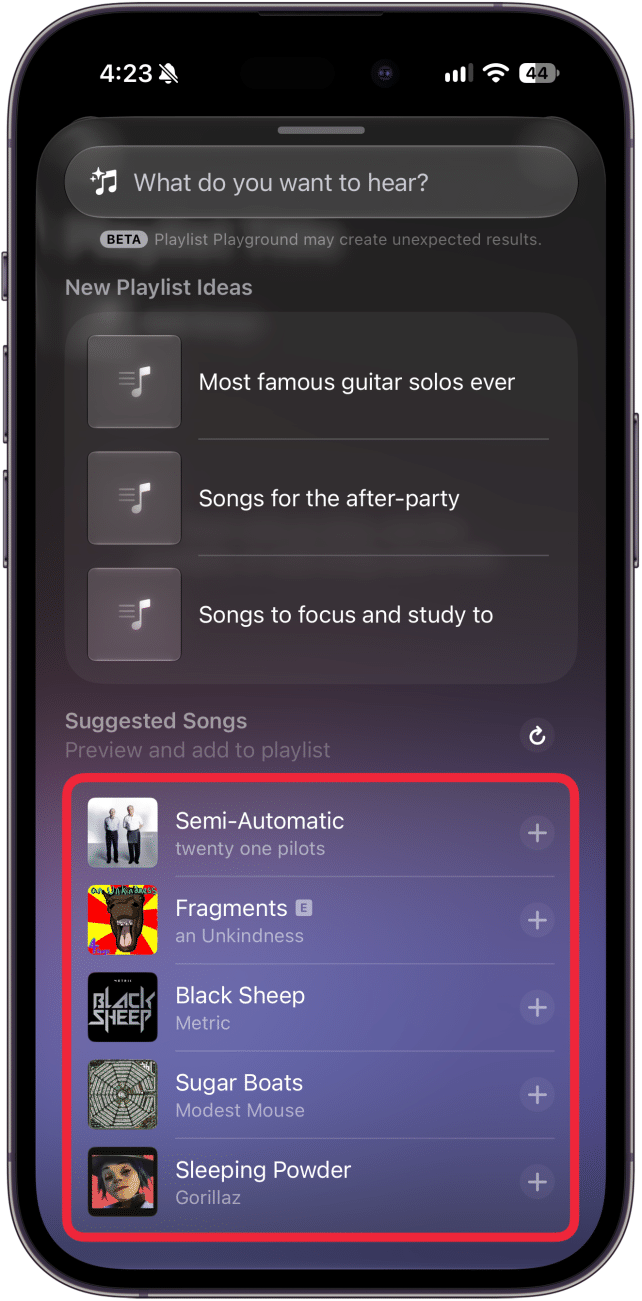
- There is also a list of suggested songs at the bottom of the screen.
![a screenshot of the new playlist creation screen in the music app on iphone with a red box around suggested songs]()
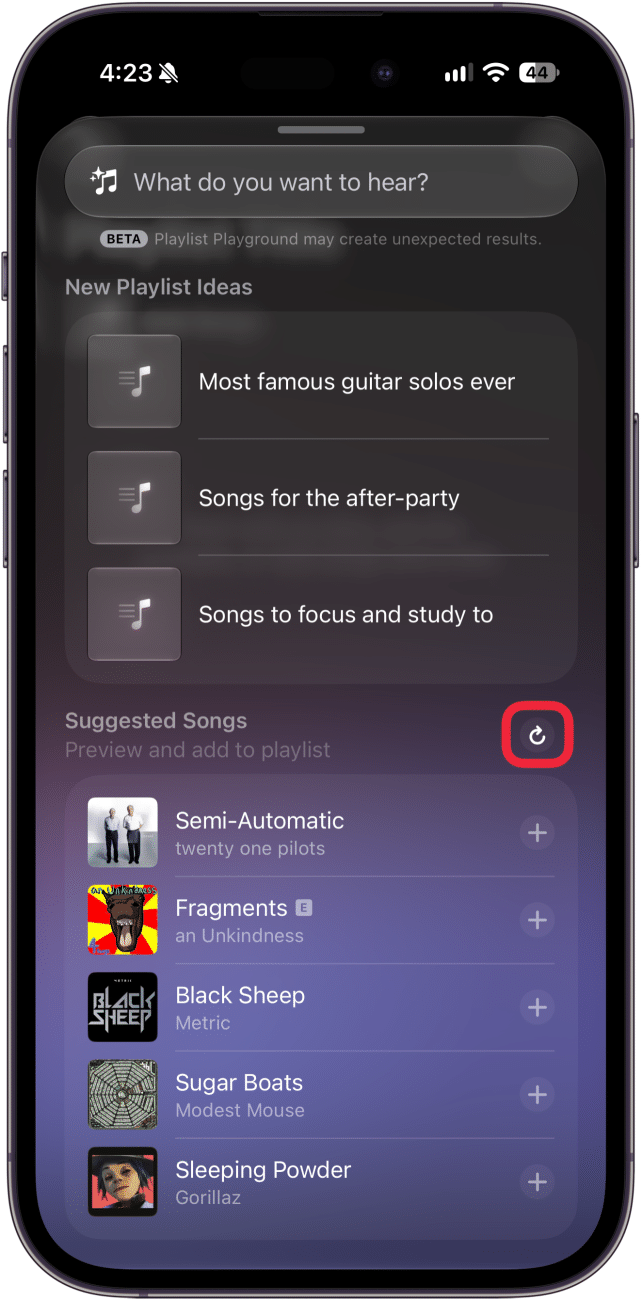
- You can tap the refresh icon to refresh the suggested songs.
![a screenshot of the new playlist creation screen in the music app on iphone with a red box around the refresh icon]()
- Once you've made a selection, AI will generate a playlist. Tap the checkmark icon to save it.
![a screenshot of a newly generated playlist in the music app on iphone with a red box around the checkmark icon]()



That's how to make an AI playlist on Apple Music. Playlist Playground is super useful when you know what kind of mood you want but you're not sure what songs to include.