By Olena Kagui
Updated 01/12/2022

Many Roku users have wondered if they can enjoy Apple TV and Apple TV Plus on their Roku devices. Most newer Roku media players are compatible with the Apple TV app so that you can easily set it up and start watching. Here’s how to do it.
How to Get Apple TV on Roku
Is Apple TV on Roku? Yes! Most newer Roku media players have the Apple TV app. You can figure out which model you have and check if it is compatible on Roku’s support page. It can be even faster to follow these steps and see if Apple TV is available. If the Apple TV Roku app shows up for you, your media player is compatible!
- If using an external Roku device instead of a Roku TV, make sure the device is powered on, connected, and set up to work with your TV.
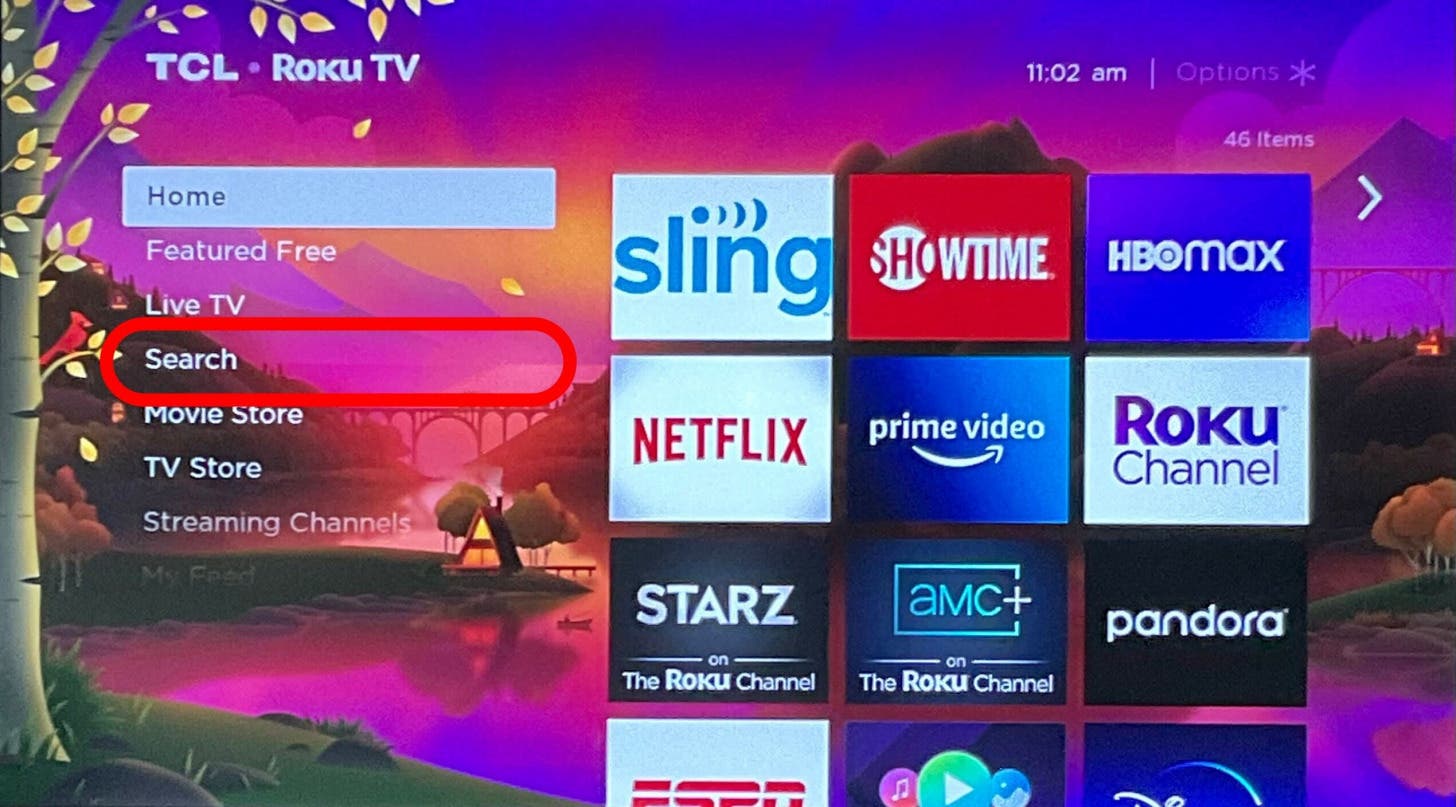
- On your Roku remote, press the Home button.
- Scroll down and select Search.
![Scroll down and select Search.]()
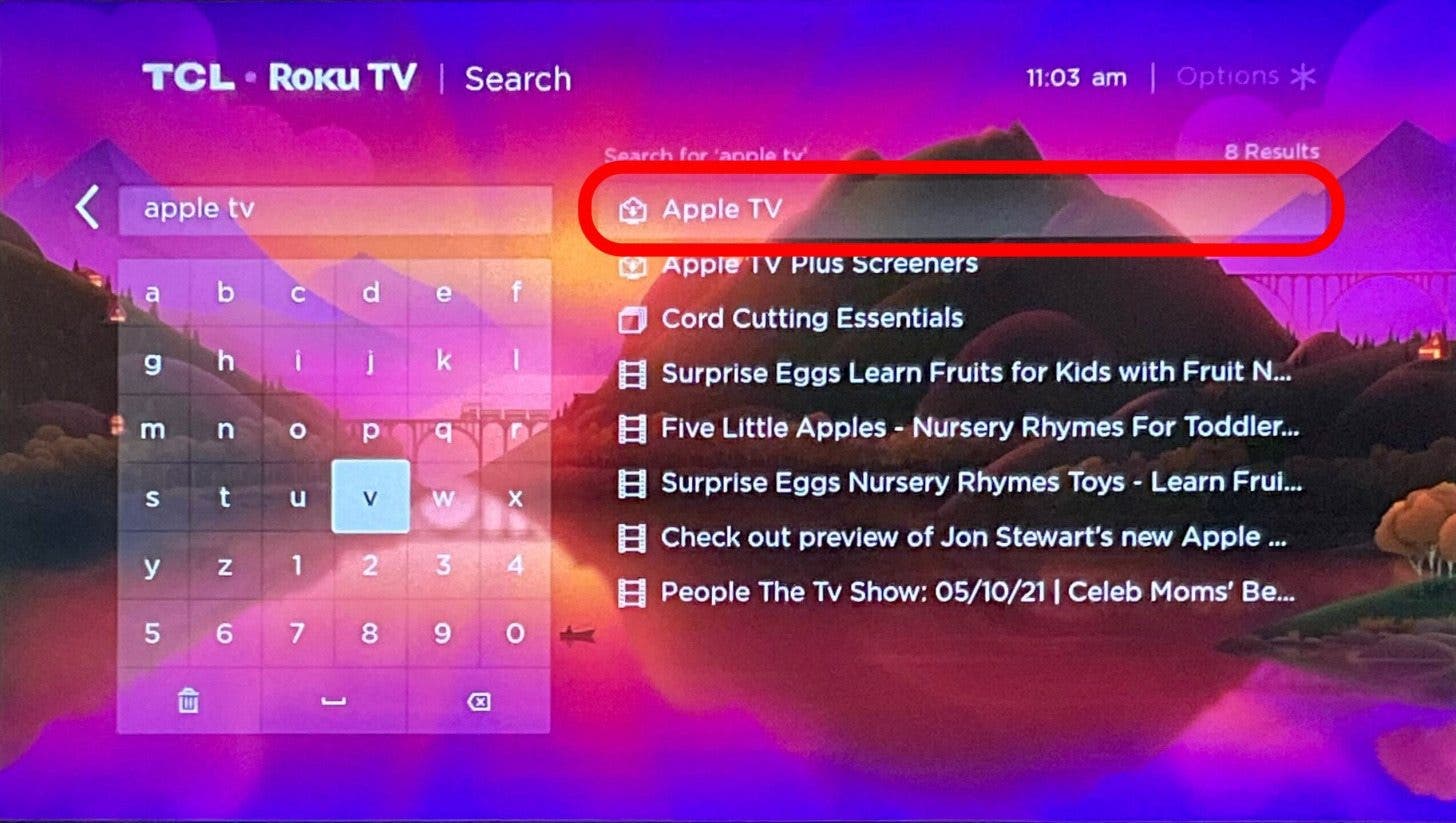
- Search for “Apple TV.”
![Scroll down and select Search - can you get apple tv on roku]()
- Select Apple TV from the search results. If you do not see Apple TV as an option, your Roku may not be compatible with Apple TV.
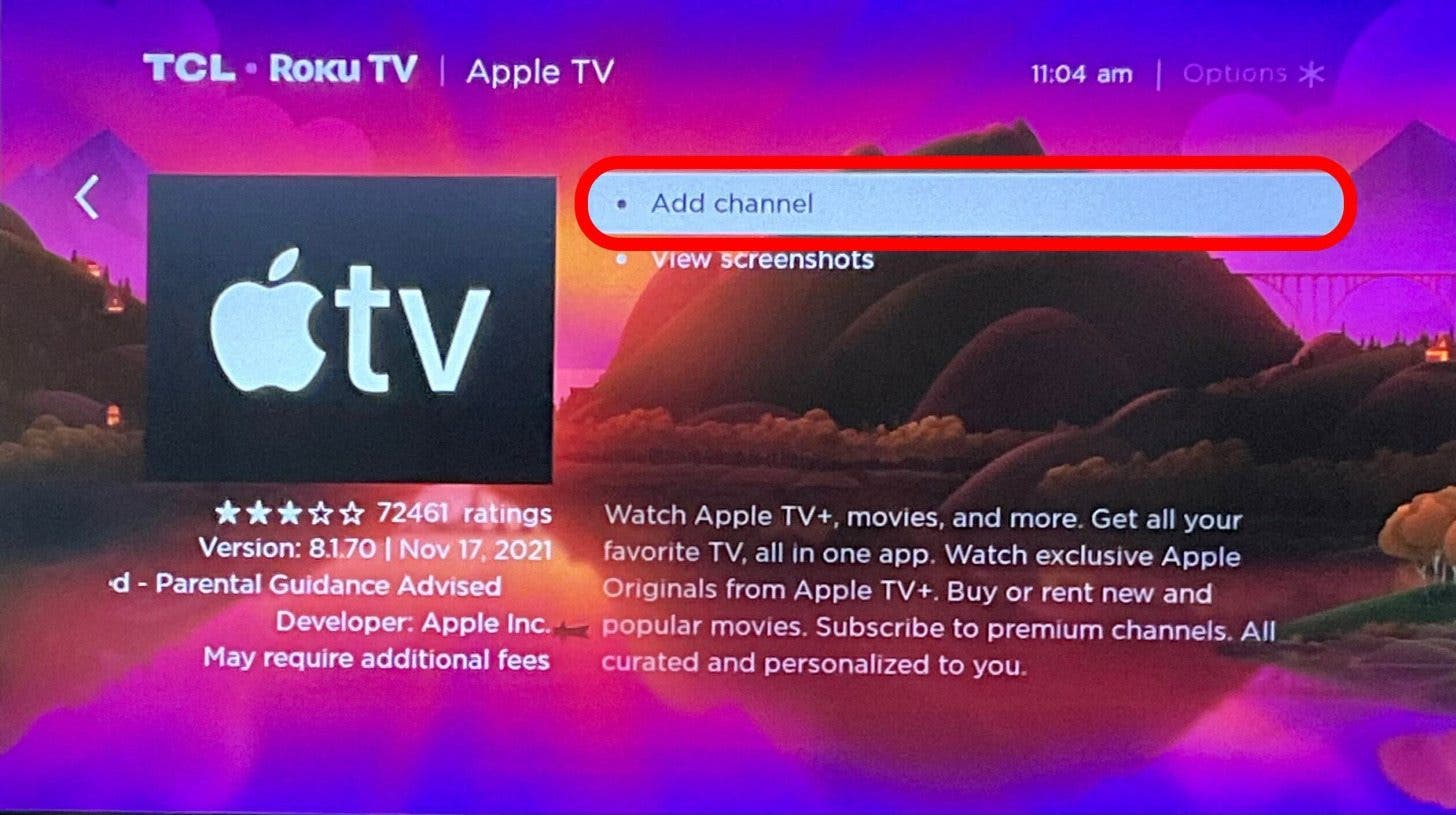
- Select Add Channel.
![Search for “Apple TV.” apple tv login roku]()
- In some cases, you may need to verify the download by entering your Roku security code.
- Select OK once the app is downloaded.
![Select Apple TV from the search result - can i get apple tv on roku]()
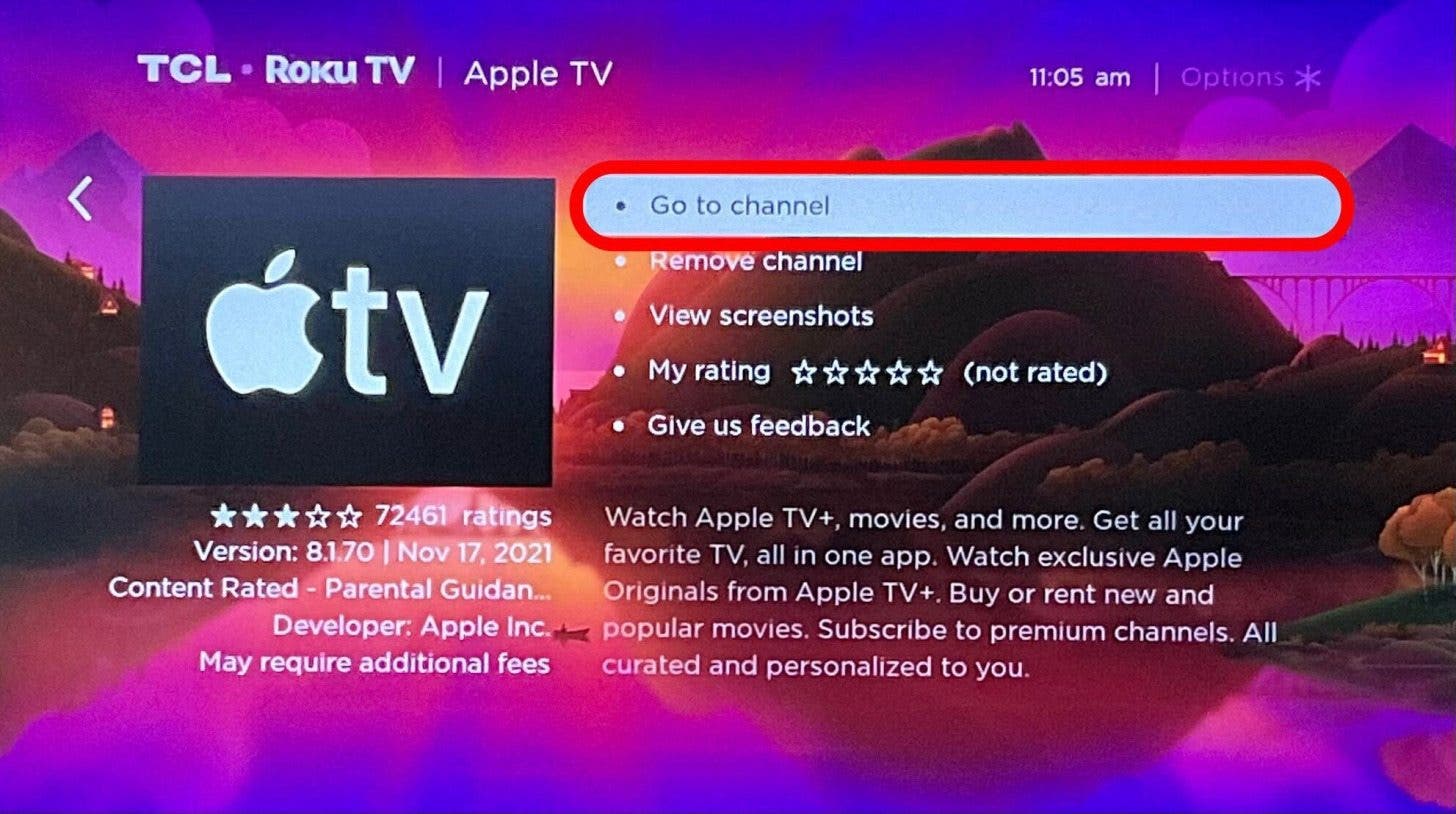
- If your device gives you the Go to channel option, select it.
![If your device gives you the Go to channel option, select it.]()
- If not, click the Home button again and select the Apple TV icon in the list of apps.
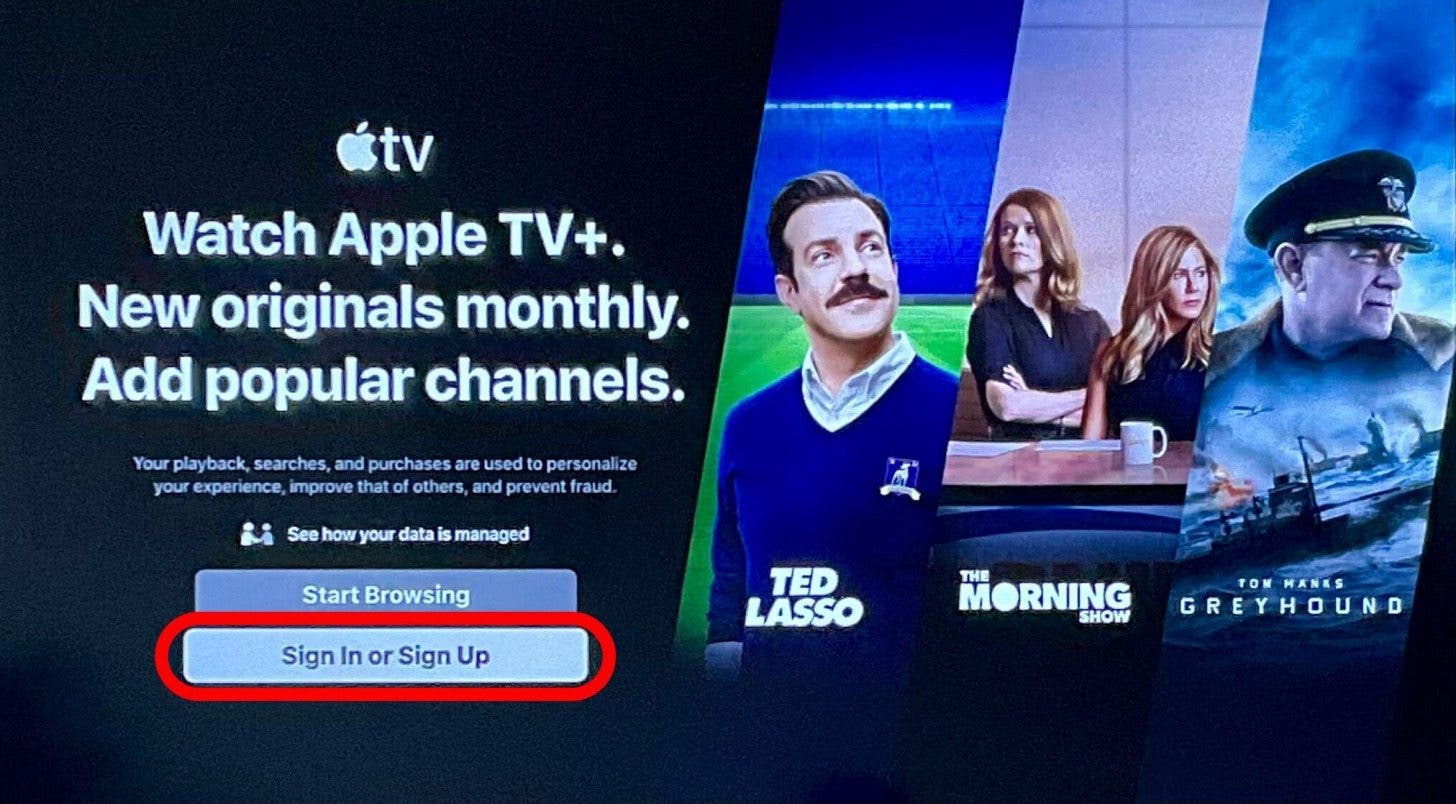
- Sign in to Apple TV using your Apple ID and password.
![Sign in to Apple TV using your Apple ID and password.]()

Now you are ready to watch your favorite Apple TV shows and movies!
Discover your iPhone's hidden features
Get a daily tip (with screenshots and clear instructions) so you can master your iPhone in just one minute a day.