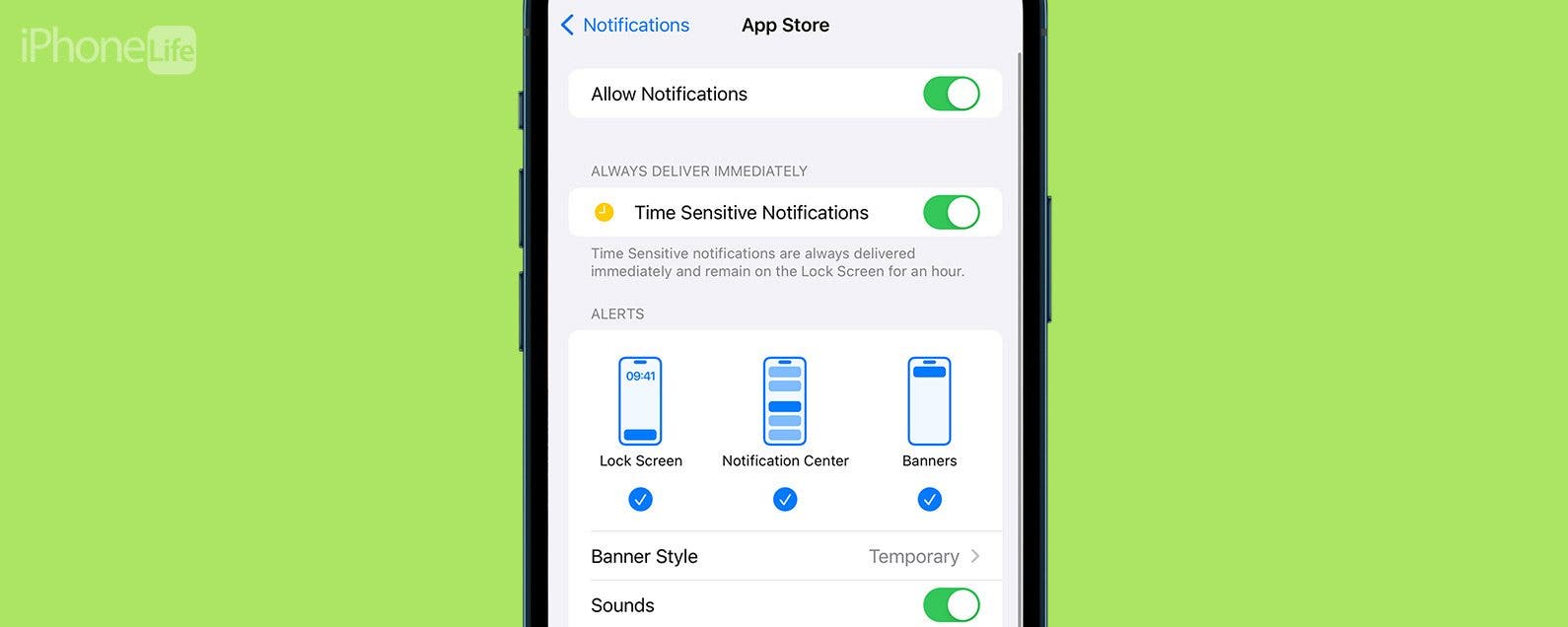
You may know the Breathe app on your Apple Watch from the notifications it sends you—whether you ask for them or not. In watchOS 8, the Breathe app became Mindfulness, and now includes both Breathe and a new feature called Reflect. We'll go over how to use the Mindfulness app and how to disable Breathe notifications if you're tired of getting them.
Apps
How to Upgrade or Downgrade Your iCloud Storage
By Conner Carey
iCloud is a great way to store files, photos, and backups, but the 5 GB of free iCloud storage each user gets is often not enough. If you use iCloud Drive to store and transfer a lot of files between devices, you might want to buy more iCloud storage. We'll show you how to change iCloud storage plans or cancel an iCloud subscription in iPhone Settings.
How to Organize Photos on Your iPhone in 4 Steps
By Olena Kagui
Surprisingly, the best software for organizing photos on your iPhone is the free Photos app that comes with your phone. You may not realize it, but it truly gives you all the tools you need! I’ll walk you through an easy list of steps to get your photos and videos organized once and for all.
How to Add an Attachment to a Calendar Event
By Rachel Needell
Whether you love planning and hosting parties or you love being prepared for a big event, using the Calendar to manage your schedule is a great way to get organized. Did you know that you can attach a file to a Calendar event that all invitees can see? This makes it super simple to share information with all parties involved! Here's how to add an attachment to a Calendar event.
Reach Your Reading Goals with Apple Books
By Rhett Intriago
Apple Books aims to help you reach your reading objectives by providing you with a handy tool to set your goals and help you keep track of them. The latest version of iOS makes it easy to see your progress and adjust your reading goals at any time.
How to Respond to a Text with a Sticker on iMessage
By Conner Carey
Stickers are always a fun way to communicate via iMessage. Did you know that you can quickly respond to a text in the Messages app with a sticker? Luckily, Apple makes it super easy. Here's how to reply to a text with a sticker!
How to Favorite Songs in Apple Music
By Rhett Intriago
In previous versions of iOS, you could tap a heart in Apple Music to indicate that you love a specific song. Then, you could see a list of all your "loved" songs. With the latest update, the heart has become a star, and loved songs have become favorites. Here's how to add songs to your Apple Music favorites.
How to Edit a Voice Memo
By Rachel Needell
On top of being a super useful way to save your thoughts while busy, did you know that you can edit a voice memo? If you are recording a voice memo in the Voice Memos app and you want to trim the audio down, cut out a section, or replace a section of the audio, you can! Here's how to edit voice memos in the Voice Memos app.
Quickly Reply to Texts on Apple Watch
By Erin MacPherson
Do you ever wish communication was simpler and more accessible on your Apple Watch? That was the idea behind Apple Watch's Default Replies and Smart Replies, but too often you just can't find the right reply. We’ll show you how to create a custom reply message on your iPhone's Watch app.
How to Quickly Preview an Email on iPhone
By Conner Carey
Did you know that you can look at the contents of an email without actually opening it? This is a great way to quickly browse through your emails without opening each message and waiting for it to load. Also, you can access most of the menu items you normally use to send an email even quicker. Here's how it works!
Auto-Delete Text Messages to Save Space on iPhone
By Jim Karpen
When you know how to delete text messages on the iPhone automatically, you'll have an easier time managing your storage. The stuff on our iPhones and iPads tends to accumulate, using up valuable storage space. This will be especially useful in saving space if your text messages include video and audio messages. Here's how to automatically erase old text messages on iPhone.
iPhone Life's Best Apps Guide 2024
By Amy Spitzfaden Both
Do you love the feeling of discovering the perfect app that does exactly what you need it to do? But finding the right one can be like searching for a needle in a haystack! That's why our team of writers and editors has spent hours hand testing hundreds of apps in every category to find you the best of the best.
How to Add a Security Key to Facebook
By Rachel Needell
A security key is a physical device you can take with you that acts as a key to accounts with sensitive information. In the digital age, it's nice to have something tangible that works the old-fashioned way instead of having to rely on memory or have your iPhone on you at all times for two-factor authentication. If you already own a security key and are ready to secure your Facebook account, here's how to set up a security key.
How to Fix Apple Podcast Not Working on iPhone & iPad
By Leanne Hays
If you're wondering, "Why does my phone stop playing podcasts?" or "Why won't my podcast resume play?" it could be because of a poor connection, some settings that need to be reset or changed, an app that needs to be restarted, and more. Let's go over why Apple Podcasts is not working, and how to fix podcast audio on your iPhone or iPad.
Save Notes to Your iPhone Storage Instead of iCloud
By Conner Carey
If you’re concerned about Notes disappearing on your iPhone, creating all your Notes in your iCloud Notes folder is the best way to go. However, if you have a note with sensitive material that you want to keep super private, you can store those notes locally on your iPhone. We’ll go over how to do that. Here’s how to keep your sensitive notes out of the iCloud.
How to Share Voice Memos on iPhone
By Rachel Needell
One of the best apps on the iPhone is the Voice Memos app. As a writer, it's an invaluable productivity app that allows me to record my ideas immediately when they come. If I'm working on a project with a friend, sending a voice memo can be a great way to share ideas. Sharing a voice memo is slightly different than sending a voice message in the Messages app. We'll cover how to share a voice memo from the Voice Memos app below!
Easily Use Your iPhone to Scan Documents
By Tamlin Day
Want to scan a document on the iPhone? The Files app can be used as a document scanner where you can scan and save documents as PDF files to your iPhone and iCloud. Using the Files app to scan a document on the iPhone helps keep you organized by scanning, saving, and marking up documents from one location. Here’s how to scan a document on the iPhone using the Files app.
What Is AE/AF Lock & How to Use It
By Sarah Kingsbury
When you capture an image with your iPhone, the camera's autofocus (AF) and auto exposure (AE) features will automatically determine the best focus position for you and the best exposure for that area of focus. However, you can manually adjust these settings and lock them so that you don't have to reset them between shots. Now, let's find out how to use AE/AF Lock!
How to Use FaceTime Gestures
By Rachel Needell
One of the cool new features that comes with iOS 17 is the ability to use your hands to create on-screen reactions that will transform your video call experience. The cool thing about this is, as long as you have installed iOS 17 on your device, this feature will work on any video call service, like Snapchat Video, Facebook Messenger Video, and a FaceTime call with an Android user. Here's how to trigger it!
How to See Who Sent You Links on iPhone
By Rhett Intriago
One of the great features of Safari is that when someone sends you a link, you can access it right from the new tab screen. Not only that but also, when you open a link that someone sent you, Safari will tell you who the sender is. Find out how to easily see Shared with You links and quickly reply to links that have been sent to you.