Add Photos to Albums Using Siri

A lifelong tech enthusiast, with experiences ranging from jailbreaking his iPhone to building his own gaming PC, Rhett specializes in maintaining privacy in a digital world and iPhone security.
Learn More A lifelong tech enthusiast, with experiences ranging from jailbreaking his iPhone to building his own gaming PC, Rhett specializes in maintaining privacy in a digital world and iPhone security.
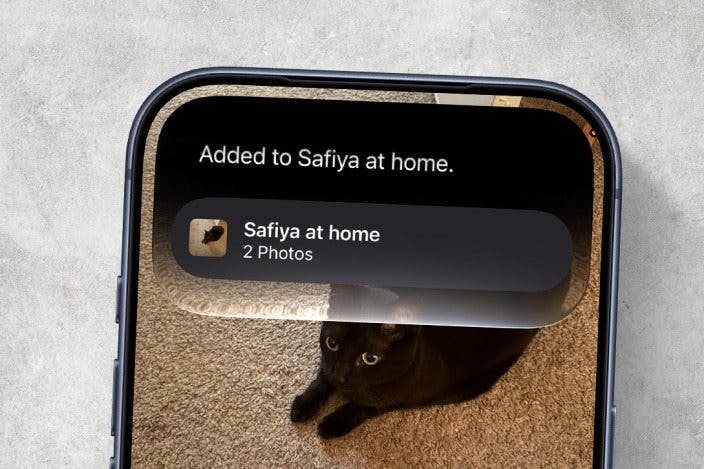
Learn MoreOn the newest version of iOS, Siri can now be used in a variety of unexpected ways, thanks to the power of Apple Intelligence. If you have an iPhone 15 Pro or newer, you can ask Siri to add specific photos to an album. Here's how!
Why You'll Love This Tip
- Avoid the extra steps of adding photos to an album.
- Add a specific photo to an album in seconds.
How to Use Siri to Add Photos to an Album
System Requirements
This tip was performed on an iPhone 15 Pro running iOS 27. Find out how to update to the latest version of iOS.
One of the cool new things that Siri can do is see what's on your iPhone screen. Now, it's not that Siri is constantly looking at your screen. It will only see what's on the screen when prompted. You can use this to your advantage in the Photos app. For more news on the latest iPhone update, be sure to sign up for our free Tip of the Day newsletter. Now, here's how to use Siri to add photos to an album:
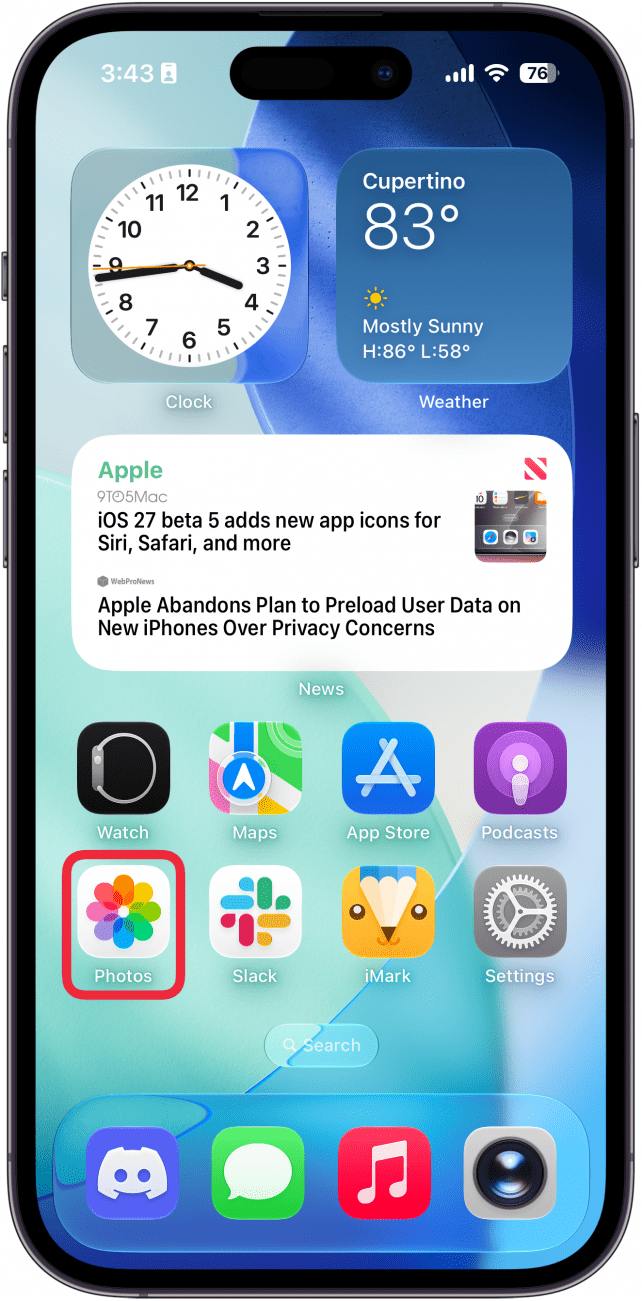
- Open the Photos app and find the photo you want to add to an album.
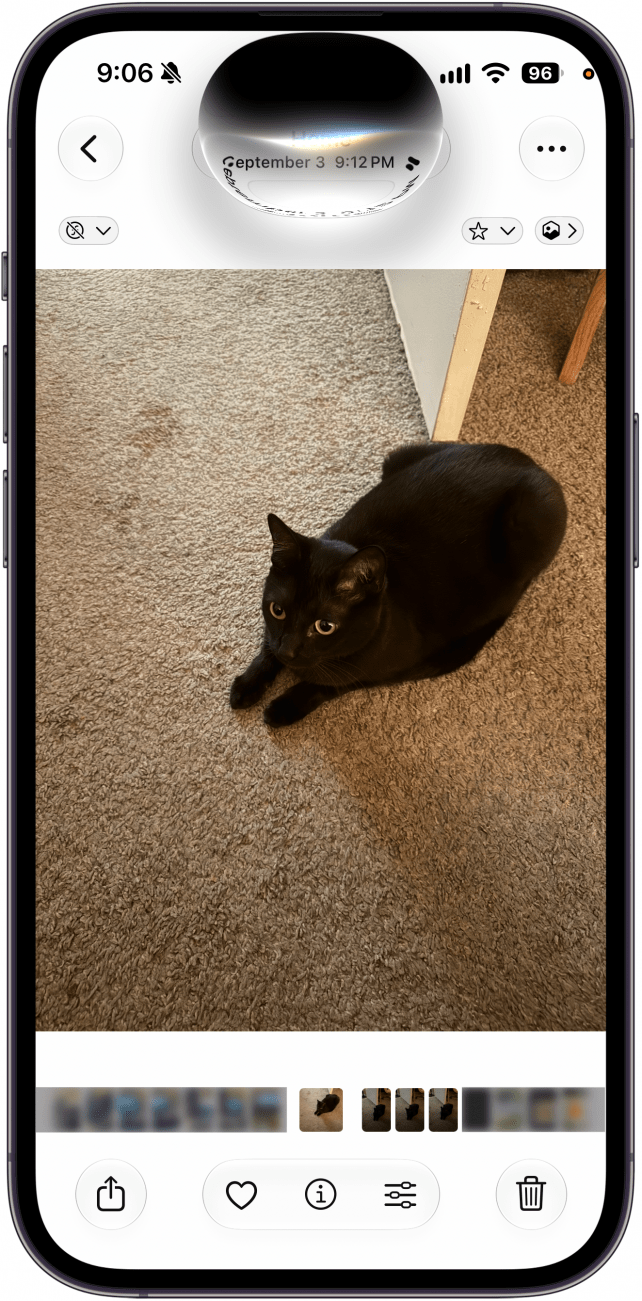
- Once you have the photo you want, say "Siri, add this photo to [x] album." Just replace the [x] with the name of the album you want to add the photo to.
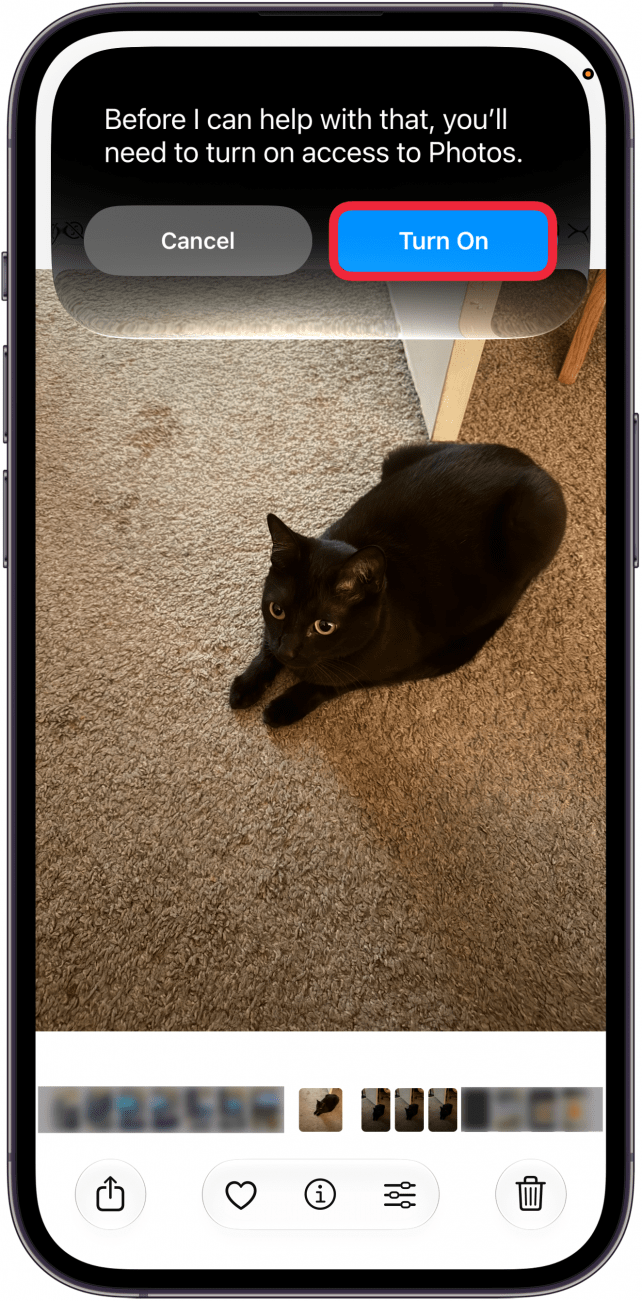
- You may be asked to give Siri access to the Photos app. Just tap Turn On.
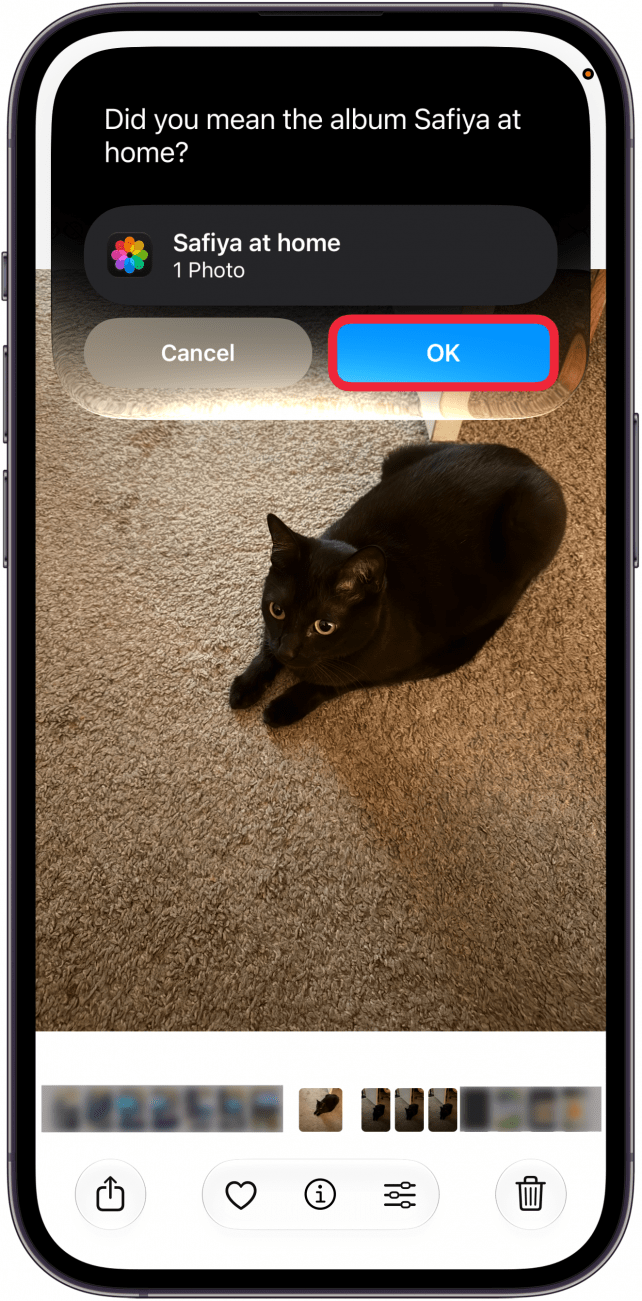
- Tap OK.
- The photo will be added to your album.
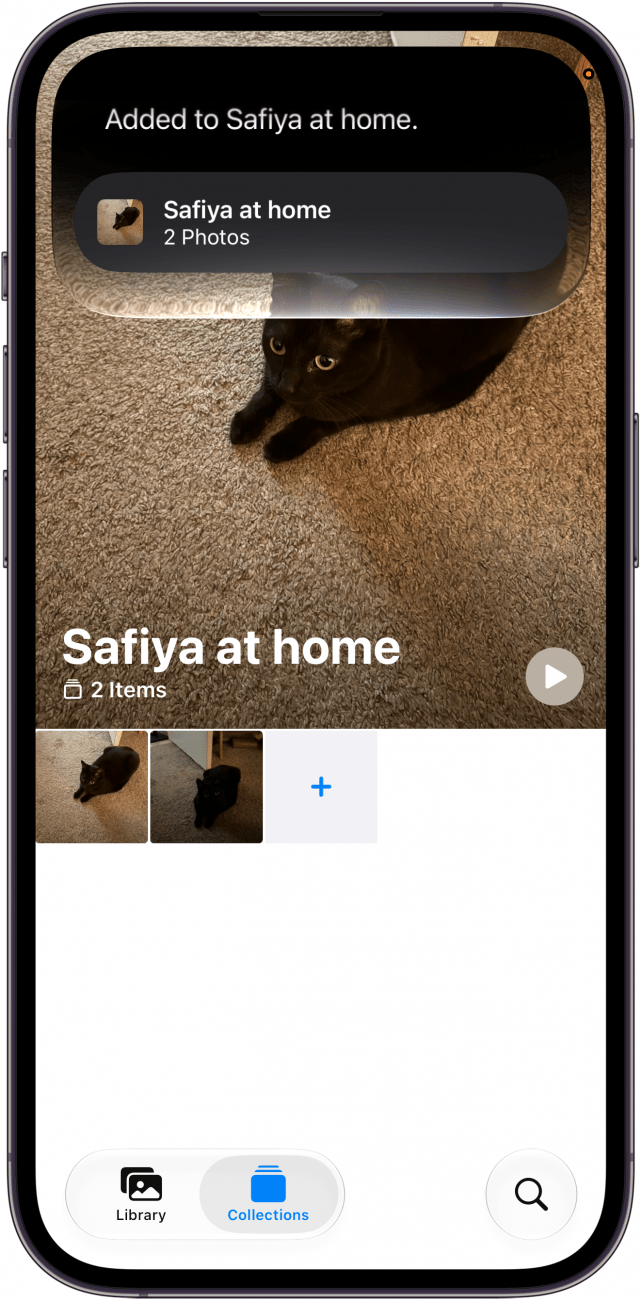
That's how to add photos to albums using Siri on iOS 27. You can also ask Siri to add the photos to a new album, if you don't already have an album in mind.
More On: The Photos App
Top image credit: Chingraph / Shutterstock.com

Every day, we send useful tips with screenshots and step-by-step instructions to over 600,000 subscribers for free. You'll be surprised what your Apple devices can really do.

Rhett Intriago
Rhett Intriago is a Feature Writer at iPhone Life, offering his expertise in all things iPhone, Apple Watch, and AirPods. He enjoys writing on topics related to maintaining privacy in a digital world, as well as iPhone security. He’s been a tech enthusiast all his life, with experiences ranging from jailbreaking his iPhone to building his own gaming PC.
Despite his disdain for the beach, Rhett is based in Florida. In his free time, he enjoys playing the latest games, spoiling his cats, or discovering new places with his wife, Kyla.
Related topics
Related Articles

New Year Apps for 2025, Apple Predictions & Buyer’s Guide Favorites
 Susan Misuraca
How to Open Tesla Doors on Model S, 3, X & Y Even without Power
 Olena Kagui
 Amy Spitzfaden Both
 Rhett Intriago


 Leanne Hays
How to Turn Off Liquid Glass on Your iPhone & iPad


 Rachel Needell
 Donna Schill