Siri AI is a much more intelligent and useful assistant compared to Apple's previous iteration of Siri. Now, with the power of Apple Intelligence, Siri can help you in new and unexpected ways, like telling you if what you're eating is nutritious or not. Here's how!
Why You'll Love This Tip
- Look up the nutritional value of your favorite foods.
- Make sure you're building healthy eating habits.
How to Use Siri to Look Up Nutritional Info
System Requirements
This tip was performed on an iPhone 15 Pro running iOS 27 (available as a beta now and to be shipped universally in September 2026). Find out how to update to the latest version of iOS.
Visual Intelligence is a useful feature on the iPhone that can be used to look up information using your iPhone camera. For more tips and tricks on how to leverage AI on your iPhone, be sure to sign up for our free Tip of the Day newsletter. Now, here's how to use Siri to look up nutritional information:
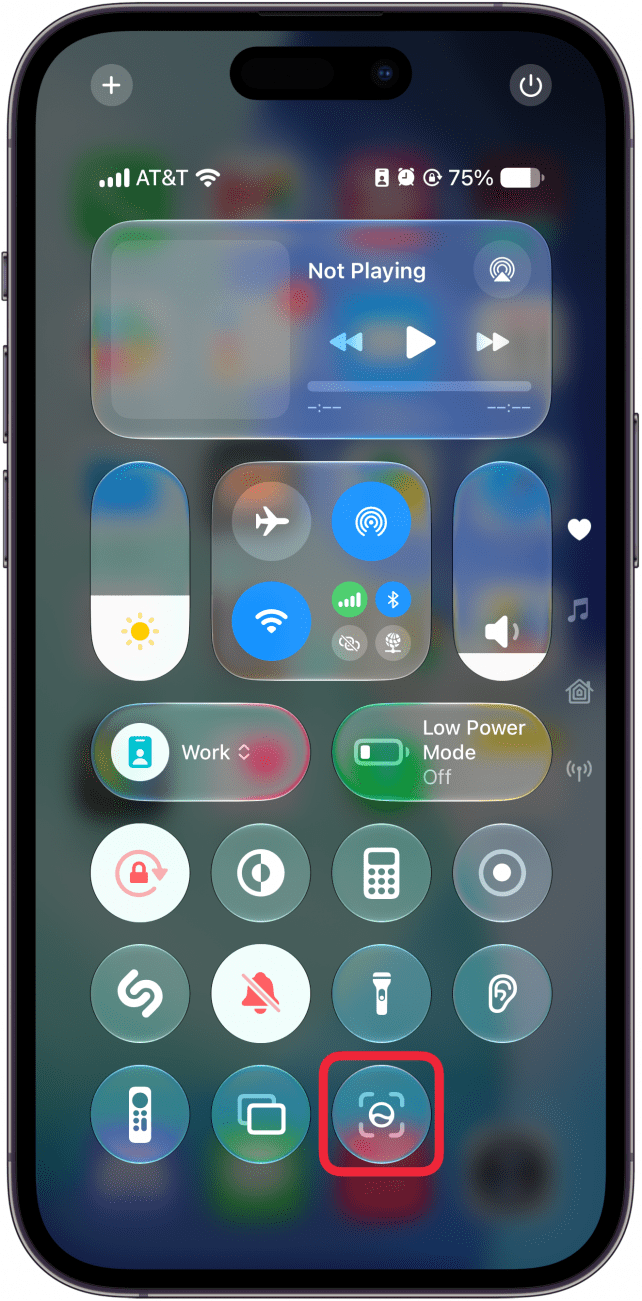
- Open Visual Intelligence on your iPhone using one of the three available methods.
![a screenshot of the iphone control center with a red box around the visual intelligence button]()
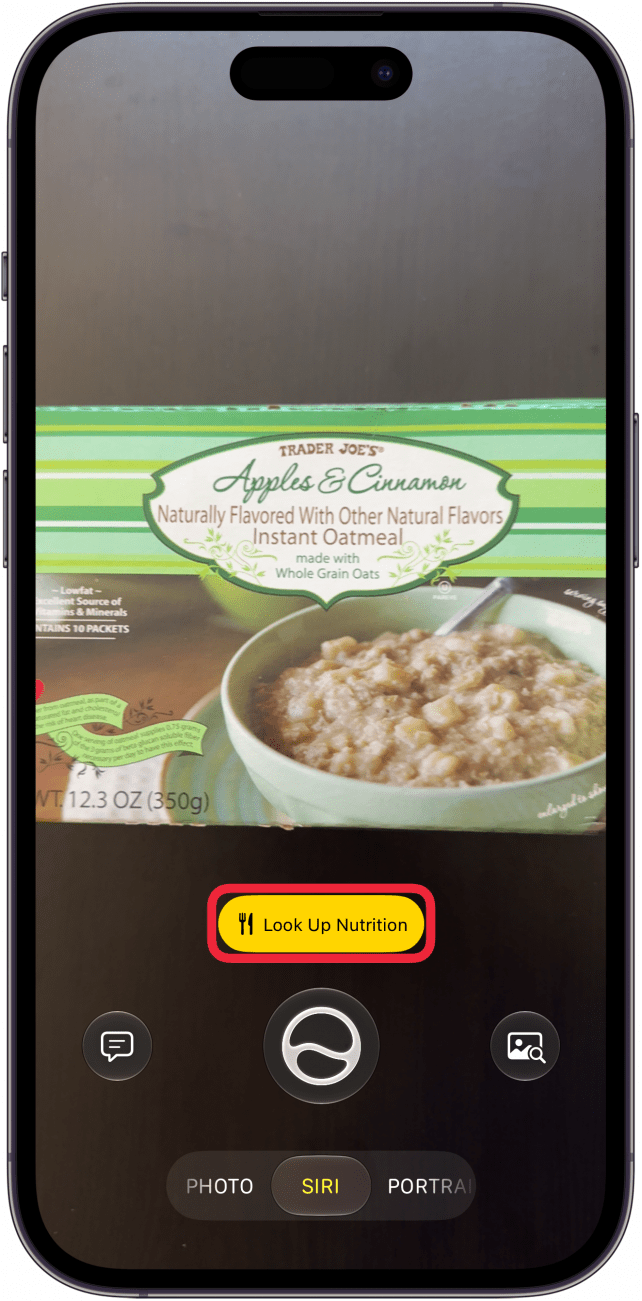
- Point your iPhone at a food product, and when prompted, tap Look Up Nutrition.
![a screenshot of visual intelligence scanning a box of oatmeal with a red box around a look up nutrition button]()
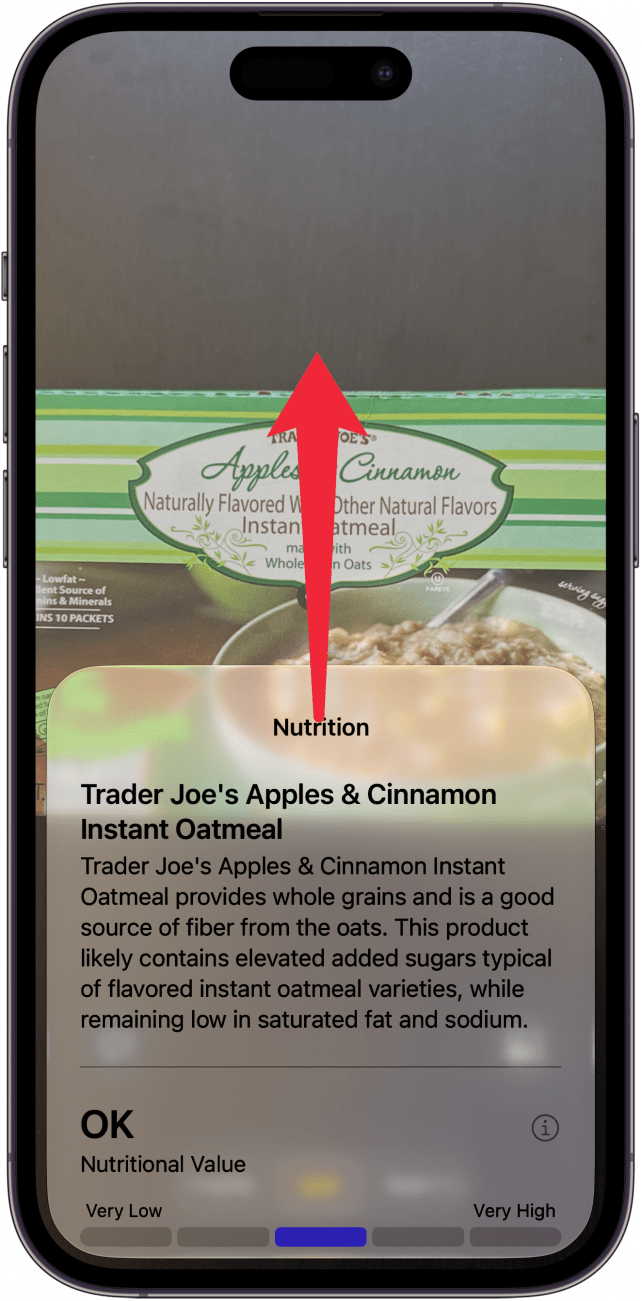
- After a moment, Siri will display an explanation on the product's nutrition. Drag the card upward to see more.
![a screenshot of visual intelligence on iphone displaying nutrition information for a box of oatmeal with a red arrow pointing upward, indicating to swipe up]()
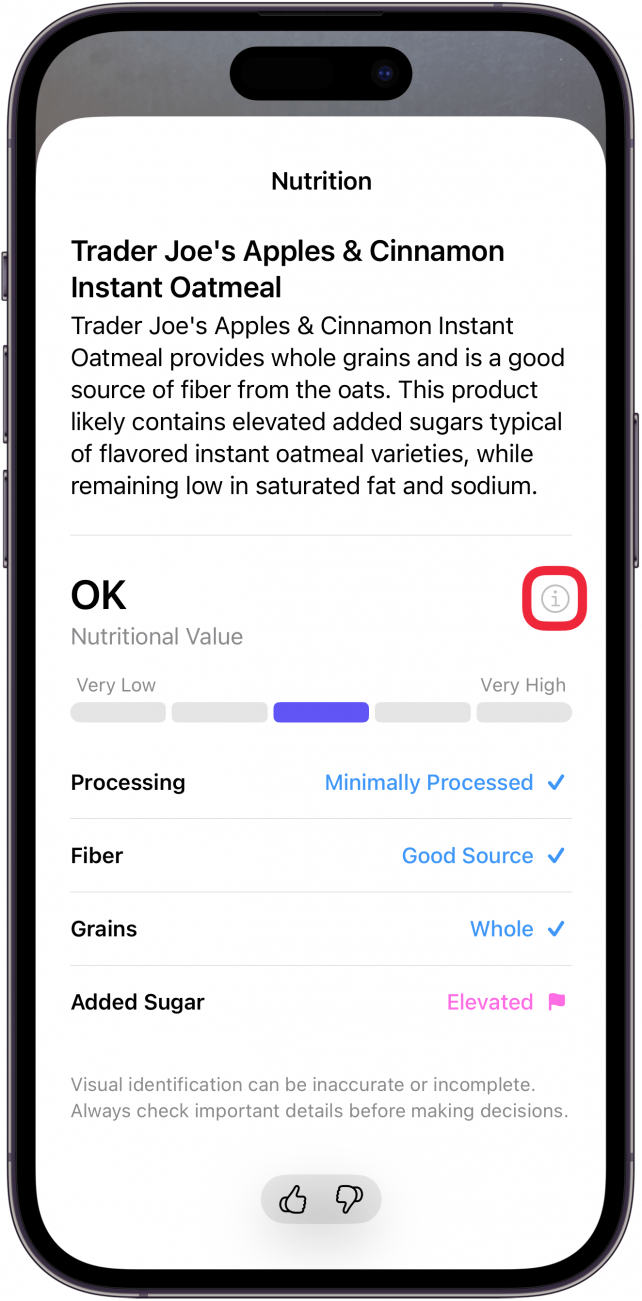
- You can see a general overview of the nutritional value. You can also tap the info icon to see more information on what each value means.
![a screenshot of visual intelligence on iphone displaying nutrition information for a box of oatmeal with a red box around an info icon]()
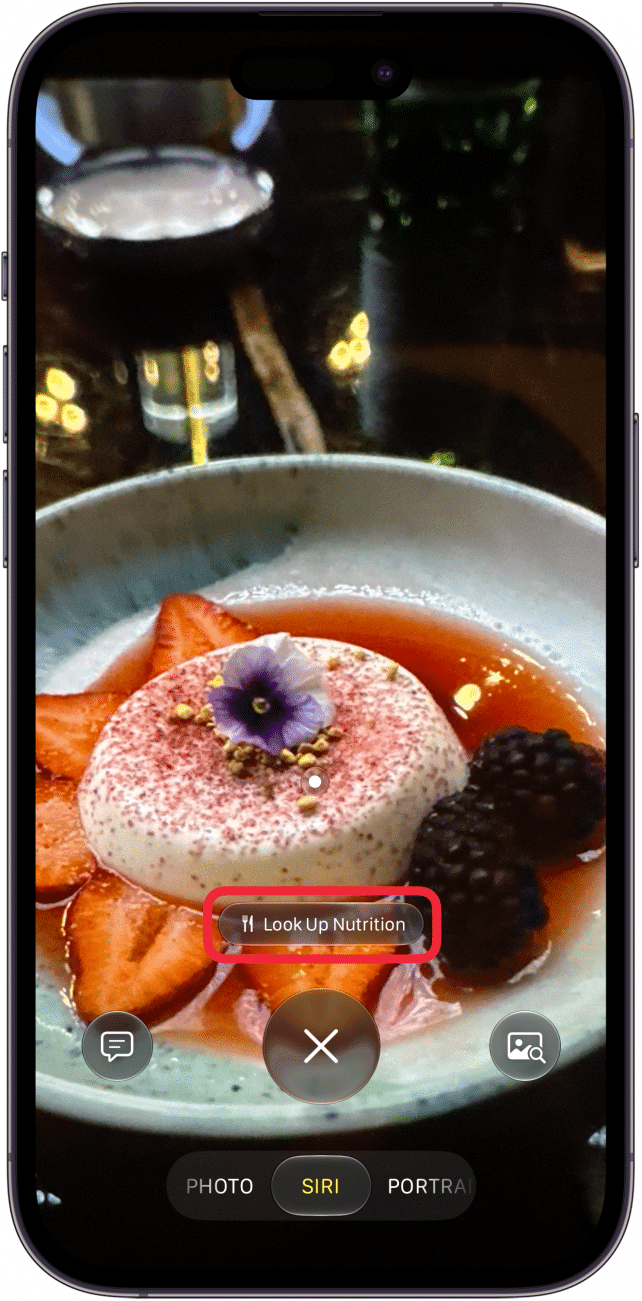
- This also works with actual plated meals, whether you've made it yourself or ordered it at a restaurant. Just as before, point Visual Intelligence at the plate and tap Look Up Nutrition when prompted.
![a screenshot of visual intelligence scanning a fruity dessert with a red box around a look up nutrition button]()
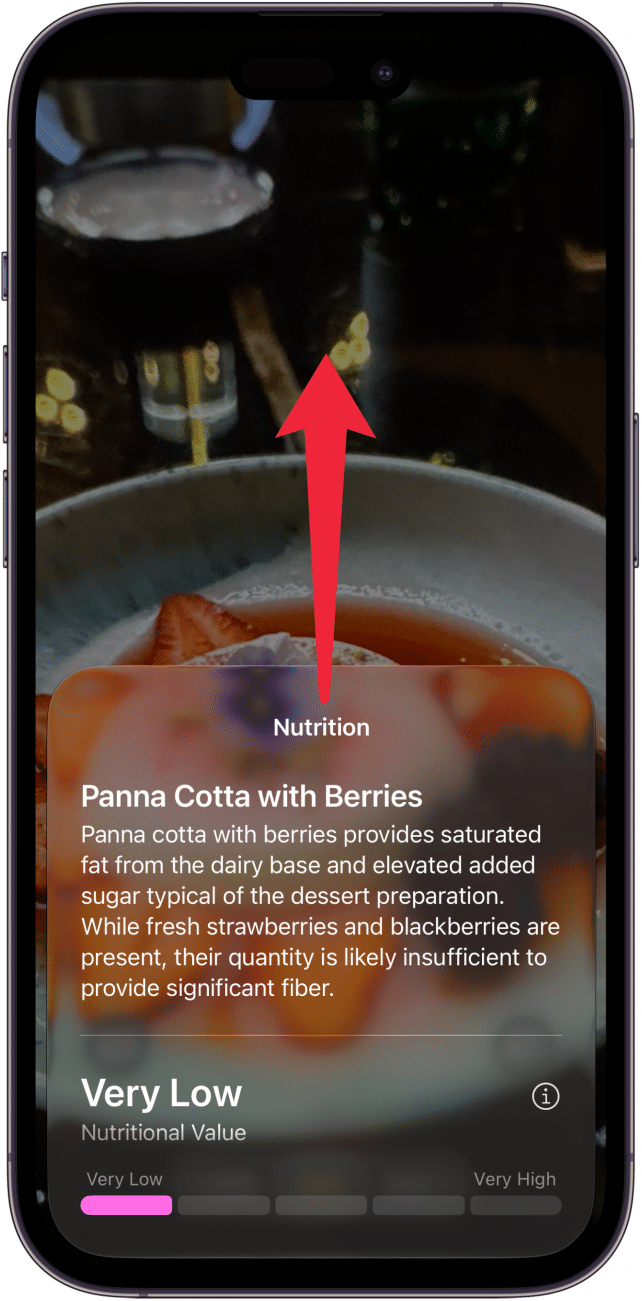
- You can, again, swipe up to see more details on the nutritional value of your meal.
![a screenshot of visual intelligence on iphone displaying nutrition information for a fruity dessert with a red arrow pointing upward, indicating to swipe up]()
That's how to look up nutritional information using Siri AI! Keep in mind that Siri is an artificial intelligence and can make mistakes. Scanning the same product gave me two different results on the nutritional value. Be sure to double-check Siri's answers and talk to your doctor if you have serious nutrition concerns. This is more of a quick way to estimate some nutritional info rather than a tool to assiduously track your macros and calories.