How to Automatically Filter Tabs in Safari

A lifelong tech enthusiast, with experiences ranging from jailbreaking his iPhone to building his own gaming PC, Rhett specializes in maintaining privacy in a digital world and iPhone security.
Learn More A lifelong tech enthusiast, with experiences ranging from jailbreaking his iPhone to building his own gaming PC, Rhett specializes in maintaining privacy in a digital world and iPhone security.
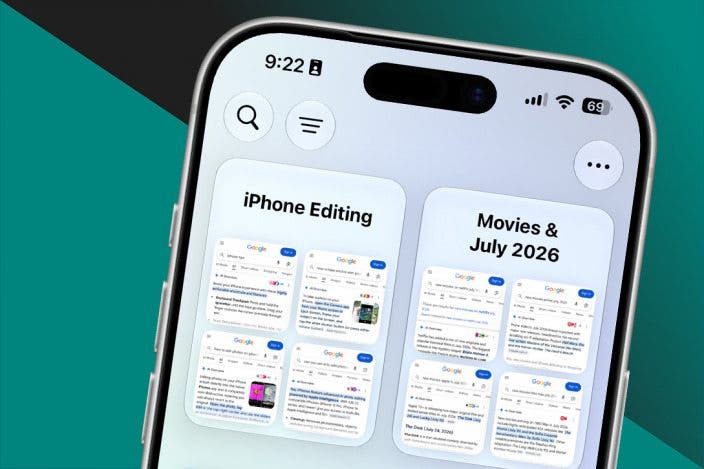
Learn MoreDid you know you can automatically create Safari tab groups using Apple Intelligence? This handy new feature keeps your Safari tabs organized so you can easily find what you need when you need it. Here's how to use this new feature!
Why You'll Love This Tip
- Keep your Safari tabs organized automatically.
- Easily find specific tabs without digging through them all.
Automatically Organize Safari Tab Groups
System Requirements
This tip was performed on an iPhone 15 Pro running iOS 27. Find out how to update to the latest version of iOS.
If you're the type of person to keep several tabs open at once, this new iOS 27 feature should help tremendously with keeping them organized. For more useful tips and tricks, be sure to sign up for our free Tip of the Day newsletter. Now, here's to make tab groups automatically:
- Open Safari.
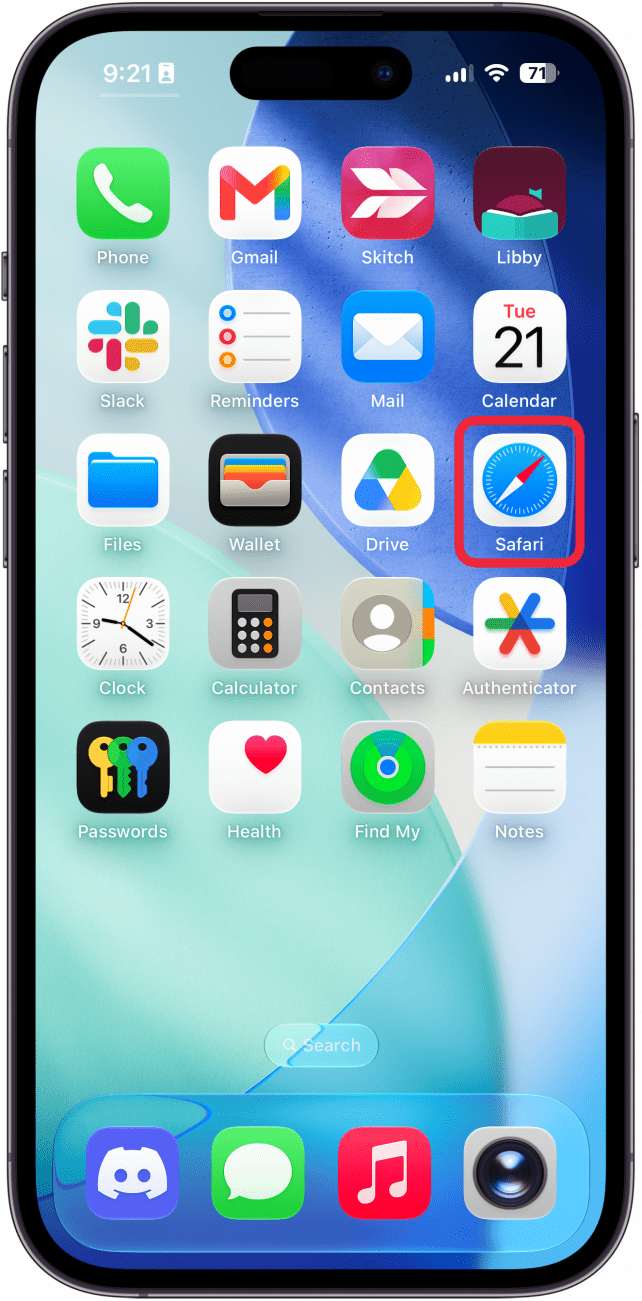
- Open your tabs, either by swiping up on the tab bar or by tapping the tabs button.
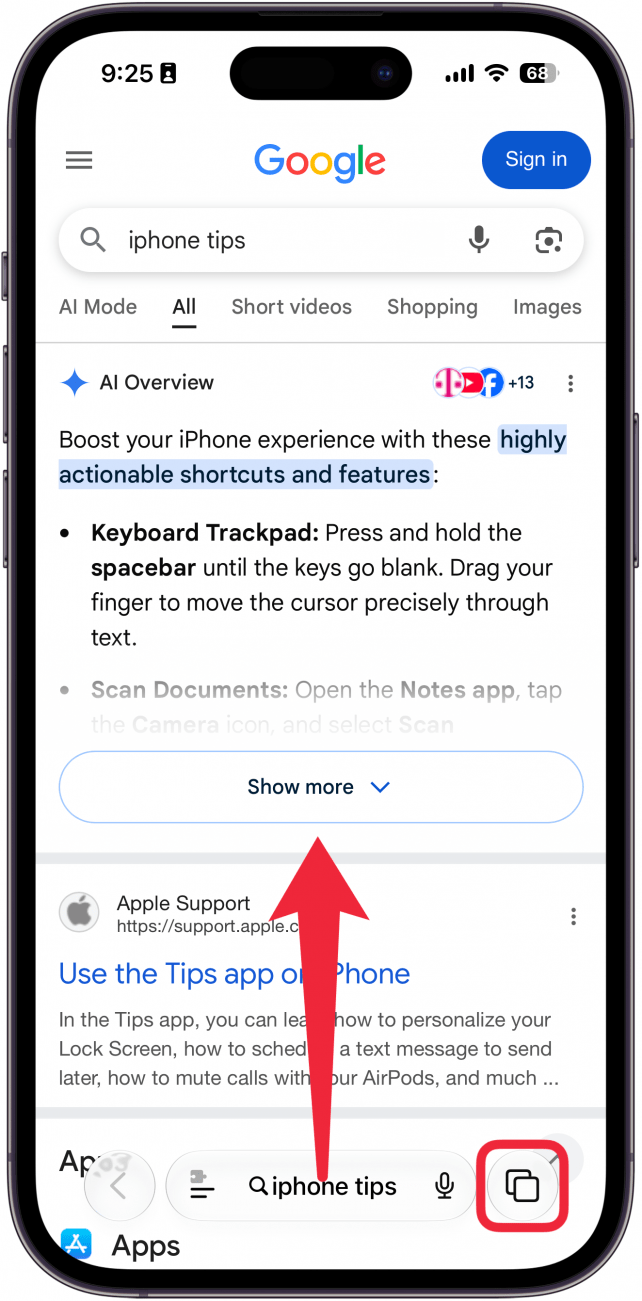
- Tap the menu icon in the upper left (it looks like three horizontal lines).
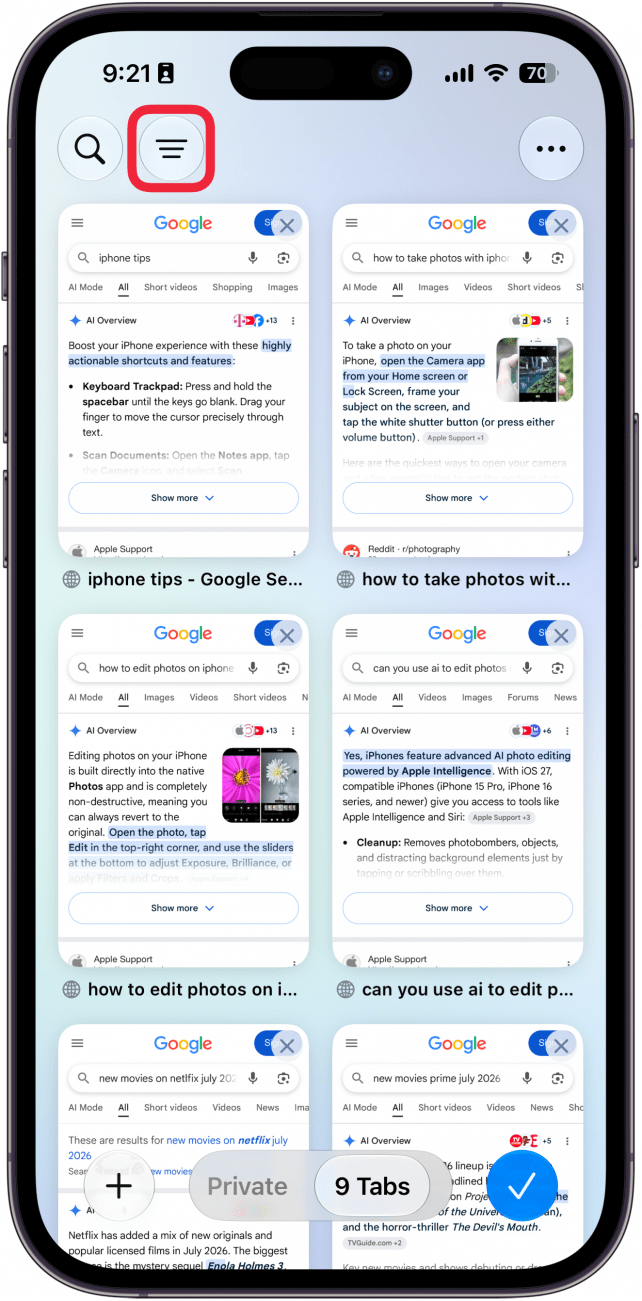
- Tap a category to filter your tabs. If you don't see these options yet, just skip to the next step.
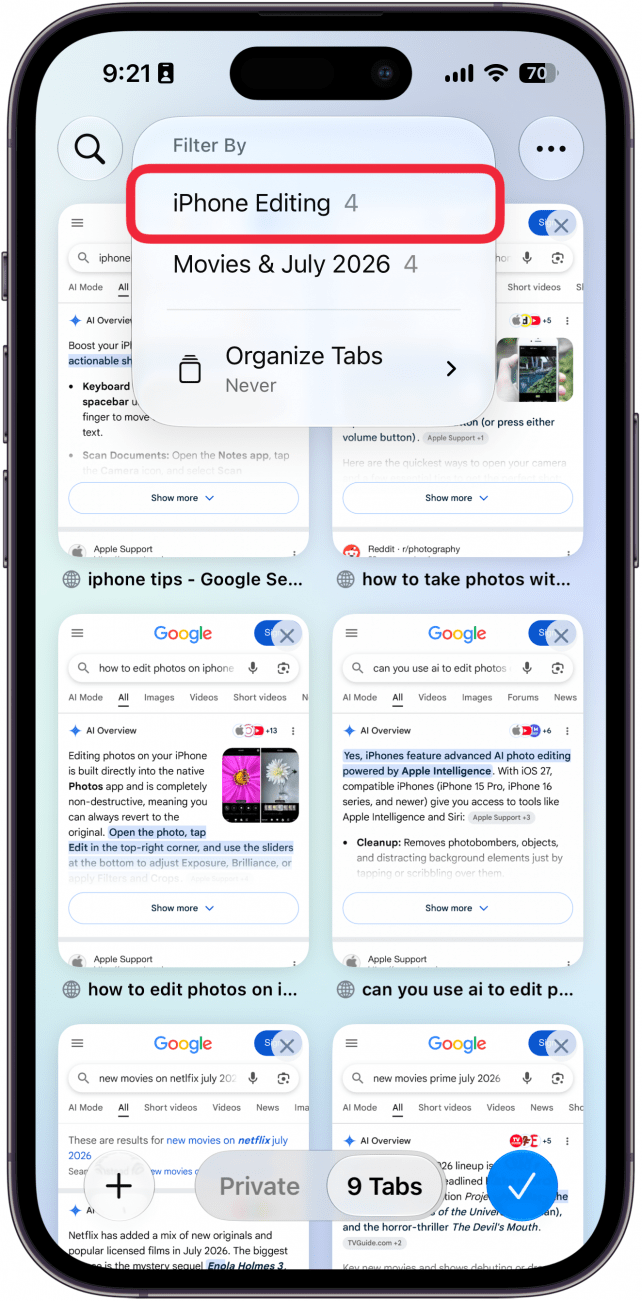
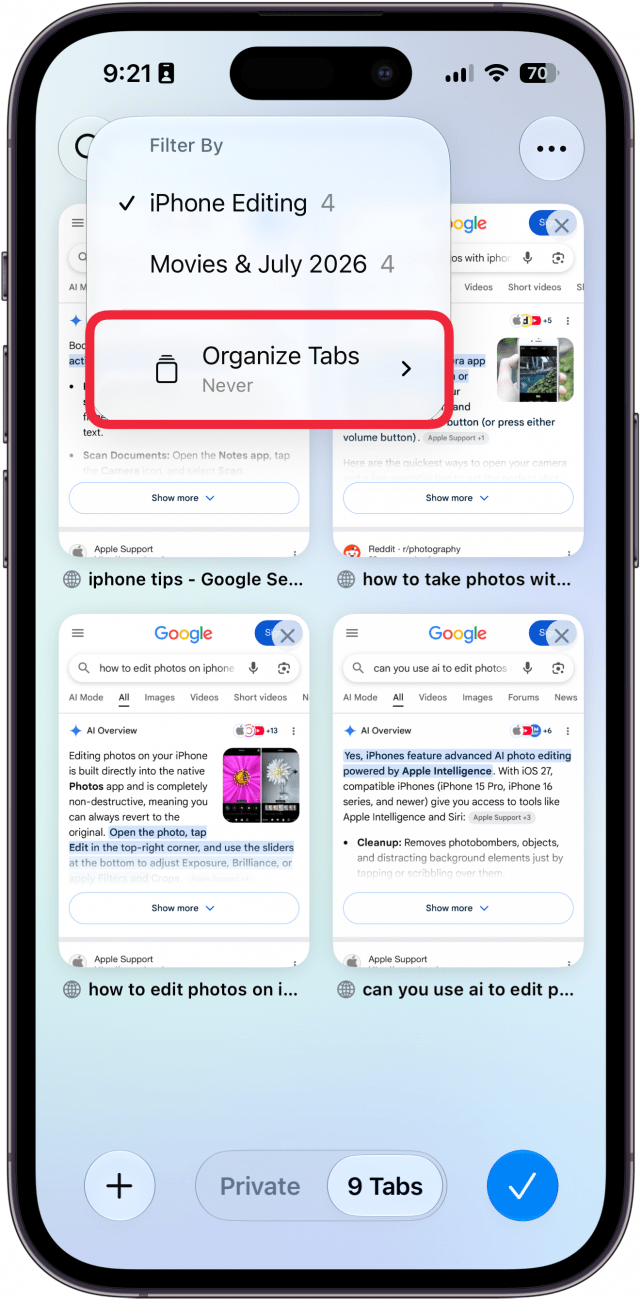
- If you want to automatically organize your tabs, tap Organize Tabs.
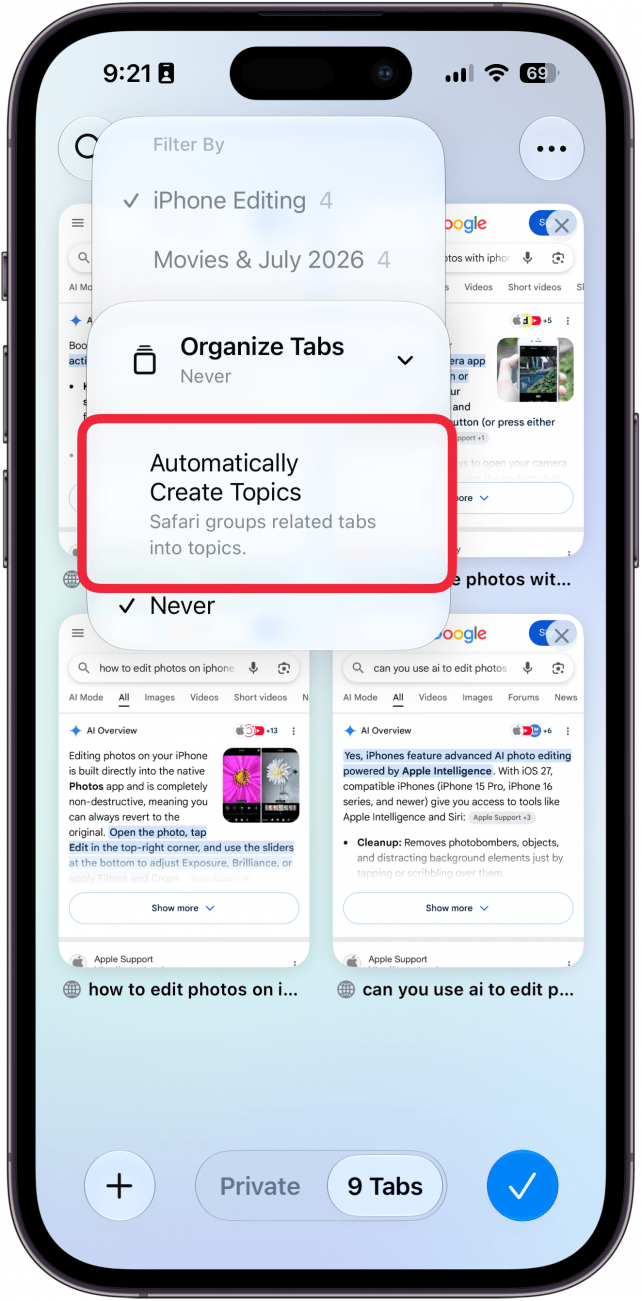
- Select Automatically Create Topics (and if you ever want to turn off auto organization, repeat these steps and select Never).
- Once your tabs are organized, you will see multiple categories. Tap one to expand it.
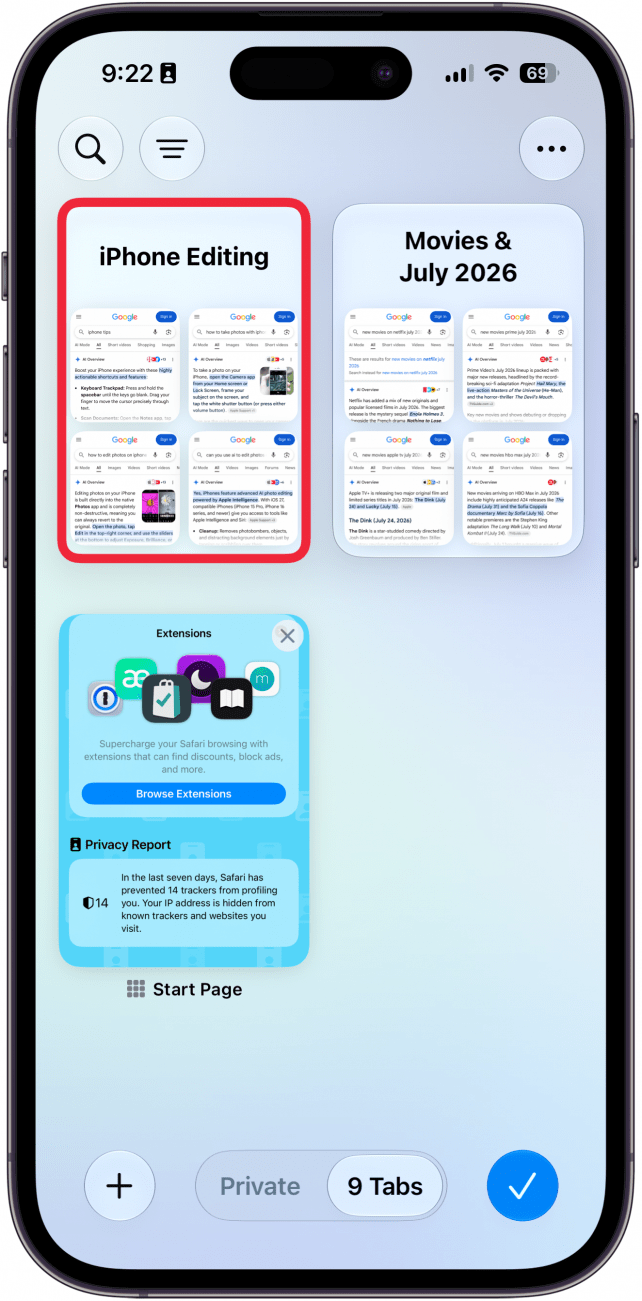
- Tap a tab to open it.
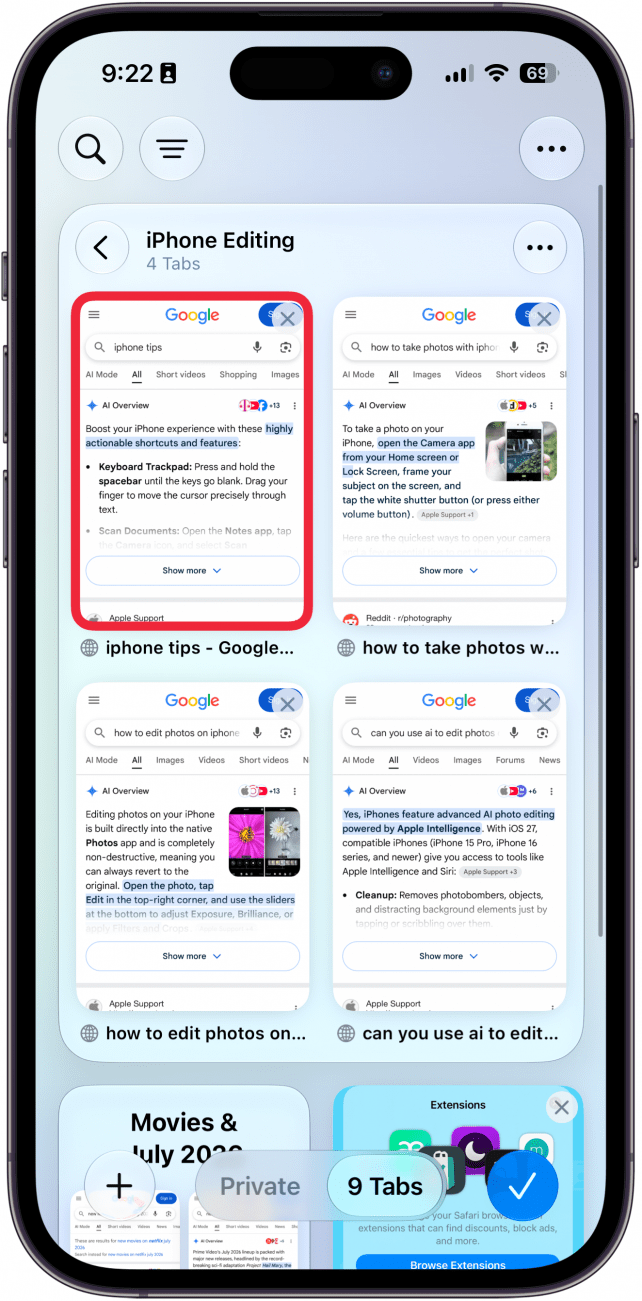
That's how to automatically create tab groups in Safari on iOS 27. Keep in mind that this is an Apple Intelligence-exclusive feature, so you will need an iPhone 15 Pro or later to use it.
More On: Safari on iPhone

Every day, we send useful tips with screenshots and step-by-step instructions to over 600,000 subscribers for free. You'll be surprised what your Apple devices can really do.

Rhett Intriago
Rhett Intriago is a Feature Writer at iPhone Life, offering his expertise in all things iPhone, Apple Watch, and AirPods. He enjoys writing on topics related to maintaining privacy in a digital world, as well as iPhone security. He’s been a tech enthusiast all his life, with experiences ranging from jailbreaking his iPhone to building his own gaming PC.
Despite his disdain for the beach, Rhett is based in Florida. In his free time, he enjoys playing the latest games, spoiling his cats, or discovering new places with his wife, Kyla.
 Rhett Intriago
 Olena Kagui
 Leanne Hays
 Ashleigh Page
 Rachel Needell