This article goes over how to connect Apple Music to Alexa. Alexa works as an external speaker, but if you have Apple Music instead of Amazon Music, you'll want to know how to get your home assistant to connect to Apple Music. If you want to play Apple Music on Alexa, you'll need to set it up through the Alexa app. Here's how.
How to Connect Apple Music to Alexa
Amazon Echo speakers work surprisingly well for filling your house with music. However, if you prefer Apple Music to Amazon Music, you might want to play Apple Music through Alexa. To do this, you need to connect it to your Alexa app on your iPhone. You will need to make sure:
- Your iPhone is paired with an Alexa-compatible device
- You've downloaded the Amazon Alexa app
- You have an active Apple Music subscription.
Then you can connect Apple Music to Alexa. To learn more about smart home assistants and your Apple devices, check out our free Tip of the Day newsletter. Now, here's how to connect Apple Music to Alexa:

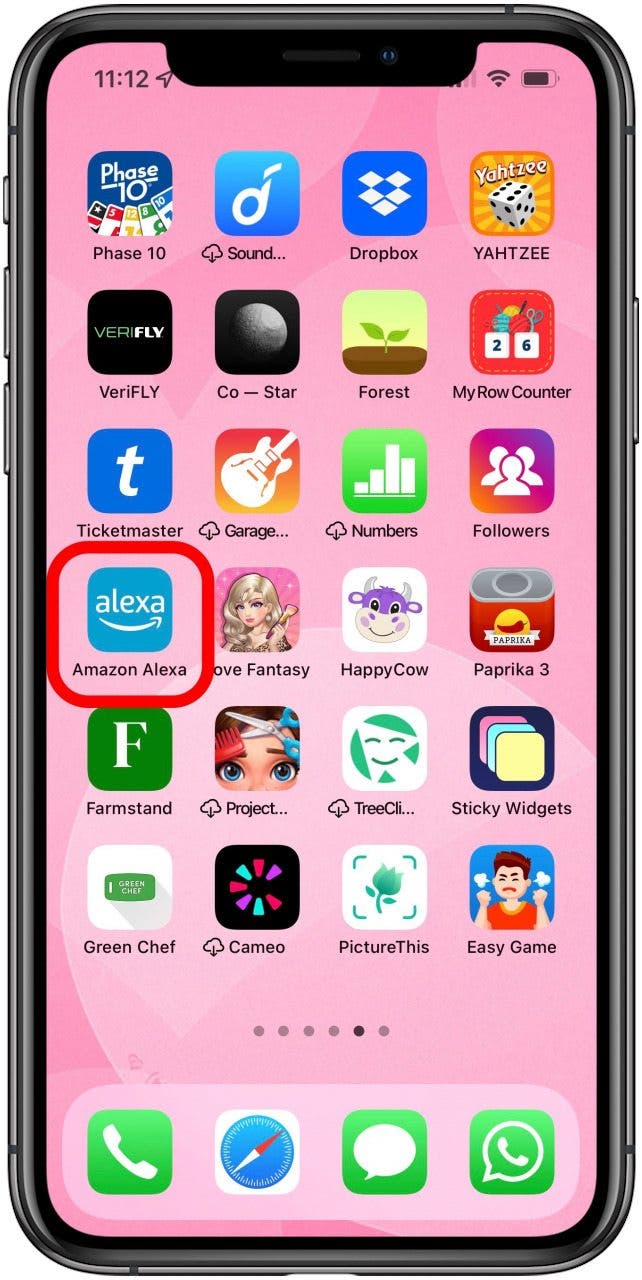
- Open your Amazon Alexa app.
![play apple music on alexa]()
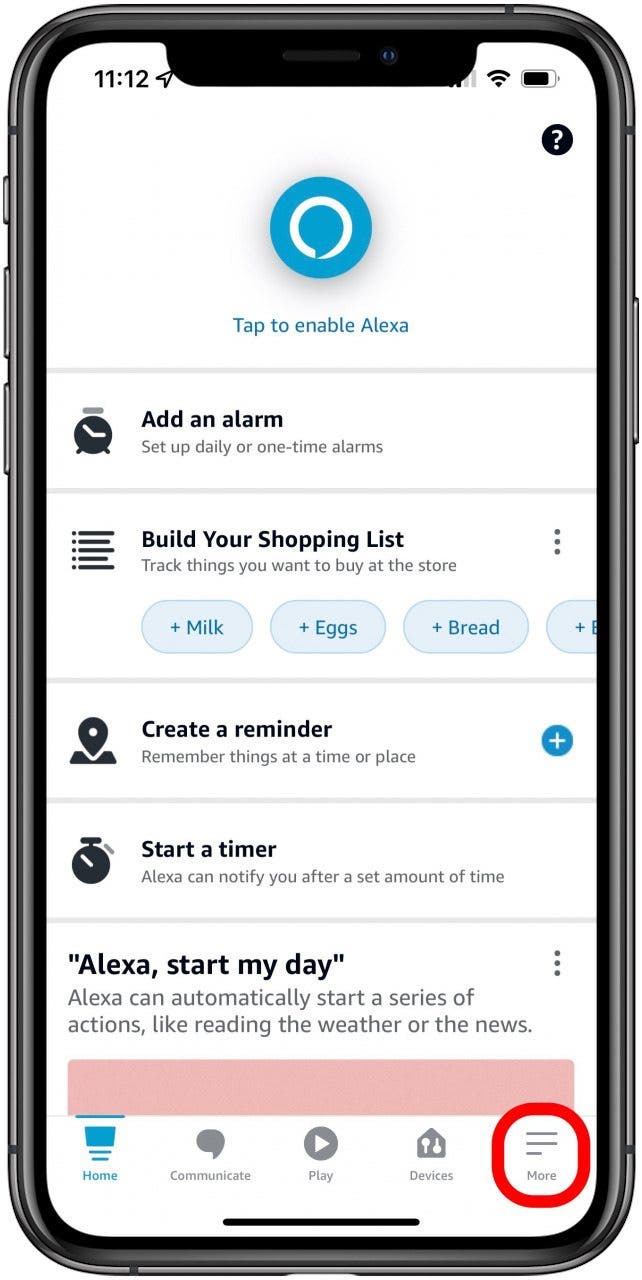
- Tap More on the bottom right.
![how to play apple music on alexa]()
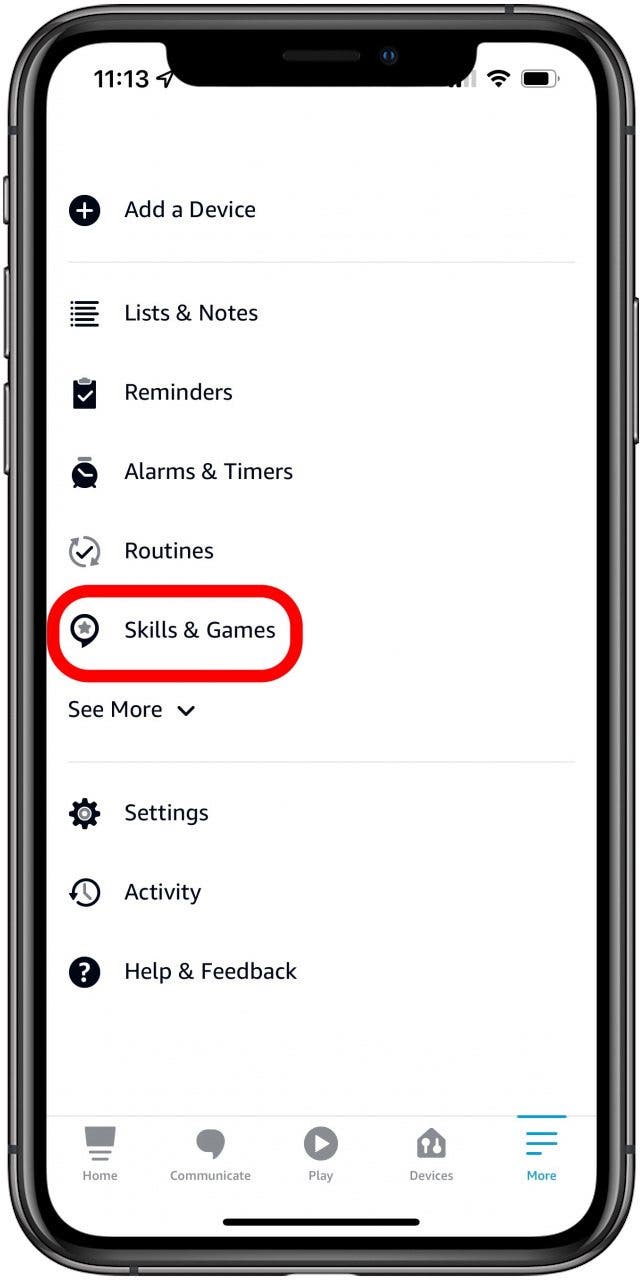
- Tap Skills & Games.
![connect apple music to alexa]()
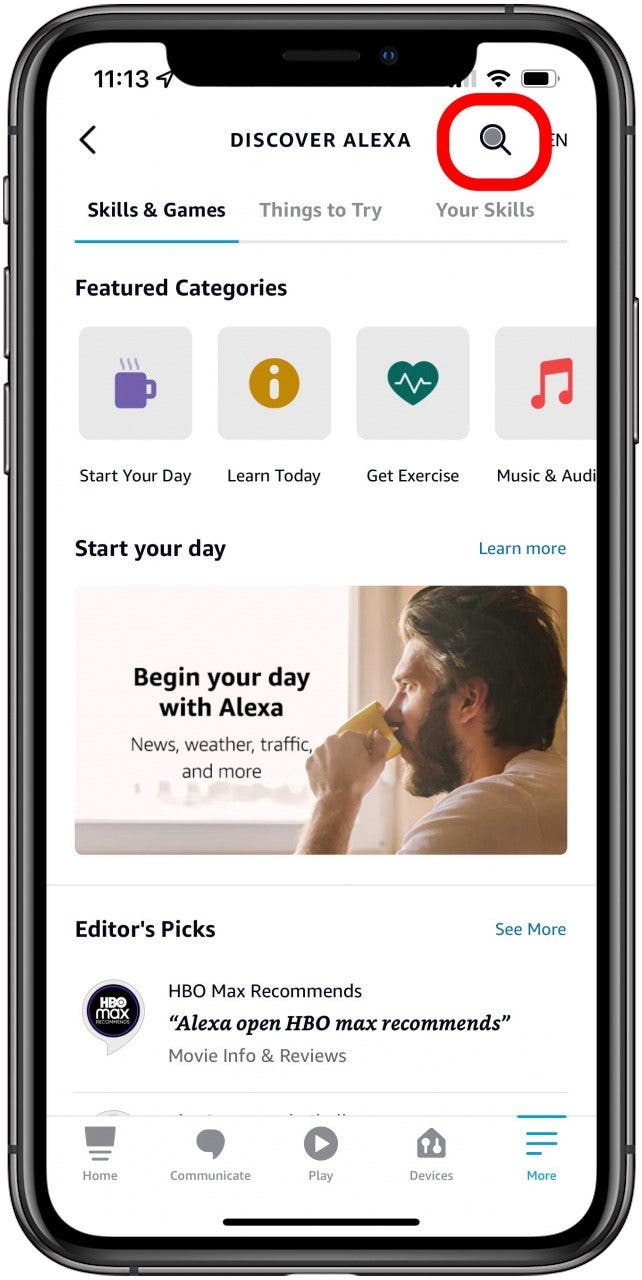
- Tap the Search icon on the top right.
![how to connect alexa to apple music]()
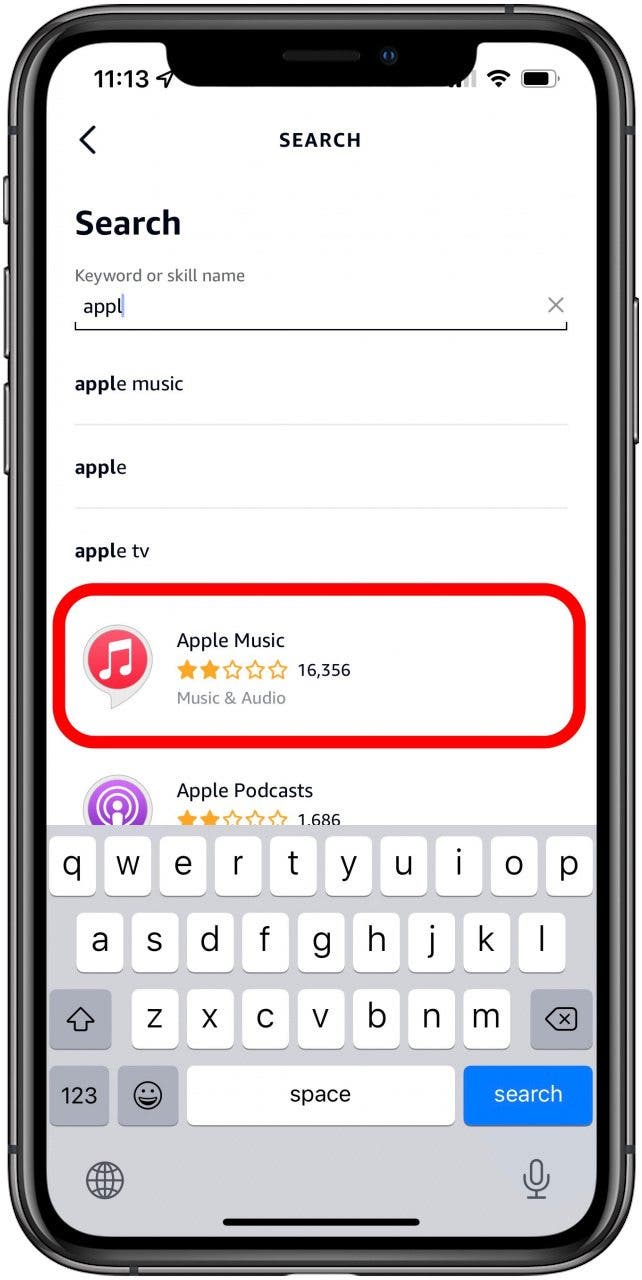
- Type in Apple Music and select it from the menu.
![how to connect apple music to alexa]()
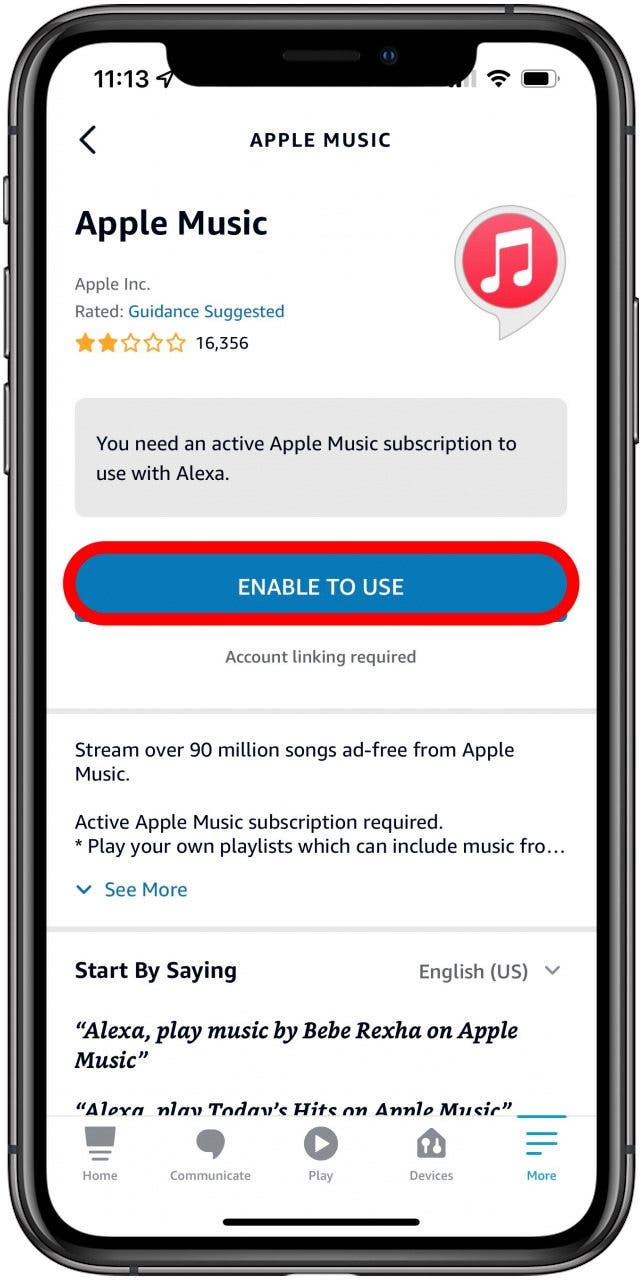
- Tap Enable to Use.
![play apple music on alexa]()
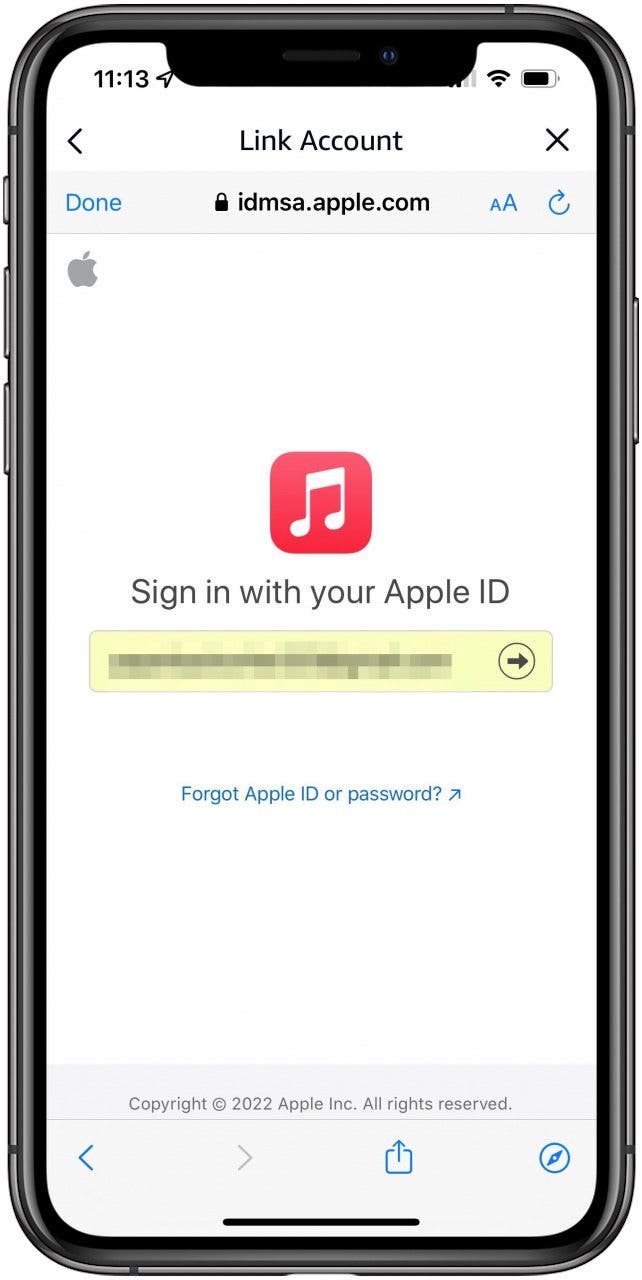
- Log in with your Apple ID and proceed with any authentication necessary.
![how to play apple music on alexa]()
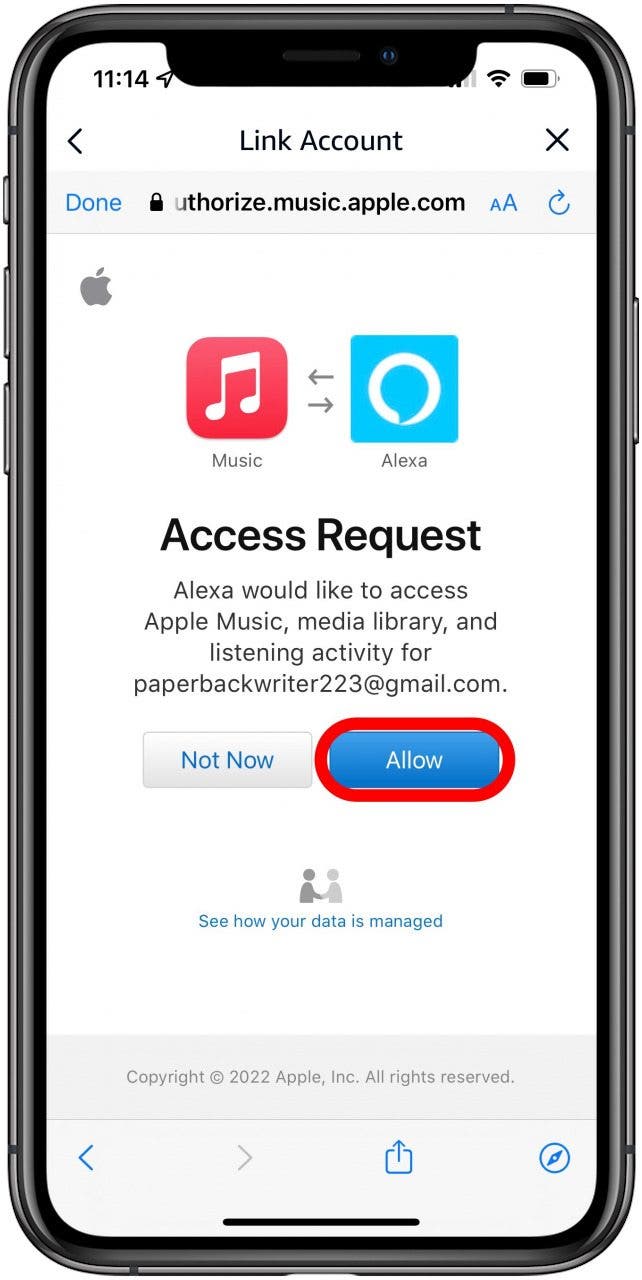
- When you see Access Request, tap Allow.
![connect apple music to alexa]()
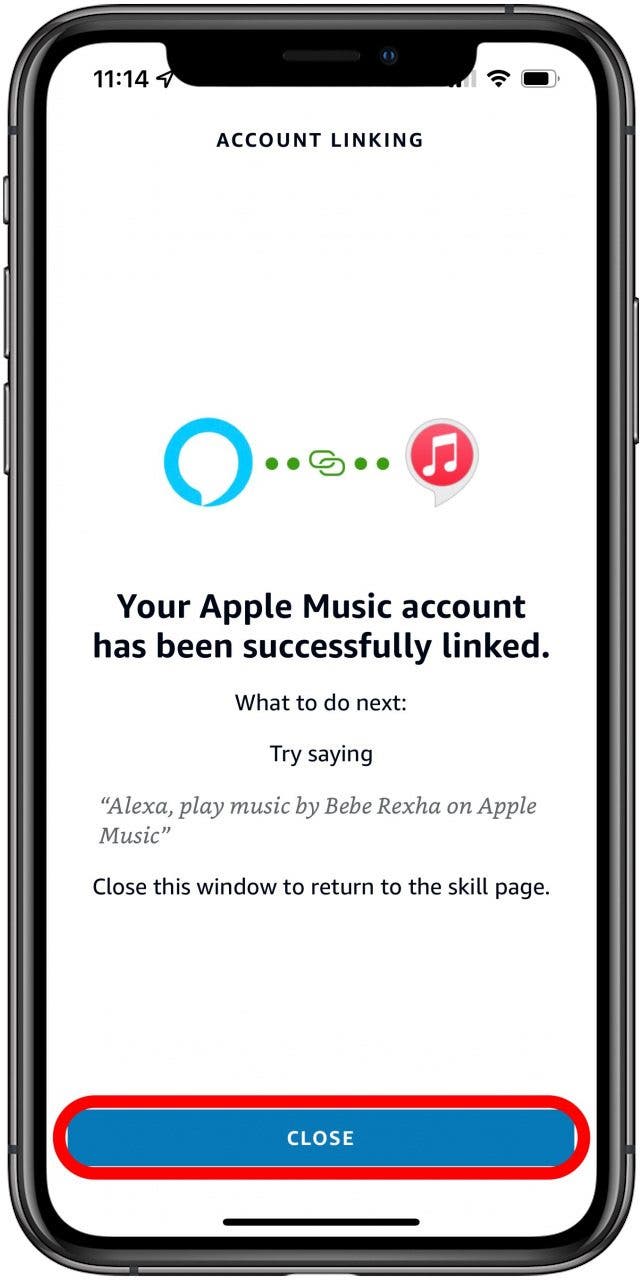
- Tap Close.
![how to connect alexa to apple music]()
You can follow the prompt to set up Apple Music as the default music player in your Amazon Alexa app, or do this later in Settings. Now, just tell Alexa to play something on Apple Music and enjoy the tunes!