iPhone Life - Best Apps, Top Tips, Great Gear
Home Button on iPad Not Working? Here’s the Fix!
By Leanne Hays

Why has your Home button stopped working on your iPad? You may need to update your software, reset your settings, or give the Home button a good cleaning. We'll show you how to get your iPad's Home button responding again.
Apple's 'Let Loose' Event on May 7: New iPads & Accessories
By Olena Kagui

While Apple enthusiasts have been anticipating the annual WWDC keynote, happening June 10, the May 7 Let Loose event announcement has come as a happy surprise. Apple hasn’t provided a lot of information about this event, but because of the event photo featuring an Apple Pencil and the fact that iPads are often announced in the spring, we are expecting new iPads, an Apple Pencil, and maybe other Apple accessories too.
- ‹ previous
- 193 of 2468
- next ›
How to Check Your iPhone’s Battery Health
By Leanne Hays

The Best iOS Racing App without In-App Purchases
By Conner Carey

I love gaming on my iPhone, and I am happy to pay for an app. But too often, I’ll get into a ‘free’ game only to end up spending more on in-app purchases than I ever would have on a single game for any regular gaming console. Which is why Riptide GP: Renegade is such a refreshing surprise. I spent $2.99 for the initial game, which is a great price considering the developers don’t upsell you within the app at all. The graphics are beautiful, the racing controls are the smoothest I’ve ever tried, and it feels like a normal game because once I buy it, it’s fully-featured and ready to play. All of this combined makes Riptide GP: Renegade the best racing game on the iPhone. We’ll cover more on what this game offers and why I love it below.
Fall Asleep to Your Favorite Podcasts
By Leanne Hays

Listening to podcasts can be a relaxing way to fall asleep, and when you use the Sleep Timer, you can drift off without having to worry about sleeping through the best parts of an episode or draining your battery. Here's how to use the Apple Podcasts Sleep Timer to help you fall asleep without missing any content.

The numbers in the Cambridge Analytica Facebook scandal just keep climbing, from an original 55 million to a new estimate of nearly 87 million account holders who have had their data breached. This is because the quiz, "This Is Your Digital Life," collected data not only from Facebook users who completed it, but from all their Facebook friends as well. Facebook has barred the personality quiz from the platform and sent a message to all account holders who took the quiz, but if you'd like to make sure your data wasn't also breached, there's a way to find out. Let's check and see if our Facebook accounts have been compromised by Cambridge Analytica; it's easy to do right from your iPhone.
How Many Apps Have Access to Your Facebook Account?
By Sarah Kingsbury

In light of Facebook's recent data leak that compromised the personal information of up to 85 million users, the iPhone Life team shares advice on how to check on and delete third-party apps you've granted access to your account in order to help you protect your data from getting into the wrong hands. Other topics include iOS 11.3 bugs and Apple's new iPad and red iPhone 8.

New racing enthusiasts may ask, "When is the Kentucky Derby?" Experienced fans will let you know; the Run for the Roses is always the first Saturday in May. The Kentucky Derby is an American tradition that's been going strong since 1875, and in 2020 we have more options than ever before for watching not only the race itself, which is over in less than three minutes, but all the pageantry and tradition surrounding the event. If you own an Apple TV, you can catch the 2020 Kentucky Derby in 4K high-definition resolution; but first, you'll need to find out what channel the Kentucky Derby is on, what time is the Kentucky Derby race time, and, of course, locate a Churchill Downs live stream. Let's learn how to watch the Derby 2020 live on the Apple TV, iPhone, or iPad.
Teach Siri How to Pronounce Names
By Leanne Hays

This might seem small, but for so many people, hearing your name pronounced incorrectly all the time can be a total annoyance. Maybe you’re tired of hearing Siri call you “Kevin” when your name is “Kevan.” Or, maybe you’re like me and you want Siri to call you something crazy but don’t want to change your name on the Contact Card, which is often shared amongst and between devices. Let's take a look at how you can teach Siri how to pronounce names.
How to Make Song Volume Consistent on iPhone
By Leanne Hays

iPhones provide many useful services, not least of which is listening to music in a portable, convenient, and customizable fashion. One thing that can really deter from enjoying music on our iPhones, though, is the way that the volume can shift up and down from song to song. It can be a bit of a Goldilocks experience; first the iPhone volume is too high, then the volume level is too low, and sometimes it's just right. Luckily there's an easy iPhone trick to fix this issue so that you're not constantly having to adjust the volume on your iPhone. Let's get started learning how to enable Sound Check on your iPhone to level out the volume throughout your listening experience.

Everyone has to eat to live, which is why apps that make planning, shopping, and preparing healthy meals are a godsend. This year I’ve been cooking the most I ever have in my life, and I’ve quickly realized how difficult it can be to keep all the recipes I’ve tried (or want to try) organized. And on top of that, there seemed to be no way to use those recipes to create a shopping list. But what I didn't previously know about is today’s incredible app: Paprika 3. For a one-time purchase of $4.99, this app allows you to save recipes from the internet without having to type any ingredients or directions. You can create a list of everything in your own pantry, build a meal plan with recipes you’ve saved, and add whatever you need to buy to a grocery list. All the work that takes place outside of the kitchen can be done with Paprika 3. There’s a whole lot this app can do, and we'll cover it all below.
How To Check Apple Watch Battery on iPhone
By Leanne Hays


One of the coolest features of Apple's new HomePod is its ability to team up with your Apple Music subscription and act as a personal DJ, playing custom playlists based on your listening habits for you enjoy whenever you ask. Your HomePod's mixology skills can get thrown off kilter, though, if family members or visitors are also asking Siri to play their favorite tunes. And this will also influence what Apple Music thinks you like and plays for you on your other Apple Devices as well. Fortunately, there's a HomePod setting you can change to ensure that you won't end up listening to a mish-mosh of all your friends' and family members' musical tastes. Let's get started learning how to keep other HomePod users from influencing your "For You" Apple Music recommendations on your HomePod.

Ah spring, the time of year when a golf fan's fancy turns toward Augusta, Georgia, and the Masters Tournament. It's time for the Masters 2020 at last, and to catch all the live action, we'll need to figure out how to watch the Masters on our Apple TVs, iPhones, or iPads. Broadcast rights for the tournament are split between CBS and ESPN, and masters.com are offering previews and commentary. With so many broadcasters offering so much Masters content, we have our work cut out for us to figure out which streaming providers and TV antenna will offer the best live coverage for free, or at the lowest price possible. Let's get started learning how to live stream the 2020 Masters Tournament.
Solved: iCloud Backup Not Working
By Leanne Hays
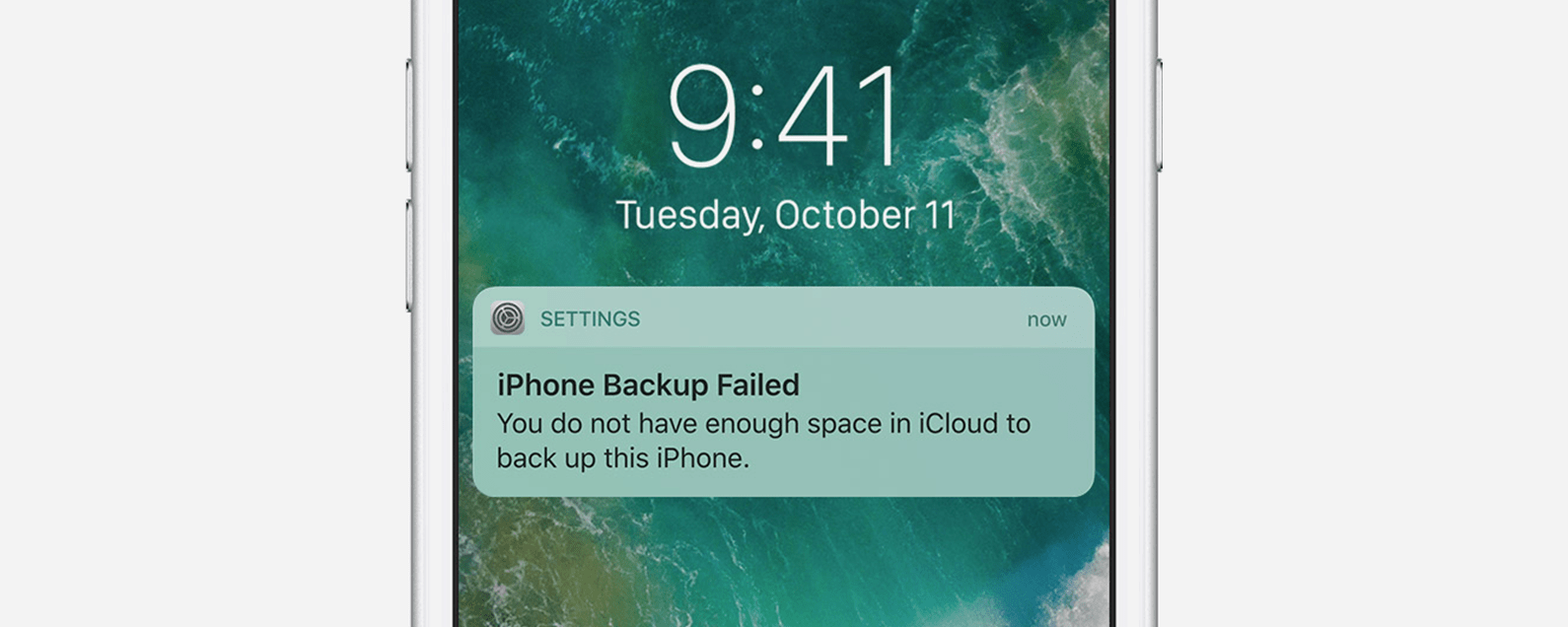
Is your iCloud backup not working? On occasion, you may get an unwelcome message such as, "iPhone Backup Failed," on your iPhone. If you find that your iCloud backup is not working, there could be several reasons that the backup failed. Let's troubleshoot why your iPhone's backup failed, then learn how to fix the issue.
How to Cancel an Apple Pay Payment on Your iPhone & iPad
By Leanne Hays


I have never used my Photos app to properly sort my pictures into albums, and I’m going to make an educated guess and say that this is true for most of us. We take a bunch of photos at an event or with friends, share the ones we love, and let the others take up space on our devices. When it comes time to find a photo, I’m always searching through the All Photos album, scanning for the one I need. But there is a better way! I found Slidebox because I was looking for an app that would let me easily create albums, sort photos into those albums, and delete the photos I don’t need to keep. To my absolute delight, Slidebox allows me to do this super easily by using swiping gestures to quickly sort through photos like you sort through potential connections on Tinder. Learn more on why I love this app and what it does below.


