6 Ways You've Used AI in Daily Life without Realizing It


In the last 10 years, Olena has been published in dozens of publications internationally and written hundreds of how-to articles and complex guides about Apple products, software, and apps.
Learn More In the last 10 years, Olena has been published in dozens of publications internationally and written hundreds of how-to articles and complex guides about Apple products, software, and apps.
Learn MoreWhat to Know
- Features run by artificial intelligence and machine learning have been on our devices for decades.
- Camera Night Mode, predictive text, object recognition in Photos, and Battery Optimization are just a few examples of AI features.
- Even the 'Clippy' assistant we used in 1997 was AI-powered.
According to a 2,000-person survey conducted by Talker Research for Samsung, a whopping 90% of Americans use AI on their phones in daily life! However, 62% of them don't realize that the tools they use are prime examples of artificial intelligence. While AI seems like an exciting new thing, it has been integrated into our smartphones and computers for decades. So even if you think you're not using artificial intelligence or machine learning, you probably are, and I'll tell you how you're doing it.
What Are Examples of Artificial Intelligence That We Use Every Day
AI stands for artificial intelligence, while ML stands for machine learning. You can think of AI as an umbrella term, with ML as a subset. An example of machine learning is when your iPhone identifies which apps you use at a certain time and sends you a reminder based on what you've done in the past. Artificial intelligence encompasses machine learning and any instance in which technology can act as if it is 'thinking' and 'learning' without being given specific instructions by the user.
1. Smart Assistants
There's AI in everyday gadgets that you've been using for decades without realizing it. You might remember all the hype on October 28th, 2024, when Apple launched the very first Apple Intelligence features. One of their biggest promises at the time, which still hasn't been delivered, is a smarter AI-powered Siri. But this doesn't mean that Siri hasn't already been using AI and ML since it was released in 2011. In fact, we've been using smart assistants for decades. Just think back to Clippy, the helpful virtual paperclip.Clippy, officially called Clippit, was released with Microsoft Office 97. It would monitor how users used their computers and offer suggestions based on their past behavior. Basically, it tracked your routines and suggested ways to help you write emails, create tables and spreadsheets, and much more.
Today's smart assistants can do a great deal more than Clippy ever could. For example, Siri can already differentiate between different voices, so if you share a home with other Apple users, anyone can call out to a shared HomePod and ask it to locate their phone. Since it can recognize who is who, Siri will know to ping a specific iPhone based on the voice.
Apple has already announced that Siri will be partnering with Google's Gemini AI, and once that happens, it will be able to understand your needs even better. With on-screen awareness and the ability to handle more personalized requests, you'll be able to ask Siri to pull up an email mentioning a specific topic or event. If you've seen the movie The Devil Wears Prada, you'll remember Miranda Priestly giving her human assistant vague requests like, "Find me that piece of paper I had in my hand yesterday." Eventually, a smart assistant will be able to do the digital version of that because it will actually understand what you mean.
2. Autocorrect, Predictive Text & Smart Replies
Autocorrect is another great example of AI in everyday life that we've been using for years. If you think about it, correcting a misspelled word isn't always as easy as it sounds, which is probably why our devices can still get it wrong. In order to fix a typo, your device will have to analyze what you've already written to figure out what you are trying to say. It's the same with suggested words. You may have seen 'challenges' on social media where you type in a phrase and see what your phone predicts you are trying to say, and everyone gets a different result based on their previous writing, tone of voice, vocabulary choice, etc.
Today, our devices can suggest full responses to text messages or emails. While these messages can sometimes sound a little robotic or soulless, the more text messages you exchange with your contacts, the better the predictions will be. The more obvious AI features can generate text for you based on prompts, or they can take what you've written and change the tone or language with the tap of a button, but there is a lot more to AI than generating content. As a writer, I don't always enjoy having AI put words in my mouth, but I do love it when my iPhone offers to add an event to my calendar with just one tap based on information a friend texted me.
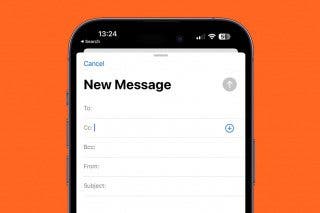
Another example of an AI feature is your phone suggesting specific recipients or apps on the share sheet. Based on who you tend to share with certain contacts, your phone might display suggestions such as a contact, an app, or an email recipient. Your phone knows who you contact the most and which people belong to certain friend or family groups. In the future, it may be able to go even further and analyze the context of what you are sharing and anticipate the recipient based on their likes or interests. We all have a friend with an unusual hobby or favorite animal, so we always share relevant images or content with them. Once our phones are able to understand our friends and family as well as we do, it could make staying in touch with them even easier.
3. Smart Recommendations while Shopping, Streaming & Using Social Media
You've probably already heard a lot about "algorithms" in the context of social media and ads. These algorithms are essentially collections of data that are organized using AI. This is how advertisers 'know' which products you might want to buy based on your purchase history, your Google searches, and your activity on social media. It can seem kind of creepy when you see ads for something you've only just started thinking about getting or replacing, but these recommendations are based on all the data our devices have gathered about us. No, it doesn't prove that our devices are secretly listening to us, but they do know if someone went on Google searching for ways to fix a leaky fridge.
All it takes is one search query or one tap on an ad, and you may immediately see targeted ads. When it comes to social media, the algorithm also considers who you interact with the most and might assume that you share interests. This is why when my husband searches for a new printer, I get ads for printers too. For more AI tips, don't forget to check out our free Tip of the Day newsletter!
Amazon uses these algorithms to suggest products, streaming platforms use them to recommend your next favorite show, and social media fills your feed with whatever content you spend the most time engaging with. This is why it can be helpful to review or rate whatever you interact with, whenever it's possible, because the more that is known about you, the more valuable the content will be to you. However, this can also lead to more targeted ads. Since it is nearly impossible to avoid seeing ads online, I prefer to see ads for things I might be interested in rather than random or bizarre products I don't want.
4. Photo Taking, Editing & Organizing
Apple recently introduced Clean Up, an AI-powered photo-editing tool that makes it really easy to remove objects or people from an image. While this is an obvious AI feature, your iPhone's Photos app has used AI since it was released in 2015. Whenever you search for something, AI will analyze your entire library to find you the relevant results.
Facial recognition makes it possible to search for a specific person or even a pet. This ability evolved into being able to look up objects or plants. Now, our phones can also recognize text in images and videos, even if it's handwritten( although this isn't always reliable). AI will also analyze all the hidden metadata in your photo, such as the location and date it was taken, the device it was taken on, which lens was used, and more. Photo searching is a great example of everyday artificial intelligence because every time you search, AI is able to consider all of this and sort your images into albums based on a location or an event, which is also how it creates themed video Memories.
Of course, AI is also involved in photo editing, and it can be as advanced as swapping your face with your pet's or something as simple as automatically adjusting the brightness level. A lesser-known fact is that most phone cameras already automatically alter images without you even asking them to. Since people use their front cameras for selfies, your phone's camera will make tiny adjustments to the lighting to make your face look its best. If you take a zoomed-out photo, your phone will automatically adjust the exposure and sharpness, making the edges of the photo look more natural rather than stretched out in the fish-eye effect.
A lot of people don't notice these automatic edits and will post an otherwise unedited photo on social media with the hashtag 'nofilter' when, in fact, their phone used its built-in filter. One way to avoid this on your iPhone is to take raw photos, which you can do by enabling Apple ProRaw in your Camera Settings. Do keep in mind that these photos take up a lot more storage space! If you take a raw photo using a 48MP camera that newer iPhone Pro models have, a single photo can be as big as 75 MB, which is as much as 10x more than using your default photo settings.
5. Navigation
Your favorite rideshare app would not exist without AI, because every modern map app uses it to warn you about traffic, suggest alternative routes, and so much more. Again, there are some new, obvious AI features in navigation apps. For example, Google Maps now offers Ask Maps, which can help you find a place nearby that will let you charge your phone, and also has a short line for coffee. But it has always been used to estimate what time you'll get somewhere based on when you plan to leave.
AI is also used to do things like automatically offer a route to an event that a user has in their Calendar app, to figure out the best order of operations when delivering food to multiple locations, and to warn you if a road you are planning on taking might be impacted by the weather.
Companies like Amazon and USPS use AI to help them deliver packages more efficiently. Flight tracking websites and apps can use it to let you know if a flight is likely to arrive late. Plus, advanced AI features can help you plan a road trip and even suggest where you should stop along the way based on your interests and needs.
6. Digital Communication
When was the last time you checked your email's spam folder? I usually don't, and while some non-spammy emails can slip through every once in a while, AI has been used for decades to identify unwanted emails and save you time by sending them to a dedicated folder. AI also gets credit for reminding you to attach a document when you mention an attachment in the body of your email and flagging what's most important or urgent in your inbox. Of course, there's also autocorrect and predicted recipients, which I covered earlier.
Before we had a feature to Silence Unknown Callers and more advanced call screening, we had "Scam Likely" warnings on incoming calls. We've also been getting smart suggestions in the Messages app since 2021, for example, having an 'add birthday' button pop up because you texted someone 'happy birthday.' Finally, even before AI took over customer support, it had been used for years to either get some basic information before letting you speak to a human, or suggesting links to FAQs when you ask something that is answered there.
These are some of the major ways we've all been using artificial intelligence in everyday life for decades, even without realizing it, but there are many more. It makes sense for people to be wary of AI, especially after all the fictional movies we've seen where AI-powered robots take over the world. But just because AI features seem to be the focus right now, it doesn't mean that it's a brand-new phenomenon. We've had AI since the 1950s, but what started as a maze-solving robot mouse called Theseus is now a series of practical tools and features that we use on a daily basis to make life a little easier.
FAQ
- How Many People Use AI Daily? 90% of Americans use AI in their daily lives, according to a 2,000-person survey done by Talker Research for Samsung.
- What Is the Best and Most Accurate AI? That depends on what you want to use the AI for. ChatGPT is known as the best and most popular chatbot, while Claude is considered the best at coding and writing, and Gemeni AI has been my top choice for photo and video generation.
- When Did AI Become Mainstream? This is debatable, but most people agreed that 2023 was the year when AI truly exploded. It is also the year that ChatGPT got 10 million new users in just 2 months.
Top image credit: nepool / Shutterstock.com

Olena Kagui
Olena Kagui is a Feature Writer at iPhone Life. In the last 10 years, she has been published in dozens of publications internationally and won an excellence award. Since joining iPhone Life in 2020, she has written how-to articles as well as complex guides about Apple products, software, and apps. Olena grew up using Macs and exploring all the latest tech. Her Maui home is the epitome of an Apple ecosystem, full of compatible smart gear to boot. Olena’s favorite device is the Apple Watch Ultra because it can survive all her adventures and travels, and even her furbabies.
 Leanne Hays
 Olena Kagui
 Rhett Intriago

 Rachel Needell
 Hal Goldstein