iPhone Life - Best Apps, Top Tips, Great Gear
Do Tariffs Mean You Should Buy an iPhone?
By Susan Misuraca

In Episode 219, David and Cullen discuss the rumors around WWDC 2025 and the announcement of iOS 19, discuss the Trump Administration’s tariffs and whether you should upgrade your iPhone before they get more expensive, and lots more.
AI Environmental Impact: How Is AI Affecting the Earth?
By Olena Kagui

Today, AI is everywhere. While the benefits of AI to society are promising, a brand-new concern is coming to light: AI has a large carbon footprint, requiring a lot of energy and water. By 2026, the International Energy Agency predicts data centers—which power AI and cryptocurrency—could consume 4 percent of energy usage worldwide, the same amount of electricity required to power Japan. While there are ways to offset AI’s environmental toll, it will require widespread awareness and ongoing sustainability initiatives in order for us to use this advanced technology responsibly.
- ‹ previous
- 106 of 2499
- next ›
How to Edit Photos & Videos on Mac
By Leanne Hays

How do you add effects to photos on a Mac? The Photos app includes free video editing and picture editing software. Apple makes it easy to adjust light, color, and more in your pictures and videos. If you don’t like edits you’ve made and are wondering, “How do I undo a photo edit on a Mac?” we’ll go over that as well.
How to Make a Sticker on iPhone & Where You Can Use Them
By Emma Chase

How to Put a Filter on a Photo or Video on Mac
By Leanne Hays

If you’ve been wondering, “How do I add a filter to a photo on a Mac?” it’s actually quite easy. Let’s go over how to apply filters to pictures on your Mac, and how to remove the filter or revert back to the original photo or video.
How to Compare Edited Photos & Videos to the Original on Mac
By Leanne Hays

Before you begin to add filters or otherwise edit pictures and videos in the Photos app on your Mac, you’ll want to know how to compare your edited media to the originals. Here’s how to compare edited pictures and videos to the original versions.
How to Duplicate a Photo or Video on Mac
By Leanne Hays
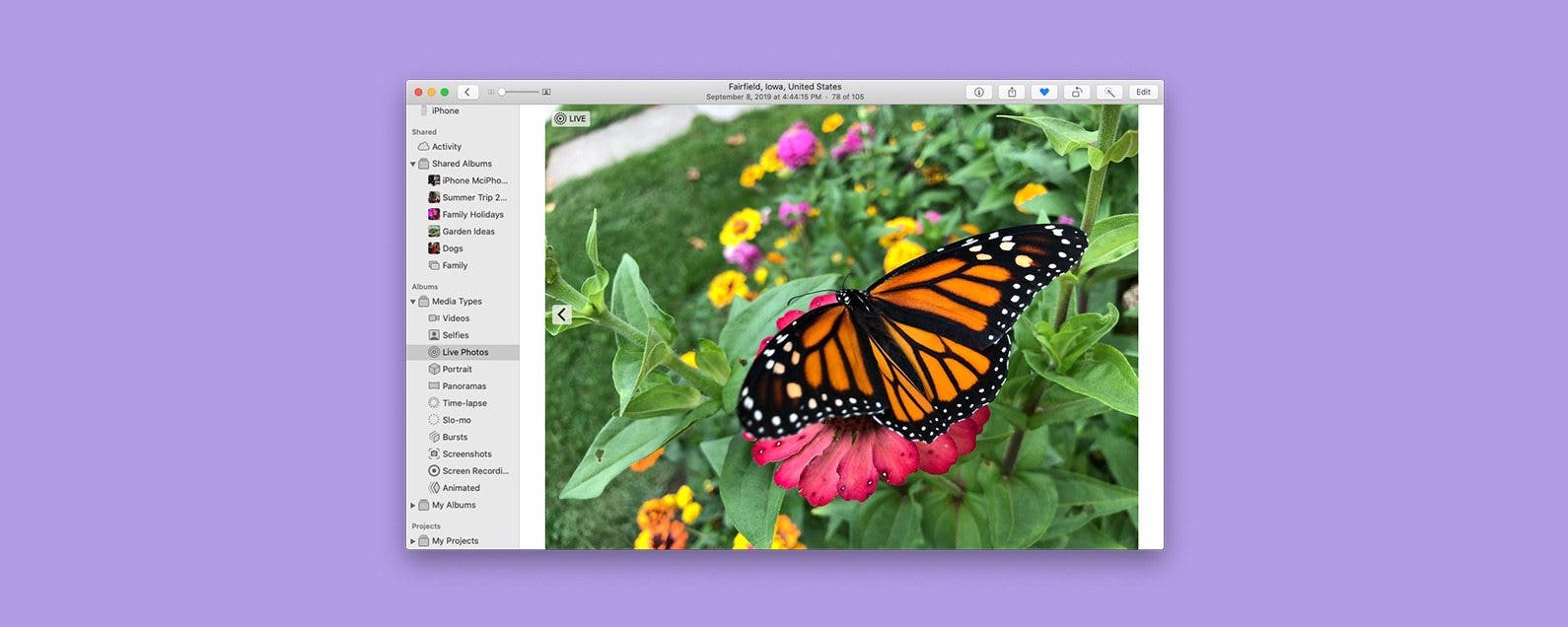
This Mac Photos app tip will allow you to make a duplicate of a photo or video so you can work on the copy and leave the original untouched. Here’s how to make a copy of a picture or video on a Mac.
Reminders Not Syncing? Try These 4 Tips
By August Garry

Are you having trouble with Reminders not showing up on iPhone or Mac? If you're struggling with how to sync Reminders from iPhone to Mac or iPad, or vice versa, we've put together a list of troubleshooting tips on how to sync Reminders on iPhone and Mac.
iCloud Contacts Not Syncing? Try These 5 Tips
By August Garry

Are you having trouble with contacts not showing up on iPhone or Mac? If you're struggling with how to sync contacts from to iPhone to Mac or iPad, or vice versa, we've put together a list of troubleshooting tips to help you get your contacts back.
How to Fix One AirPod Not Working
By Olena Kagui

Since AirPods are not attached like wired headphones, it is possible to end up with only one AirPod working. This article covers the quickest way to troubleshoot a single AirPod not working or charging. I'll also explain how to fix AirPod volume so that both pairs sound equally loud. Finally, I'll tell you if and how you can buy one AirPod only.
iPhone Calendar Not Syncing? Try These 9 Tips
By August Garry

If you're having trouble with your iPhone calendar not syncing up with your other Apple devices, or vice versa, try these troubleshooting tips to ensure all your calendar events show up correctly on all your devices.
How to Turn On In-App Purchases
By Emma Chase

It’s possible to turn off in-app purchases, but what about when you need to turn in-app purchases back on to help you pass a particularly challenging level or get more coins to give you an advantage? We'll show you how to turn on in-app purchases for when you need them.
How to Translate Text in an Image on iPhone for Free
By Devala Rees

If you want to translate text from an image, there is actually an app that can translate pictures already built into your iPhone. It's the Camera app! This also works in Photos too, as it utilizes the Live Text feature to read the text in a picture and translate it from an image into your phone's preset language. Here's how to translate from a picture on your iPhone or iPad.
How to Stop Mac from Auto-Joining a Wi-Fi Network
By Devala Rees

By default, a Mac will automatically connect to Wi-Fi when it recognizes a network that it has joined before. If you'd like to stop this from happening for a network you don't want ot auto-join (such as an unsecured network at your local coffee shop) you need to know how to remove a Wi-Fi network from Mac network settings. We'll show you how.
How to Open Apps Automatically at Login on Mac
By Devala Rees

Mac startup programs are applications that automatically open every time you log in to your Mac. This is a useful feature if you routinely use certain applications each time you use your Mac or a specific Mac login. Here's how to change what apps open on startup.
How to Turn Off In-App Purchases on iPhone & iPad
By Emma Chase

The Best Way to Fix Unlock with Apple Watch Not Working
By Olena Kagui

If your Apple Watch won't unlock your iPhone anymore, you are not the only one. Many iPhone 13 users have experienced this issue, which Apple has since addressed and fixed. There are also a few other surefire ways to quickly resolve Apple Watch not syncing with iPhone or other problems that may be causing this. Let's get started!
How to Get Keyboard on Apple Watch for Faster Typing
By Olena Kagui

The Apple Watch can do a lot entirely independently of the iPhone, but typing on the watch has always been one of the biggest obstacles. While Apple Watch keyboard apps are an option for most watch models, the built-in QWERTY Apple Watch keyboard is a game changer for compatible models.