Most iPhone users know that their camera can scan QR codes with ease. What many don’t know is that your iPhone also has a dedicated QR code scanning app preinstalled. Let’s go over how to find and use it.
Why You’ll Love This Tip
- Easily scan and open QR codes in a matter of seconds.
- Avoid downloading third-party apps to scan QR codes.
How to Find the QR Code Reader on Your iPhone
System Requirements
This tip was performed on an iPhone 15 Pro running iOS 26.3.1. Find out how to update to the latest version of iOS.
When QR codes first started to become popular, you needed to download a dedicated QR code scanner app to your iPhone from the App Store. Eventually, Apple built QR code scanning into the Camera app. However, there is also a dedicated QR code scanning app on iOS that’s hidden. For more hidden tips and tricks, be sure to sign up for our free Tip of the Day newsletter. Now, here’s how to find and use the secret QR barcode reader on your iPhone:
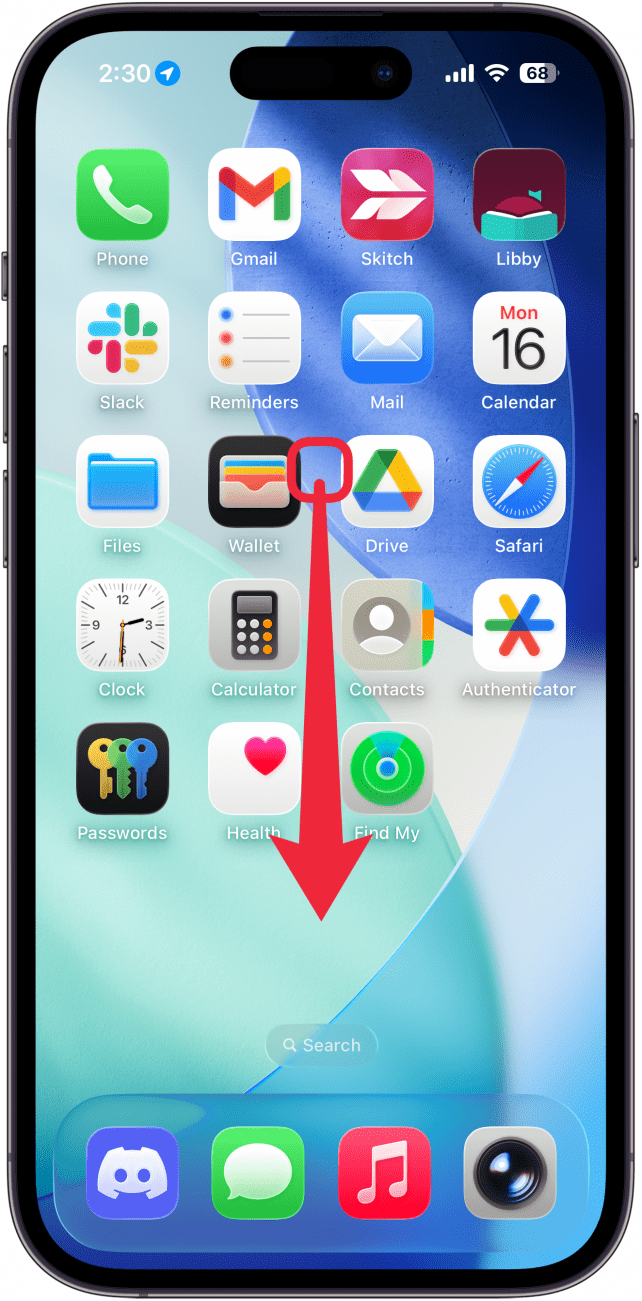
- On your iPhone Home Screen, swipe down from the center of the screen to open Spotlight Search.
![a screenshot of the iphone home screen with a red arrow pointing downwards indicating to swipe down]()
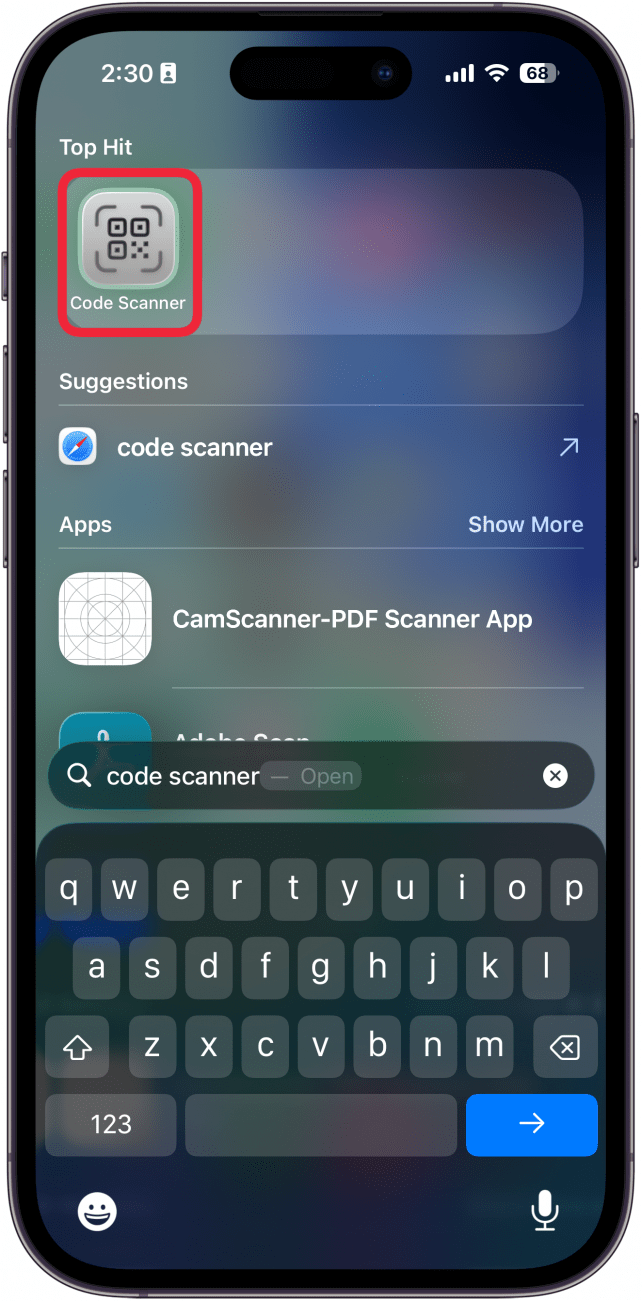
- Type in Code Scanner, and tap the app that appears.
![a screenshot of spotlight search on the iphone with a red box around the code scanner app]()
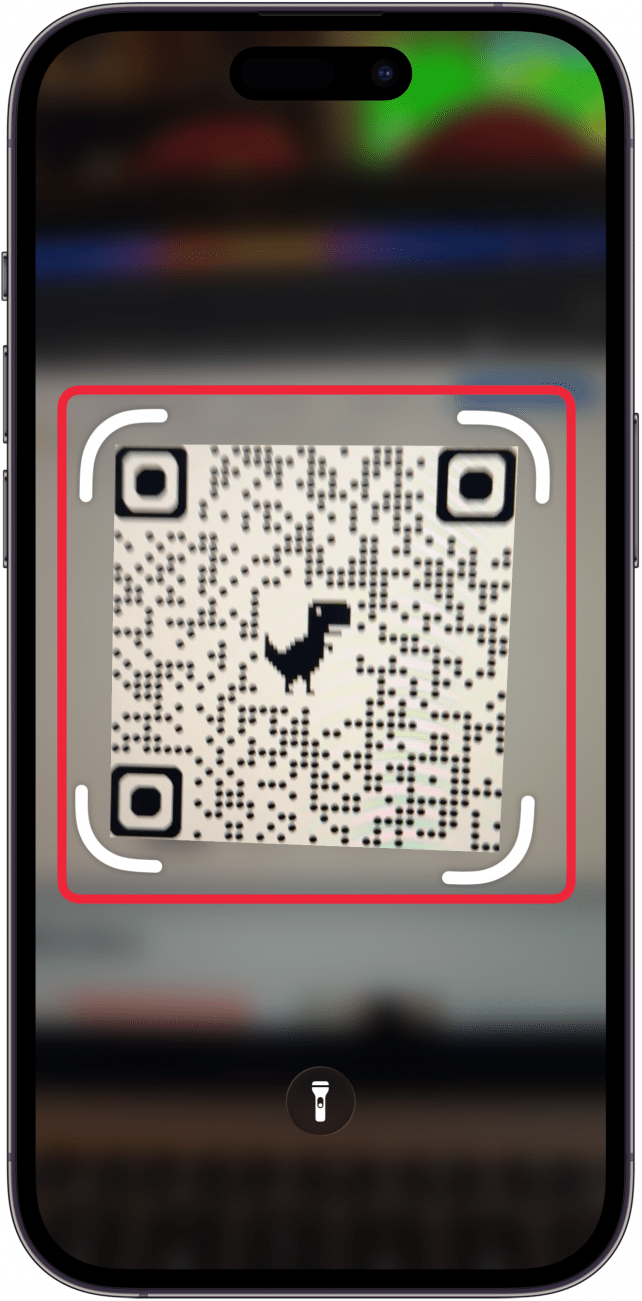
- Once Code Scanner is open, all you need to do is point your phone at a QR code. Keep in mind that Code Scanner will automatically open whatever data the QR code contains.
![a screenshot of the code scanner app on iphone with a red box around a qr code]()
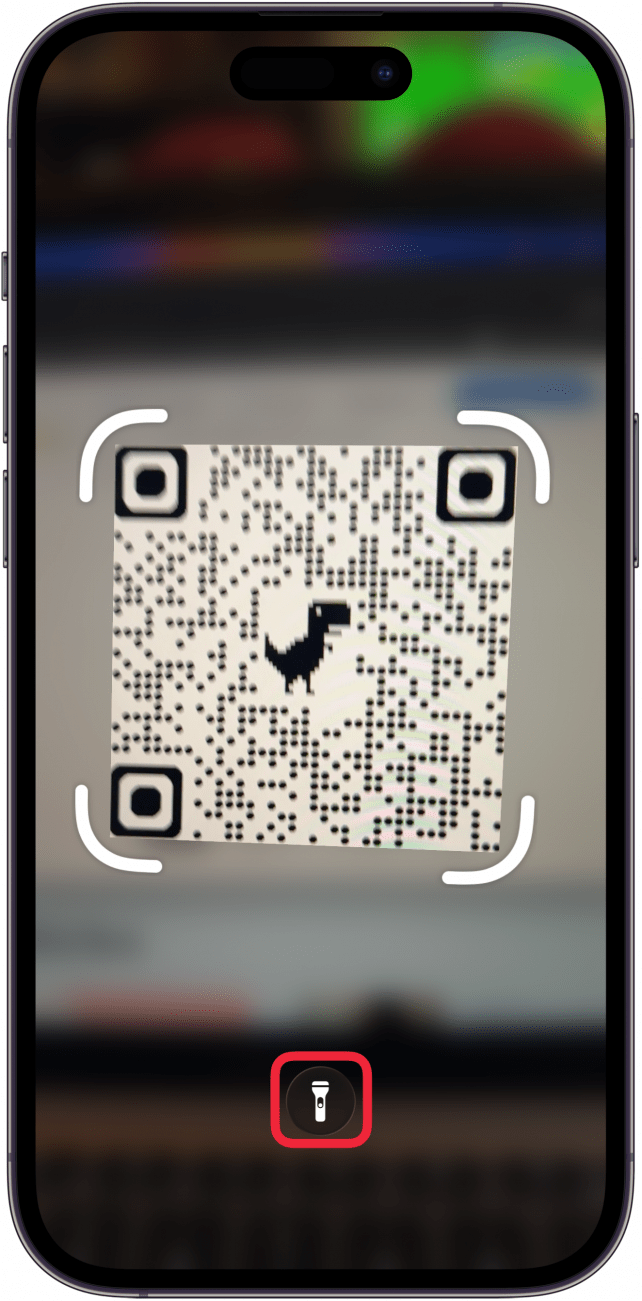
- You can tap the flashlight icon to turn on your Camera’s flash to make scanning a QR code in low light easier.
![a screenshot of the code scanner app on iphone with a red box around the flashlight icon]()
Note
Some scammers and hackers use QR codes to spread malware. When scanning a QR code, make sure you know exactly what it does before you scan it. Never scan random QR codes placed in public or sent to you unsolicited in text messages or emails.
That’s how to scan a code with your iPhone using the hidden Code Scanner app! Now you can easily scan QR codes at any time.