Mac Won’t Turn On but Is Charging: Fixed!

Leanne puts her love of troubleshooting and repair to use managing our Ask an Expert Facebook group and has authored hundreds of how-to, Apple news, and gear review articles.
Learn More Leanne puts her love of troubleshooting and repair to use managing our Ask an Expert Facebook group and has authored hundreds of how-to, Apple news, and gear review articles.
Learn MoreWhat to Know
- If your MacBook is charging but won't turn on, make sure your power cable and outlet are undamaged.
- You can also try power cycling your Mac, and using the macOS Recovery process.
If your Mac won't turn on but is charging, we can help. Read on to learn the troubleshooting steps you need to take if your Mac or MacBook won't power on.
Mac Charging But Won't Turn On? Easy Fixes
Note:
This is a different issue than the "Rainbow Wheel of Death" or "Spinning Wheel of Death" on your Mac, though some of the fixes are similar.
What can you do if your Mac won't turn on but is charging? There are a few easy things you can try first. To start, make sure the power cable you're using doesn't appear damaged, and that it's plugged correctly into your Mac. Use another electrical device to make sure that the outlet you're using is delivering power. If you have a different charging cable you can use, try it and see if your Mac turns on after charging for a while.
If your Mac doesn't have a built-in display, check that the external display is turned on, connected to your Mac, and connected to a power source.
If the cables don't appear to be a problem, try a power cycle: press and hold the power button on your Mac for around 10 seconds. If you have a MacBook with Touch ID, press and hold Touch ID for the same amount of time. After this, press and release the power button normally, and see if your Mac starts up.
Next, unplug any accessories that are connected to your Mac. This includes drives, printers, USB hubs, and any iPhones, iPads, etc that are charging. Once you've done this, repeat the power cycling process above.
If You See Something on Your Mac Screen
If your Mac screen shows the Apple logo, a circle with a line through it, a flashing question mark, or any other icons or symbols, it means your Mac is turning on, but not starting up. Apple Support has guidance for each icon.

Image courtesy of Apple
If You See Nothing on Your Mac Screen
If your Mac's screen is blank even though it seems to be on, it's most likely a software issue. Try the power cycling process in the first section again.
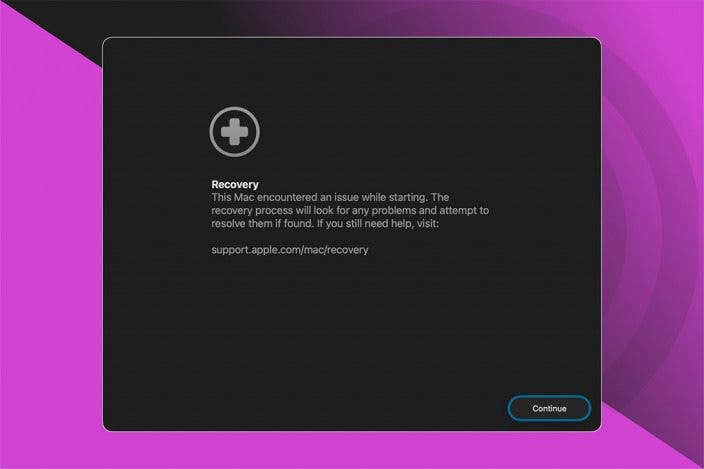
If power cycling didn't get your Mac to start up, use Apple's macOS Recovery process.
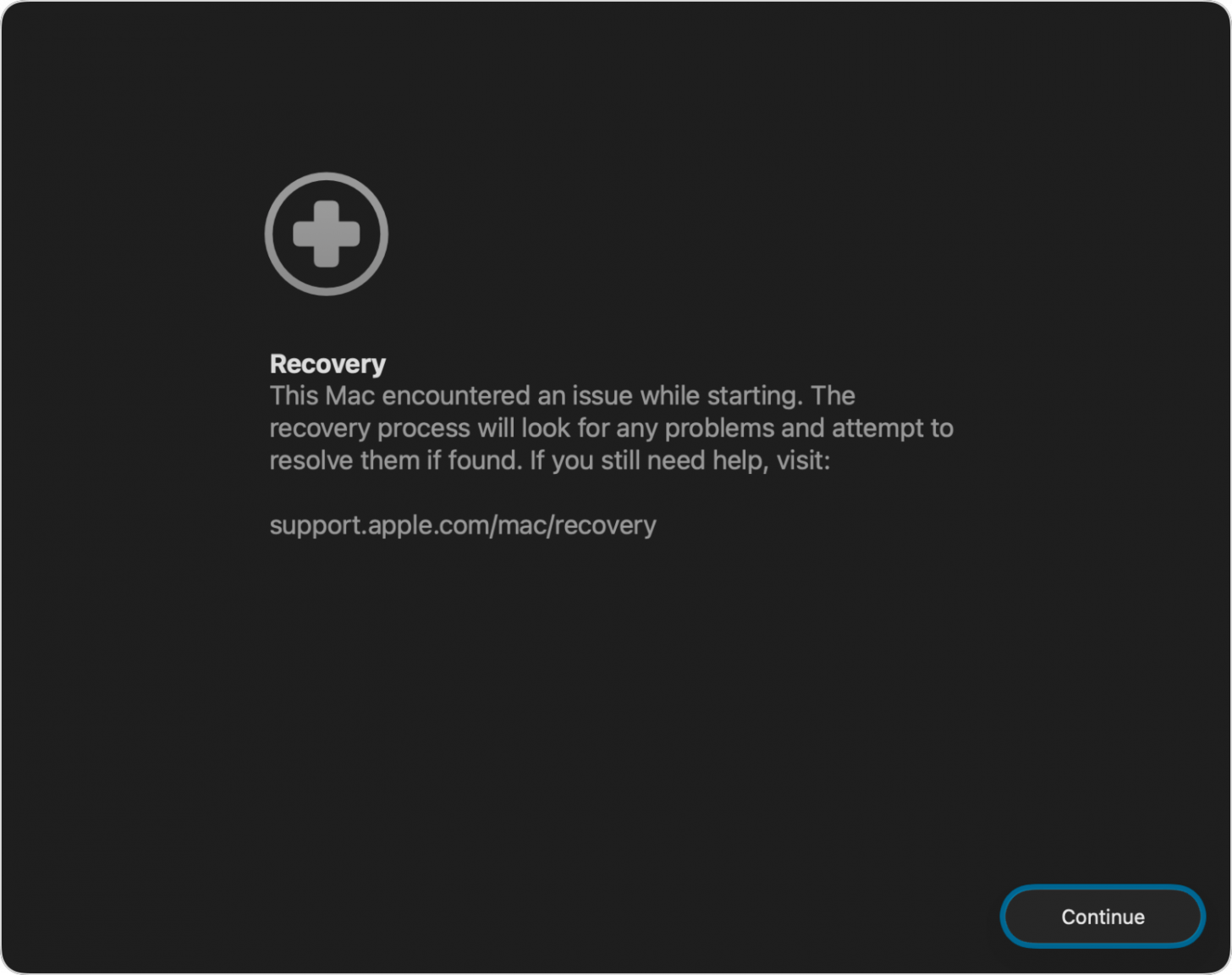
Image courtesy of Apple
If your Mac still isn't starting after all these steps, it's time to contact Apple Support. Now you know what to do if your MacBook or Mac won't turn on but is charging. Be sure to check out our free Tip of the Day for more great Mac troubleshooting tutorials.
FAQ
- What can I do if my iPhone or iPad won't turn on? If your iPhone or iPad won't turn on, it may be a software, hardware, or charging issue. We have a troubleshooting guide to help you.
- My Apple Watch won't charge; what could be wrong? If your Apple Watch won't charge, it could be that the sensor and charging port are damaged or need to be cleaned. Hard rebooting your Apple Watch can also help.
- How can I fix my AirPods when they aren't working? If your AirPods aren't working, you need to make sure they're the default audio device, iOS may need to be updated, and more.

Leanne Hays
Leanne Hays has more than sixteen years of experience writing for online publications. As a SEO Specialist and Feature Writer for iPhone Life, she has authored hundreds of how-to, Apple news, and gear review articles, as well as a comprehensive Photos App guide. Leanne holds degrees in education and science and loves troubleshooting and repair. This combination makes her a perfect fit as manager of our Ask an Expert service, which helps iPhone Life Insiders with Apple hardware and software issues.
In off-work hours, Leanne is a mother of two, homesteader, audiobook fanatic, musician, and learning enthusiast.
 Rhett Intriago
 Olena Kagui


 Hal Goldstein
 Rachel Needell

 Leanne Hays
 Amy Spitzfaden Both