* This article is from our Tip of the Day newsletter. Sign Up. *
So you’ve recently updated to iOS 17 and find yourself getting hounded by notifications telling you to log your state of mind? Not to worry, there’s an easy way to turn this functionality off. Read on to learn how to turn off the iOS 17 mental health features.
Why You’ll Love This Tip:
- Prevent your iPhone from pestering you about logging your state of mind.
- Set specific times for when exactly you want to be reminded.
How to Disable Apple Mental Health Reminders
System Requirements
This tip works on iPhones running iOS 17 or later. Learn how to update to iOS 17.
In the latest version of iOS, you can log your mood throughout the day in the Health app. This is to help you gain a better understanding of your emotions. This feature will remind you at certain intervals to check in and record how you’re feeling. This can get annoying if you don’t want constant reminders. To continue learning all about the new features in iOS 17, be sure to sign up for our free Tip of the Day newsletter. Now, let’s take a look at how to disable the iOS 17 mental health reminders:

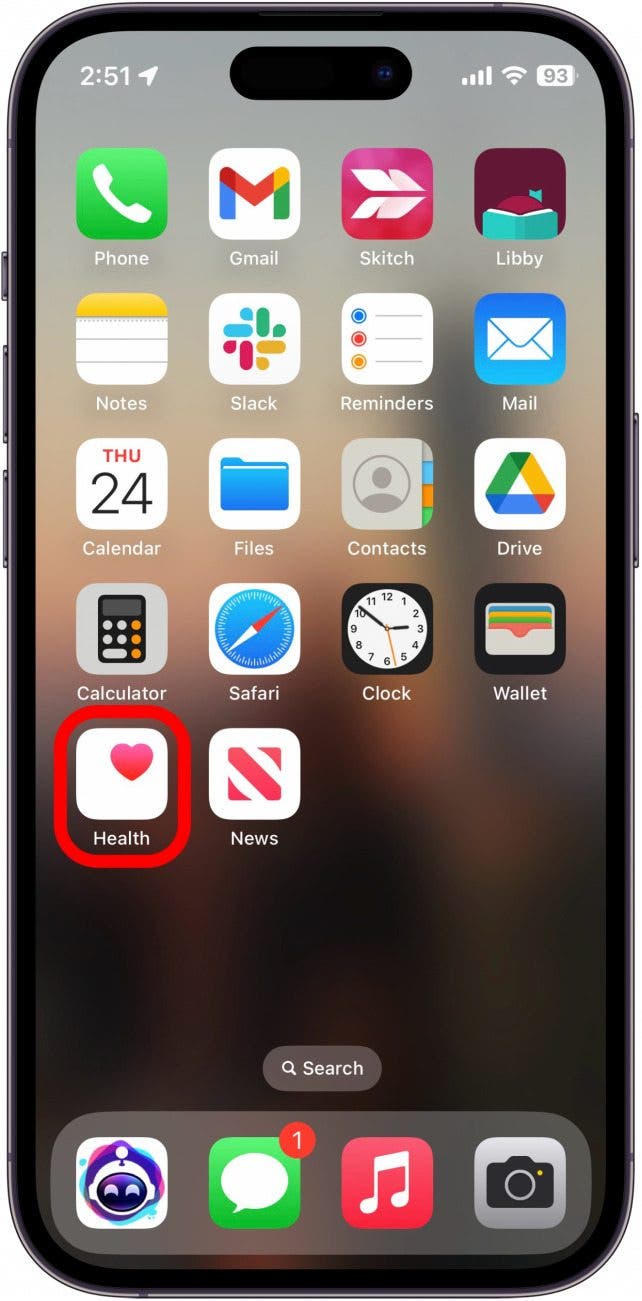
- Open the Health app.
![iphone home screen with health app circled in red]()
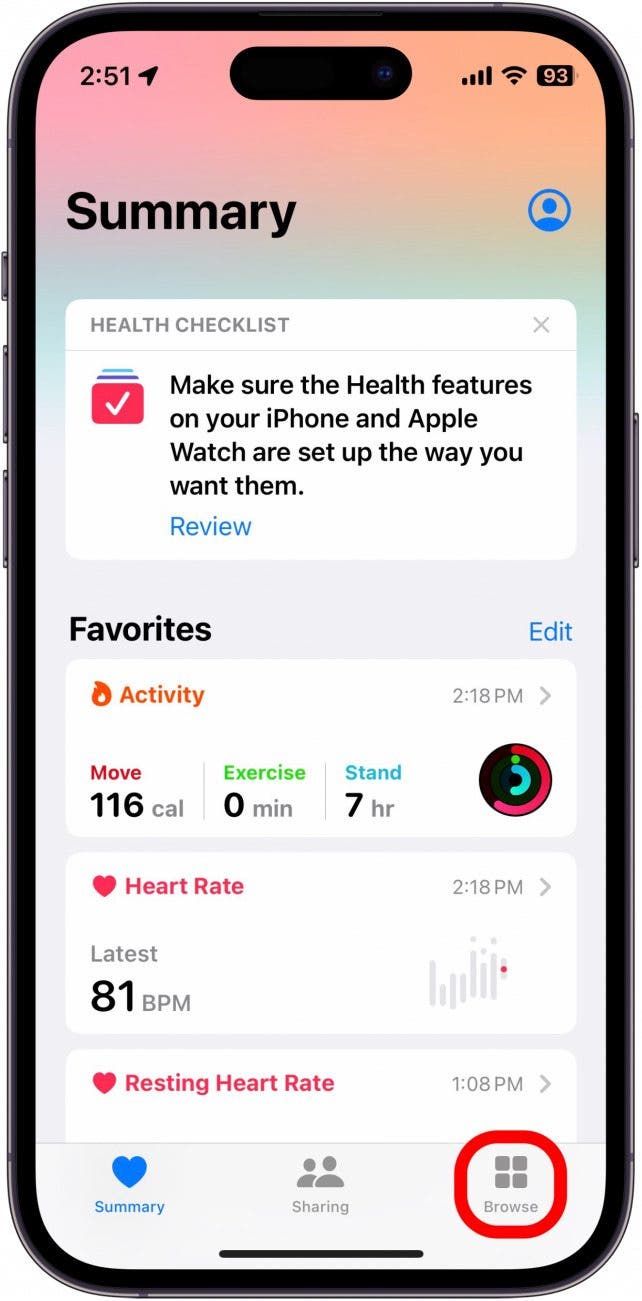
- Tap Browse.
![health app with browse tab circled in red]()
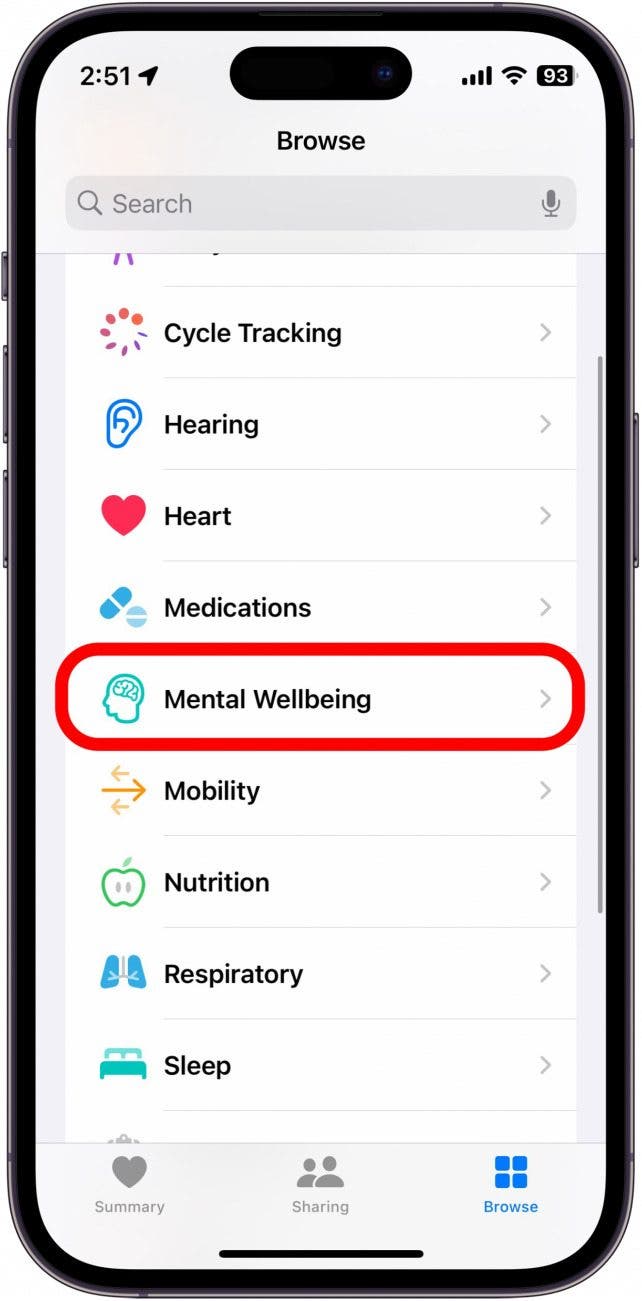
- Tap Mental Wellbeing.
![health app with mental wellbeing option circled in red]()
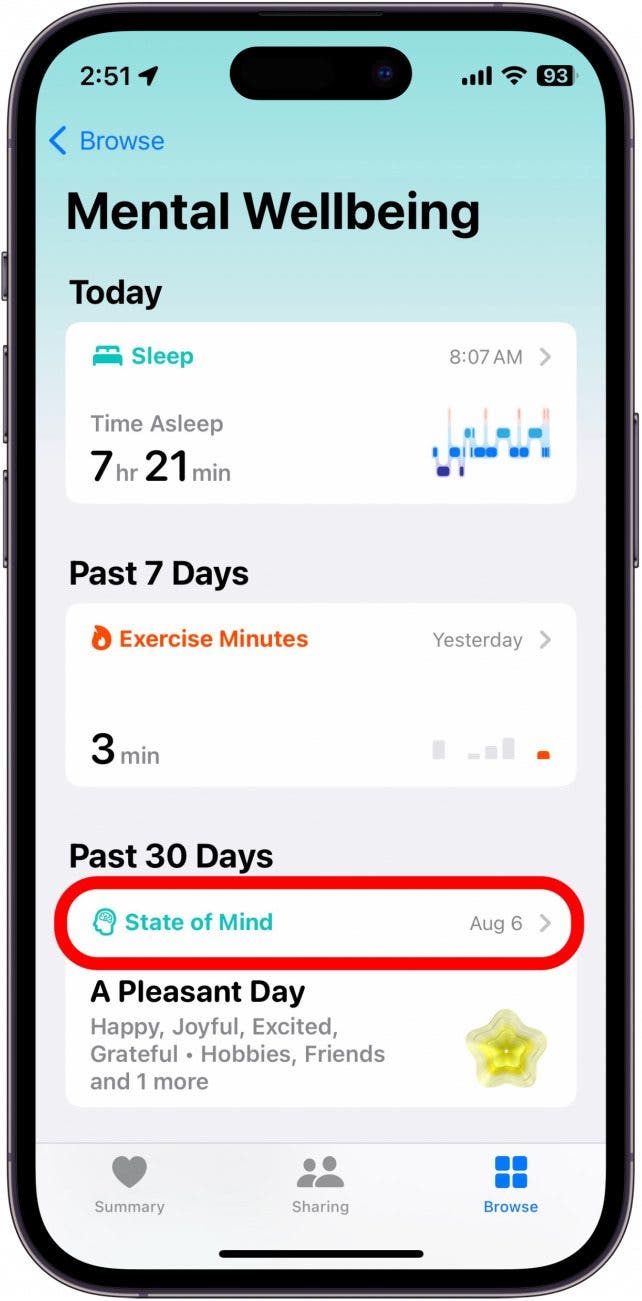
- Tap State of Mind.
![iphone health mental wellbeing screen with state of mind circled in red]()
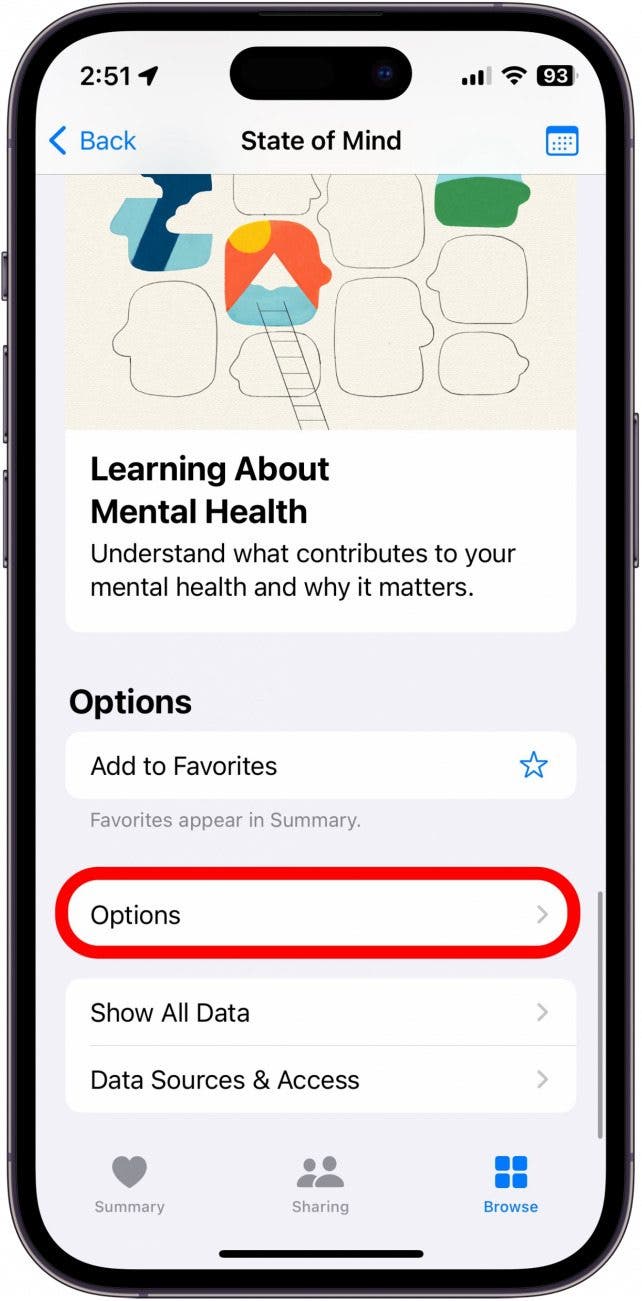
- Scroll to the bottom and tap Options.
![iphone state of mind with mental health options button circled in red]()
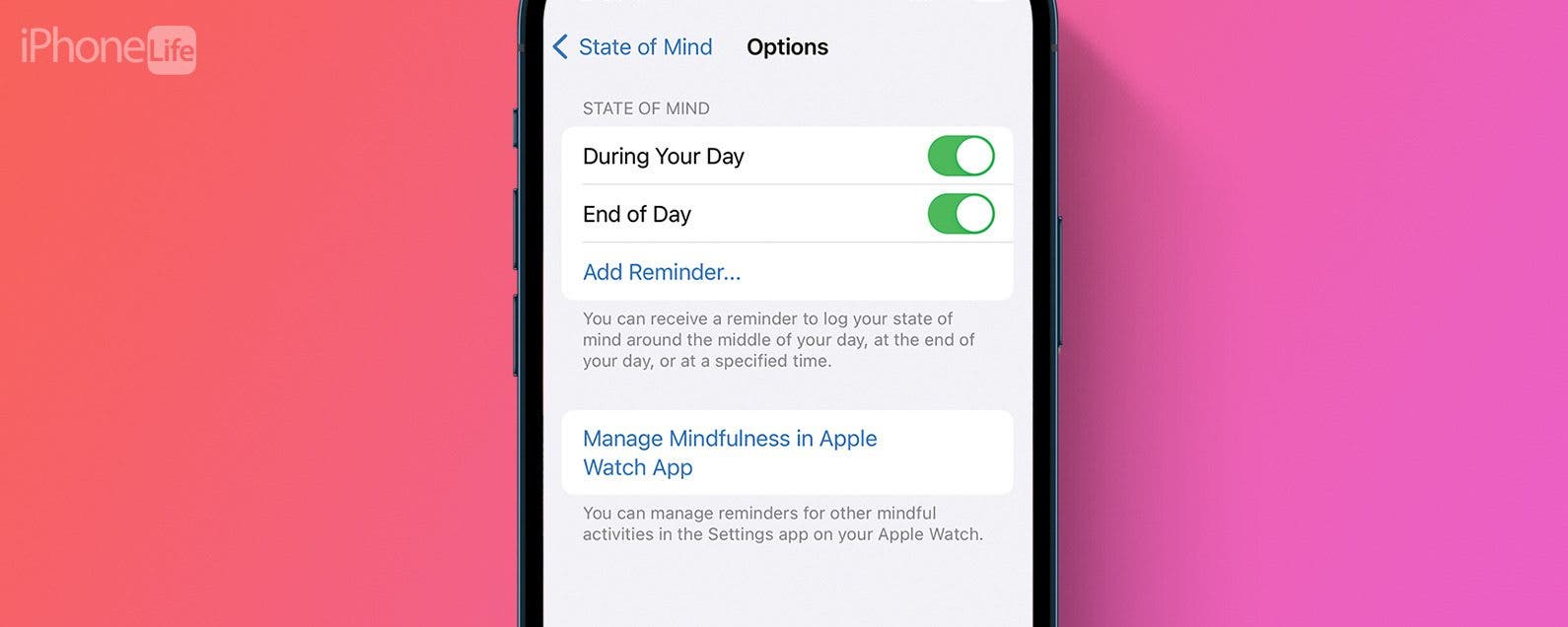
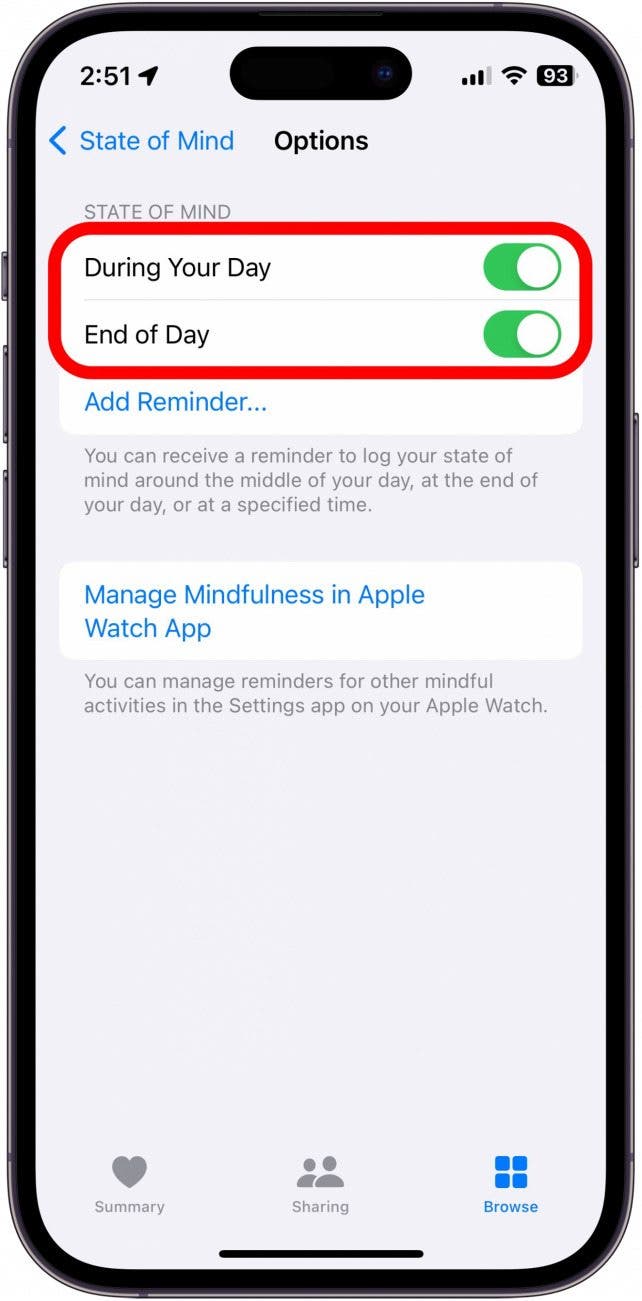
- Under State of Mind, you can tap the toggles next to During Your Day and End of Day to enable or disable these reminders.
![iphone health state of mind reminder settings with During Your Day and End of Day toggles circled in red]()
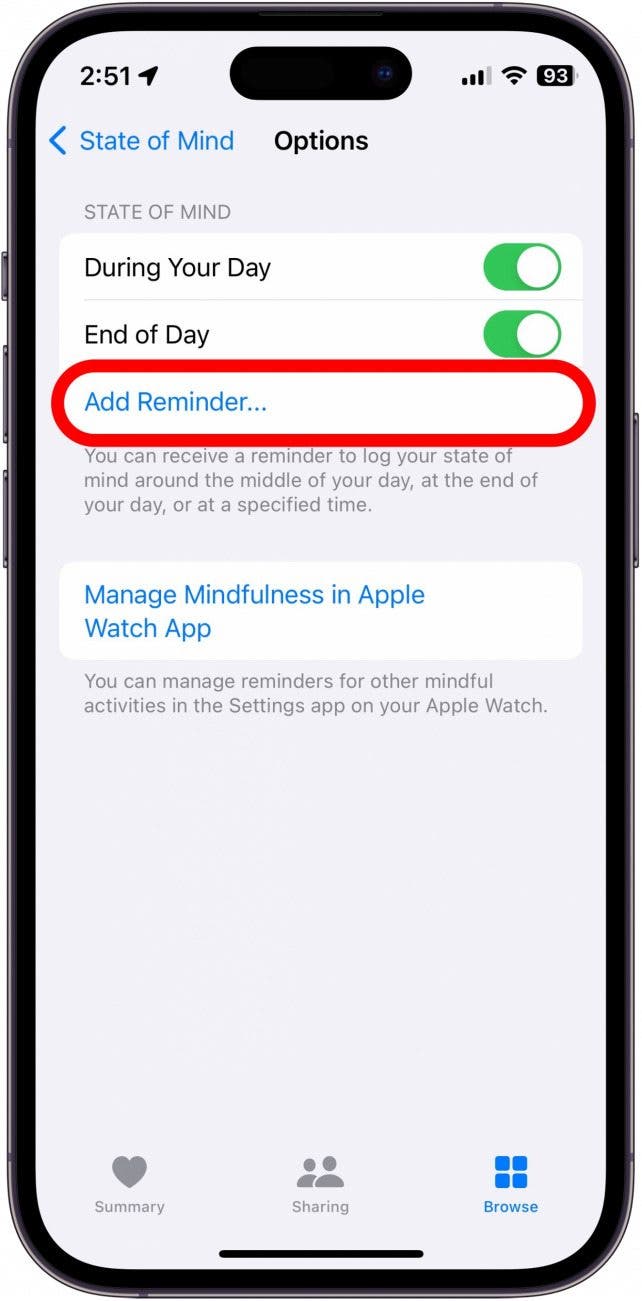
- You can also tap Add Reminder… to set a specific time you actually want to be reminded to log your mood.
![iphone health state of mind reminder settings with add reminder button circled in red]()
Apple’s mental health features are designed to help you maintain a healthy state of mind, which logging your mood can help with. However, if the notifications bug you too much, now you know how to turn them off. If you don’t know how to log your mood, check out how to do it on iPhone and Apple Watch!