How to Turn On Automatic Speakerphone on iPhone

With 10-plus years of experience with Apple devices, Rachel specializes in all things iPad and is a Notes app expert. Find her writing in the Daily Tip newsletter and iPhone Life magazine.
Learn More With 10-plus years of experience with Apple devices, Rachel specializes in all things iPad and is a Notes app expert. Find her writing in the Daily Tip newsletter and iPhone Life magazine.
Learn MoreI love talking on the phone for periods of time with all my long-distance friends. But I don't love holding the iPhone to my face for hours; that's why I prefer to use speaker mode. Did you know you can turn on automatic speaker on your iPhone? If your iPhone automatically goes to speaker and you don't want it to, you can turn off speaker mode, too.
Why You'll Love This Tip
- Avoid holding your iPhone to your face when you get a phone call without having to press any buttons.
- Use automatic speaker on iPhone to default to speakerphone when you answer an incoming phone call.
- Learn how to turn off automatic speaker on iPhone if this feature annoys you.
Tell iPhone to Automatically Go to Speakerphone
System Requirements
This tip was performed on an iPhone 17 Pro running iOS 26. Find out how to update to the latest version of iOS.
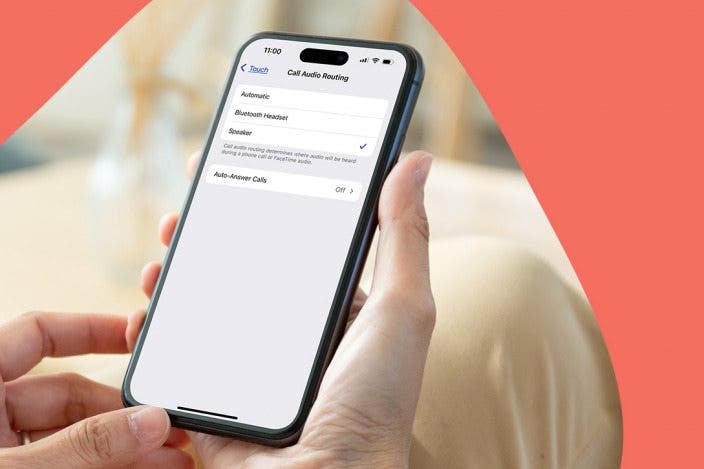
We take our iPhones with us everywhere, and everything our fingers touch inevitably ends up smeared on our phone screen. That's why I love this tip that allows me to keep my phone away from my face while chatting. If you're wondering why your iPhone goes to speaker automatically, it's to do with the Call Audio Routing iPhone feature in these steps. Here's how to turn off automatic speaker on iPhone.
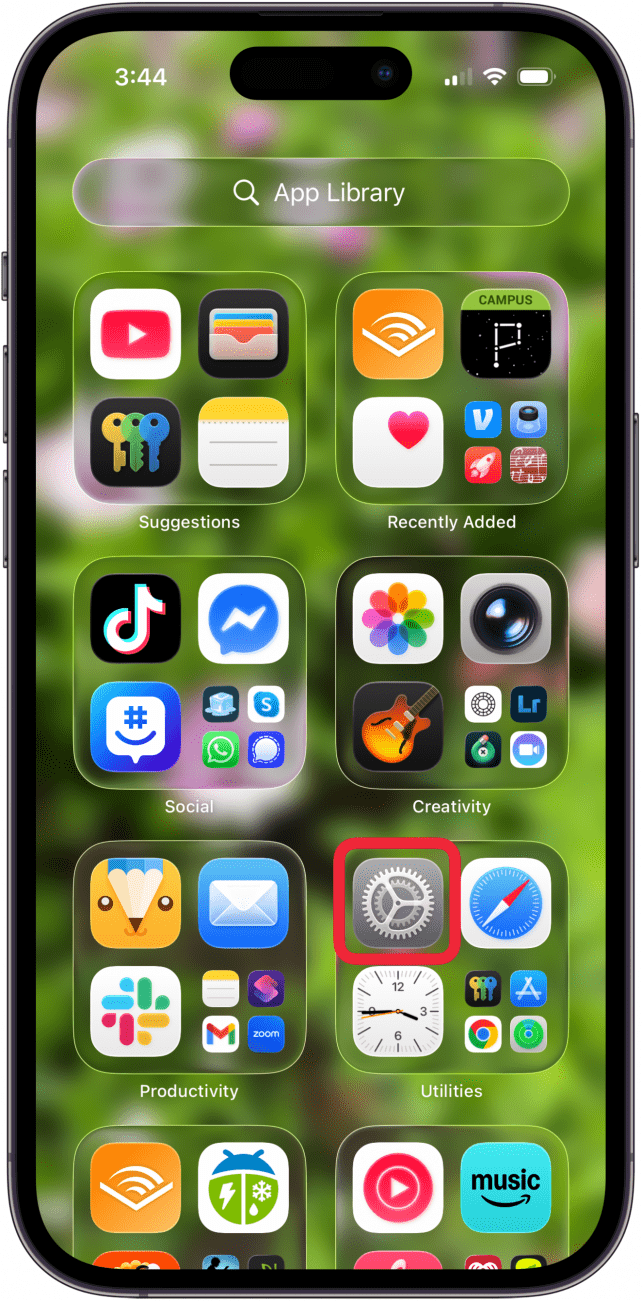
- Open the Settings app on your iPhone.
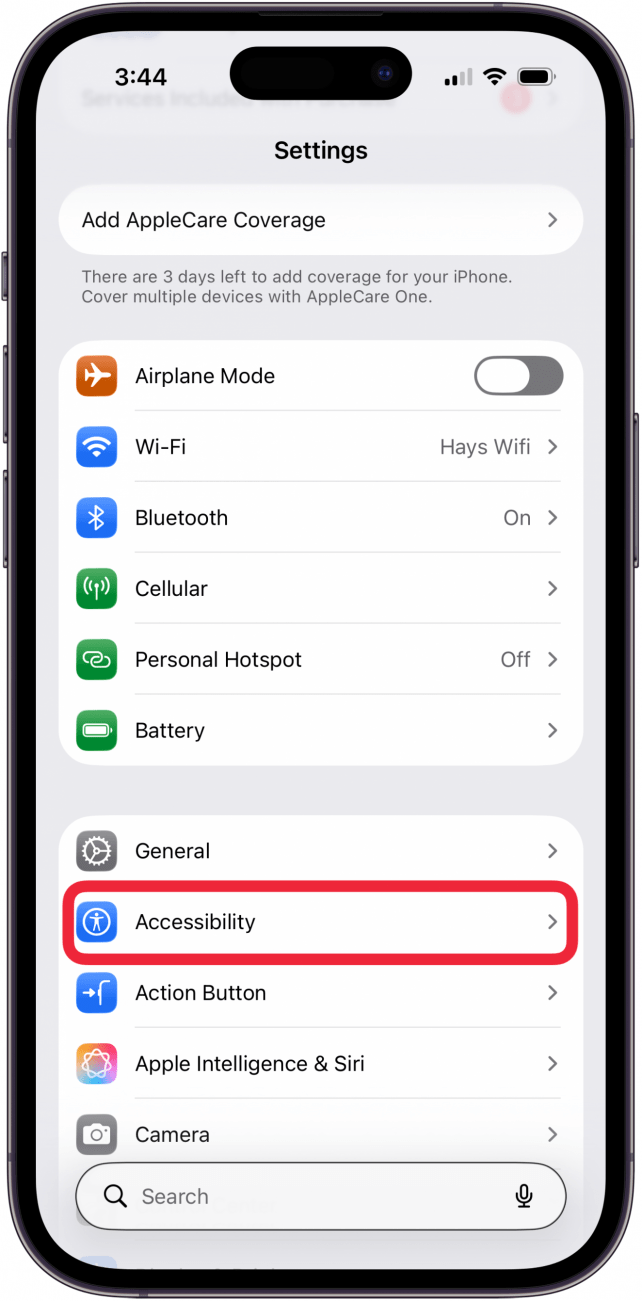
- Tap Accessibility.
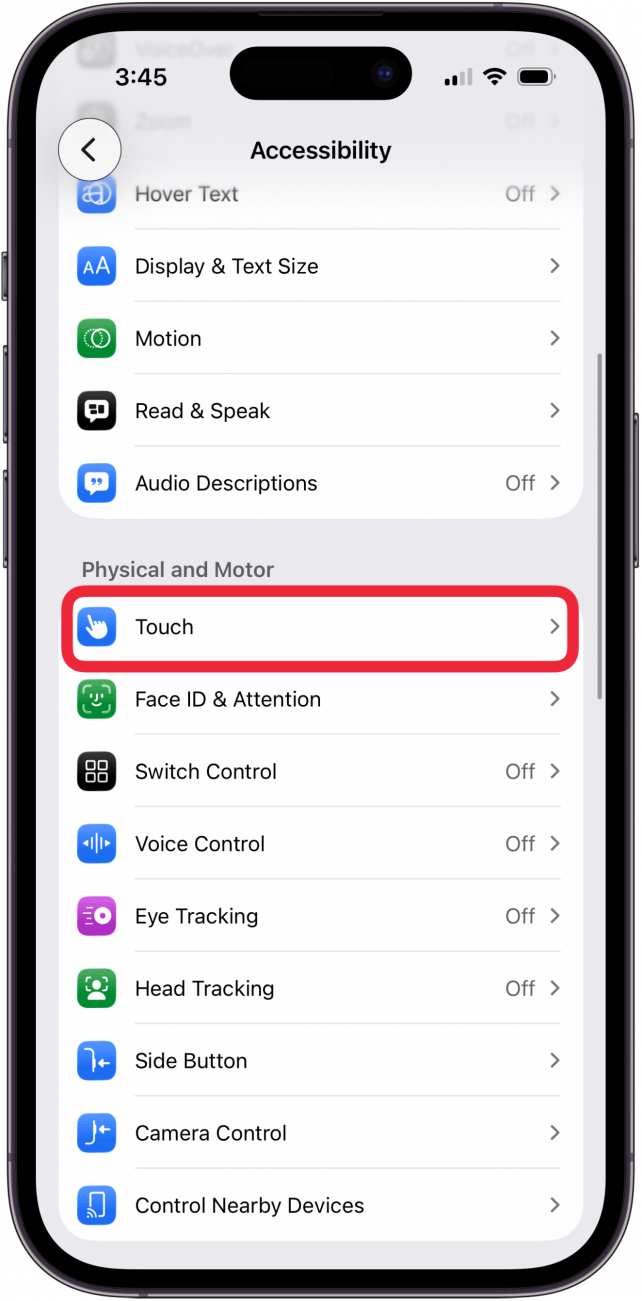
- Tap Touch.
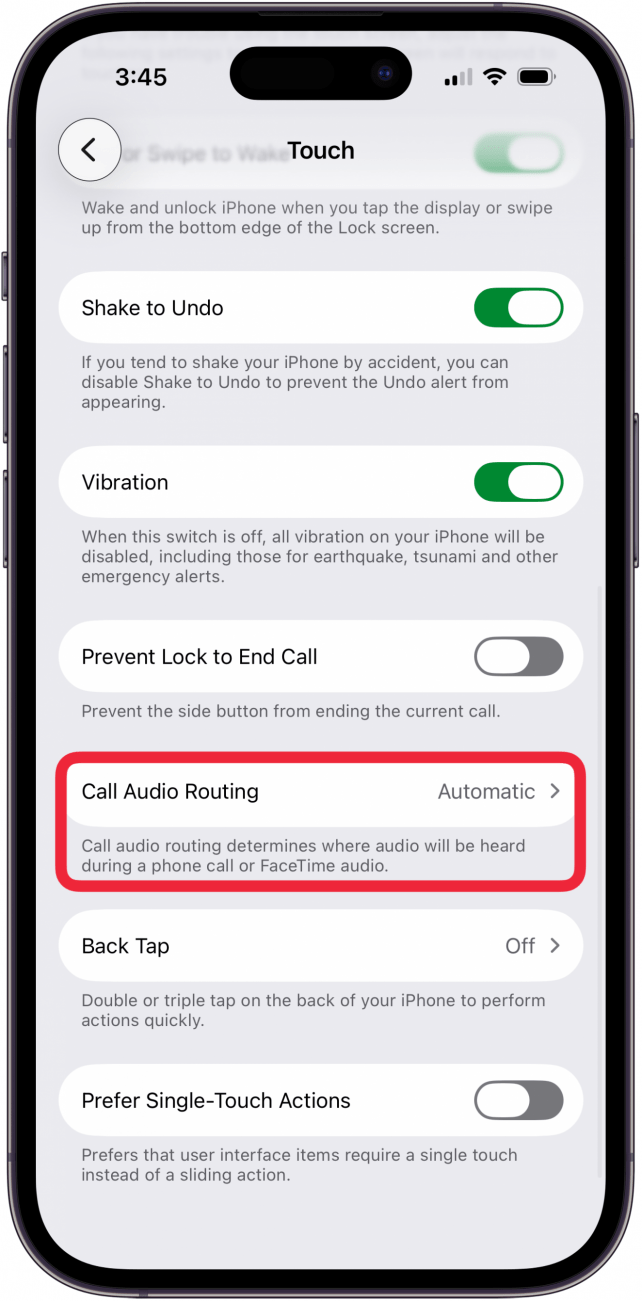
- Tap Call Audio Routing.
- Tap Speaker.
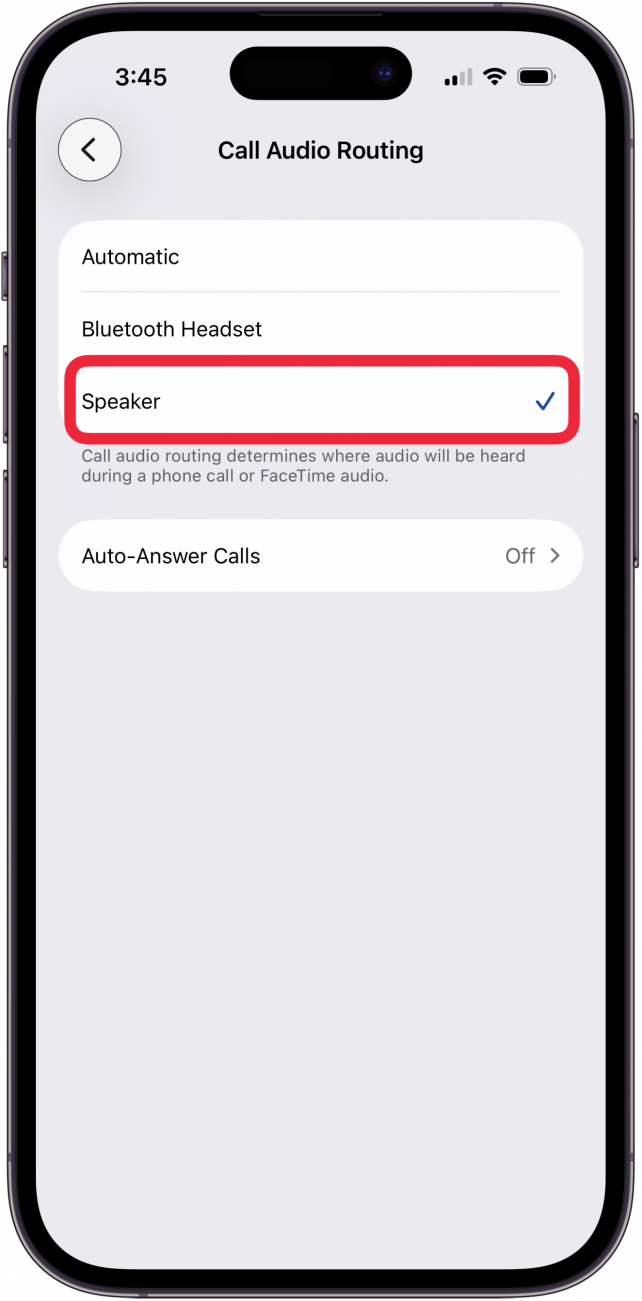
Now, when you get a phone call, your iPhone automatically goes to speaker! If you don't want your iPhone to enter speaker mode automatically, select Automatic in step five. To learn more cool tips and tricks about Apple devices, be sure to sign up for our free Tip of the Day!
More On: Phone & Voicemail
Top image credit: panitanphoto / Shutterstock.com

Every day, we send useful tips with screenshots and step-by-step instructions to over 600,000 subscribers for free. You'll be surprised what your Apple devices can really do.

Rachel Needell
Related topics
Related Articles

 Leanne Hays
 Olena Kagui
What Is Data Roaming on iPhone & Should It Be On or Off?

Awe Dropping: What to Expect from Apple's September Event
 Amy Spitzfaden Both
 Rhett Intriago


 Susan Misuraca