By Rachel Needell
Wed, 04/06/2022

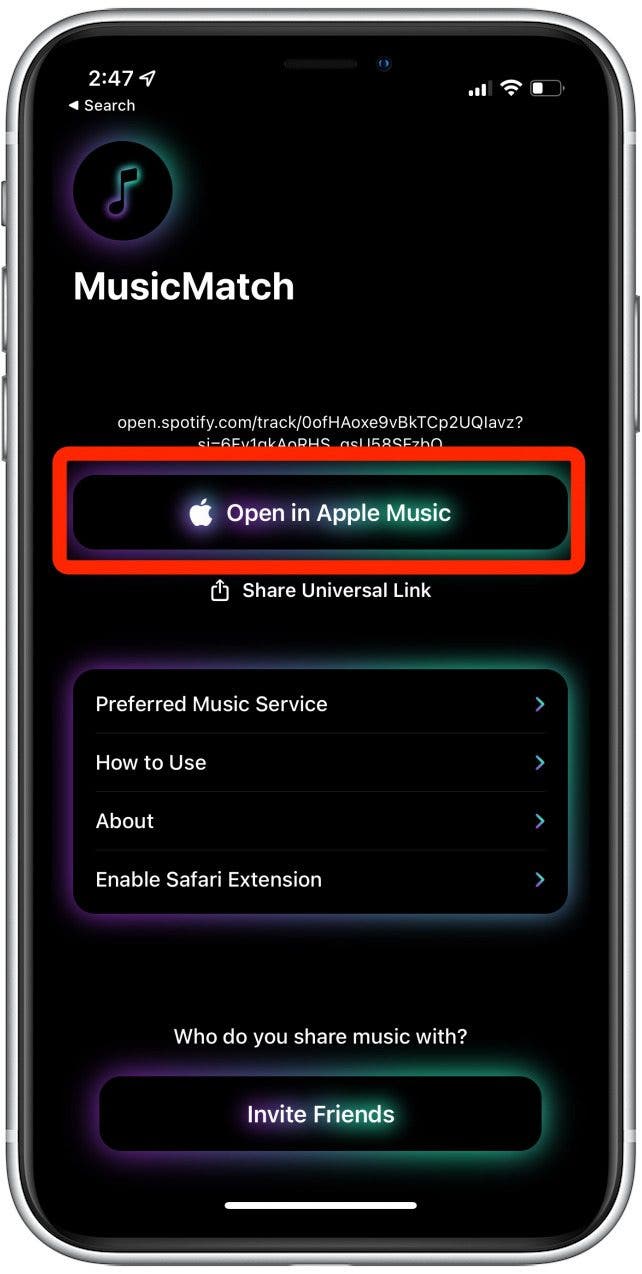
You may have been wondering how to convert a song from Apple Music to Spotify or how to share a Spotify song to Apple Music. With the App MusicMatch, this is now possible. With this app, you can share a Spotify song link and convert it to Apple Music or translate a Apple Music link to Spotify.
Related: How To Download All Your Songs in Apple Music to Your iPhone (2022)
From Apple Music to Spotify
- To do this, first go to the App Store.
![]()
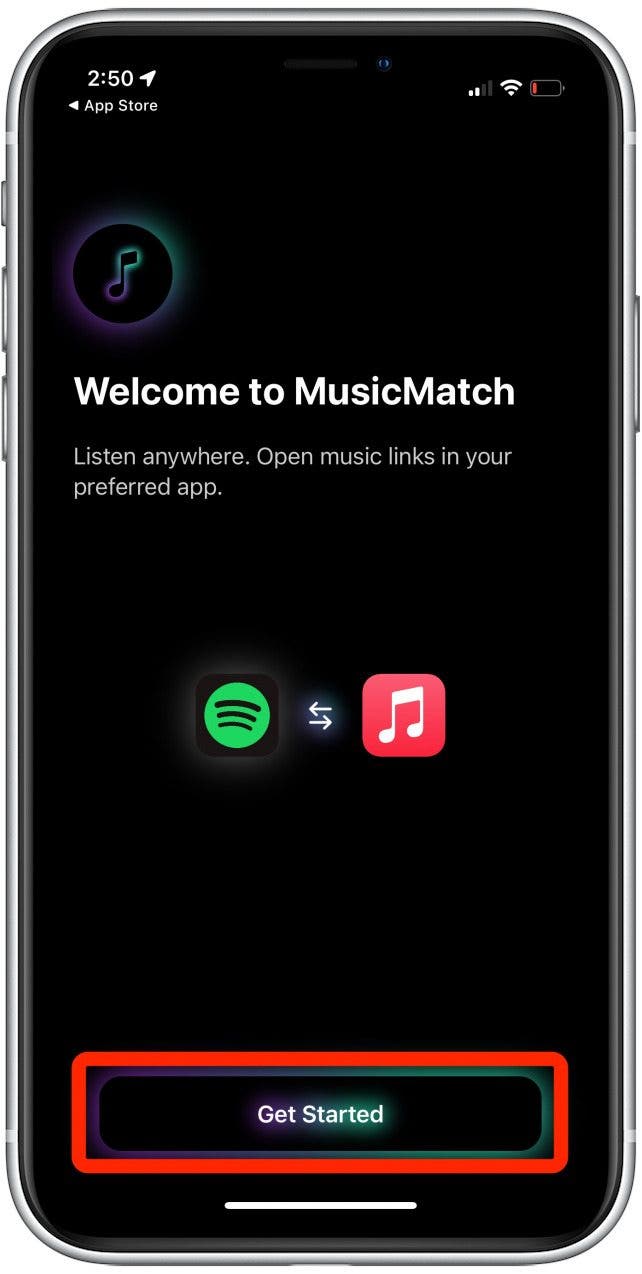
- Download the app MusicMatch.
![]()
- Open the app and click through the tutorials.
![]()
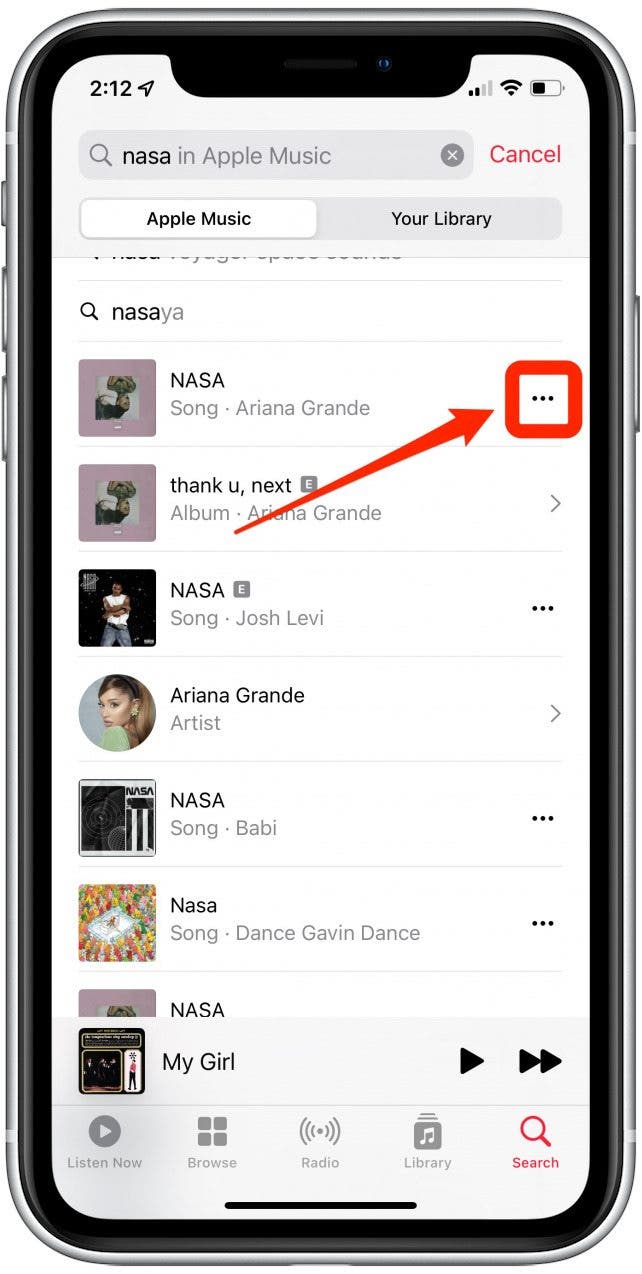
- Then, open Apple Music, pick a song you would like to open in Spotify, and tap the three dots on the far right of the song title.
![]()
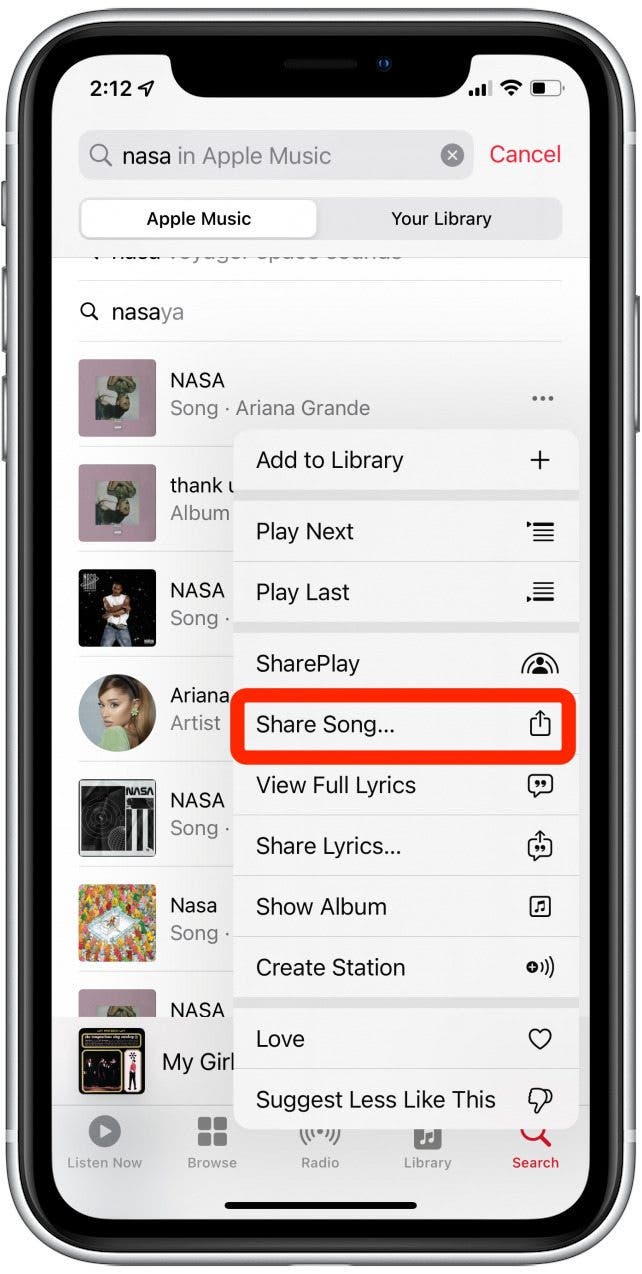
- Select Share Song…
![]()
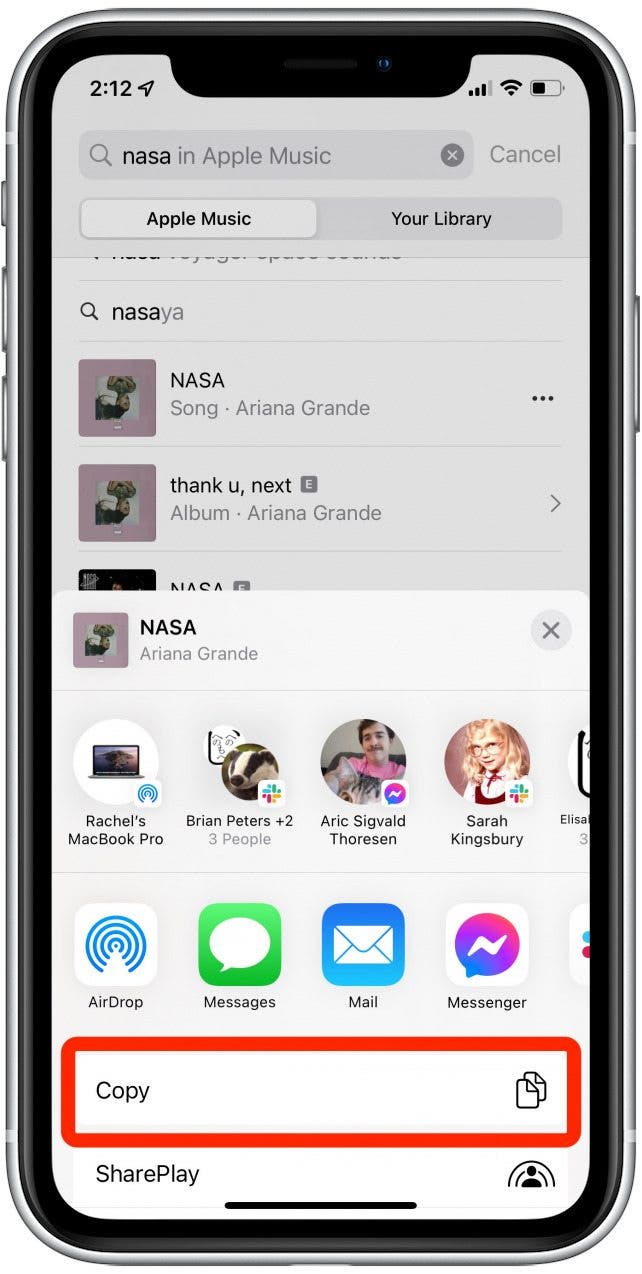
- Tap Copy from the pop-up menu.
![]()
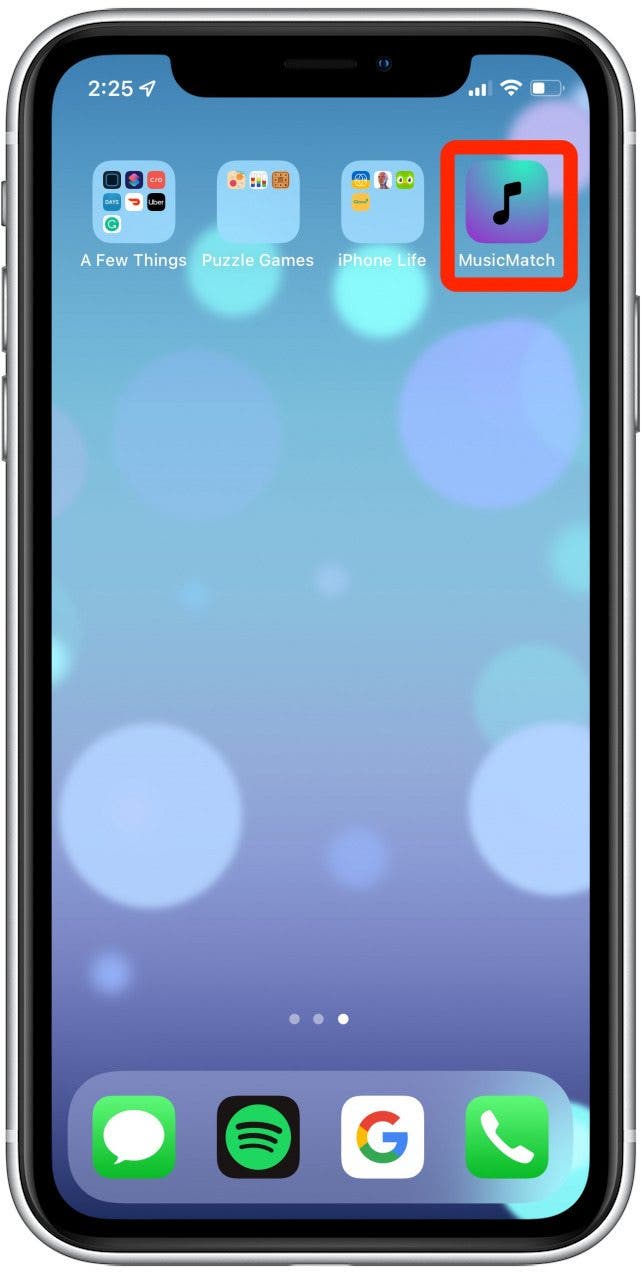
- Then, return to your home screen and open the MusicMatch app.
![]()
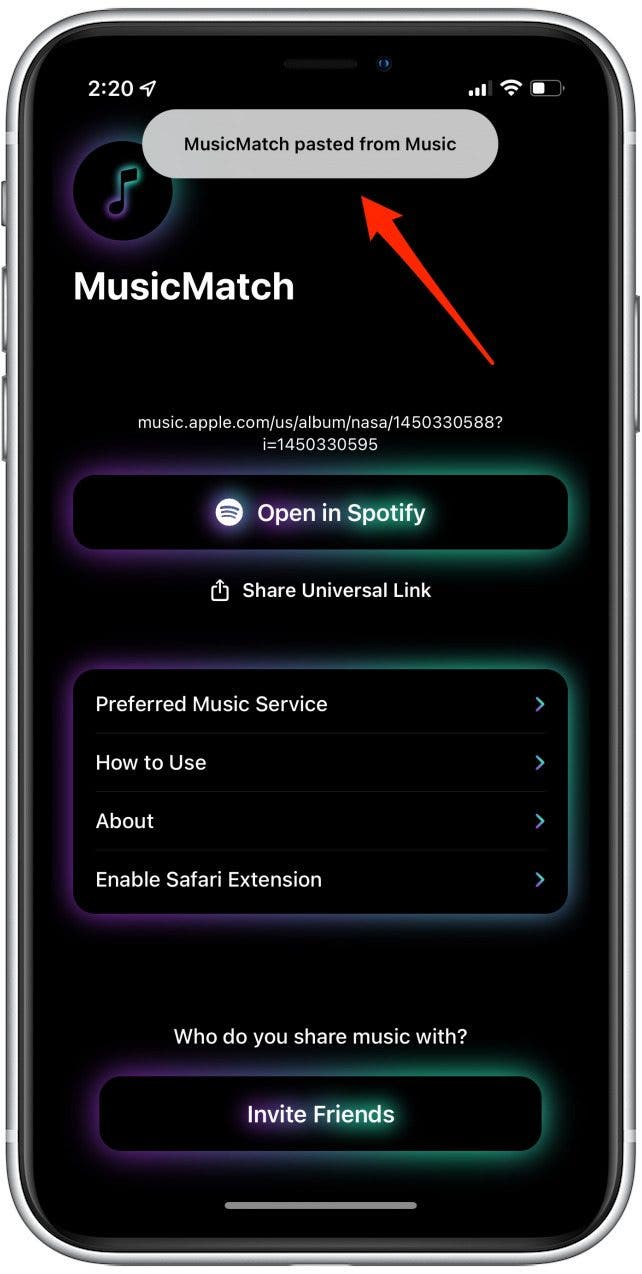
- The link will automatically paste or select Paste Link Here.
![Paste song link to MusicMatch app]()
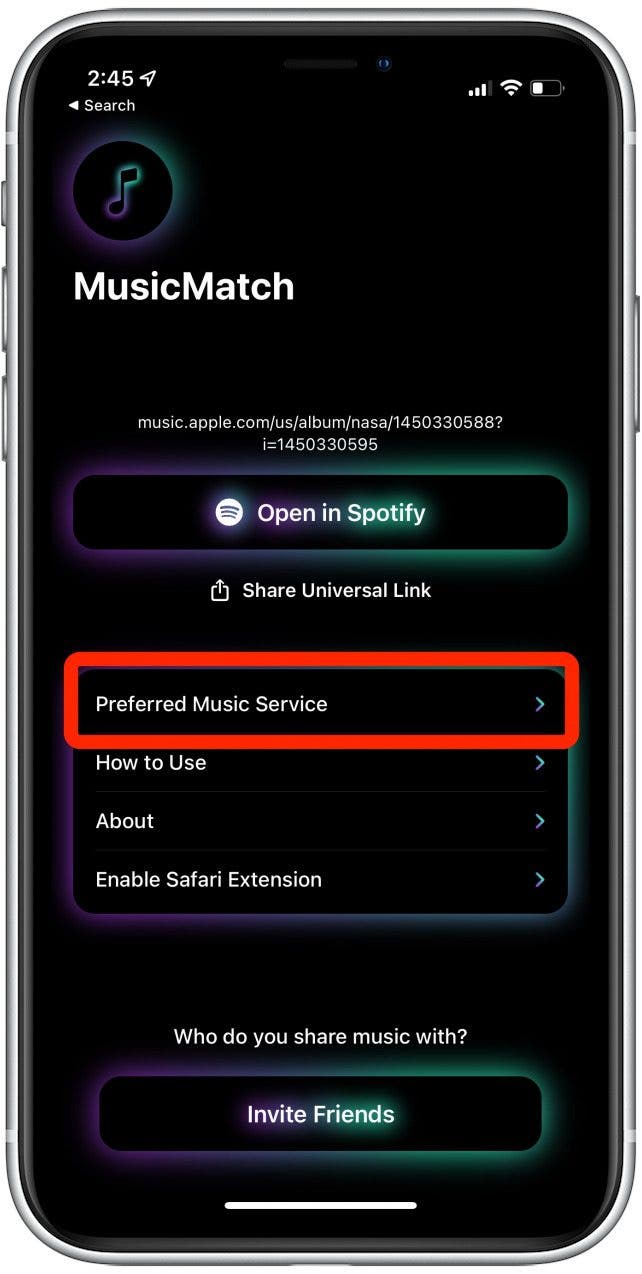
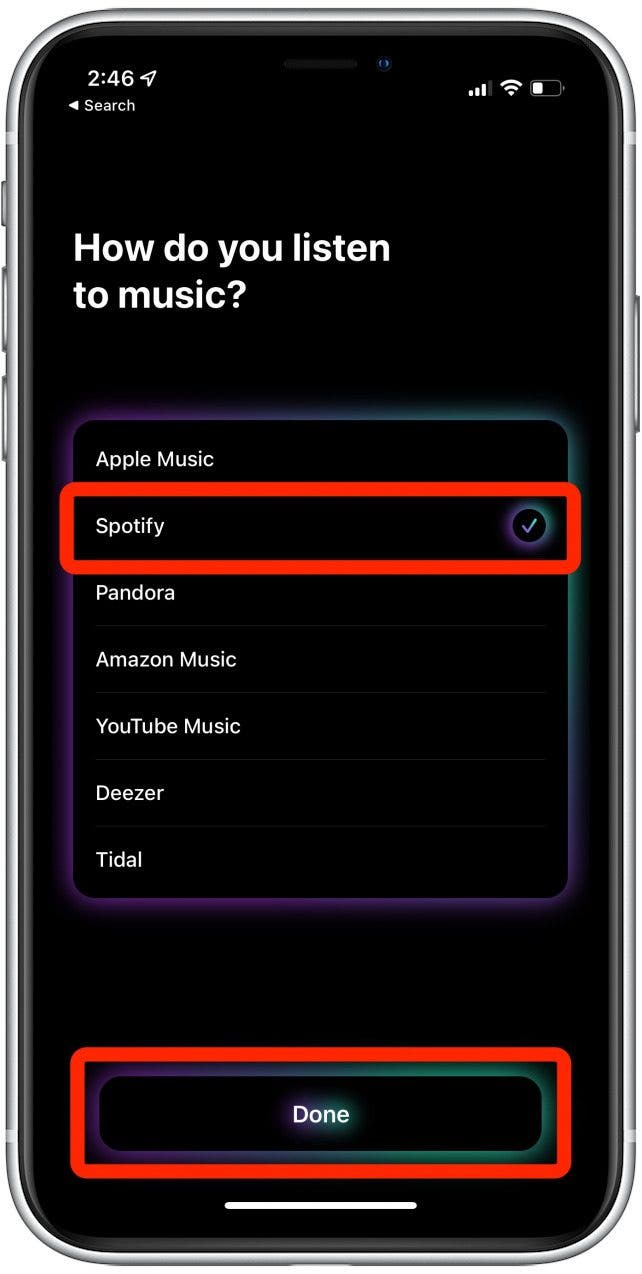
- Go to Preferred Music Service.
![]()
- Select your preferred music streaming service.
![]()
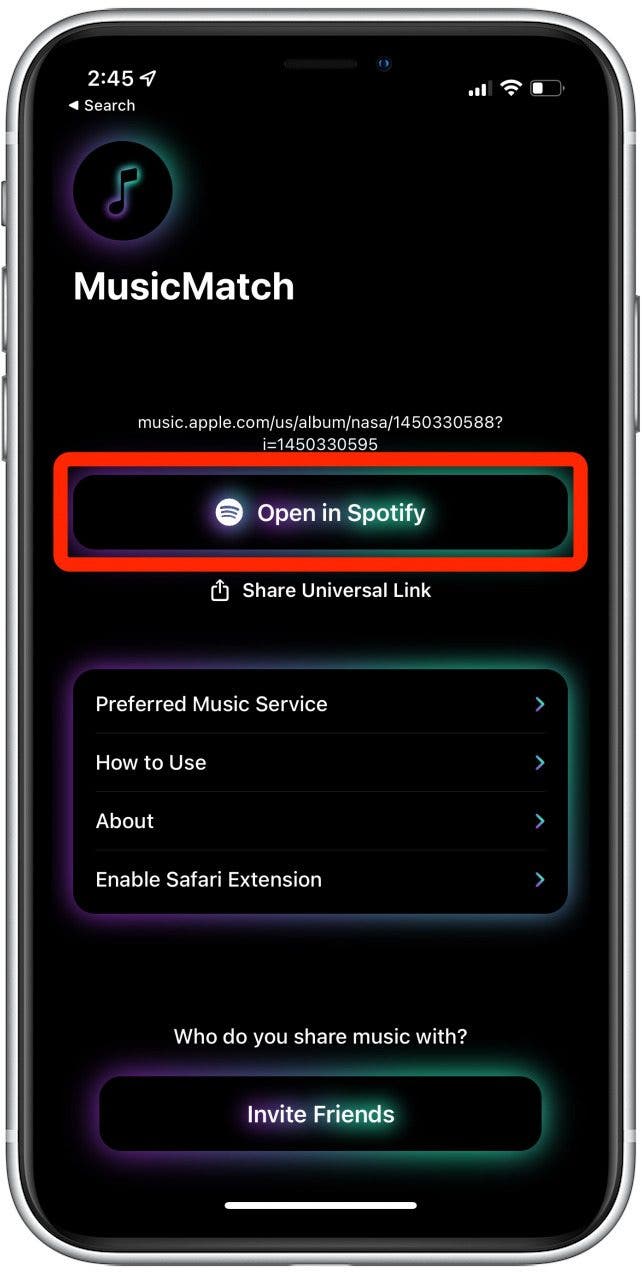
- Then tap Open in Spotify.
![]()


How to Send a Spotify Link To Apple Music
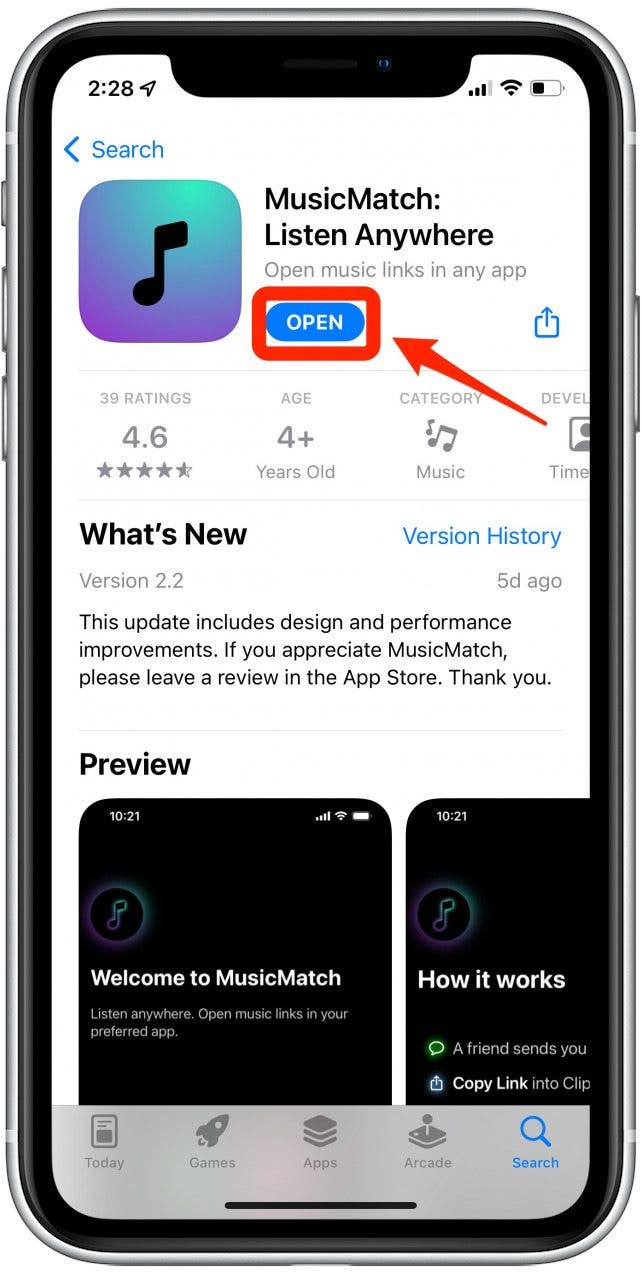
- Make sure you have downloaded and set up the MusicMatch app.
![]()
- Open Spotify and select a song.
![]()
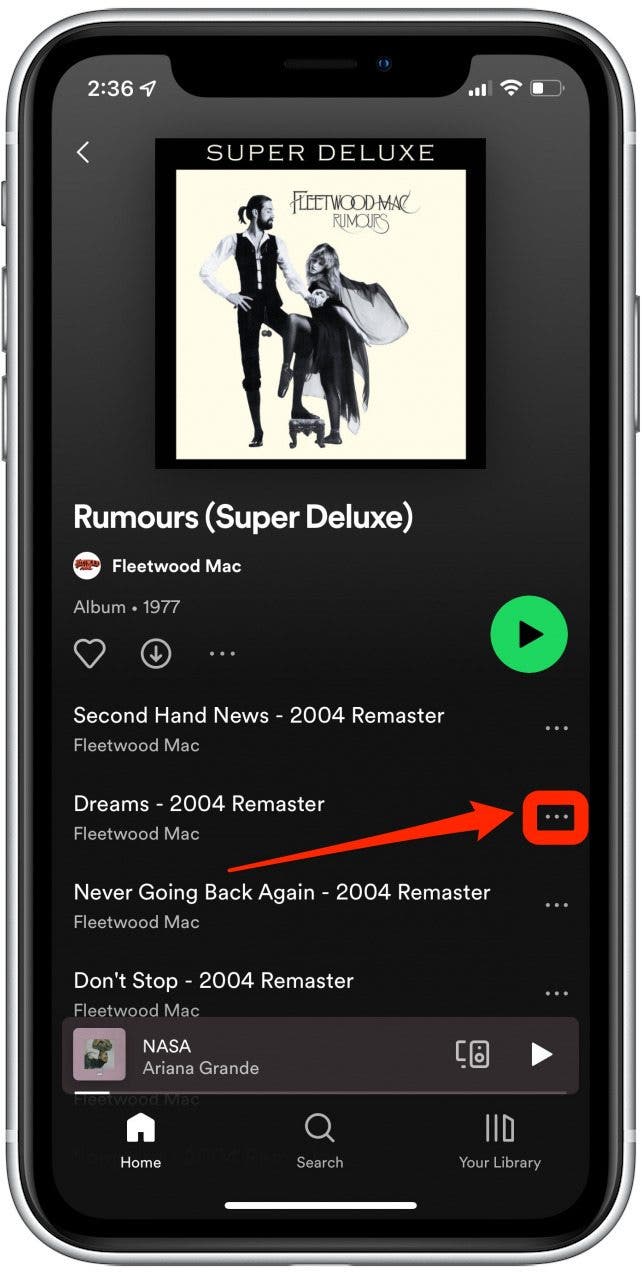
- Tap the three dots on the far right of the song title.
![]()
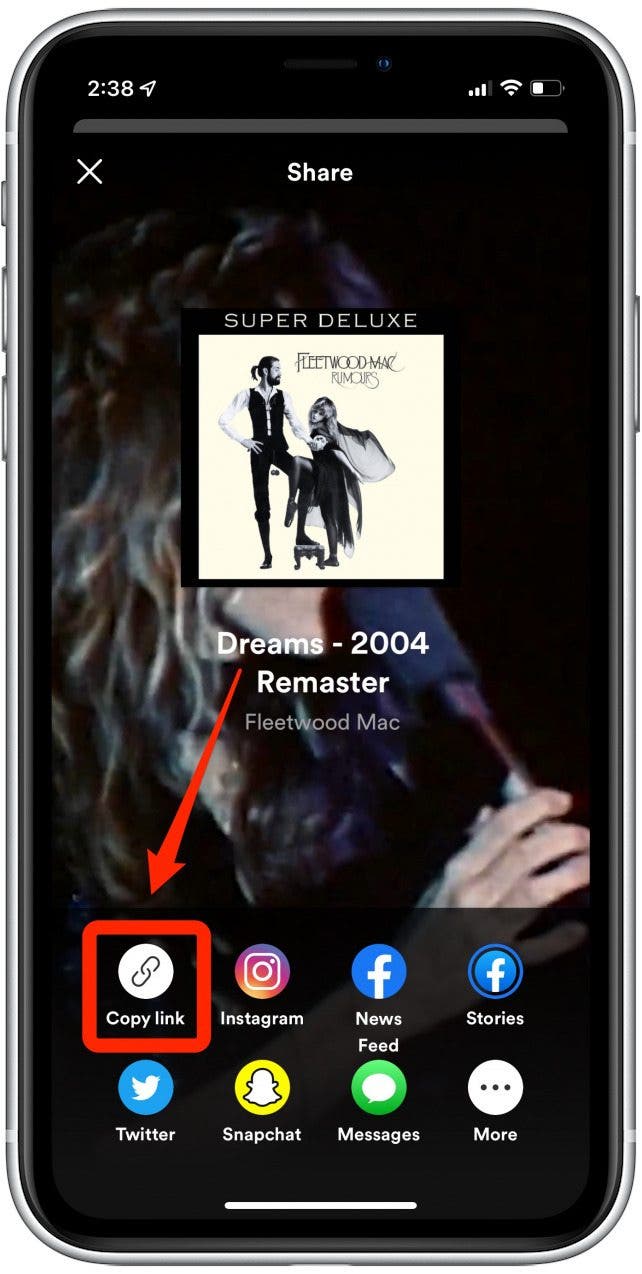
- Select Share.
![]()
- Select Copy Link.
![]()
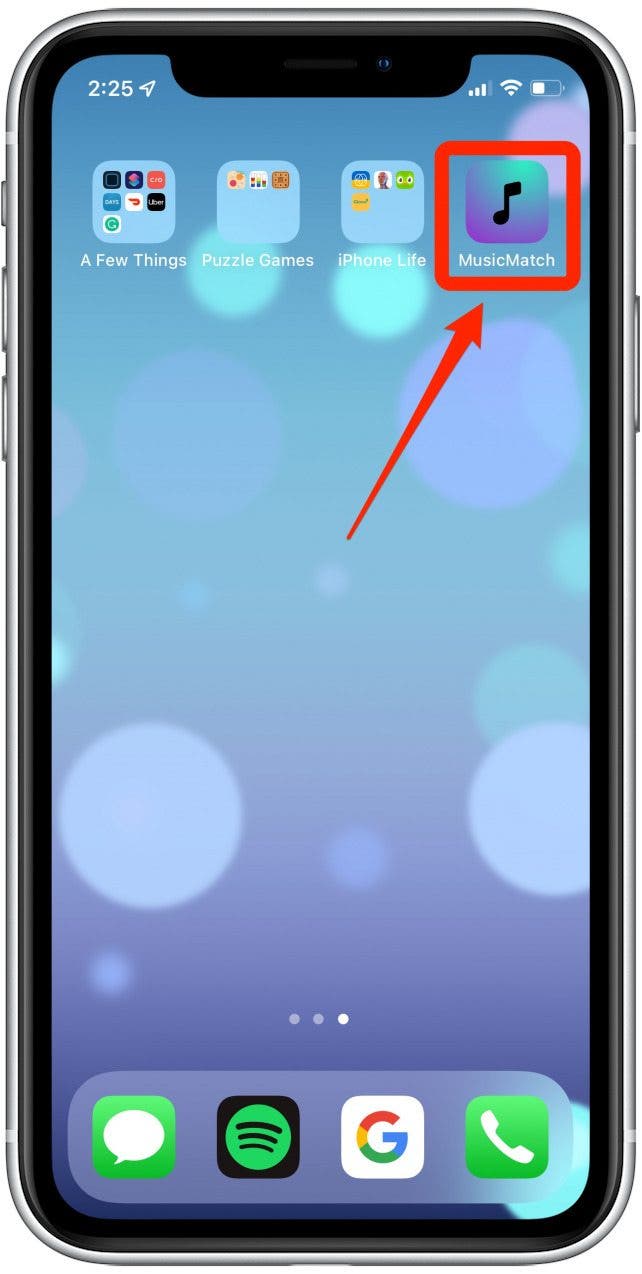
- Open the MusicMatch app.
![]()
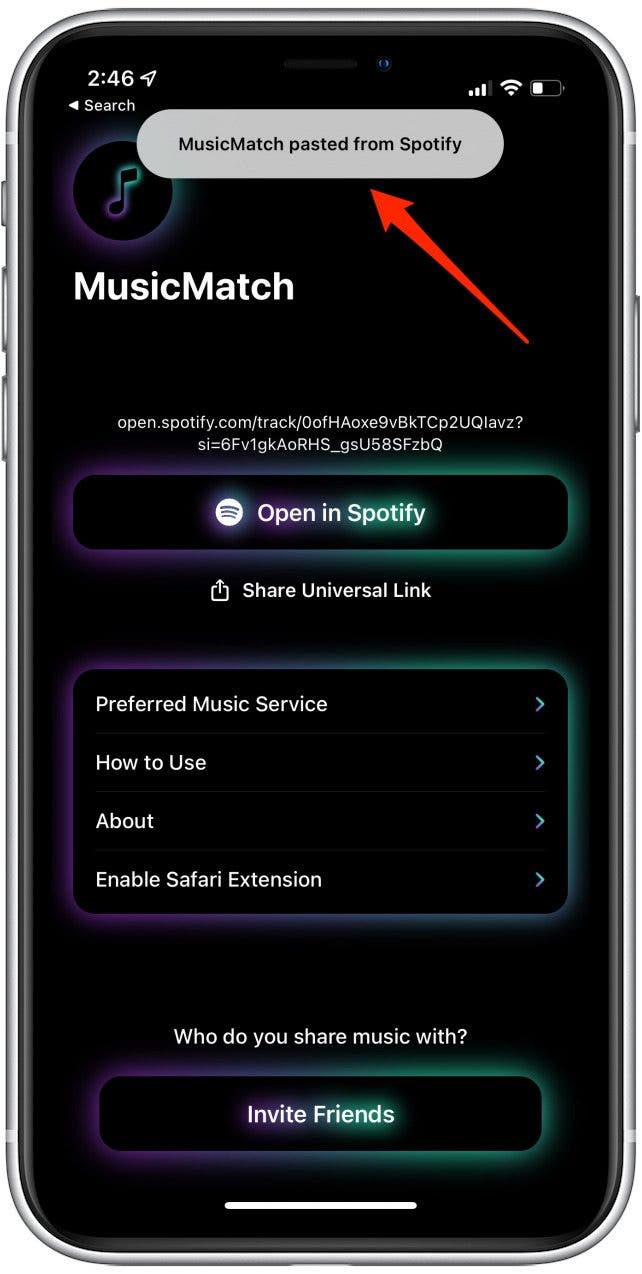
- Paste the link.
![Paste link to song on MusicMatch]()
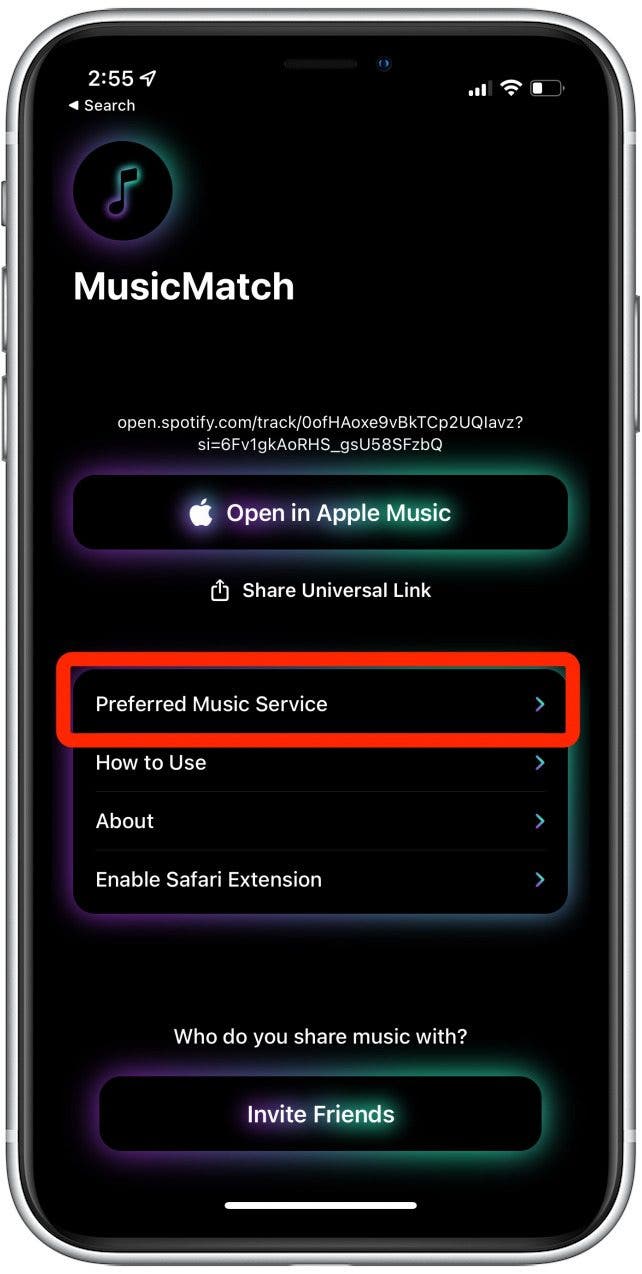
- Go to Preferred Music Service.
![]()
- Select your preferred music streaming service.
![]()
- Then tap Open in Apple Music.
![]()



Opening Music Links
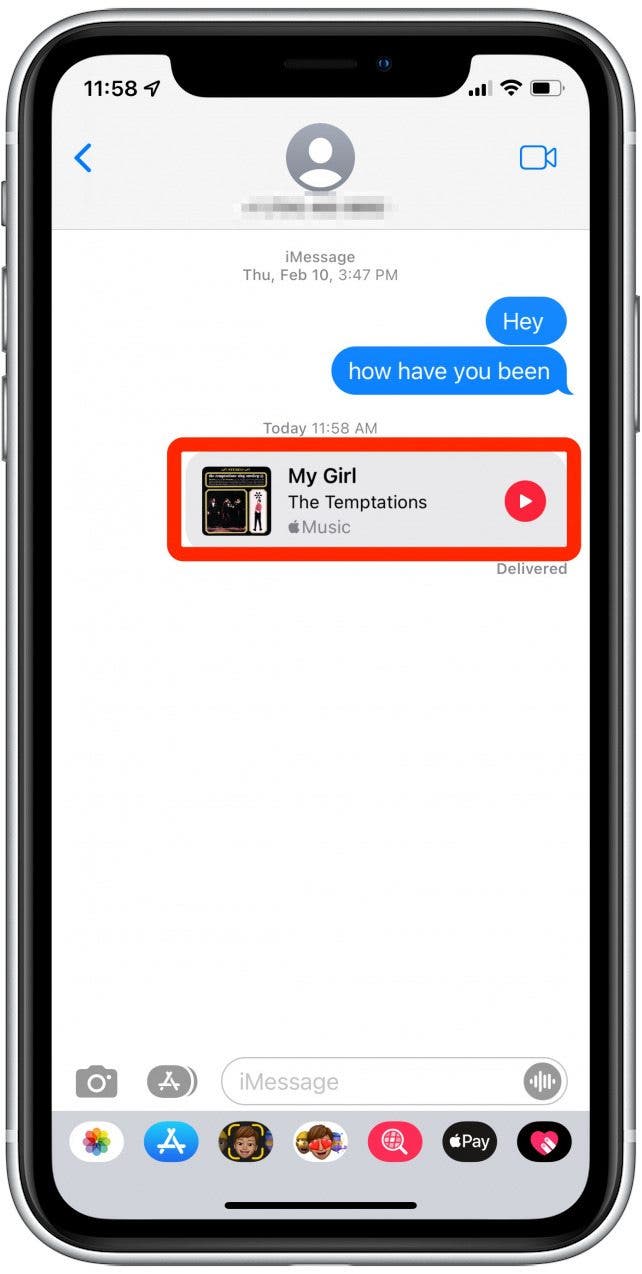
If you receive a link to music from a streaming service you are not subscribed to

Discover your iPhone's hidden features
Get a daily tip (with screenshots and clear instructions) so you can master your iPhone in just one minute a day.
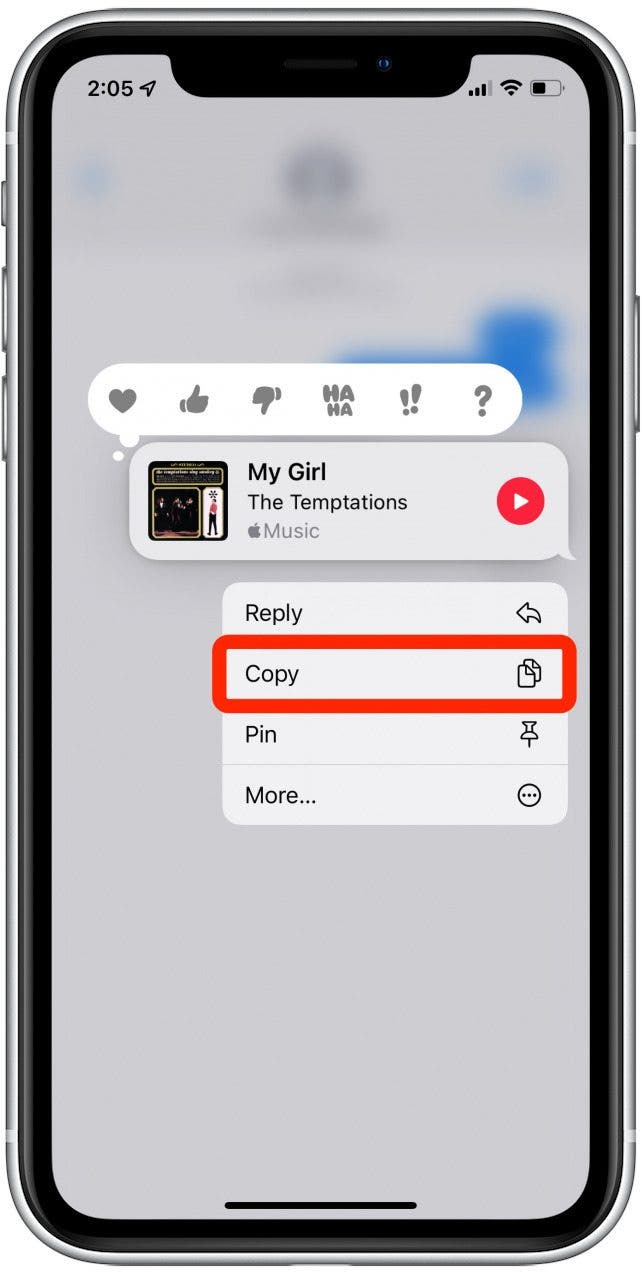
- Press and hold on the message.
![]()
- Select Copy.
![]()
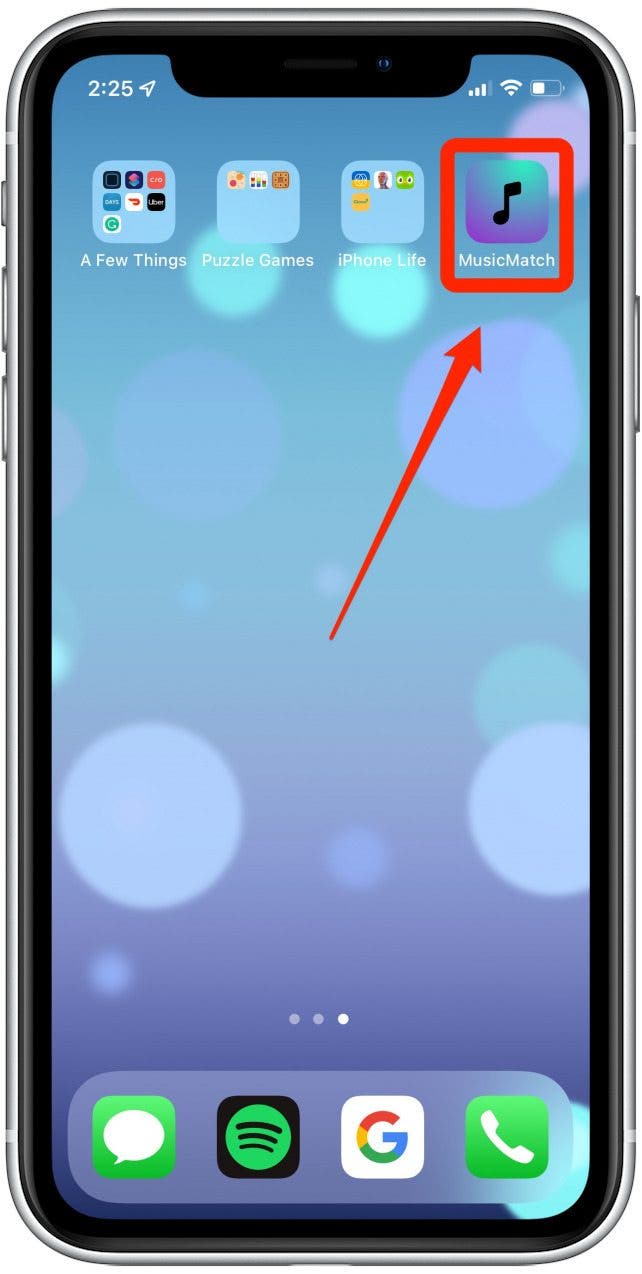
- Open the MusicMatch app.
![]()
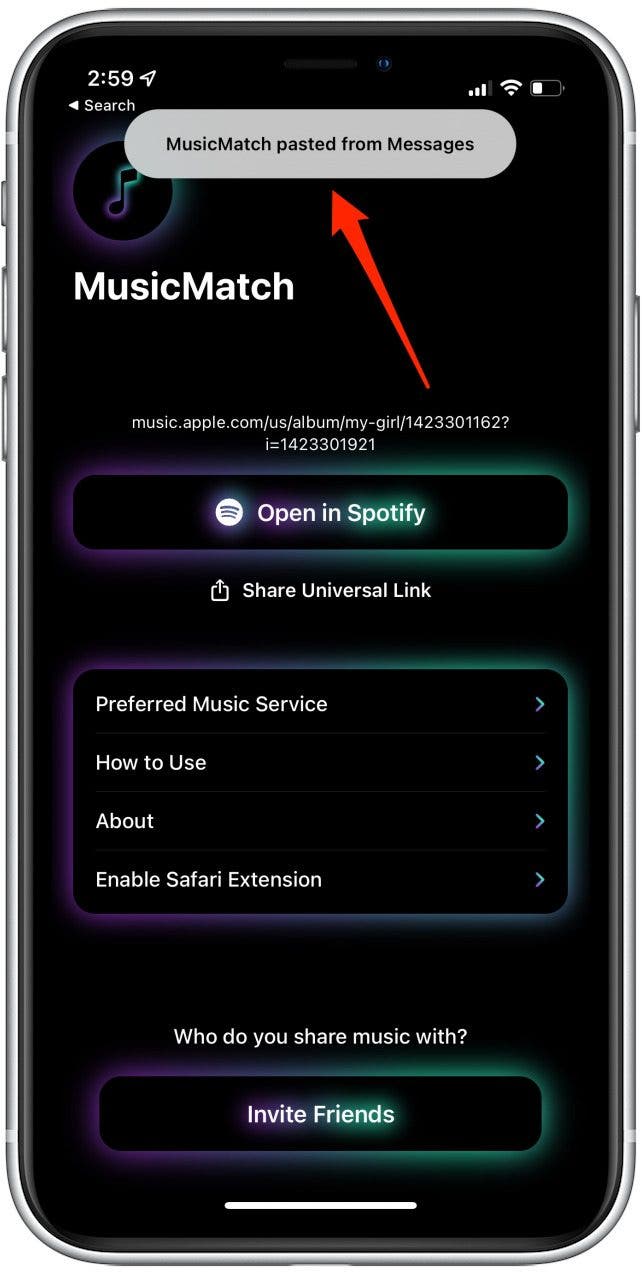
- Paste the song.
![Paste code from Spotify into the MusicMatch app]()
- Select Open In Spotify. If you don't have that option or want to use a different service, tap Preferred Music Service to select another one
![]()