Settings
What Is Data Roaming on iPhone & Should It Be On or Off?
By Olena Kagui
Apple Security Alert Scam: Get Rid of Fake Virus Alerts
By Leanne Hays
It can be alarming when you're browsing a website and a pop-up appears warning you of an iPhone virus. Fake Apple virus warnings, messages, and Apple security alerts are scams designed to get you to call or tap on a link. Fake Apple virus warnings are dangerous, so follow the steps below on how to safely stop these scams by turning on pop-up blocker settings.
How to Fix an iMessage Activation Error Fast!
By Conner Carey
FaceTime or iMessage not activating? According to Apple, it can take up to 24 hours to activate iMessages and FaceTime. If iMessage or FaceTime won't activate after 24 hours, it's safe to assume iMessage and FaceTime are not working. Here's how to fix an iMessage waiting for activation and similar errors.
Change Background App Refresh to Wi-Fi Only on iPhone
By Conner Carey
Turn Your AirPods into Photo & Video Remote
By Olena Kagui
iOS 26 Dark Icons: Why Are Icons Dark?
By Rhett Intriago
How to Set Your iPhone on Vibrate for Calls & Texts
By Devala Rees
Turning on your iPhone's vibrate mode can help alert you to incoming calls and texts. You can enable vibrate mode while your iPhone is silenced or in addition to a ringtone. Here's how to turn on vibrate on iPhone when receiving calls and texts, and how to switch off vibration on iPhone when you no longer want it.
Use Album Photo Shuffle on iPhone Lock Screen
By Rhett Intriago
Stop Unknown Callers with Call Screening on iPhone
By Rhett Intriago
Share Photos Online While Protecting Your Privacy
By Amy Spitzfaden Both
How to Stop Sharing Location Without Them Knowing
By Rhett Intriago
What iPhone Do I Have? Model Number & Generation Guide (2025)
By Conner Carey
If you've been wondering, "What kind of phone do I have?" You’ve come to the right place. We’ll cover how to check what iPhone you have based on the model numbers assigned to each iPhone generation. Read on to quickly figure out what model and iPhone generation you own, whether it's the first iPhone, the iPhone 7, or one of Apple's latest iPhone 16 line.
Which Apple Watch Do You Have? (Updated for Apple Watch 11)
By Erin MacPherson
In this article we’ll teach you how to tell what Apple Watch you have. Different types of Apple Watches look very similar; it can be easy to get confused! I’ll go over how to tell what Apple Watch you have, including the super quick Apple Watch serial number check.
How to Use Apple Watch Raise to Speak for Siri
By Hallei Halter
Prevent Apps from Accessing Your Location on Your iPhone
By Rhett Intriago
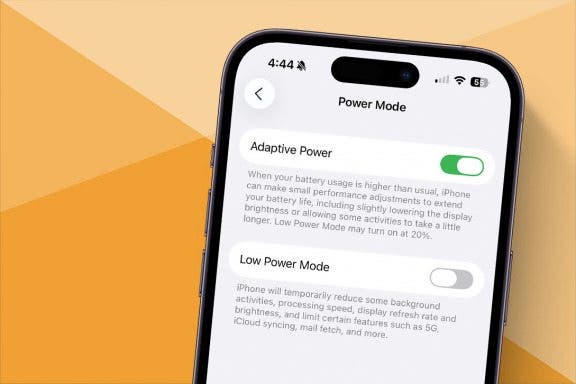
Optimize iPhone Battery with Adaptive Power Mode (iOS 26)
By Amy Spitzfaden Both
How to Turn On Flashlight on Apple Watch
By Erin MacPherson
How to Download & Install the New iOS Update (iOS 26)
By Conner Carey
Solved: Why Is the Time on My Lock Screen Dim?
By Rhett Intriago
Back in iOS 16, Apple added the option to customize your iPhone Lock Screen, including the option to add widgets and change the appearance of your clock. However, in iOS 18, some users have experienced a bug that causes the iPhone Lock Screen clock to dim. So why is the time on your Lock Screen dim? Let’s find out below!