Link previews in Messages are thumbnails that show a site's chosen banner in a text message, along with the link. This can be useful for identifying what the link contains before you open it. However, it can also be a bit of an annoyance if you prefer to keep your messages less cluttered, or you don't want to accidentally click something with lots of tracking tokens attached. So, how do you send a link on the iPhone without a preview? Let's find out how to hide a link preview in iMessage.
Why You’ll Love This Tip
- Keep message conversations organized and uncluttered.
- Make links take up less space in a text conversation.
- Avoid seeing images in link thumbnail previews.
How to Send a Link in iMessage Without a Preview
System Requirements
This tip was performed on an iPhone 17 Pro running iOS 26.5. Find out how to update to the latest version of iOS.
If you no longer want to see link previews in your Messages app, you can stop them from appearing. However, this tip only works if you are the one sending the link. When receiving a link, there is no way to turn off the preview. Here’s how to disable link previews in iMessage when sending a link:
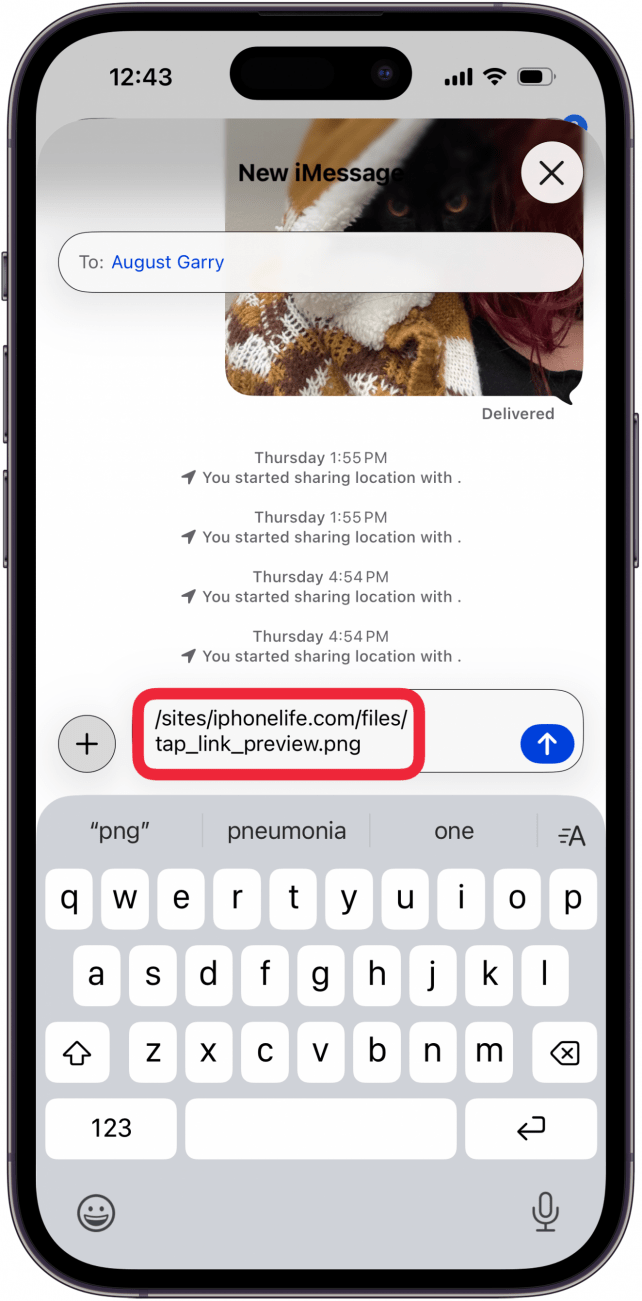
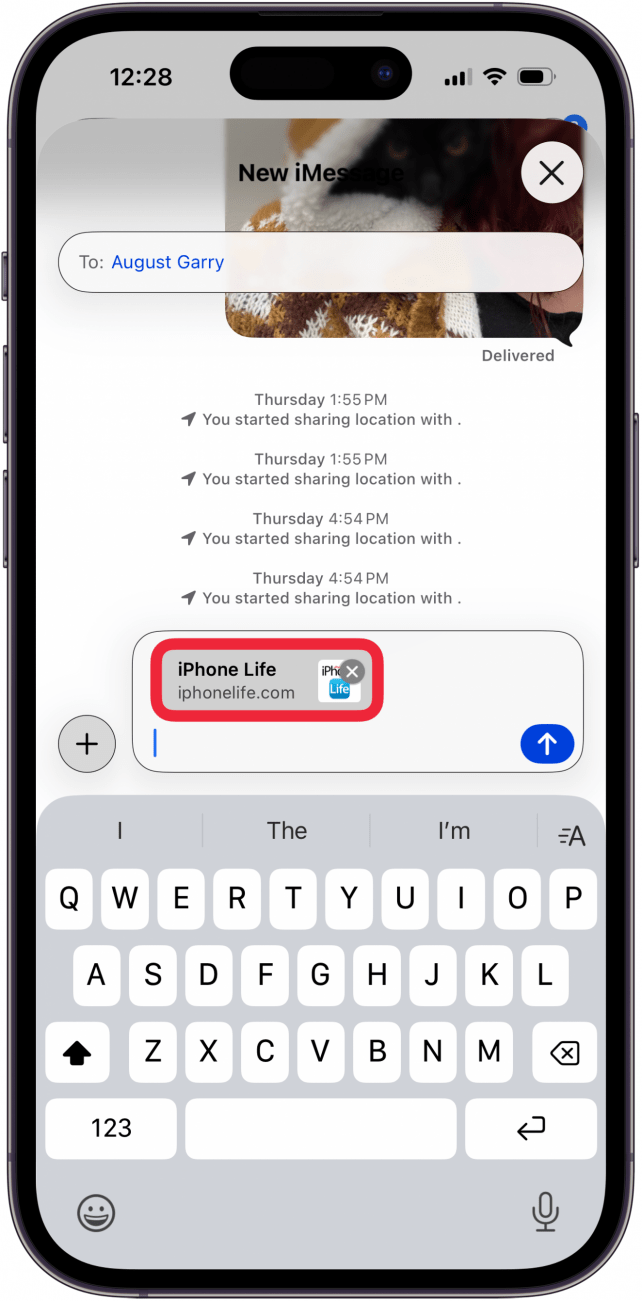
- Copy the URL for the link you want to share and paste it into any iMessage conversation.

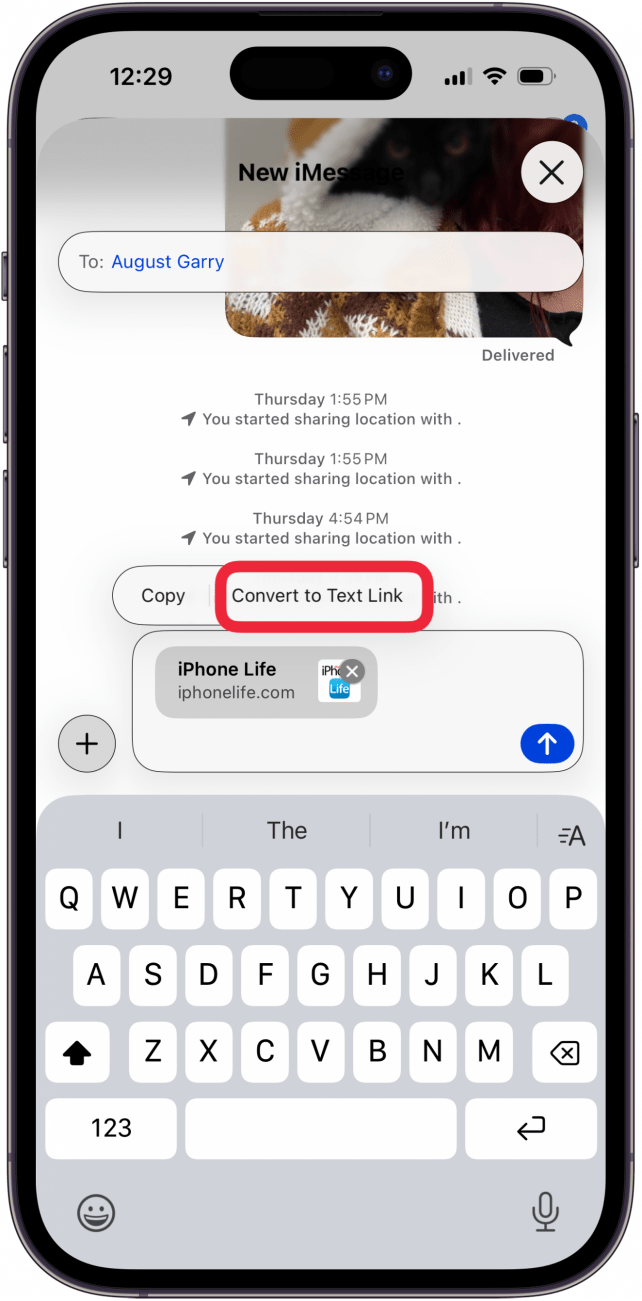
- Tap the link preview that appears.

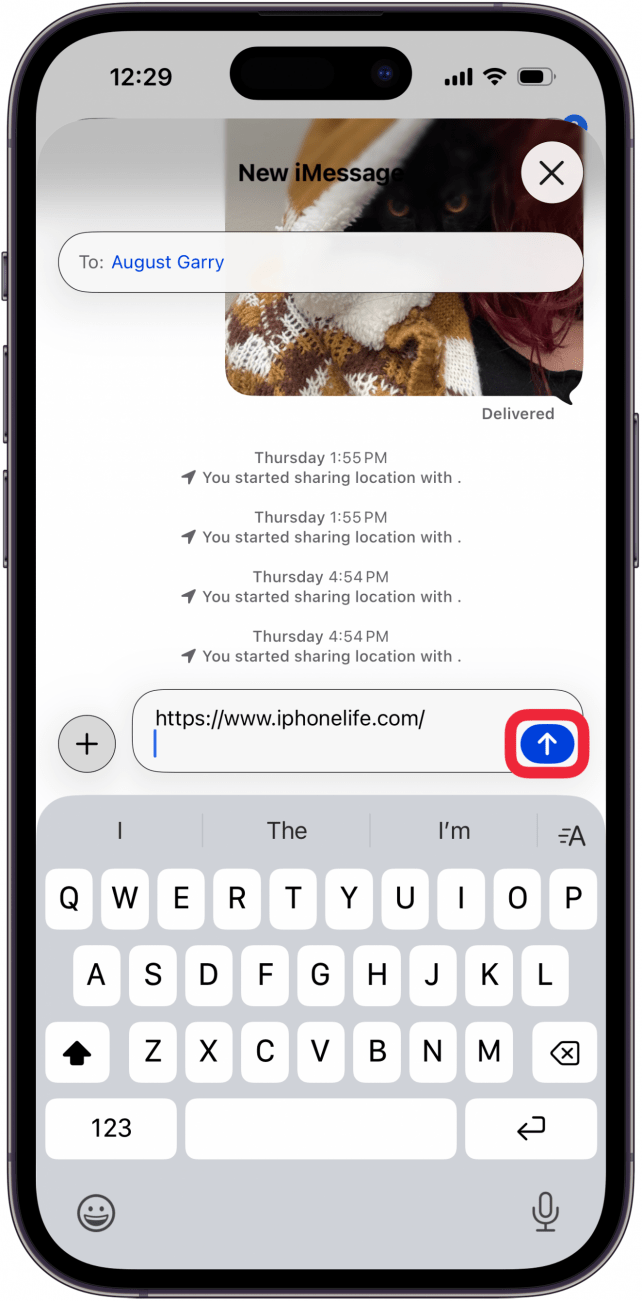
- Tap Convert to Text Link.

- Send your text like normal, and the link will be sent as a clickable URL instead of a link preview.

Now you know how to send a link in iMessage without a preview. Keep in mind that when you hide a link preview, it only works for links you are sending, not links sent to you, unless the sender follows the steps above.

Be sure to check out our free Tip of the Day for more great Messages tutorials.