Turn Off Link Thumbnails in Messages on iPhone

A lifelong tech enthusiast, with experiences ranging from jailbreaking his iPhone to building his own gaming PC, Rhett specializes in maintaining privacy in a digital world and iPhone security.
Learn More A lifelong tech enthusiast, with experiences ranging from jailbreaking his iPhone to building his own gaming PC, Rhett specializes in maintaining privacy in a digital world and iPhone security.
Learn MoreLink previews in Messages are thumbnails that show a site's chosen banner in a text message, along with the link. This can be useful for identifying what the link contains before you open it. However, it can also be a bit of an annoyance if you prefer to keep your messages less cluttered, or you don't want to accidentally click something with lots of tracking tokens attached. So, how do you send a link on the iPhone without a preview? Let's find out how to hide a link preview in iMessage.
Why You’ll Love This Tip
- Keep message conversations organized and uncluttered.
- Make links take up less space in a text conversation.
- Avoid seeing images in link thumbnail previews.
How to Send a Link in iMessage Without a Preview
System Requirements
This tip was performed on an iPhone 17 Pro running iOS 26.5. Find out how to update to the latest version of iOS.
If you no longer want to see link previews in your Messages app, you can stop them from appearing. However, this tip only works if you are the one sending the link. When receiving a link, there is no way to turn off the preview. Here’s how to disable link previews in iMessage when sending a link:
- Copy the URL for the link you want to share and paste it into any iMessage conversation.
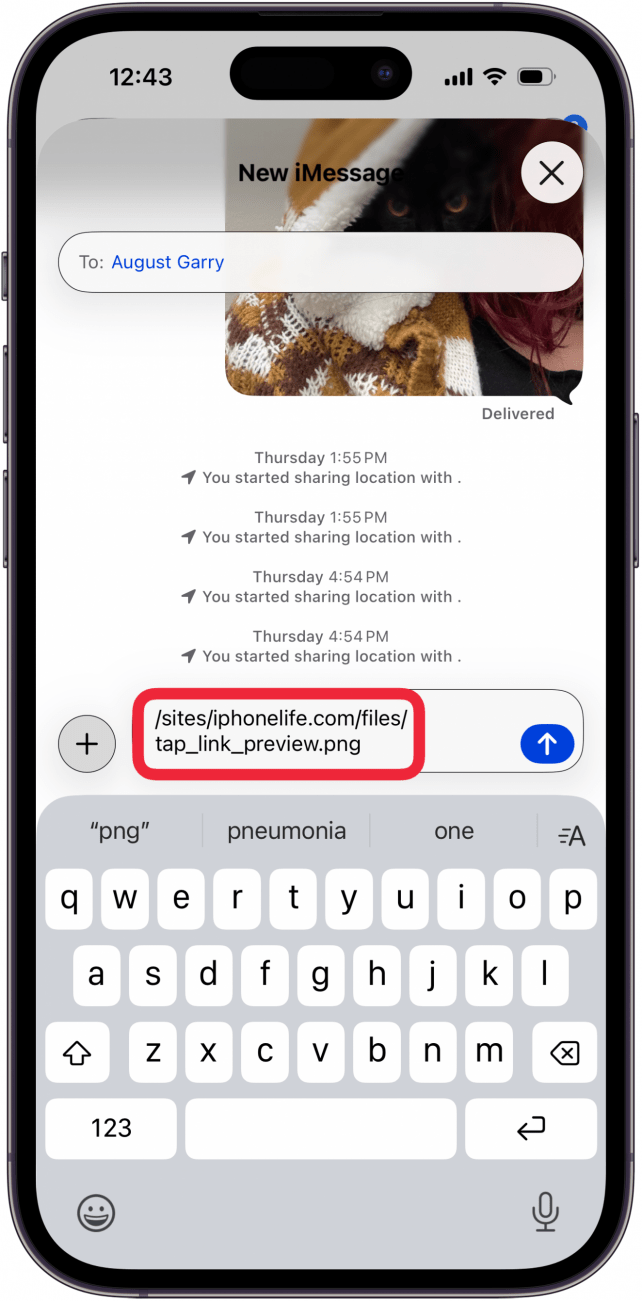
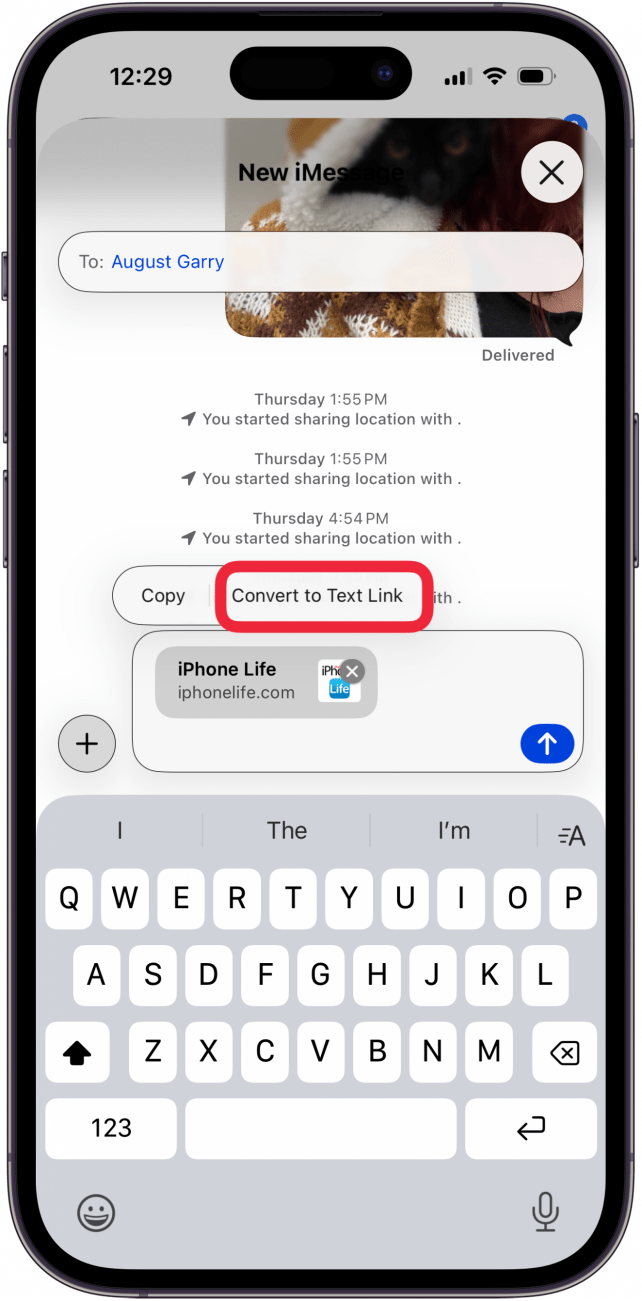
- Tap the link preview that appears.
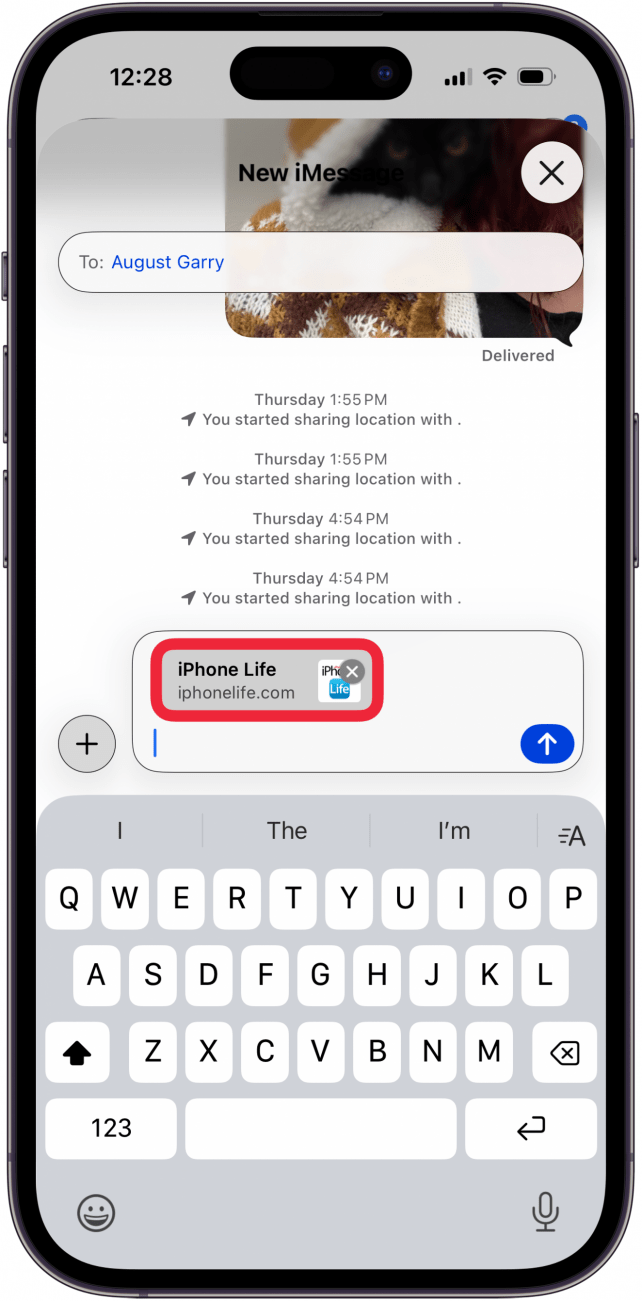
- Tap Convert to Text Link.
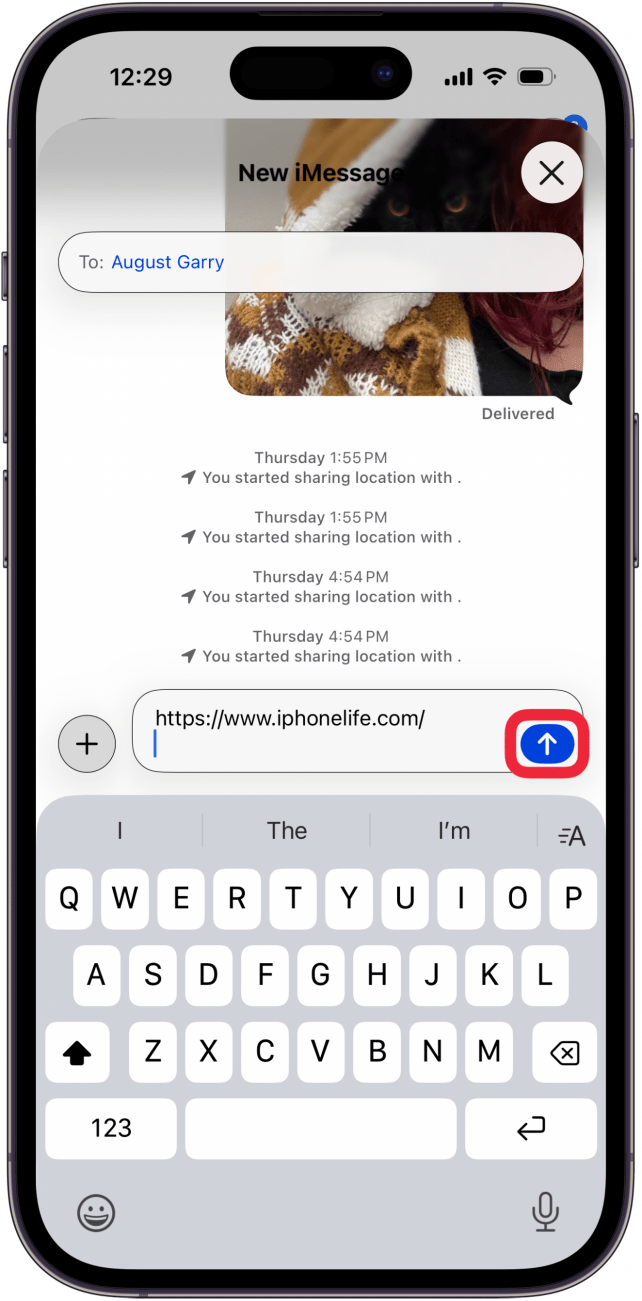
- Send your text like normal, and the link will be sent as a clickable URL instead of a link preview.
Now you know how to send a link in iMessage without a preview. Keep in mind that when you hide a link preview, it only works for links you are sending, not links sent to you, unless the sender follows the steps above.
Be sure to check out our free Tip of the Day for more great Messages tutorials.

Every day, we send useful tips with screenshots and step-by-step instructions to over 600,000 subscribers for free. You'll be surprised what your Apple devices can really do.

Rhett Intriago
Rhett Intriago is a Feature Writer at iPhone Life, offering his expertise in all things iPhone, Apple Watch, and AirPods. He enjoys writing on topics related to maintaining privacy in a digital world, as well as iPhone security. He’s been a tech enthusiast all his life, with experiences ranging from jailbreaking his iPhone to building his own gaming PC.
Despite his disdain for the beach, Rhett is based in Florida. In his free time, he enjoys playing the latest games, spoiling his cats, or discovering new places with his wife, Kyla.
 Rhett Intriago

 Olena Kagui
 Rachel Needell

 Amy Spitzfaden Both
 Leanne Hays