We've all accidentally deleted a voicemail only to realize we need it back. Luckily, we can show you how to recover deleted voicemail on your iPhone. Let's get into how to retrieve deleted voicemail on iPhone.
Why You'll Love This Tip
- Save voicemails you accidentally moved to the trash.
- Retrieve deleted voicemail on iPhone in just a few easy steps.
How to Recover Deleted Voicemail on iPhone
System Requirements
This tip was performed on an iPhone 16 running iOS 26. Find out how to update to the latest version of iOS.
Your iPhone will store a deleted voicemail for up to thirty days. However, if you're trying to access a voicemail that was deleted more than thirty days ago, you will not be able to.
If you've ever accidentally deleted a voicemail before, here's how to recover deleted voicemails on your iPhone.

Important Note
If you delete a voicemail, your iPhone will only hold onto it for thirty days, so don't wait to undelete a voicemail once you've realized you need it!
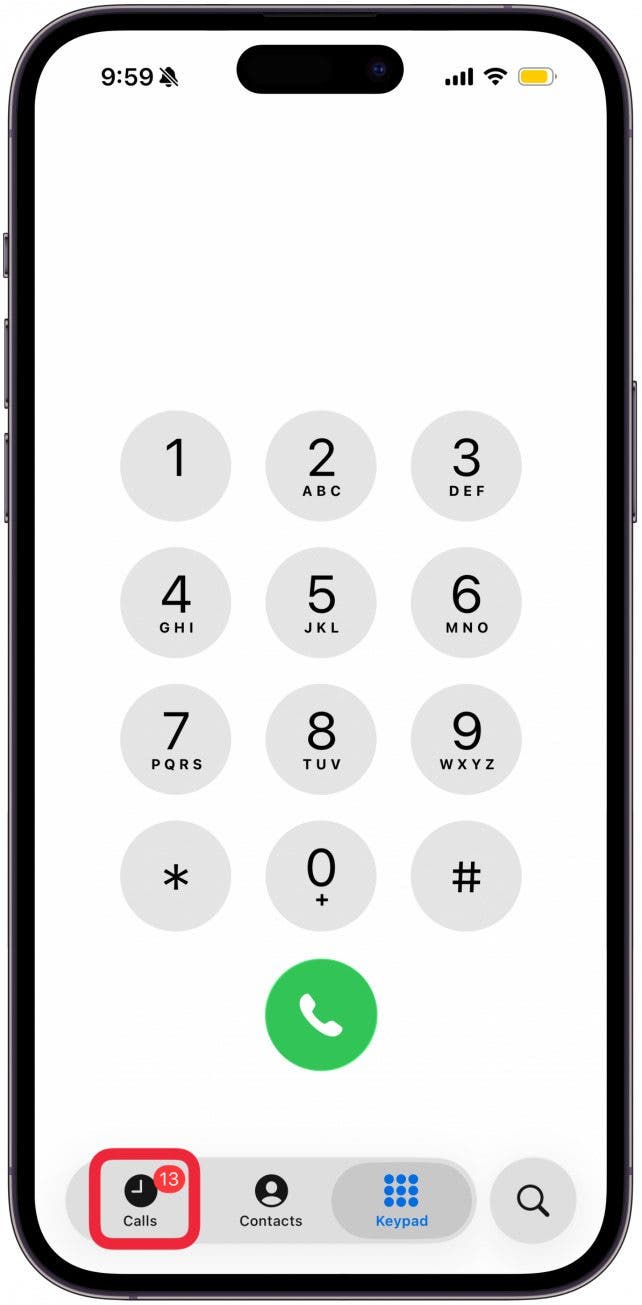
- Open the Phone app.

- Open the Calls screen if your phone app does not automatically open to it.
![tap on Calls]()
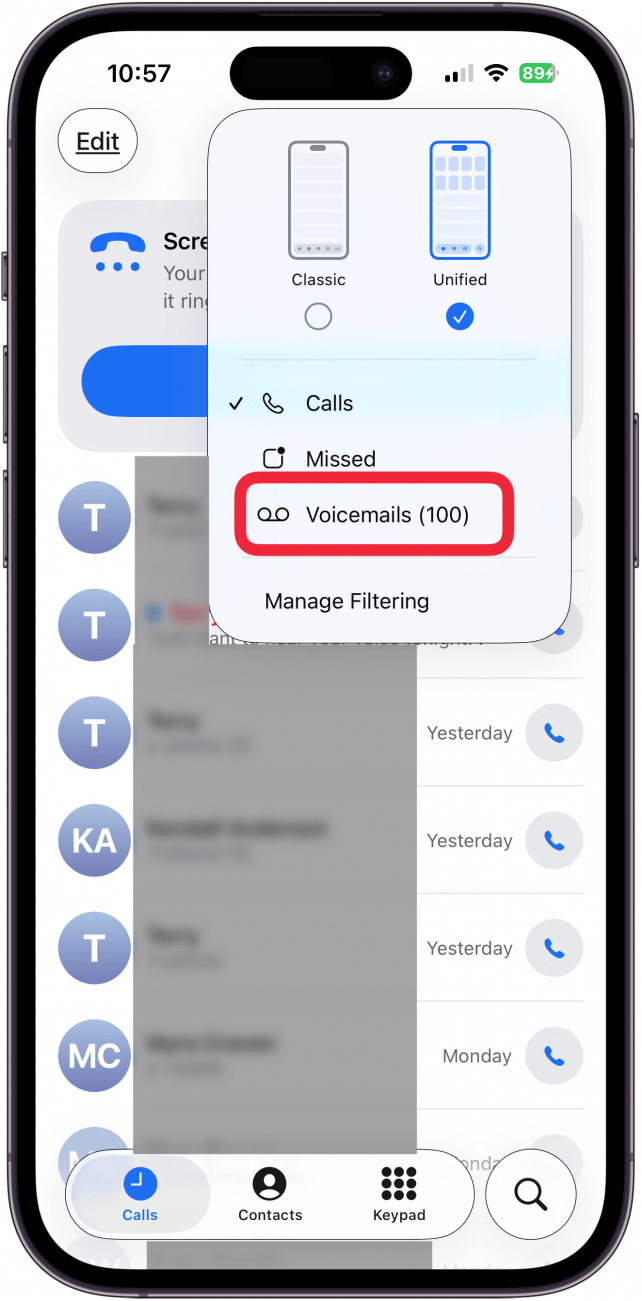
- Tap the menu at the top-right corner of the screen.

- Tap Voicemails.

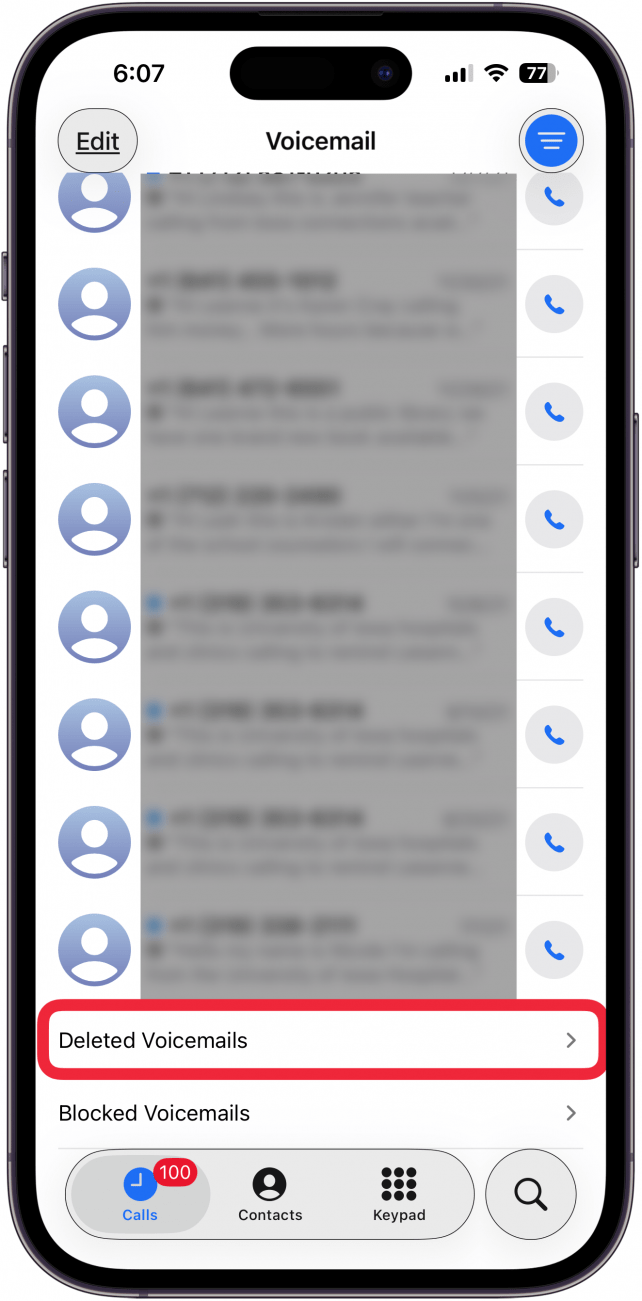
- Scroll to the very bottom of your voicemails (if you have many), and tap Deleted Voicemails.

- Tap the voicemail you want to undelete. (Make sure to tap in the middle of the voicemail, not the phone icon to the side.)

- Tap the Undelete icon (trashcan with a slash through it). The message will automatically be moved back into your main voicemail box.





And that's it! Super simple and a total lifesaver if you're one to delete things without thinking, like me. If you like tips like this about how to use your iPhone, be sure to sign up for our free Tip of the Day. Here's how to undelete voicemails on iPhone.