What to Know
- If you're thinking of taking a Facebook break, you can temporarily deactivate Facebook.
- When you delete a Facebook account, you have 30 days to change your mind and reactivate.
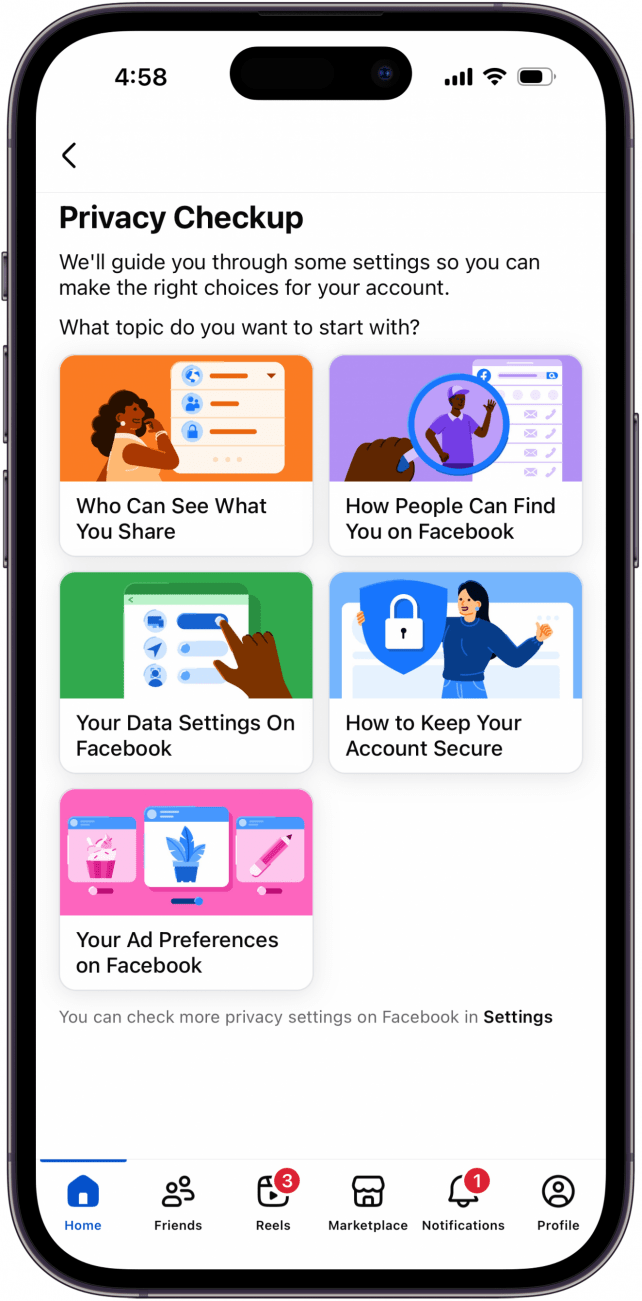
- If you're worried about Facebook privacy, you can open Settings & Privacy, then tap Privacy Checkup.
Here's how to permanently delete Facebook on an iPhone, how to deactivate Facebook on an iPhone temporarily, and how to reactivate Facebook if you change your mind.
Jump To
- How to Delete a Facebook Account on an iPhone
- How to Deactivate Facebook on an iPhone
- How to Reactivate Facebook
- How to Change Privacy Settings on Facebook
How to Deactivate or Delete Facebook on an iPhone
Why would someone get rid of Facebook? The movement to delete or deactivate Facebook continues to gain steam as controversies mount, such as the platform’s improper handling of user data, its reluctance to remove false ads, and its reported manipulation of users’ emotions.
While following these steps on how to permanently delete Facebook on the iPhone, you may want to download a copy of your Facebook data for your reference during the deletion process. Be aware that while your profile will no longer be visible or searchable, it may take up to ninety days for Facebook to delete everything, and that Facebook Messenger will also be deleted. We'll also cover how to adjust your Facebook privacy settings for tighter control over your data.
How to Delete a Facebook Account on an iPhone
When you choose to delete a Facebook account, you can cancel this step within 30 days. After 30 days, your Facebook account and all associated data will be permanently deleted. Be sure you really want to do this, and if you have doubts, you can always deactivate your Facebook account while you think it over.
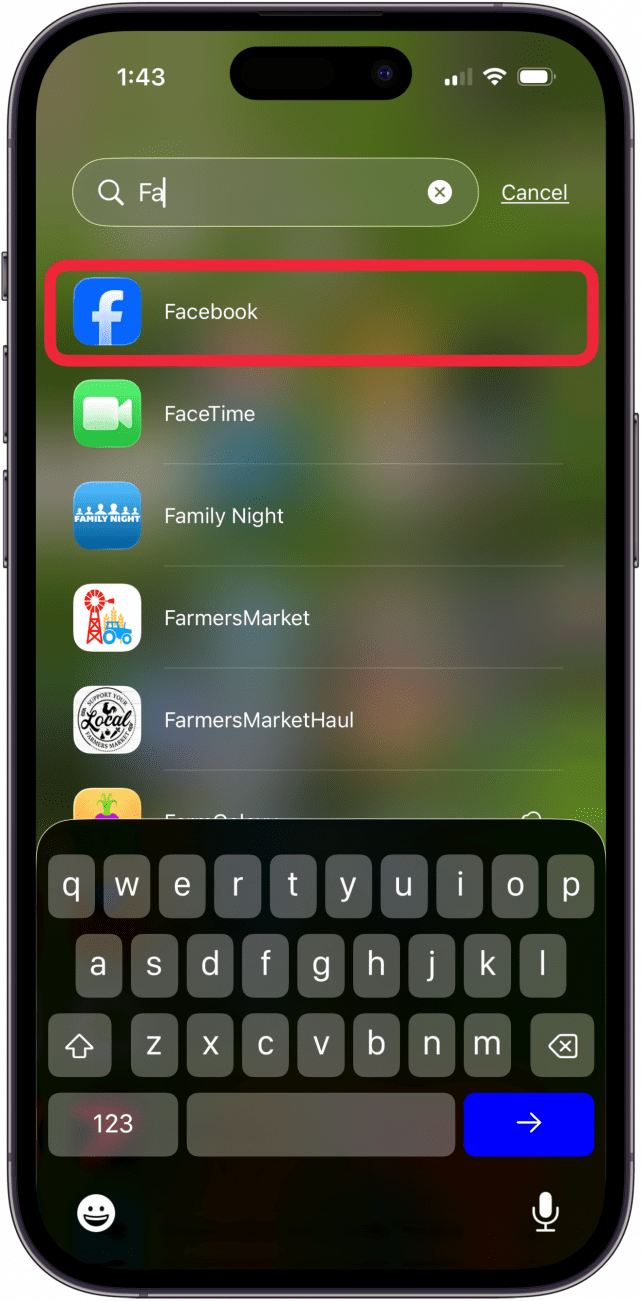
- Open the Facebook app on your iPhone.

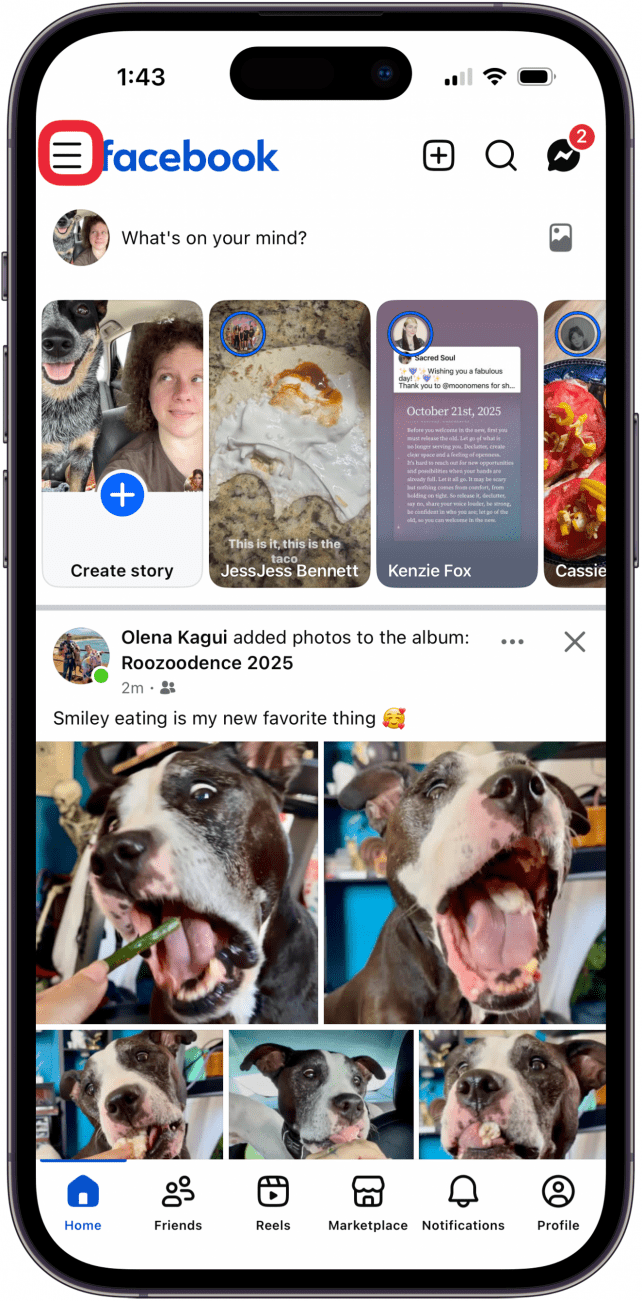
- Tap the Menu icon.

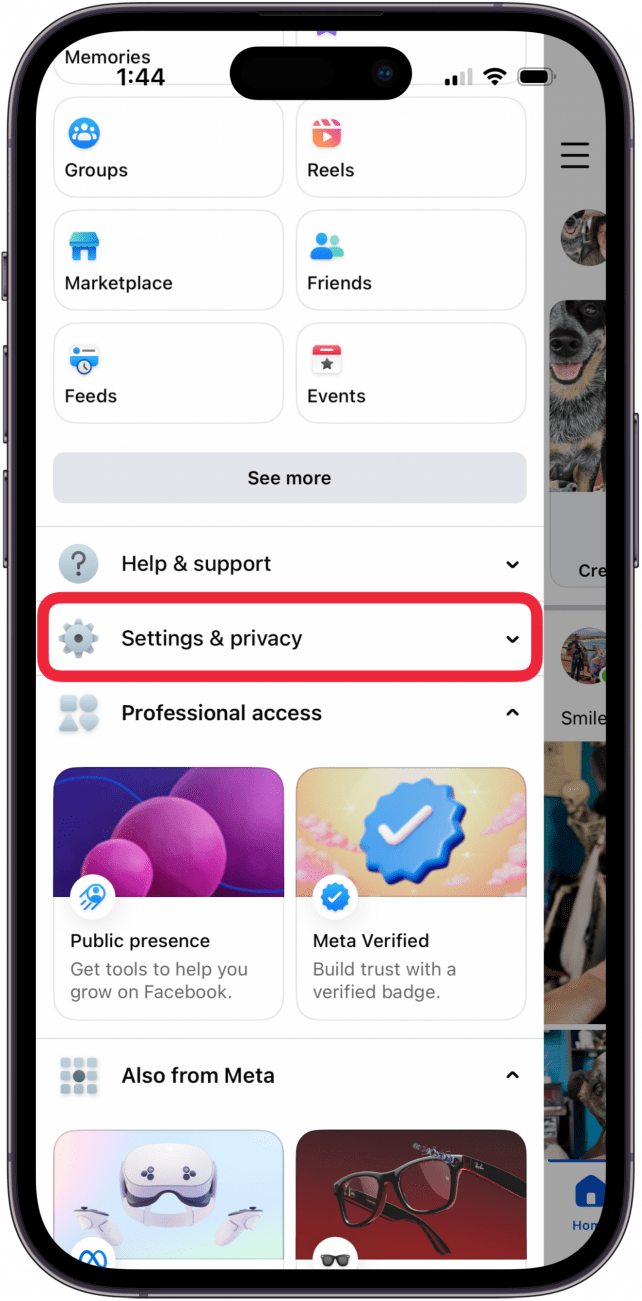
- Swipe down and tap Settings & privacy.

- Tap Settings.

- Tap See more in Accounts Center.

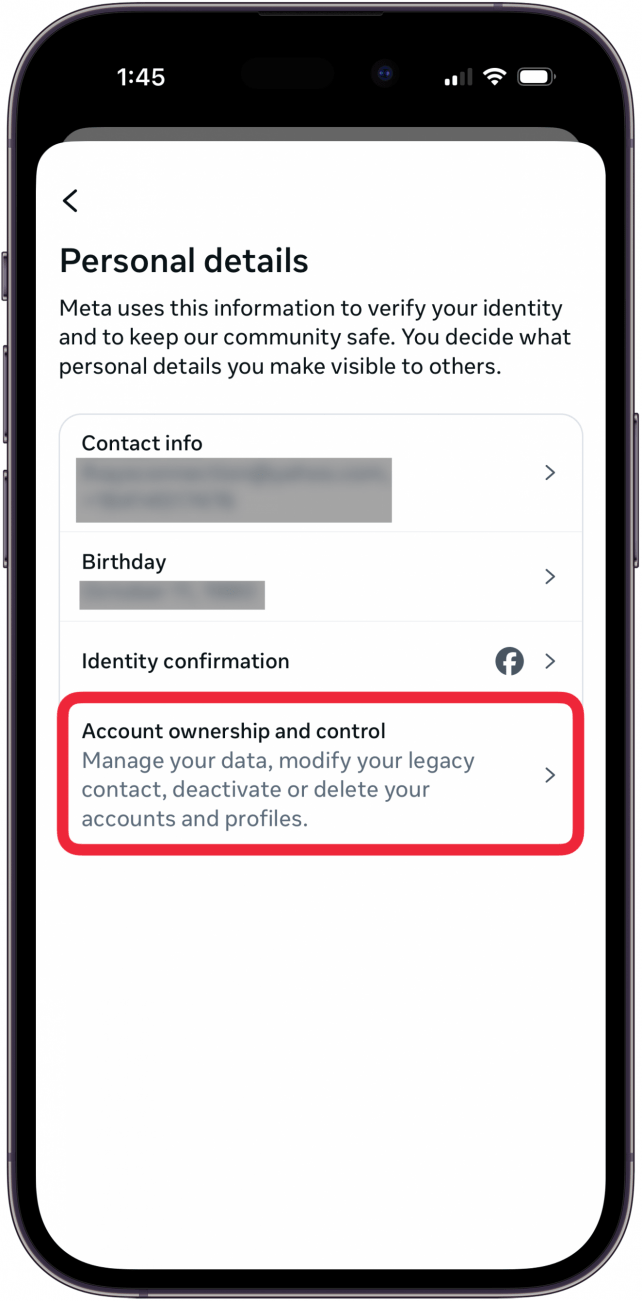
- Tap Personal Details.

- Tap Account ownership and control.

- Tap Deactivation and Deletion, then tap the account you want to delete.

- Choose Delete Account and tap Continue.

- Review the options to deactivate Facebook, archive posts, download your Facebook information, and transfer a copy of your information, then tap Continue.

- Enter your password to confirm account ownership and tap Continue.

- Enter why you are deleting Facebook and tap Continue.

- You'll be given the options to Deactivate account, Go to Activity Log and download, and Download or Transfer Info. Follow any processes you want, then tap Continue.



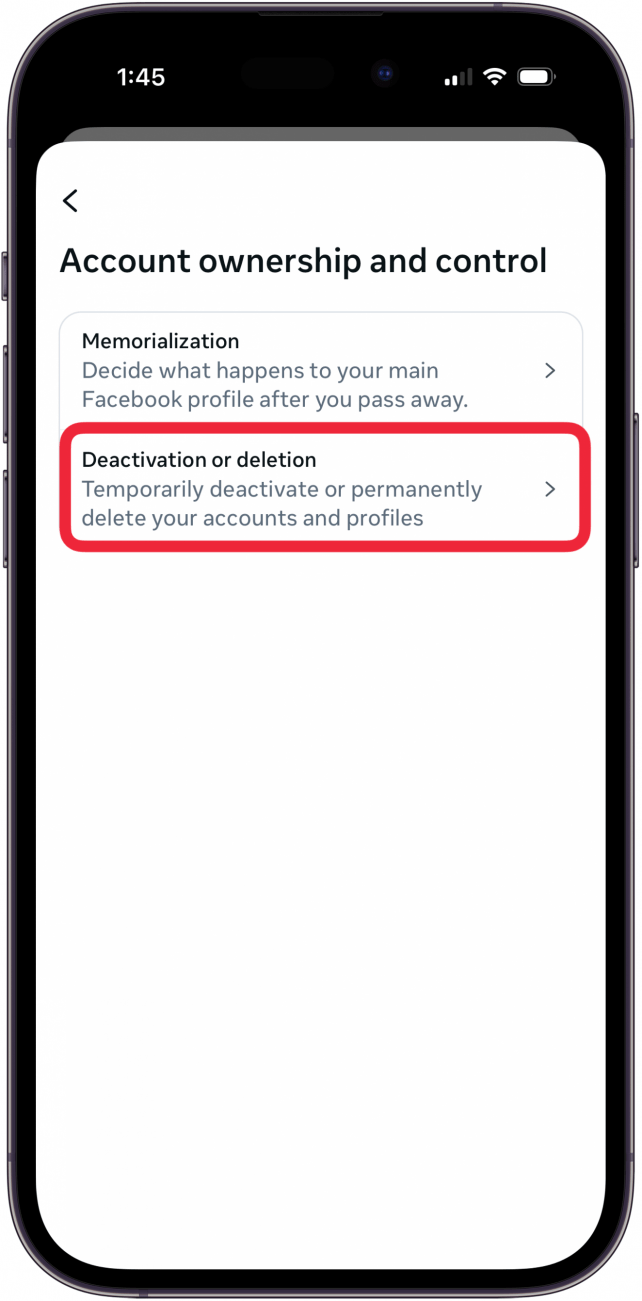

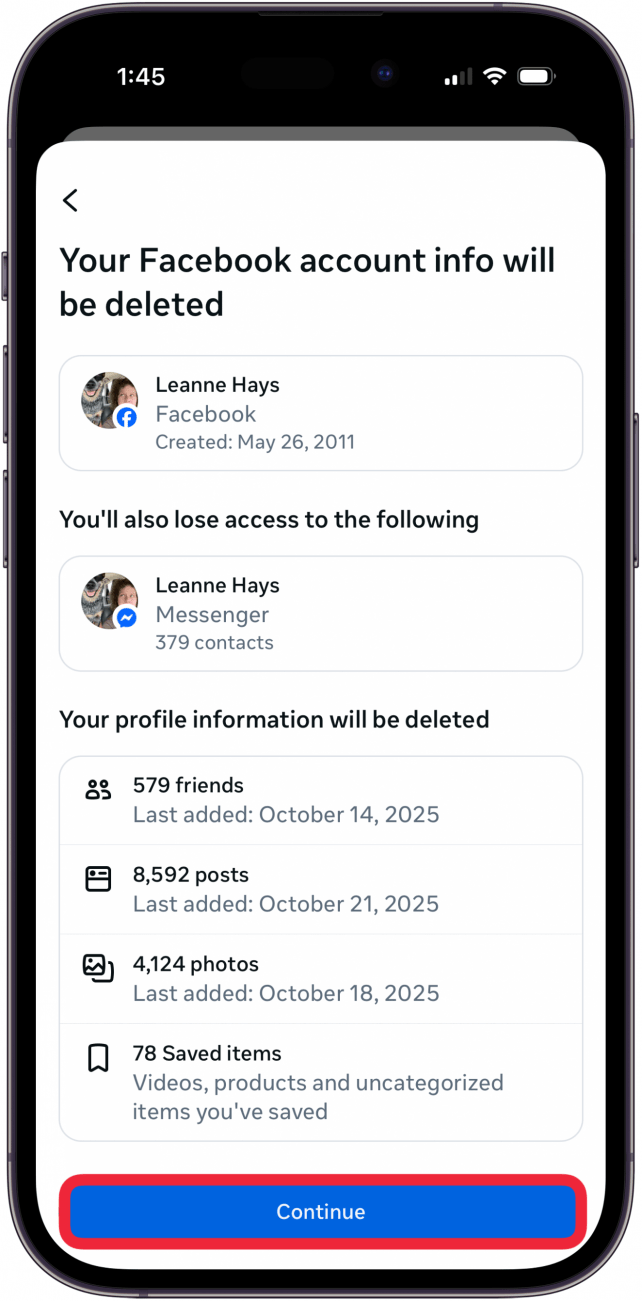


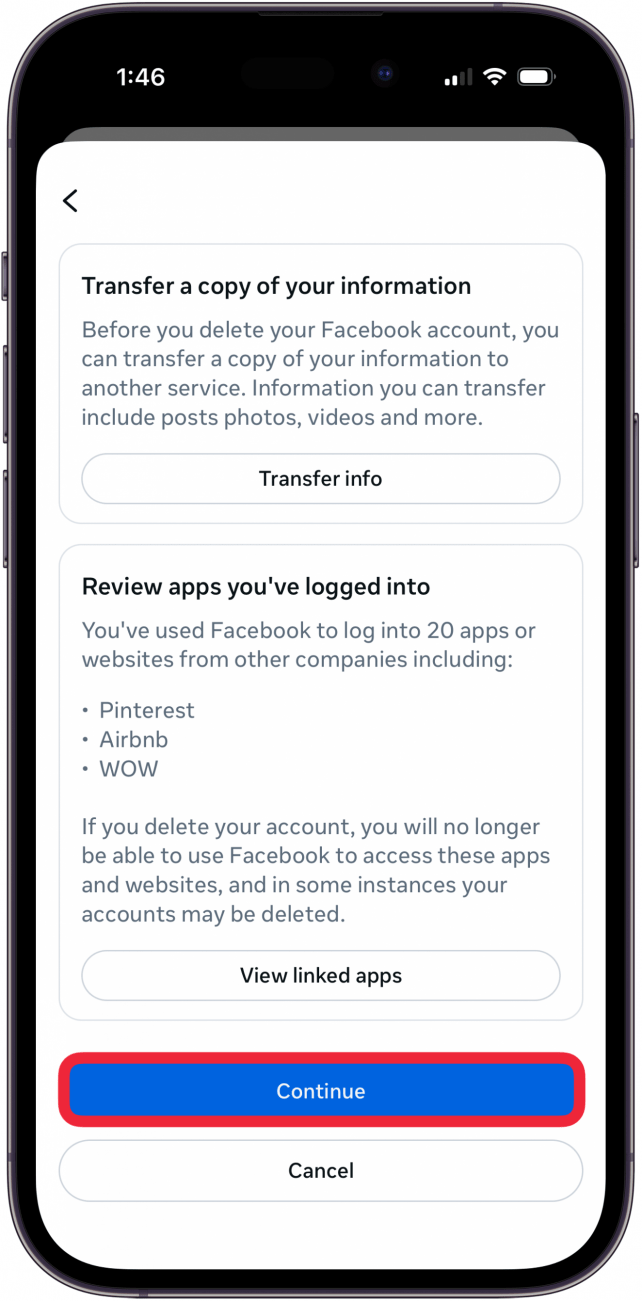
Facebook may ask you several other times, and in several different ways, if you truly want to delete your account. If you mean it, just keep tapping Continue until the process is complete, keeping in mind that you won't be able to recover your content unless you've downloaded it as previously offered in step thirteen.
How to Deactivate Facebook on the iPhone App
If you’re wondering whether it's time to take a break from Facebook, here's how to deactivate Facebook on the app on an iPhone. If you don't want to delete your Facebook account, taking a break from Facebook is a great option. You can reactivate Facebook later if you choose. When you deactivate Facebook on your iPhone, your profile won’t be visible to other users, but your messages will. Follow these steps on how to deactivate a Facebook account from the app.
- Launch the Facebook app on your iPhone and tap on the menu icon.

- Tap Settings & Privacy.

- Tap Settings.

- Tap See More in Accounts Center.

- Tap Personal Details.

- Tap Account Ownership and Control.

- Tap Deactivation and Deletion, then tap the account you want to deactivate.

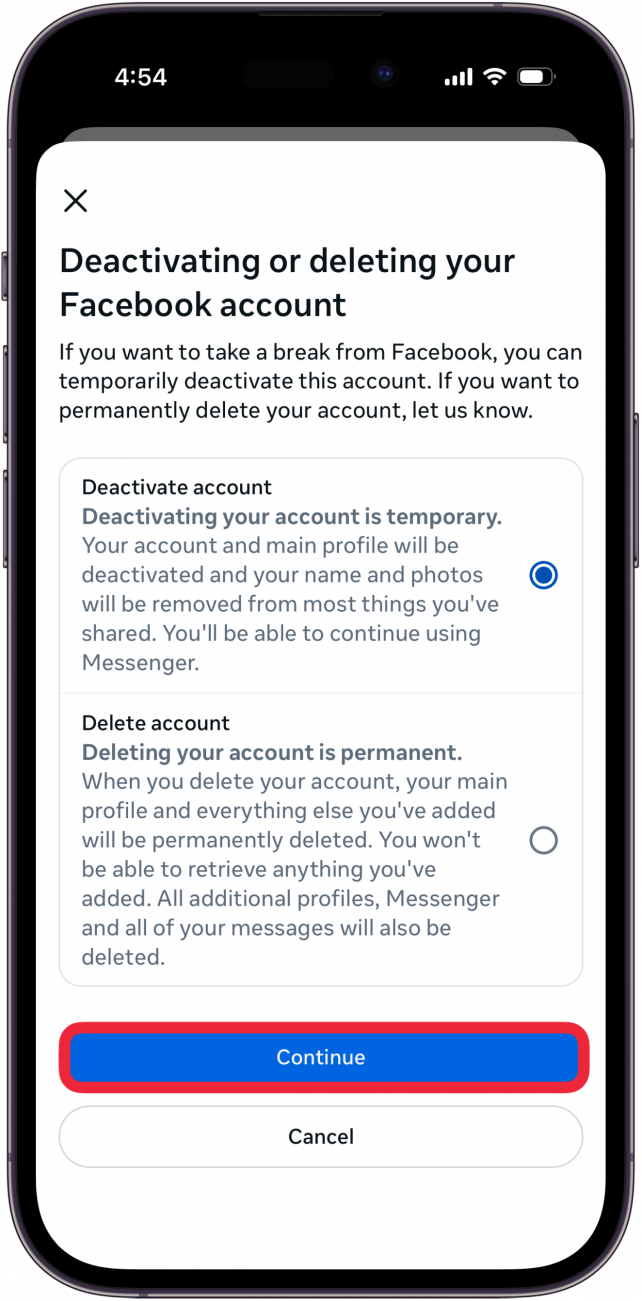
- Choose Deactivate Account and tap Continue. Enter your Facebook password, then follow the rest of the directions as instructed to deactivate your Facebook account.

How to Reactivate Facebook
Whether you chose to delete Facebook or deactivate your Facebook account, the process to reactivate Facebook is the same. The only difference is that while a deactivated account can be reactivated at any time, if you have deleted your Facebook account, you only have 30 days to change your mind and reactivate.
- Open the Facebook App.

- Log in with your email or phone number and password.

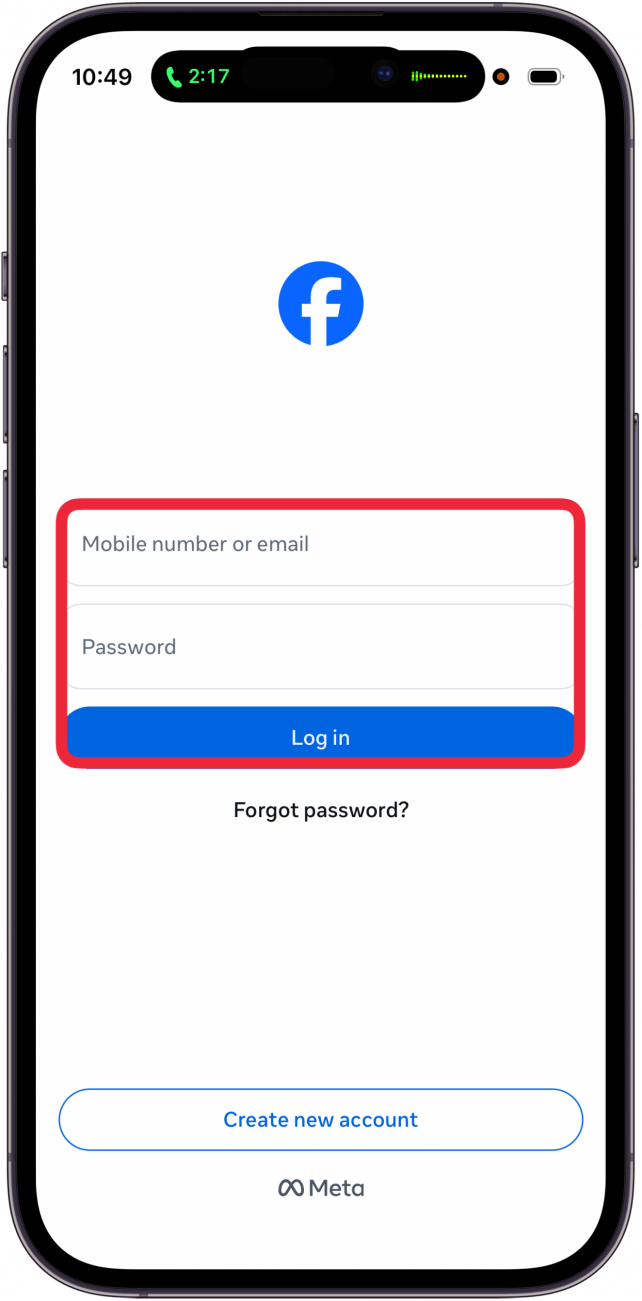
Your Facebook account is now reactivated!
How to Change Privacy Settings on Facebook
If you’d like to continue using Facebook but with tighter control over your privacy and the data Facebook keeps about you, such as location and face recognition, you can simply adjust your privacy and security settings. For even more Facebook privacy, you may want to look into how you can prevent Facebook from tracking you.
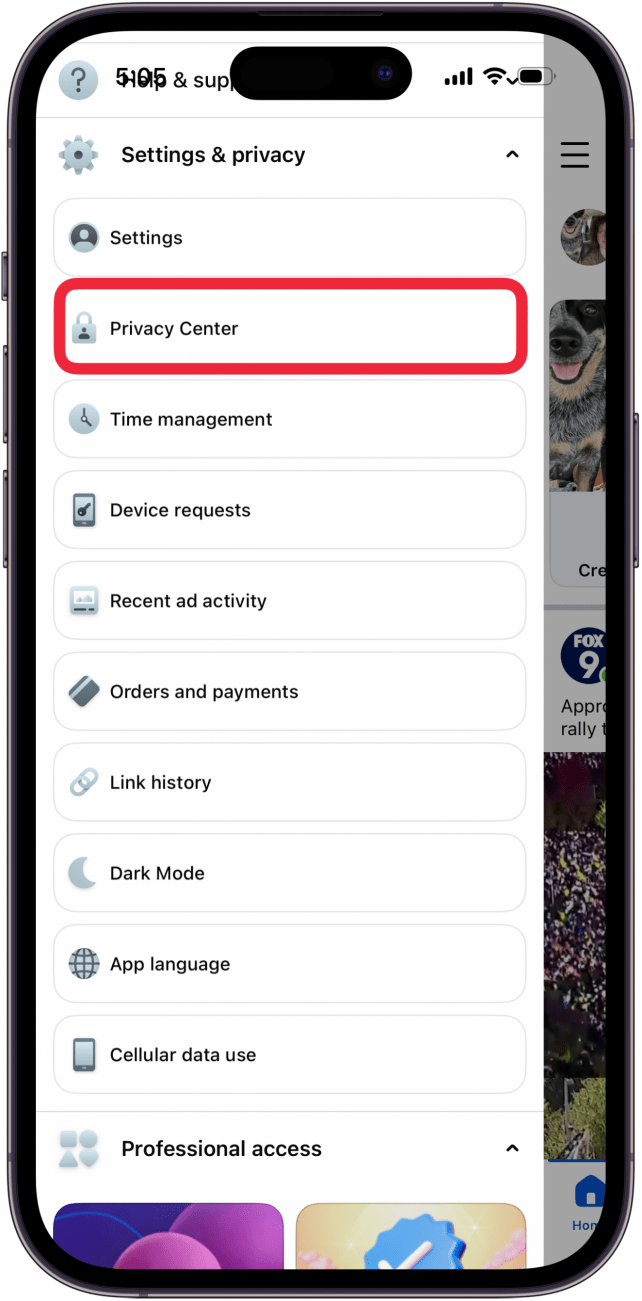
- Launch the Facebook app on your iPhone and tap on the More icon.

- Tap Settings & privacy.

- Tap Privacy Center.

- Tap Privacy Checkup.

- Now, go through each section and customize Who can see what you share, data settings, ad preferences, and more.


Before you deactivate, keep in mind that you can follow a Facebook thread without commenting, and block people on Facebook who aren't your friends. What if I can't deactivate my Facebook account? If the steps in this article haven't worked for you, please contact Facebook Help for assistance; Facebook often moves and changes settings, so they may have moved the options and settings you're looking for. For more great Facebook and social media tips, check out our free Tip of the Day.
FAQ
- How do I get rid of inactive subscriptions on my iPhone? To get rid of inactive subscriptions, you'll have to wait a year for them to disappear on their own. Open the Settings app, tap the banner at the top, tap Subscriptions, then look under Inactive to see your inactive subscriptions.
- How can I quickly unsubscribe from emails? To unsubscribe from emails, you can tap the Unsubscribe button if your iPhone or iPad is updated to iOS 26 or later.
- How do I unsubscribe from paid subscriptions? Deleting the associated app doesn't stop a paid subscription. To unsubscribe from an app, open the App Store, tap your profile icon, tap Subscriptions, and find the subscription you want to unsubscribe from.