iPhone Life - Best Apps, Top Tips, Great Gear
How to Turn Off 5G on iPhone
By Rhett Intriago

5G is the ideal way to use your iPhone on the go since it offers faster upload and download speeds and more reliable connections than 4G networks. However, 5G networks can use more battery and drive up the cost of your phone bill if you don't have unlimited data. If that's a concern for you, you can easily disable 5G in your iPhone settings.
What Does “Verification Required” in App Store Mean?
By Rhett Intriago

Why can’t I download apps on my iPhone? Downloading apps is one of the essential functions of the iPhone, but if you get a message saying “verification required” in the App Store, you won’t be able to download or install any apps. In this article, we’ll go over how to fix when the App Store says, “verification required.”
- ‹ previous
- 181 of 2471
- next ›
How to Share Screen on FaceTime
By Leanne Hays
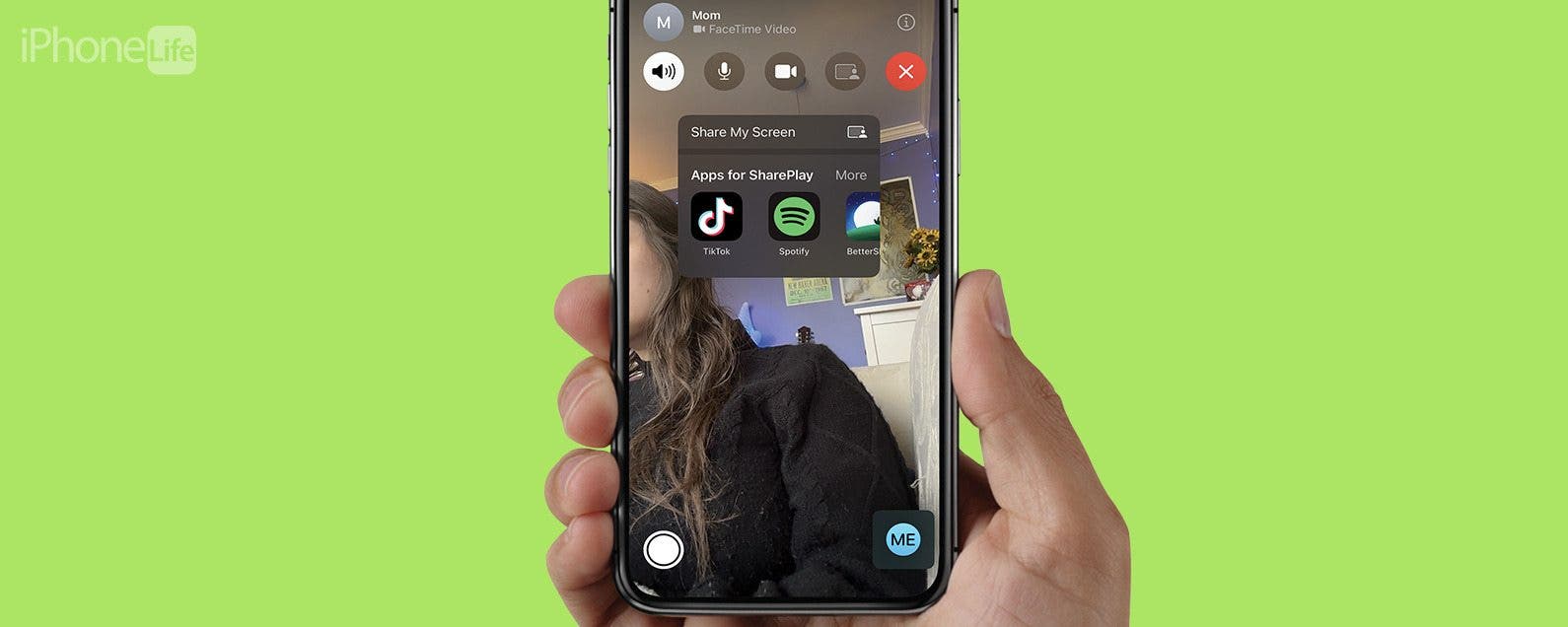
As someone who lives very far away from my closest friends and much of my family, FaceTime calls have become the lifeblood of many of my longest relationships. This also means that so much of our lives are separate, and I can’t simply lean over on the couch to show my friend or family member something cool on my phone. However, it can be that simple with Screen Sharing on a FaceTime call!
App Saturday: C25K 5K Trainer, A Running App for Beginners
By Hallei Halter

I hate running. This is something that has and always will be true. However, after deciding I need to take care of my physical and mental health, the one choice I kept circling back to was, "I need to start working out." My schedule doesn't always sync with my friends, so I typically go to the gym alone. And without anyone to spot me on weights or go with me to a class, the best solo workout for me is running around the indoor track. Zen Labs' C25K app guides users who are complete beginners with an eight-week course that can be used for running outdoors, indoors, or on a treadmill three times a week. In fact, the C25K stands for Couch To 5K, and the app aims to have its users reach a goal of being able to complete a 5K marathon at the end of the eight weeks. As someone who hates running, I really like using the C25K app. It's started a huge change for me. I've gone from just hating the thought of going on a run to hating it while I'm running.
Apps We’re Loving This Holiday Season
By Sarah Kingsbury

In episode 98, the iPhone Life team focuses on the best apps for you to use this holiday season. Learn how Apple’s new augmented reality app called Measure can help with your festive baking and what app you can use to record a special moment every day with friends and family. Other topics include tips for the Notes app, Siri Shortcuts and navigation in Google Maps
Automatically Keep Your iPhone Up-to-Date
By Hallei Halter

It's important to update iPhone software regularly, so why not make your iOS updates automatic? Instead of getting notified when it's time for an iOS update and putting it off, you can enable your iPhone to download the iPhone software update by itself when the new iOS update becomes available. Read on to find out how to enable automatic updates on your iPhone.
How to Get (& Use) the Red-Headed Emoji on iOS 12.1
By Tamlin Day

At the 2018 September Apple announcement, Tim promised us over 70 new emojis, including the long-awaited red-headed emoji. Redheads around the world rejoiced with the announcement of Apple's newest member of the emoji family. But how does one install the new emoji, and how does one access the emoji once installed? Fret not, we've got you covered. Read on to learn how to install and access the new red-headed emoji in iOS 12.
How to Sync Voice Memos on Your iPhone, iPad & Mac with iCloud
By Hallei Halter

It's possible to access the same voice memo on any of your Mac, iOS, and iPadOS devices, and to do things like record a voice memo on your iPhone and edit it on your Mac. To do this, you will need to be signed in to iCloud with the same Apple ID on each of your devices. Once you're signed in, you can sync voice memos on your iPhone and iPad, and even Mac. You can also follow these steps to disable iCloud sync for Voice Memos.
How to Add Another User to Your Apple HomePod
By Hallei Halter

As part of the Apple home automation wave, the HomePod is a fun way to use Apple HomeKit accessories. The smart speaker connects to other iOS devices and can access Siri for voice commands, responding to questions, or playing music. If you want to let family members or friends use the HomePod to do things like turn lights on and off and adjust the thermostat in your house, you can give access via the HomePod. Here's how to add another user to the Apple HomePod.

The Apple Notes app is a convenient organizer app for everything from planning projects to writing down your grocery list. The Notes app allows users to create folders so they can group related notes. Sometimes I'll make a note and later realize it's in the wrong folder. Other times I won't put the note in a folder, and it will end up in the general Notes folder by default. The Notes app has a simple way to fix this; you can move a note to another folder, or start a new folder. If you've been wondering, "how do I move a note to a folder in the Notes app?", read on.
App Saturday: Inquire-Wikipedia Around You
By Hallei Halter

Feel like nothing's ever happened in your hometown? Wish you could find somewhere more special to visit than Ye Olde Tourist Trap? If you're interested in local history or are wanting to find unique vacation spots, the Inquire app's easy and efficient search results can help.
iOS 12.1 Debuts Group FaceTime & a New Batch of Emojis
By Sarah Kingsbury

In the 97th episode of the iPhone Life Podcast, David, Donna, and Sarah tell you what new iOS 12.1 features to keep an eye out for, including Group FaceTime and a new batch of emojis. Other topics include pros and cons of sharing Apple’s HomePod, advanced photo search tips, and apps and gear iPhone Life’s editorial team is loving this holiday season.
How to Add Another Face ID to iPhone
By Leanne Hays

Face ID has been the default for Apple's smartphone security since its debut. However, if you'd like to share your iPhone with a partner, friend, or child, unlocking might be a little difficult. Luckily, just like Touch ID allows you to save multiple fingers, there is a way to allow another face to unlock your iPhone. We'll show you how to add another Face ID.
iPhone Photography Gear Roundup: Top Tools for Capturing Stunning Images
By Rheanne Taylor

iPhone cameras are improving every year, to the point where we can all take (and edit) professional-grade photos with just our phones. Still, once you've dived into iPhone photography there are a few accessories you may want to try out; we've rounded up our favorite photo gear for this very reason. From iPhone camera attachments like lenses, to our favorite iPhone tripod, to an awesome starter drone, an iPhone photo printer, and of course a selfie stick, we've gathered our favorite gear of the year right here. We've also included a few extras like a travel bag, a waterproof iPhone case, and some great free photo filter and editing apps to take you from start to finish on your photography adventure. Let's get started!
Easily Create Strong Passwords on iPhone
By Hallei Halter

App Saturday: RECaf - Caffeine Recorder
By Hallei Halter

Coffee is my co-pilot throughout the week. But if you asked me how much I drink on average, I'd draw a blank. Since my coffee habit was actually on auto-pilot, I chose RECaf - Caffeine Recorder as a a caffeine tracker for what, when, and how much caffeine I was consuming. This app is compatible with "Hey Siri" for logging entries and has customizable options so I can add specific drinks or food with their approximate caffeine content.

I had the opportunity to try the updated BEDDI Glow SE ($79.99) from WITTI. I reviewed the original model, and was happy when WITTI sent me the newer version. This one has a compact footprint and battery backup, two valuable enhancements for nightstand use, which is how I used my original BEDDI for years. You can set multiple alarms on different days, such as a weekday alarm for work or school and a weekend alarm that's a little later.

We all want our kids to avoid screen addiction and be safe online, but that can be hard to accomplish when children have open access to the internet via their iPhone or iPad. Fortunately, Apple's Screen Time parental controls are easy and free to use. In the past you might have had to pay for iPad or iPhone parental control apps to make sure inappropriate content wasn't getting through on your kids' devices, but not anymore. Learn how to set up Screen Time settings on your child's iPhone and iPad, and how to lock those settings so your curious kids can't access the content you've blocked.
Pages

