What to Know
- You can unsend messages on your iPhone that are sent to another iPhone, but not messages sent to an Android.
- You have two minutes to unsend a message after you hit Send.
- Unsent messages can't be read, but the recipient will be able to see that you unsent a text.
If your iPhone is running iOS 16 or later, you can unsend iMessages. This feature is perfect for deleting text messages you regret sending, preventing those embarrassing messages from being read. But can someone see an unsent message on an iPhone? Here's the answer.
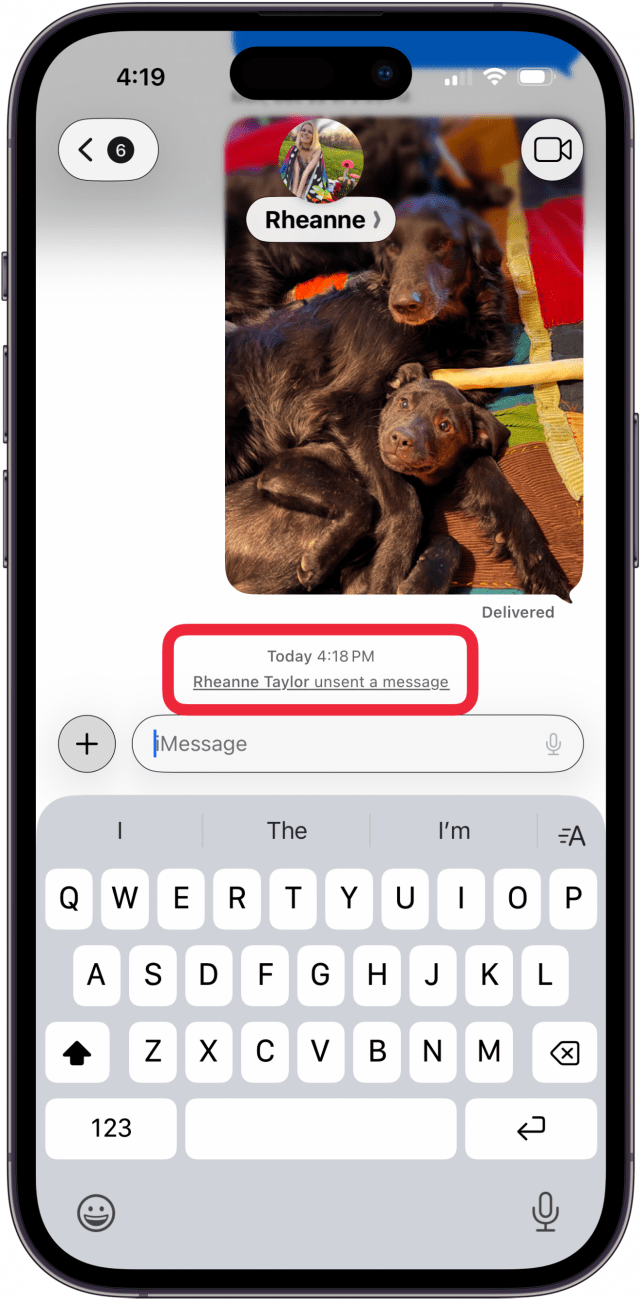
After you learned how to unsend a message on an iPhone, you probably started wondering how to see unsent messages on your iPhone. Whether or not you can see messages other people have unsent, and whether they can see your messages after you unsend them depends on a few factors.
First, if you send SMS/MMS messages instead of iMessages on your iPhone, the unsend feature will not work, and people will still see your messages. You'll be able to tell that a message is an SMS/MMS message rather than an iMessage because the text bubble will be green instead of blue. iMessages will have blue bubbles. The option to unsend a message won’t even appear in SMS threads. SMS/MMS messages go through your carrier’s network, so Apple cannot control what happens to these messages once you’ve hit Send.

The unsend feature also won’t work in iMessages unless everyone in the conversation is using iOS 16 or later. While the Undo Send feature might seem to work on your end, recipients who haven't updated won't be able to see that you've deleted the text. The original message will remain on their end regardless of your attempts to unsend. Since iOS 16 dropped support for the iPhone 6s, the iPhone SE (1st generation), and the iPhone 7 models, a few people will be stuck with iOS 15, and unable to unsend messages. These people will also still be able to see any messages someone using iOS 16 has attempted to unsend.
Keep in mind that even if you unsend a message, there is a chance that the recipient may have already read it. Even if it isn’t marked as "read" in the Messages app, there is a chance the recipient read it when they first received the notification.
FAQ
- Can I unsend an email after sending it? Yes, you can unsend an email, just tap the Undo Send option at the bottom of the Inbox in your Mail app.
- Why can't I unsend messages on my iPhone? If you can't unsend messages on your iPhone, it may be that you or the recipient needs to update your iOS, you may be trying ot unsend the message to an Android, and more.
- Can I edit a text message on my iPhone after I send it? Yes, you can edit a message after sending, just touch and hold the message, then tap Edit.
Top image credit: wk1003mike / Shutterstock.com