How to Enable MMS Messaging on iPhone (Any iPhone)

Belinda is a digital marketer and content writer with a passion for engaging audiences through compelling content, shaped by a global perspective and creative curiosity.
Learn More Belinda is a digital marketer and content writer with a passion for engaging audiences through compelling content, shaped by a global perspective and creative curiosity.
Learn MoreYou can send friends and family funny GIFs, videos, and longer messages, as long as you enable MMS messaging on your iPhone. While SMS messaging only permits you to send links and text content, MMS stands for multimedia messaging service, and is what allows you to send rich media content. Here's how to enable MMS messaging on your iPhone to send videos, GIFs, and longer texts!
Why You'll Love This Tip
- MMS messages can be sent to iPhones and non-Apple cell phones.
- Send longer text messages with MMS messaging, which allows for a higher character limit (1,600 instead of 160 for SMS).
- Enable MMS messaging to send images, videos, GIFs, other rich media content, and group messages that include Androids.
How to Enable MMS Messaging
System Requirements
This tip was tested on an iPhone 17 Pro running iOS 26.4. Find out how to update to the latest version of iOS.
We all love to share content with those we love! Think of the last time you traveled: perhaps you visited a tropical country and saw a monkey. You recorded footage of it stealing a banana from a fellow tourist (this is very common). MMS messaging allows you to send this video to anyone in your contacts list within seconds. The good news is, you might already have this setting enabled. If you don't, here's how to enable MMS messaging on your iPhone.
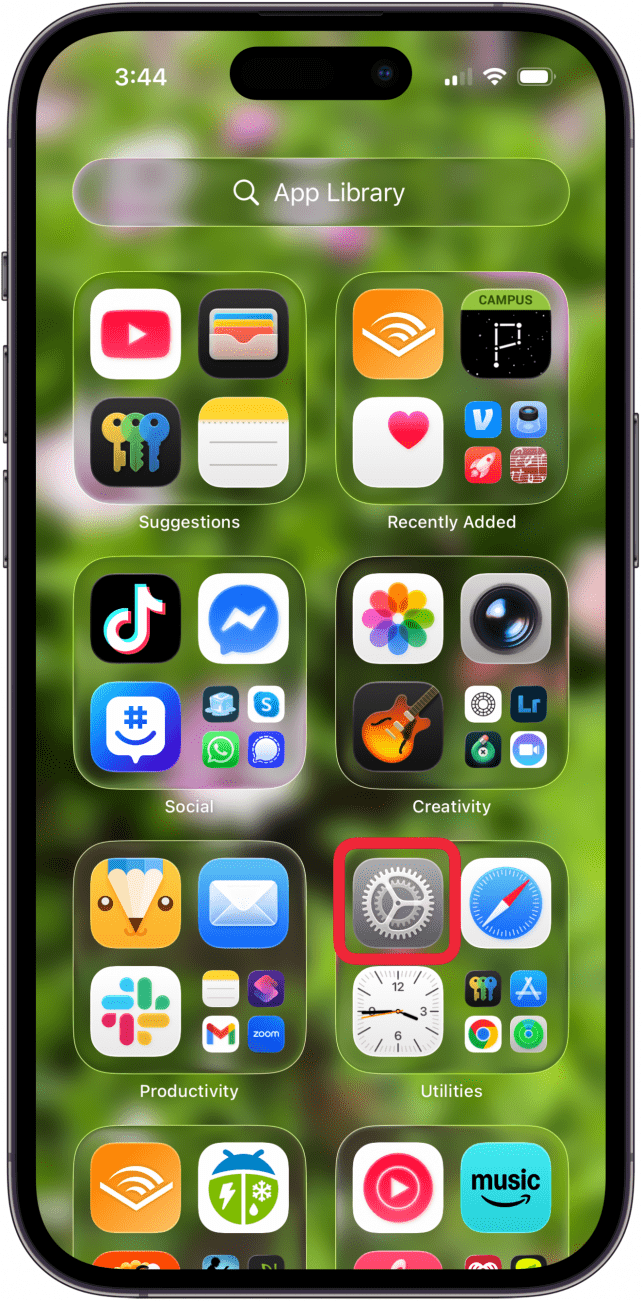
- Open the Settings app.
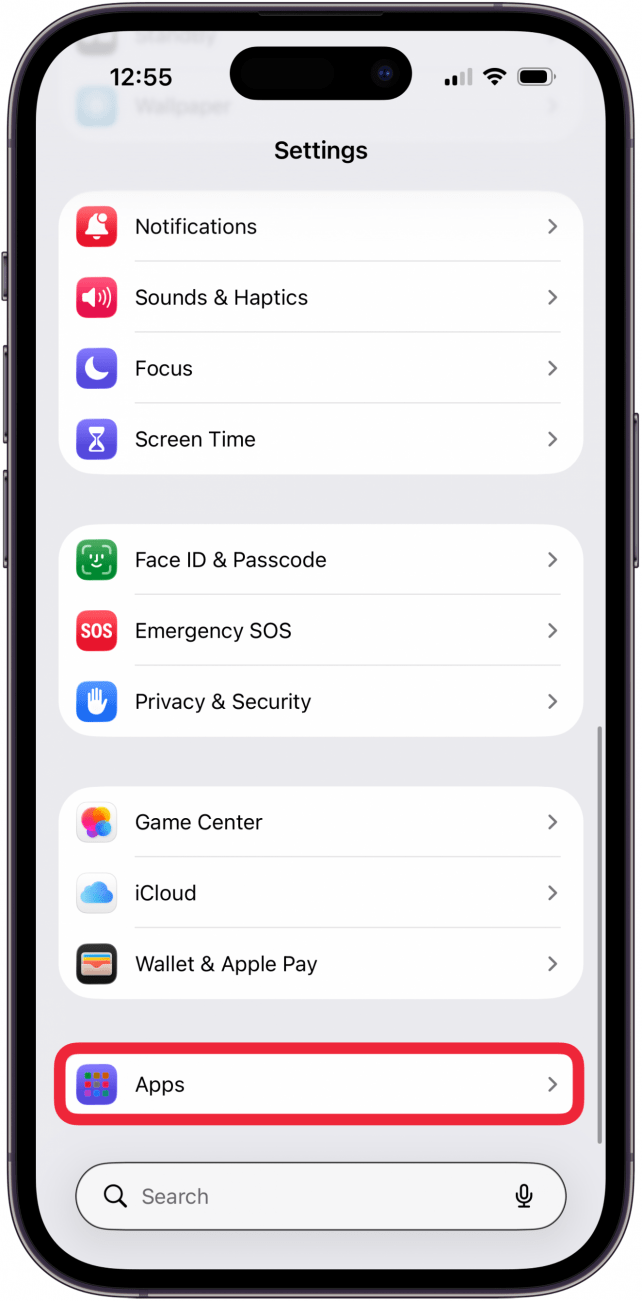
- Tap Apps.
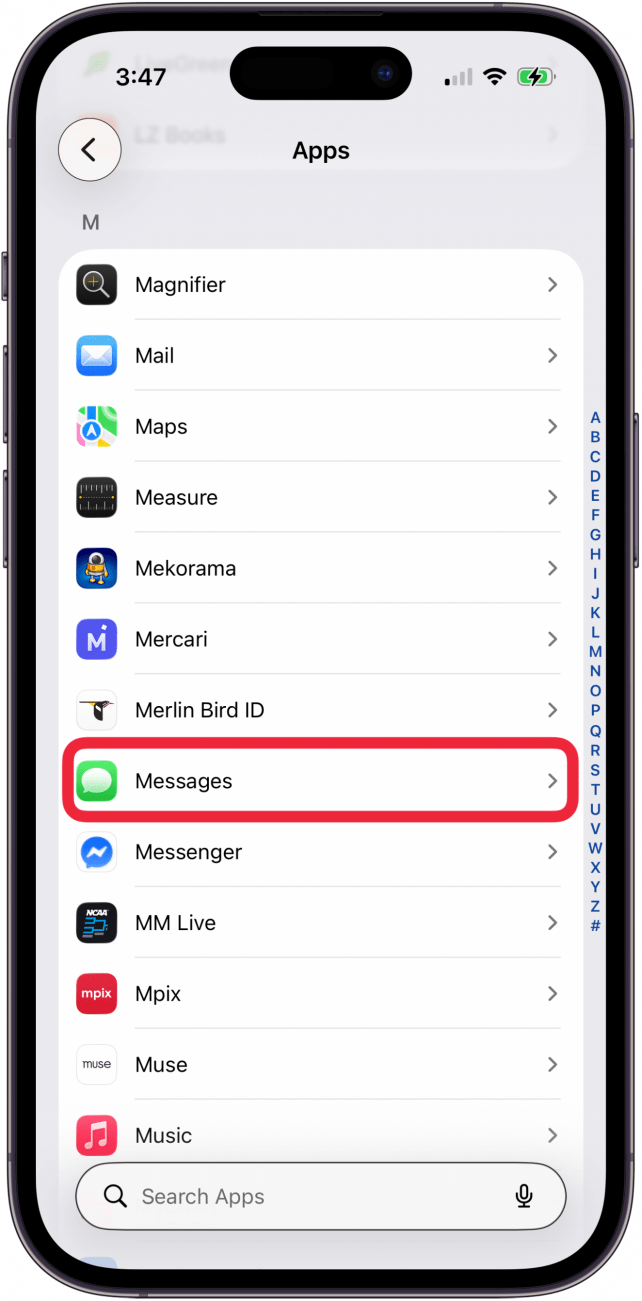
- Tap Messages.
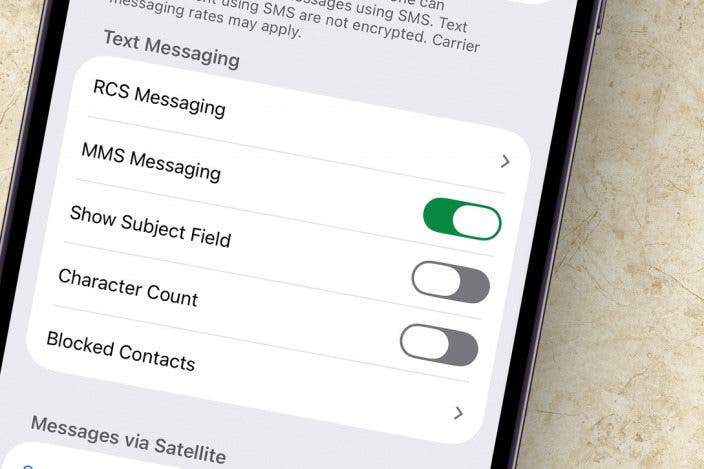
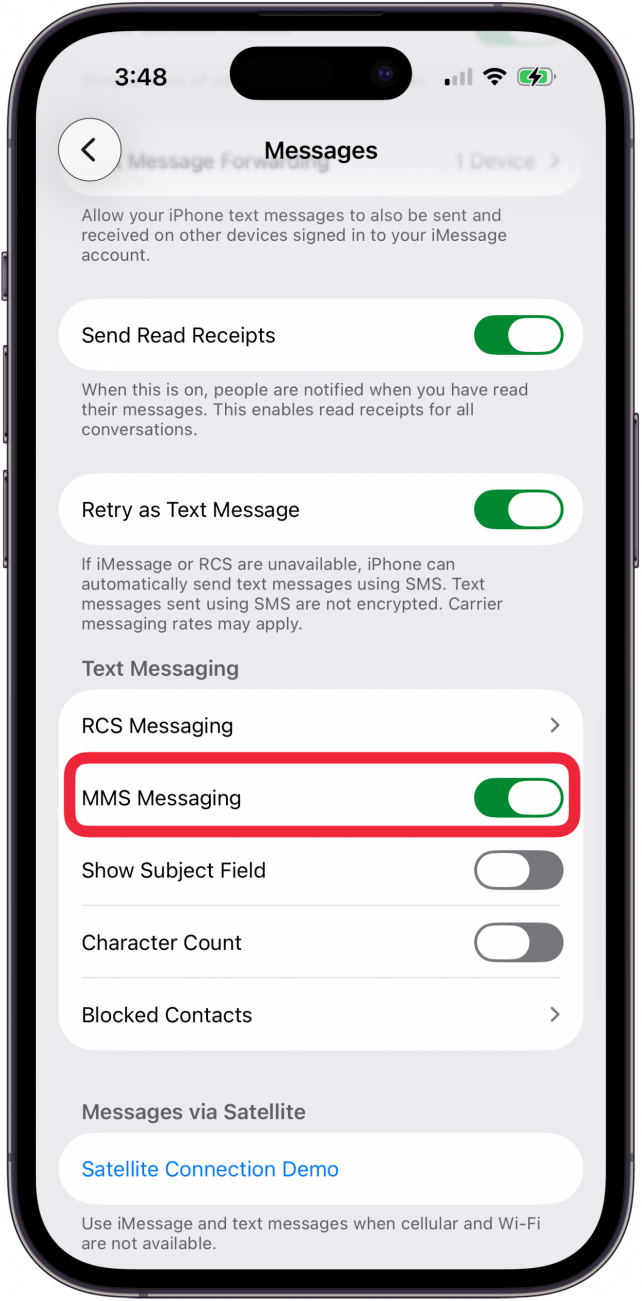
- Scroll down and toggle on MMS Messaging. (The toggle is green when enabled.)
Now you know how to enable MMS messaging on your iPhone! You can send meaningful lyrics, an insightful TED Talk video, or a jaw-dropping photo to your best friend. MMS messaging allows you to send your experiences with friends and family, as if they were right there with you.
For more handy iPhone messaging tips, consider signing up for our free Tip of the Day Newsletter.
More On: Messages
Top image credit: B art / Shutterstock.com

Every day, we send useful tips with screenshots and step-by-step instructions to over 600,000 subscribers for free. You'll be surprised what your Apple devices can really do.

Belinda Sanmiguel
Belinda is a passionate digital marketer and content writer who loves creating unforgettable experiences for audiences with compelling copywriting and other forms of media. She used to live in England, has traveled to over 15 countries, and loves swimming in the ocean. In her free time, she enjoys planning women's events and trying new restaurants in Chicago.
 Olena Kagui
 Rhett Intriago
 Rachel Needell
 Leanne Hays