What is Shake to Undo on iPhone? It's a feature that undoes typing and other actions by simply shaking your phone. Shake to Undo can be a handy feature on your iPhone when you want to quickly erase something you've just typed. On the other hand, getting a pop-up notification every time you accidentally shake your iPhone can be annoying! Luckily, you can turn off Shake ot Undo on iPhones. We'll show you how.
Why You'll Love This Tip
- Stop getting iPhone Shake to Undo notifications when you accidentally jostle your phone.
- No more worrying about accidentally deleting things you've typed.
How to Disable Shake to Undo on iPhone
System Requirements
This tip works with any modern iPhone and OS but was performed on an iPhone 15 Pro running iOS 26. Find out how to update to the latest version of iOS.
How do you undo on an iPhone? All it takes is a shake of your phone. However, it can get annoying if you ever accidentally shake your phone when you're not trying to undo anything. Luckily, you can disable Shake to Undo on an iPhone with just a few taps. Want to learn more tips and tricks for your iPhone? Sign up for our free Tip of the Day newsletter! Now, here's how to disable Shake to Undo:
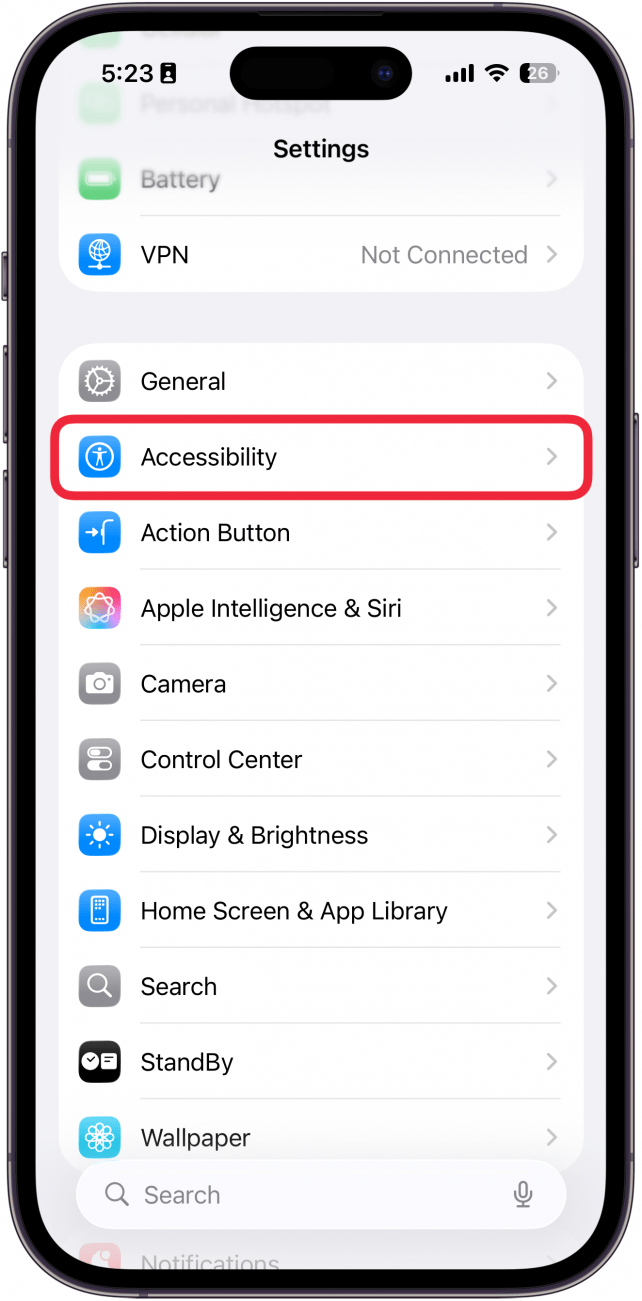
- Open the Settings app and tap Accessibility.
![a screenshot of the settings app on iPhone with a red box around accessibility]()
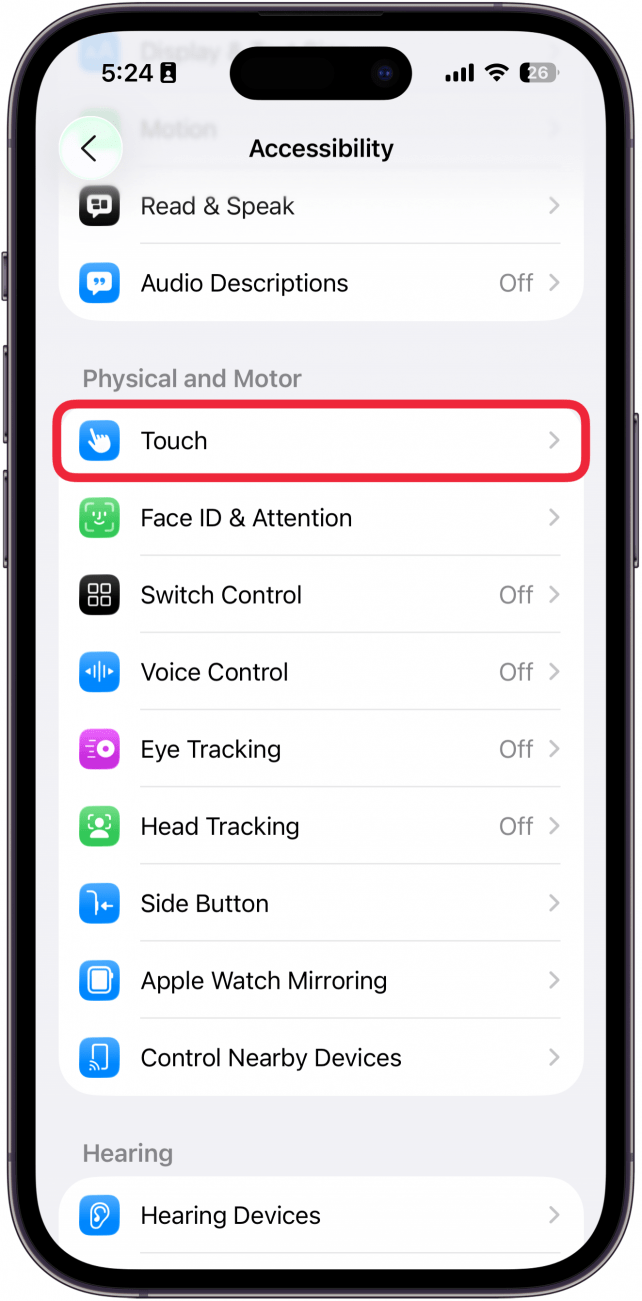
- Tap Touch.
![a screenshot of accessibility settings on iphone with a red box around touch]()
- Tap the Shake to Undo toggle to disable the feature. The toggle will be gray when it's turned off.
![a screenshot of touch accessibility settings on iphone with a red box around the shake to undo toggle]()

That's how to turn off the undo typing iPhone feature. Now you don't have to worry about Shake to Undo notifications popping up every time you move your iPhone around too abruptly while typing! Next, find out how to change the keyboard on an iPhone.