Perhaps you received an interesting text from someone, only to find it was quickly edited. So, how does editing work on iMessage? Can people see your edits on iMessage? In the latest version of iOS, you can edit texts and view the edit history of messages you've sent or received from others. Below, we'll show you how to check the edit history of a text in the Messages app.
Why You’ll Love This Tip
- Quickly view the edit history of messages that you've sent or received from others.
- Check the edit history of a text someone sent you to ensure you have needed information and know what was originally said.
Can People See Edited Messages on iMessage?
System Requirements
This tip was performed on an iPhone 15 Pro running iOS 26.1. Find out how to update to the latest version of iOS.
When sending iMessages, you have the ability to edit your text within the first 15 minutes of sending it. So, can you see edited messages on iMessage? To view a text's edit history (and, indeed, to edit a text in the first place), the text will also need to have been sent via iMessage (blue text bubbles) and not RCS (green text bubbles). Once you or the person you're texting edits a text, you can tap to view the edit history of a message. For more useful iMessage tips and tricks, be sure to sign up for our free Tip of the Day newsletter. Now, here's how to see edited messages on iPhone:

- Open the Messages app and navigate to a text message you've recently edited (or that someone who texted you has recently edited).
![iphone home screen with a red box around the messages app]()
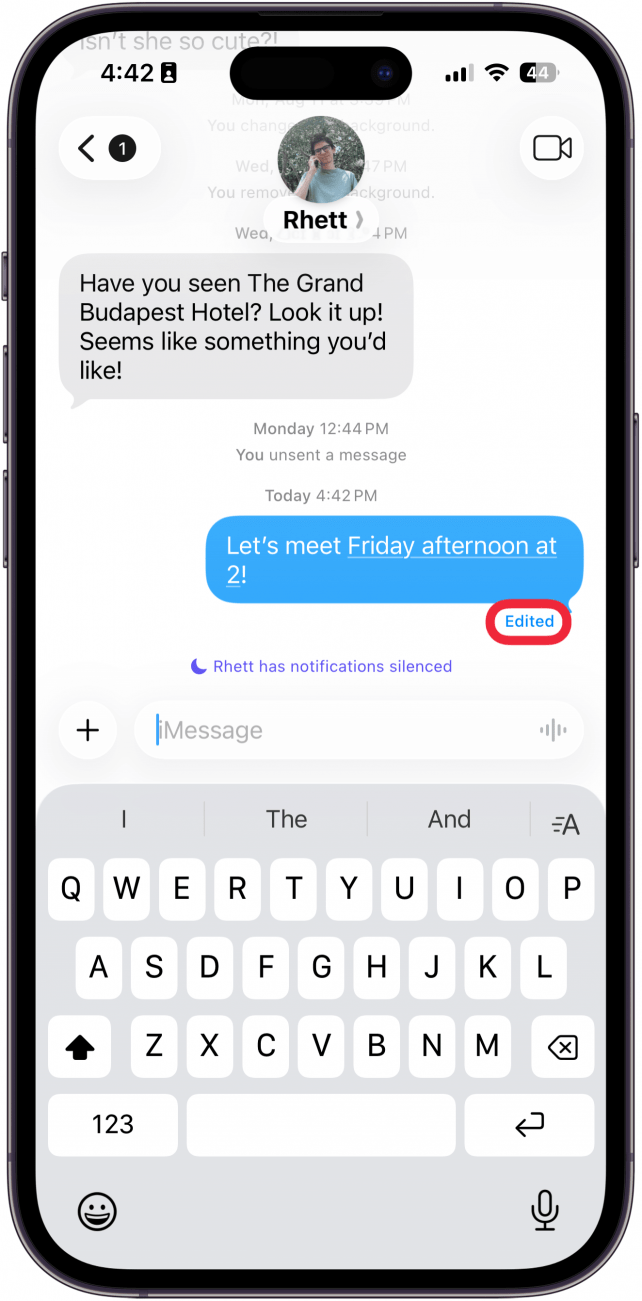
- Tap the word Edited beneath the text message.
![iphone messages app with a red box around edited button]()
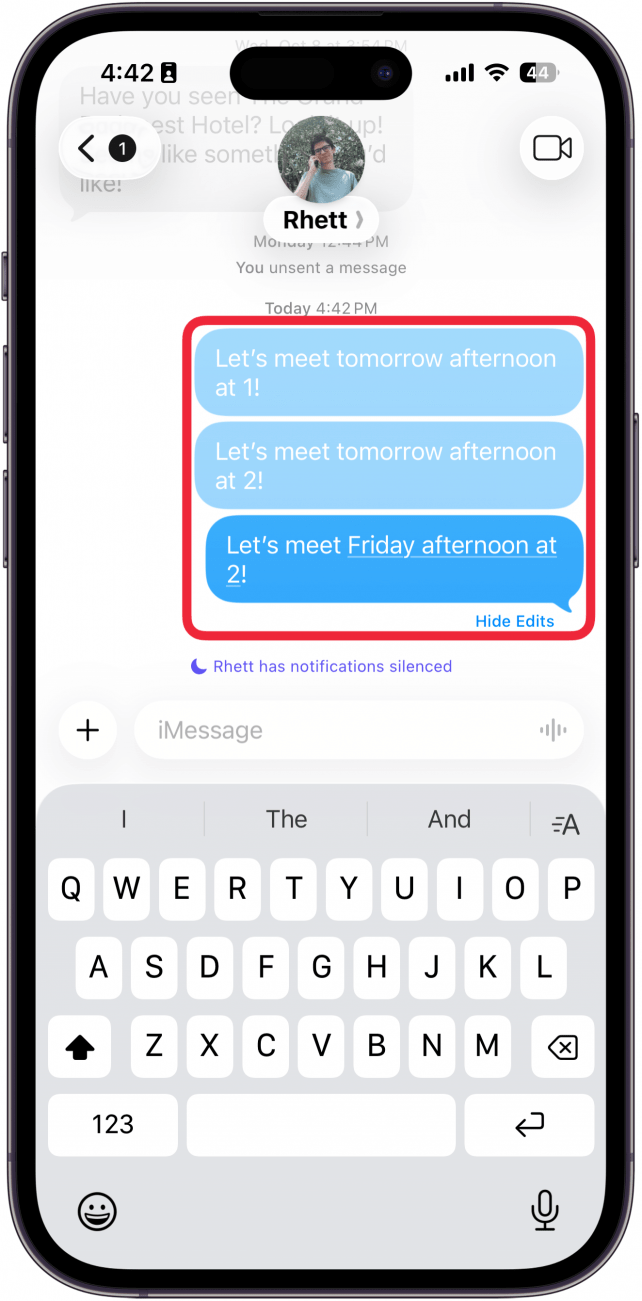
- You will see all revisions of the message history, including the current version. The darker blue bubble displays your current message, and the lighter bubbles show the versions before your latest edits.
![iphone messages app with a red box around the edit history of a message]()
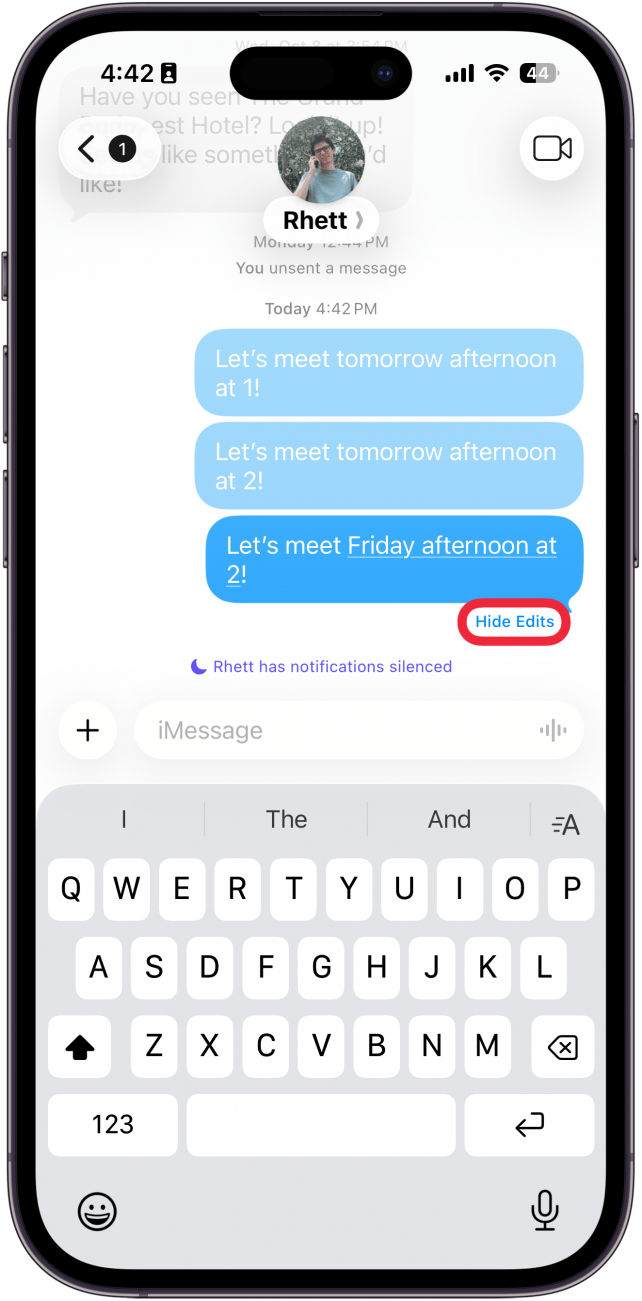
- Tap Hide Edits to collapse and hide the revision history. This is how to hide edits on iMessage, but they can easily be seen by tapping the Edited button again.
![iphone messages app displaying edit history of a message with a red box around hide edits button]()

Now that you know how to view the edit history, can the other person see your edits on iMessage? The answer is yes. The other person can always see a text's edit history. If you don't want the other person to be able to see your edits, you can always find out how to unsend a message on your iPhone.
More On: The Messages App
Top image credit: panitanphoto / Shutterstock.com