* This article is from our Tip of the Day newsletter. Sign Up. *
Did you know you can record slow-motion video on your iPhone? No slow-motion app is needed; you can use the Slo-mo setting in the Apple Camera app. Here's how to make a slow-motion video on your iPhone.
Related: How to Trim a Video on iPhone or iPad Photos App

Use Slo-Mo Mode to Record Slow-Motion Video on iPhone
Recording slow-motion video on your iPhone is a great way to get a shot that would have otherwise gone by too quickly, or to just get a great laugh watching and re-watching your Slo-mo videos (pets and kids are the funniest Slo-mo subjects). Depending on which iPhone model you're using, you can record slow-motion video at 30, 120, or 240 fps (frames per second).
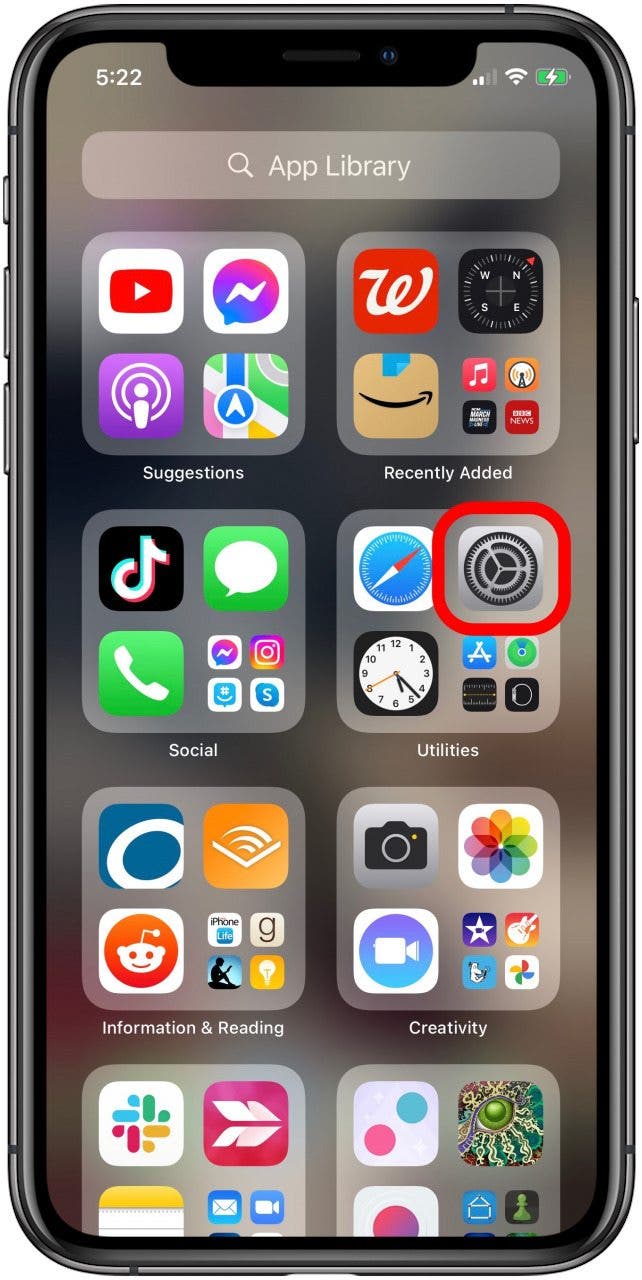
First, choose the setting you’d prefer to record your slow-motion video in. To do this:
- Open the Settings app.
![iphone settings app]()
- Tap Camera.
![tap camera in iphone settings]()
- Tap Record Slo-mo.
![tap record slo mo]()
- Tap 1080p HD at 30 fps, 1080 HD at 120 fps, or 1080 HD at 240 fps.
![tap record slo mo speed]()
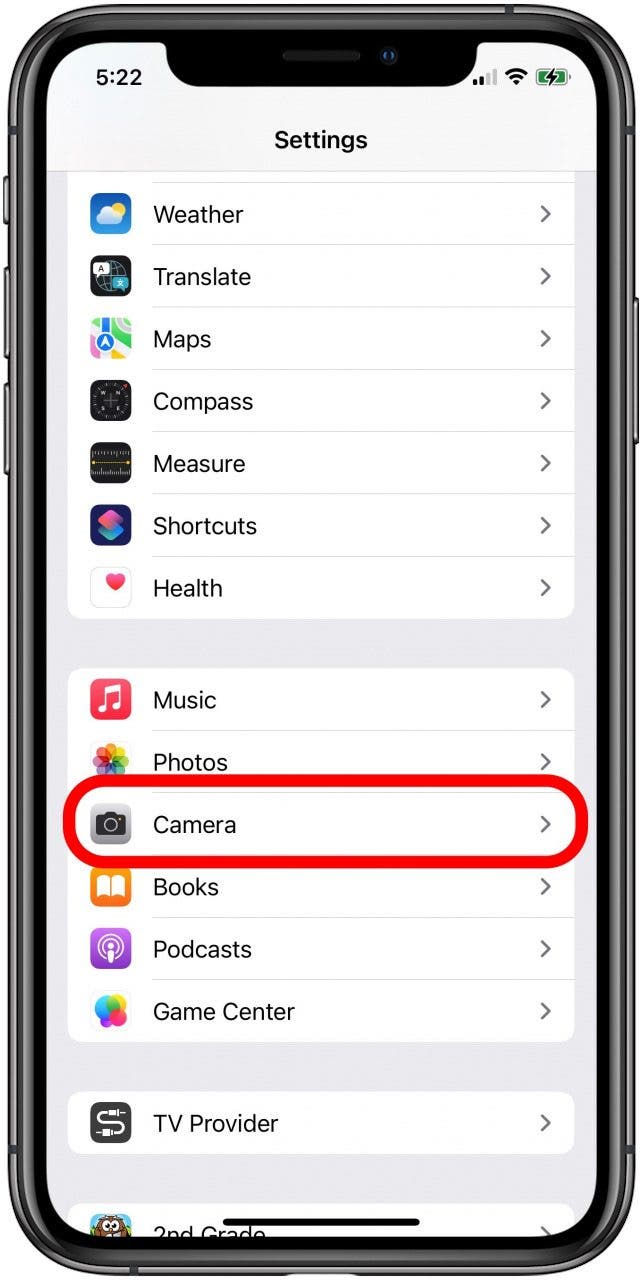
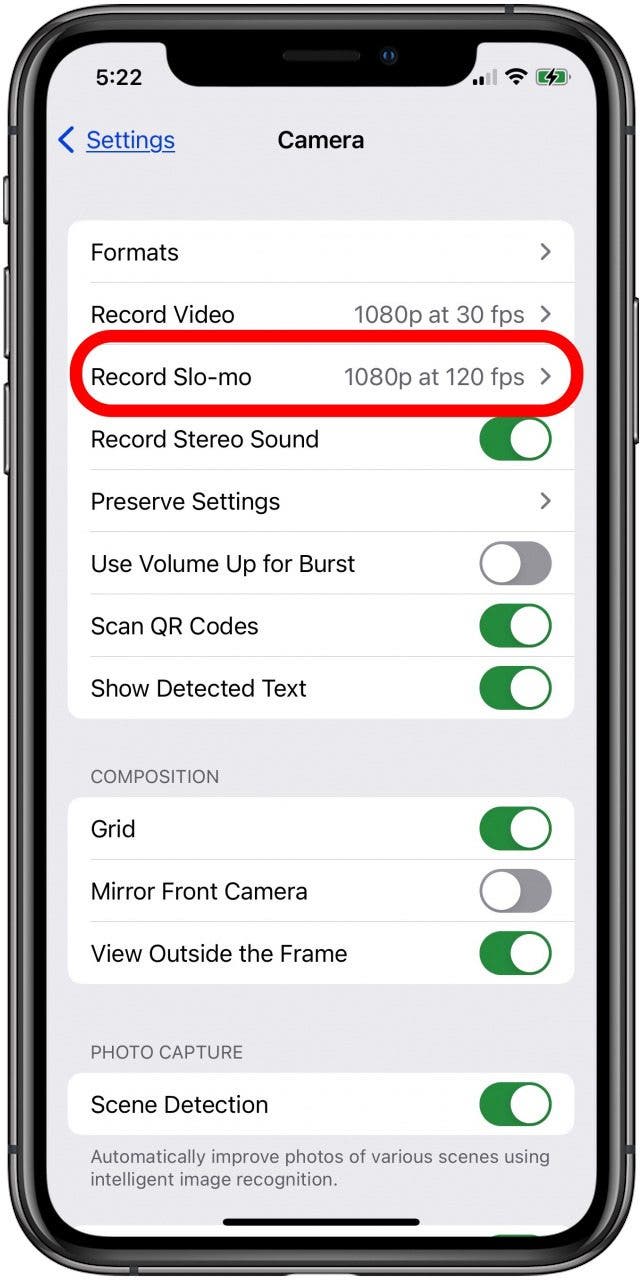

Once you’ve made your selection, return to the Home screen, and you're ready to shoot a slow-motion video. To make your slow-motion video recording:
- Open the Camera app, either from Home screen or with the Control Center.
![iphone camera app]()
- Tap Slo-mo.
![camera slowmo setting]()
- Tap the red record button to begin; tap it again to stop recording.
![tap the record button to record videos in slowmo]()


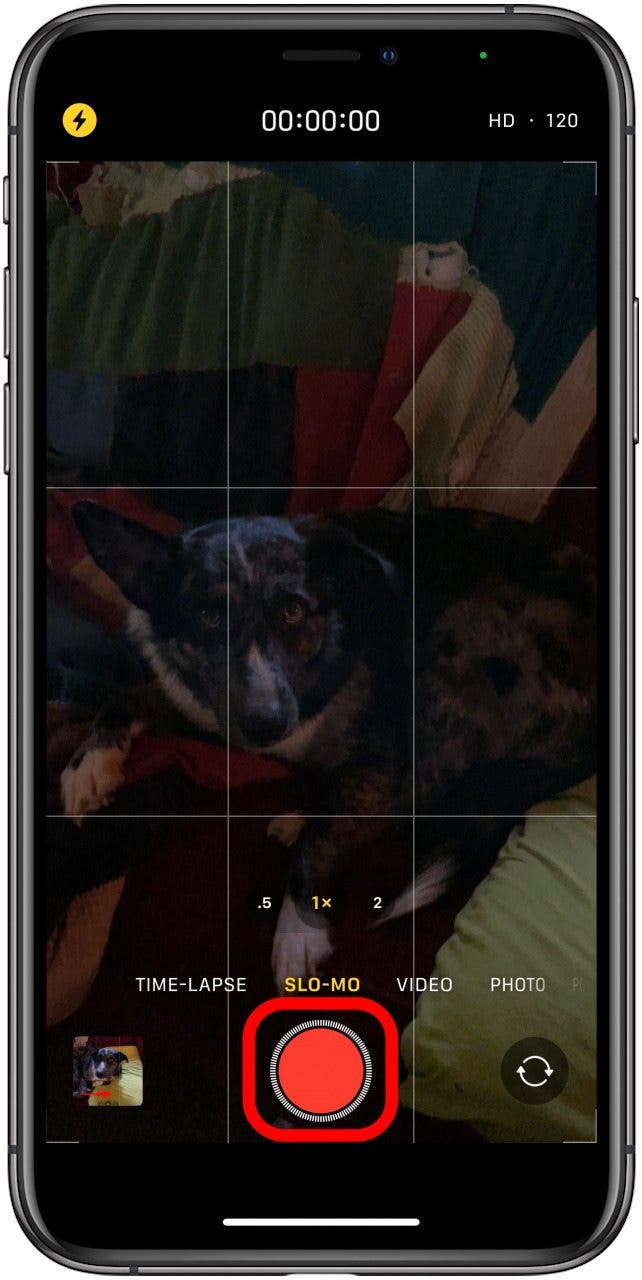
That's it! You've taken your first slow-motion video on your iPhone; now you can edit the slow-motion video or send your video in a text message to friends and family or watch it any time you like in your Photos app.