By Adam Harvey
Did you know you can record slow-motion video on your iPhone? No slow-motion app is needed; you can use the Slo-mo setting in the Apple Camera app. Here's how to make a slow-motion video on your iPhone.
By Rachel Needell
Apple's Emergency SOS feature allows you to contact emergency services without having to unlock your phone. It will also send your location to your emergency contacts. So if you need help fast, the Emergency SOS feature can contact emergency services and send your location to your Emergency Contacts. Sound interesting? Here's how to set it up!
By August Garry
Apple is making moves to make iCloud Keychain your one and only password manager. iCloud Keychain is built right into your Apple devices, so it's easy to keep all your passwords in one place, and now you can add notes to iCloud Keychain and keep track of all your important account information right in your Settings app.
By Rhett Intriago
The iPhone has a built-in Files app, allowing you to download and view various types of files, from pictures and videos to PDFs and Word documents. But navigating the Files app can be a bit tricky if you don't know what kind of files you're looking at. Let's take a look at how to view file extensions in the Files app.
By Brian Peters
New iPhones and iPads are quite capable of running games with the kind of graphics that would have required a computer or game console in the past, but many people find playing action games with touch screen controls to be difficult or unenjoyable. Fortunately, it's quick and easy to connect a video game controller with Bluetooth capability to your iPhone or iPad.
By Conner Carey
If you've been wondering, "how do I scan a QR code on my iPhone?", you're in luck. Before iOS 11, you needed a third-party app to be able to scan QR codes on an iPhone or iPad. Now, you can use the stock Camera app on your phone or tablet to scan QR codes, and it’s pretty easy to do. We will show you how to use the Camera app on your iPhone or iPad for scanning QR codes.
By Olena Kagui
Many people use reminders on their iPhones to remember to take their daily prescriptions and vitamins. With iOS 16, you no longer need to search for the best app for prescription drugs because your Health app can now track your medications, send you reminders, and even alert you of any interactions.
By Kenya Smith
Did you know that you can access the Control Center on an iPhone by simply tapping the back of your iPhone? We will show you how to access the Control Center on your iPhone without touching the screen.
By Amy Spitzfaden Both
iOS 16 is introducing a Shared Photo Library that lets you share a whole library with other iCloud users, provided they've all updated to iOS 16. Learn how to add people to the library so you can all share photos and videos, even as you take them, and how to remove people when you decide you no longer want them in your Shared Photo Library.
By Brian Peters
Modern web browser apps, both on computers and smart phones, save a lot of data from the sites you visit. This is useful for improving the speed of web browsing, but sometimes you may want to clear out this cache, whether to clear up storage space, for privacy concerns, or for other reasons.
By Rhett Intriago
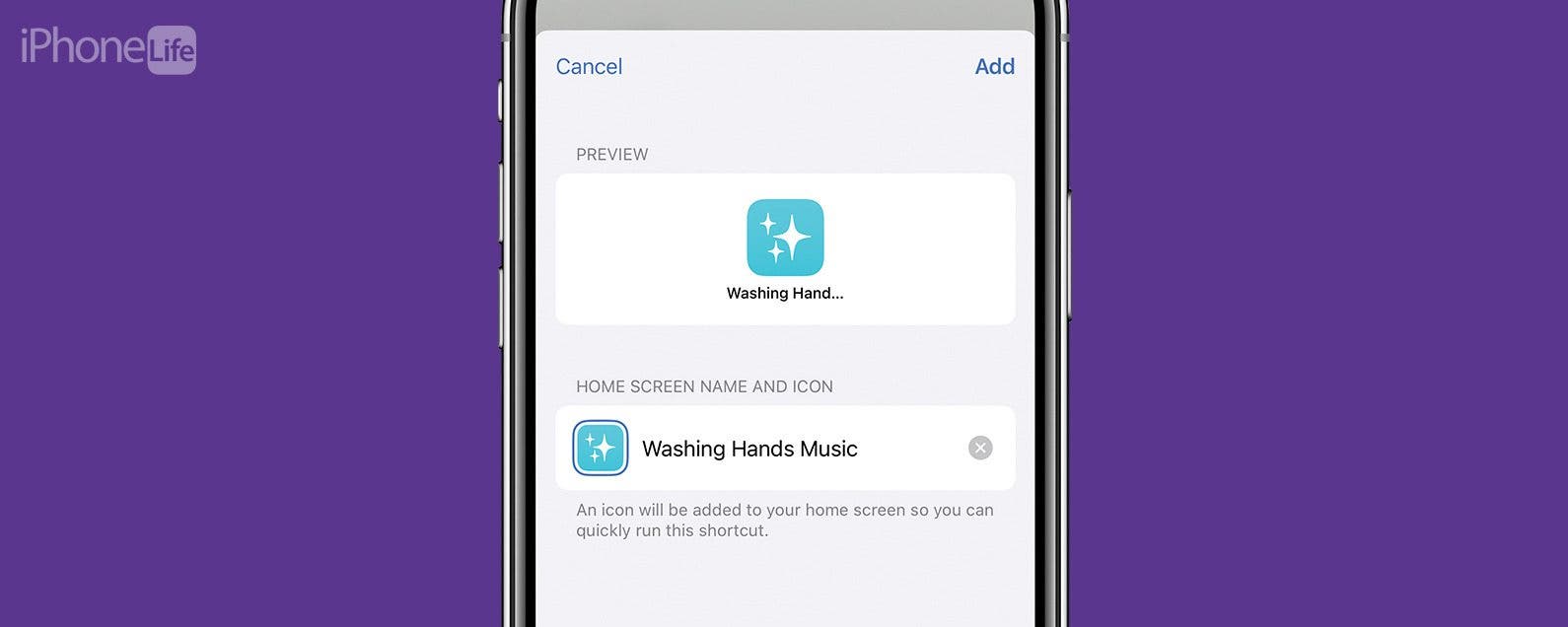
A really wonderful way to get kids to actually wash their hands is with the Timed Handwashing feature in the Shortcuts app. It’s not only fun, but it’s interactive and makes a mundane task that’s good for a kid’s health a little bit less of a nuisance. Here’s how to create a shortcut that plays a hand-washing song.
By Conner Carey
The greatest part about the age of digital cameras is the ability to see exactly what you captured in a photo immediately after you take it. Gone are the days of the thumb picture or the blinking family photo. That's why we love how easy it is to view your recent photos directly within the Camera app on your iPhone.
By Amy Spitzfaden Both
Many people have been struggling with the same issue when it comes to Group FaceTime on their iPhone: screen movement. Sometimes it can be nice to see the current speaker featured larger than the others. However, many people prefer for the members of their group chat on FaceTime to be equally sized throughout the whole call, regardless of who is speaking. Fortunately, this is an easy fix! Here's how to stop faces from moving during FaceTime.
By Leanne Hays
Can you filter a Live Photo? Yes! Various iPhone filters can give your live pictures a unique look. Here's how to add photo filters to Live Photos.
By Leanne Hays
Want to save time when searching for pictures of a specific person? Here are two of the best ways to find photos of a person in the Photos app on your iPhone or iPad in just a few easy steps.
By Ashleigh Page
Losing a loved one is difficult. Having their digital memories, such as photos, allows us to cherish the times we spent together. With the Digital Legacy program on iOS, Apple allows you to securely and easily pass on your digital data after death. Read on to learn more about this feature.
By Devala Rees
By default, when you set a Reminder for an all-day event, you receive a notification at 9 am that morning. But this is useless if your event starts two hours earlier! To solve this problem, we'll show you how to adjust the start time of all-day Reminders on your iPhone. This way, you'll receive notifications when they're most useful.
By Erin MacPherson
The World Health Organization tells us that over 37 million people each year fall and suffer injuries bad enough that they need medical attention. Surprised by that number? So was I. Thankfully, your iPhone's Health app includes a Walking Steadiness score in its Mobility section to help you keep yourself and your loved ones safe from falls.
Are you someone who finds themselves poring back through their deleted emails, searching for that 20% off promo code you thought you weren't going to use? If you think you might want an extra step of precaution before emails are permanently deleted from your trash folder, consider turning on the Mail app's Ask Before Deleting feature.