
Out of all of the thousands of mobile games available to gamers, few if any have generated a buzz in the core gaming community like Vainglory has. Vainglory is an unapologetically core game, built from the ground up for the mobile touchscreen platform. I had the opportunity recently to sit down and chat with Vainglory's COO Kristian "EdTheShred" Segerstrale and former pro League of Legends player George "Zekent" Liu who now serves as Vainglory's Video Community Manager. What follows is an essential and informative read for anyone who is a core gamer in this day and age where touchscreens are increasingly becoming the dominant gaming platform.

In my reporting on iPhone and iPad news, I constantly rely on a range of Apple-related websites. But rather than having to visit each one individually, I gather all their news feeds into a single web page, using the personalization feature of My Yahoo. At a glance I can see all the latest Apple news. These news feeds from websites are called RSS feeds. ("RSS" stands for "rich site summary," though some people say it stands for "really simple syndication.") There are RSS apps you can download that let you gather these news feeds. But you can also subscribe to news feeds in Safari.
00047 - Video Tip
Tip of the Day: How to Upload Videos from Your Computer to Your iPhone with iTunes

If you have a cool video on your computer that you want to put on your phone, follow these steps using iTunes.
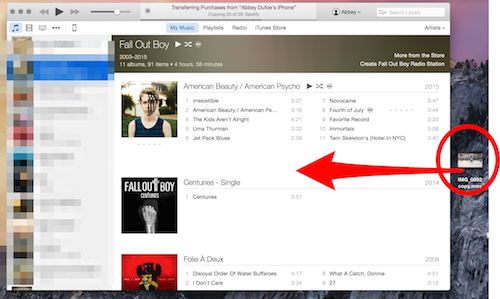
First, drag the video from your desktop into iTunes. You don’t have to put it anywhere special—you can see that I just dragged it in while iTunes was still in the music view.
Next, select the movie icon on the upper left corner, and click on “Home Videos.”
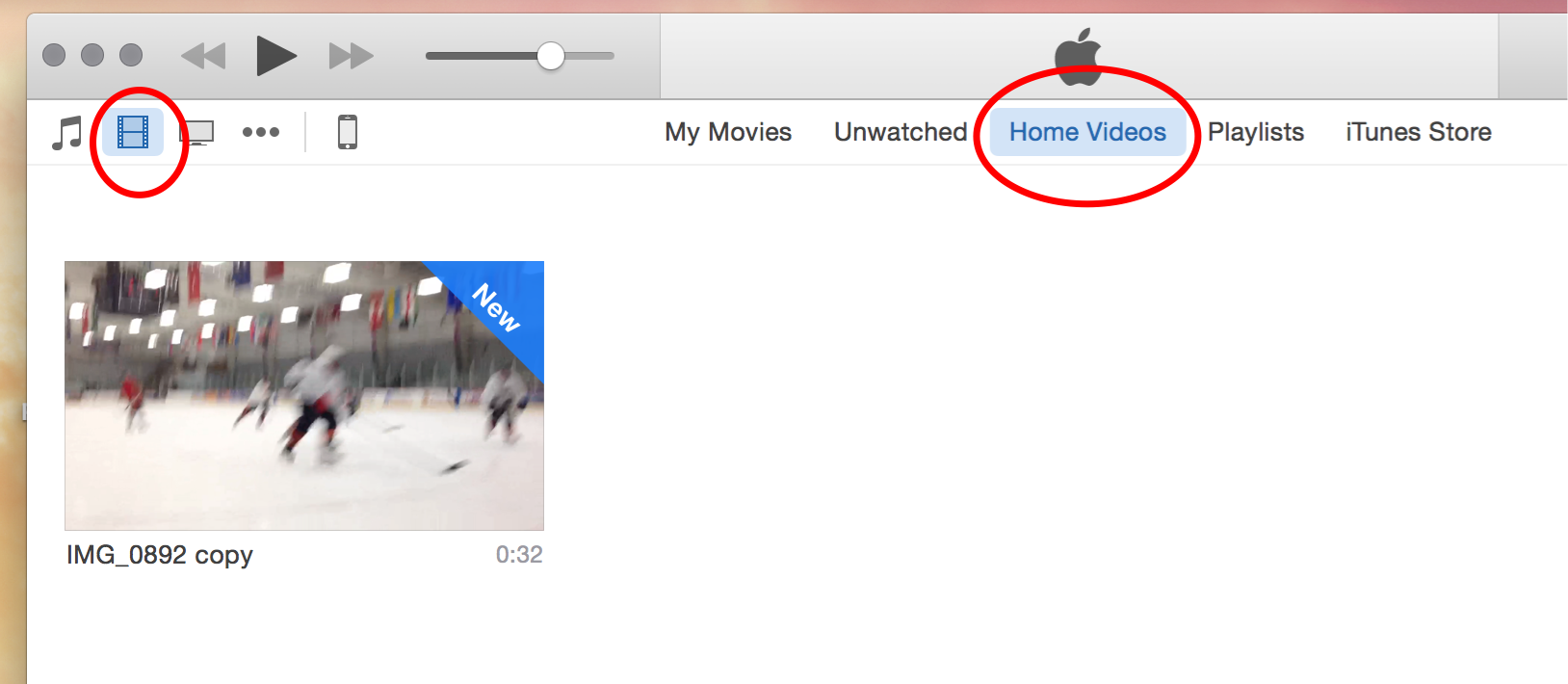
You'll see your video there. For the next step, make sure your phone is plugged into your computer. Simply drag your video onto the iPhone icon.
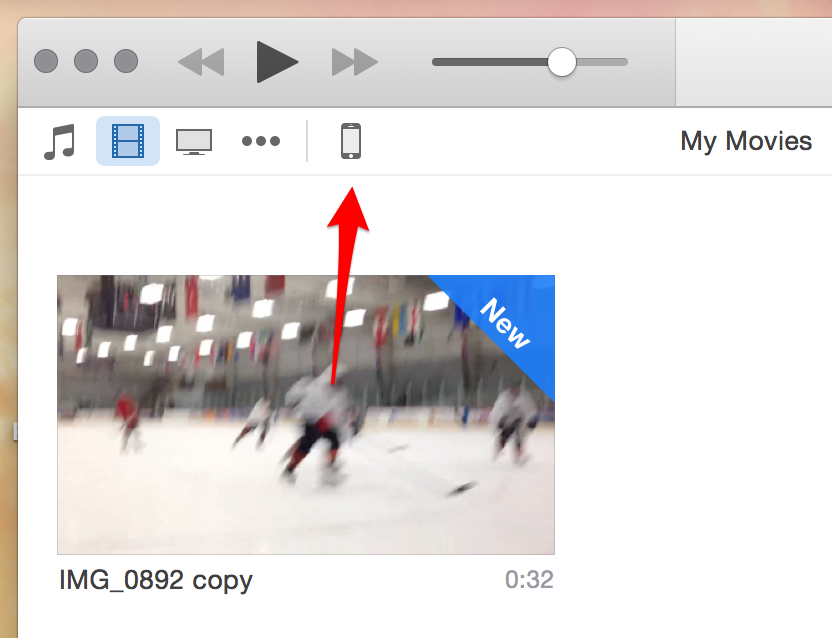
In the middle bar on the top, you will see that the video is automatically syncing to your iPhone.
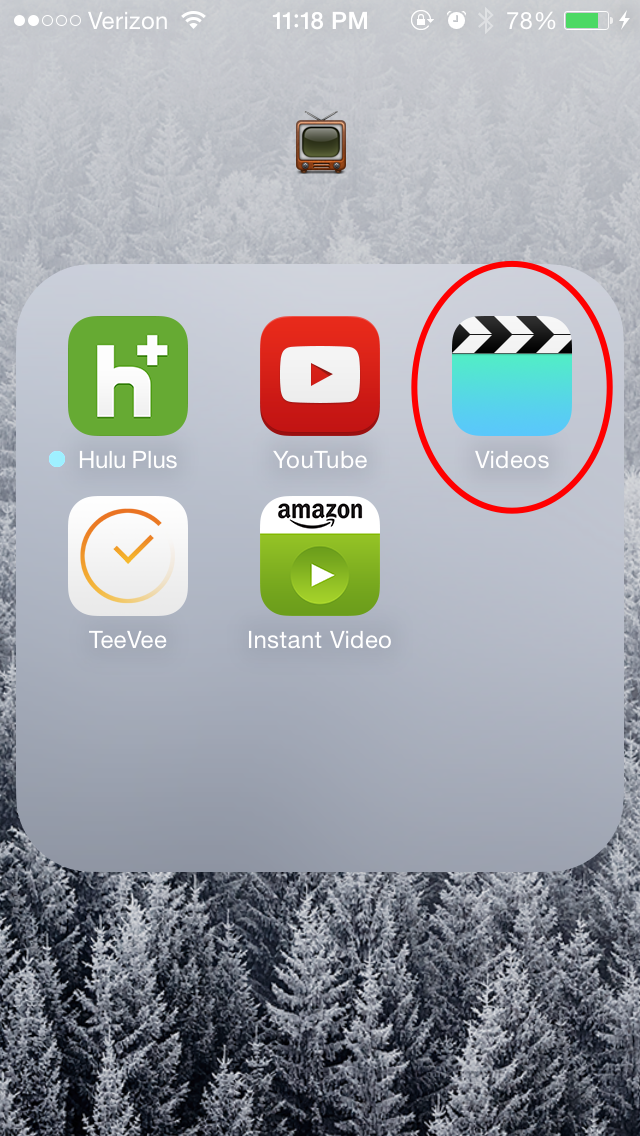
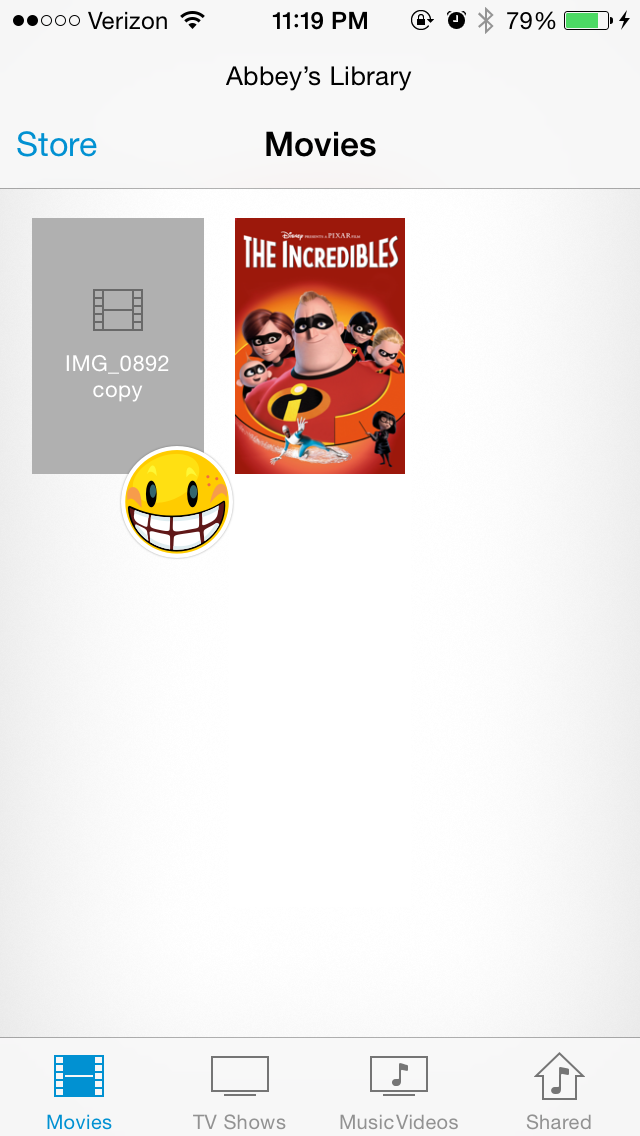
Once it syncs, open Apple’s “Videos” app on your phone and you should see your video! Mine is right there to the left of the Incredibles.
Top image credit: Narong Jongsirikul / Shutterstock.com
Do you have an idea for an app but lack the programming knowledge to begin building it? In this weekly blog series, How to Unleash Your Inner App Developer, I will take you, the non-programmer, step by step through the process of creating apps for the iPhone, iPod touch, and iPad. Join me each week on this adventure and you will experience how fun turning your ideas into reality can be! This is Part 10 of the series. If you're just getting started now, check out the beginning of the series here (this post has been updated to Swift 1.2, iOS 8 and Xcode 6.3.)
In my previous post, you learned the basic mechanics of calling methods on an object. There's very little you can do in Swift, the language of iOS development, without calling methods. In this post, we're going to put into practice what you have learned about calling methods and integrate social media into the iAppsReview app we've been working on in this blog. I'm also going to introduce a new Cocoa Touch Framework concept known as collections. You can get the latest version of iAppsReview from this link.

If you're thinking of getting an Apple Watch, you'll have lots of decisions to make regarding style and size. This is atypical of Apple, which has usually kept their product line tightly focused. So it will be interesting to see how it does with a device that's also a fashion accessory.

Serious Speakers are Sporty, Splashproof, and Ready for Summer
By Todd Bernhard

I saw Fugoo's speakers at the Consumer Electronics Show in Las Vegas. Recently, Fugoo gave me the opportunity to try its Sport Wireless Speakers ($199). Fugoo offers a wide variety of speakers, with different materials, textures, colors and capabilities, but they all have one thing in common. They are substantial both in weight and sound quality. And these speakers are waterproof, not just splash proof. At CES, Fugoo drenched their speakers in water and they kept on rocking!
Microsoft Windows Band Could be a Good Alternative to Apple Watch
By Todd Bernhard

Before the Apple Watch was announced, when we learned that Nike was abandoning its Fuel Band, there was speculation that the Apple offering might be more of a fitness band and less of a miniature iPhone. However, that didn't happen and the Apple Watch is indeed bulkier than most fitness bands. Potential customers looking for a smaller band may want to consider the Microsoft Band. Not only is the Microsoft Band smaller, but it's cheaper too, at $199.

The Flyover feature of Apple's Maps, as you likely know, gives you a 3D view of a city. A list of these cities can be found on the website Flyover Cities. In iOS 8 Apple added a fun new feature called Flyover Tour that takes you on a 3D tour of the city's major landmarks. The Flyover Tour of New York City includes the Statue of Liberty, Brooklyn Bridge, Empire State Building, Central Park, and more. Only some of the Flyover cities have a Flyover Tour. They include New York City, San Francisco, London, Paris, Montreal, Toronto, Vancouver, and Sydney.


