How to Add a Free Thesaurus to Look Up on Your iPhone & iPad


Leanne puts her love of troubleshooting and repair to use managing our Ask an Expert Facebook group and has authored hundreds of how-to, Apple news, and gear review articles.
Learn More Leanne puts her love of troubleshooting and repair to use managing our Ask an Expert Facebook group and has authored hundreds of how-to, Apple news, and gear review articles.
Learn MoreI love using a thesaurus when I write, so the absence of this option from the iPhone's dictionary feature, Look Up, used to be a sore spot for me. Beginning with iOS 12, I no longer need a third-party thesaurus app, because a thesaurus is included in Look Up on iPhone and iPad for free! Let's get started learning how to add a thesaurus to Look Up, so you can find just the word you're looking for, be it a synonym or antonym.
Related: How to Search a Safari Page on iPhone
Add a Thesaurus to the Dictionary Feature in Your iPhone or iPad
If you run across an unfamiliar word while reading in Books, replying to an email, browsing a Safari page, or using another app where Look Up is available, you can not only find the definition, but also reveal synonyms and antonyms for a word, here's how.
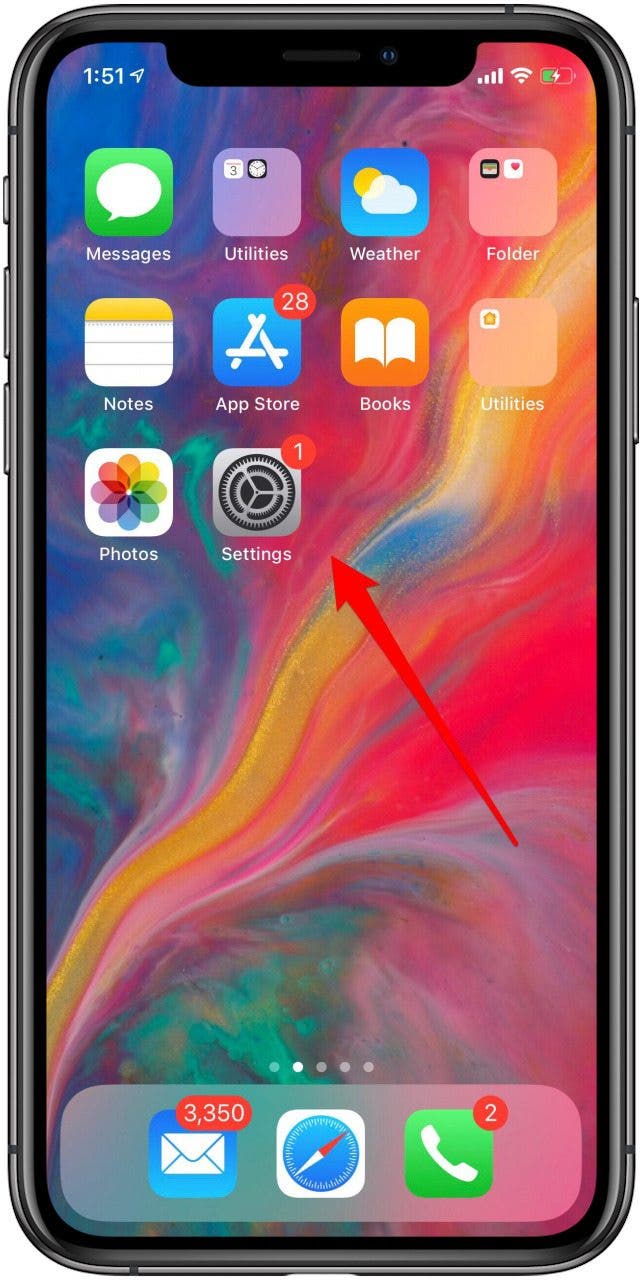
- Open the Settings app.
- Tap General.
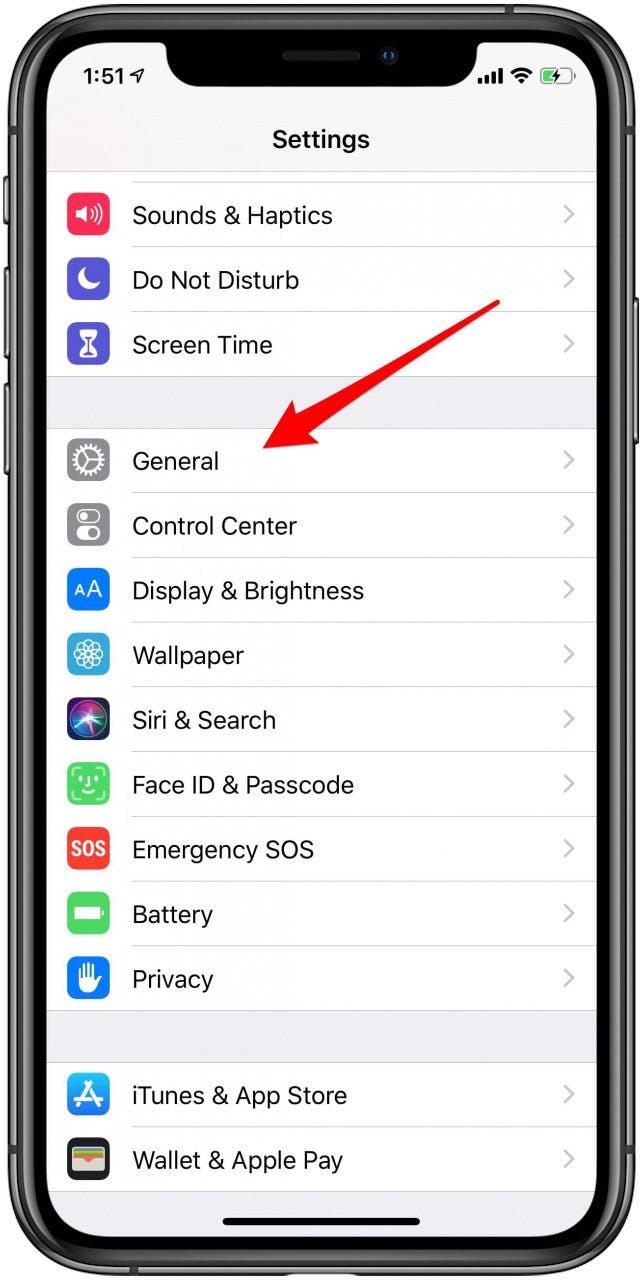
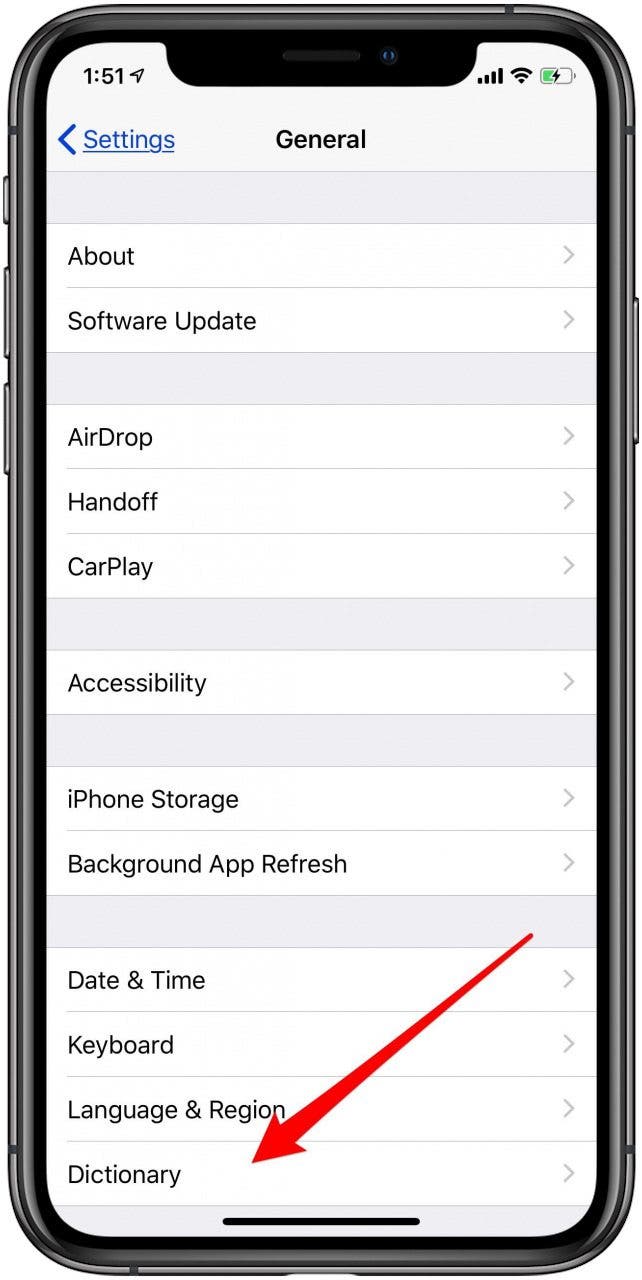
- Tap Dictionary.
- Make sure that you have the American English or British English Thesaurus checked.

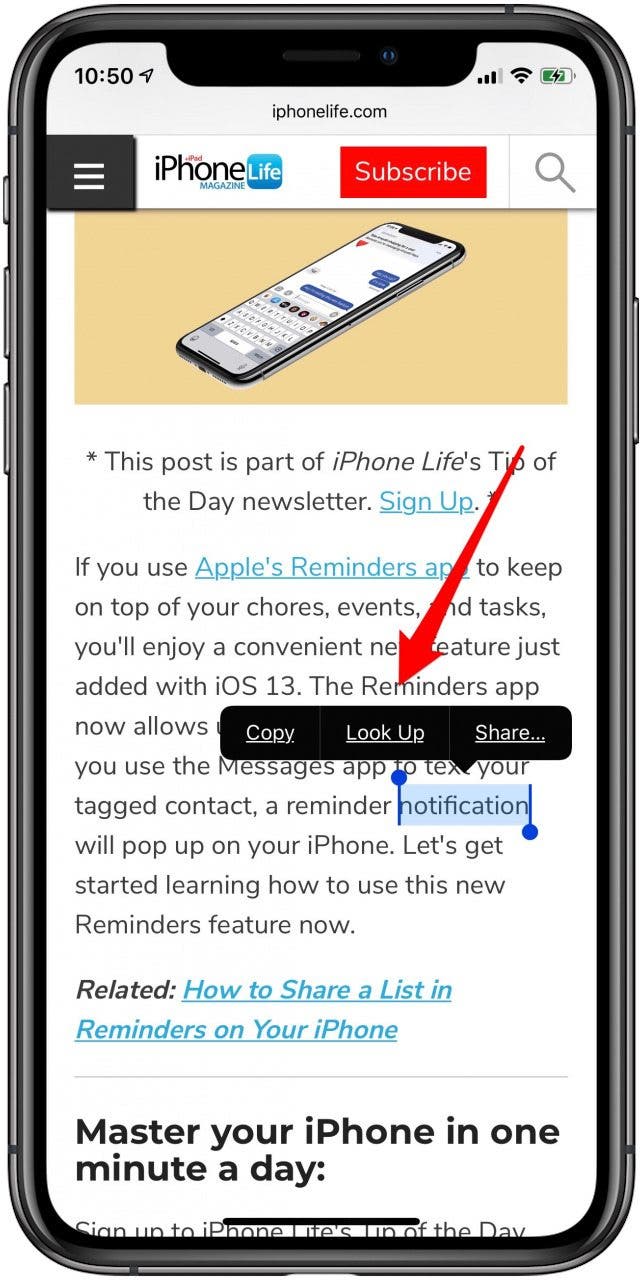
- Now go to an app, such as Safari, and tap and hold a word you'd like to look up.
- Tap Look Up on the menu when it appears.
- Here's the Dictionary definition of your word, as well as a Thesaurus section.
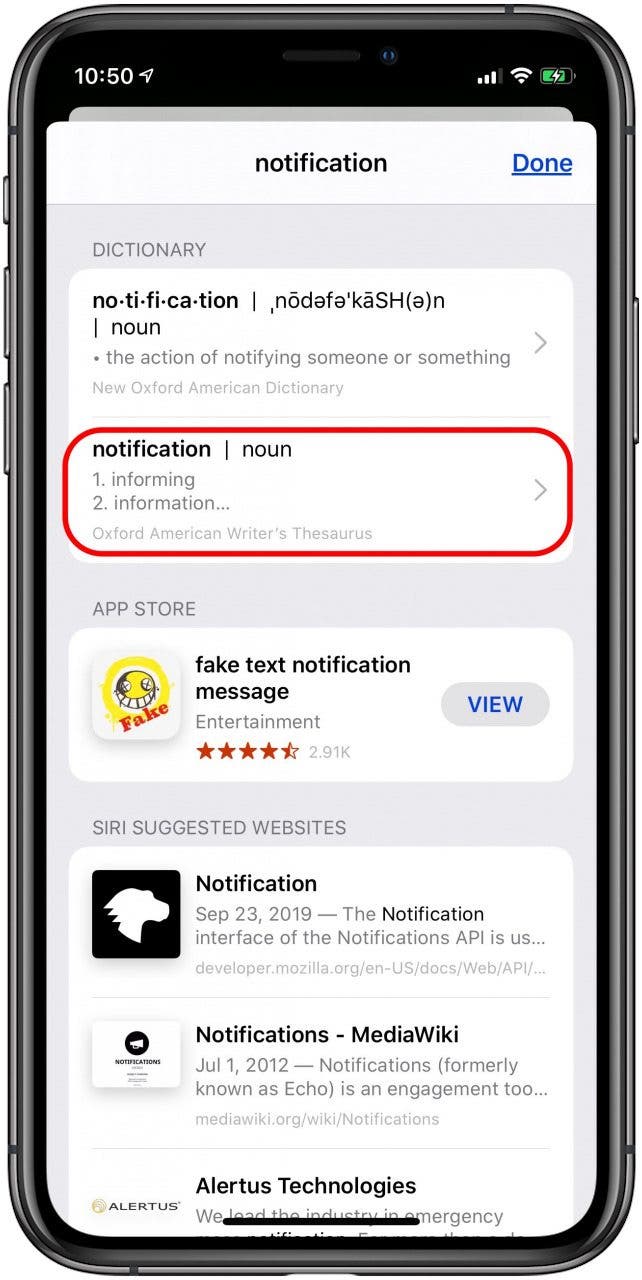
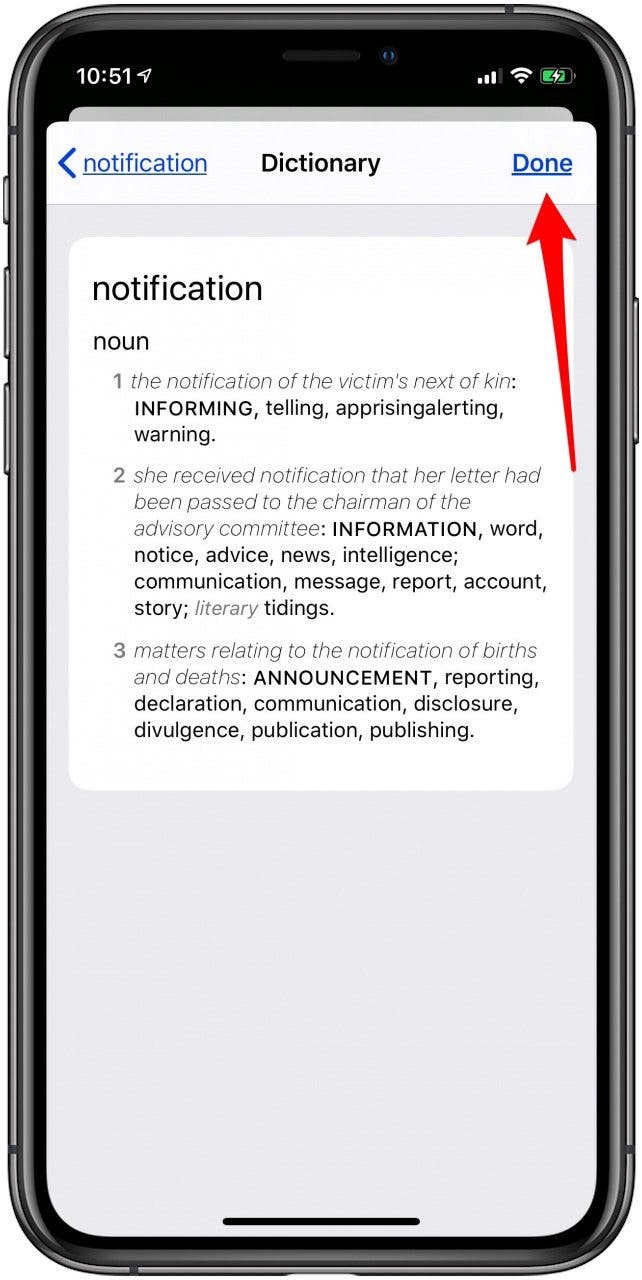
- Tap the Thesaurus section under the definition, and you'll see the full entry, which sometimes includes antonyms.
- Tap Done when you've found the synonym you need.
Top image credit: GaudiLab / Shutterstock.com

Every day, we send useful tips with screenshots and step-by-step instructions to over 600,000 subscribers for free. You'll be surprised what your Apple devices can really do.

Leanne Hays
Leanne Hays has more than sixteen years of experience writing for online publications. As a SEO Specialist and Feature Writer for iPhone Life, she has authored hundreds of how-to, Apple news, and gear review articles, as well as a comprehensive Photos App guide. Leanne holds degrees in education and science and loves troubleshooting and repair. This combination makes her a perfect fit as manager of our Ask an Expert service, which helps iPhone Life Insiders with Apple hardware and software issues.
In off-work hours, Leanne is a mother of two, homesteader, audiobook fanatic, musician, and learning enthusiast.

 Rhett Intriago
 Amy Spitzfaden Both
 Rachel Needell

 Leanne Hays


 Olena Kagui


 Hal Goldstein
 Susan Misuraca