Listen to the iPhone Life Podcast Ad-Free
If you're a fan of podcasts, then we recommend checking out the iPhone Life Podcast. In this entertaining podcast, the iPhone Life editorial team discusses the latest Apple news, iOS-related tips, and their favorite apps and gear. You can expect everything from hands-on reviews of Apple’s latest products to relatable content centered on the joys and frustrations of technology.
Subscribers to iPhone Life Insider get exclusive access to ad-free episodes and bonus content. The podcast is available in both video and audio formats.
How to Access the iPhone Life Insider Podcast
There are two ways to access the podcast: on iPhone Life Insider or through the Apple Podcasts app.
How to Watch the Podcast on Insider
- Log in to your Insider account.
![]()
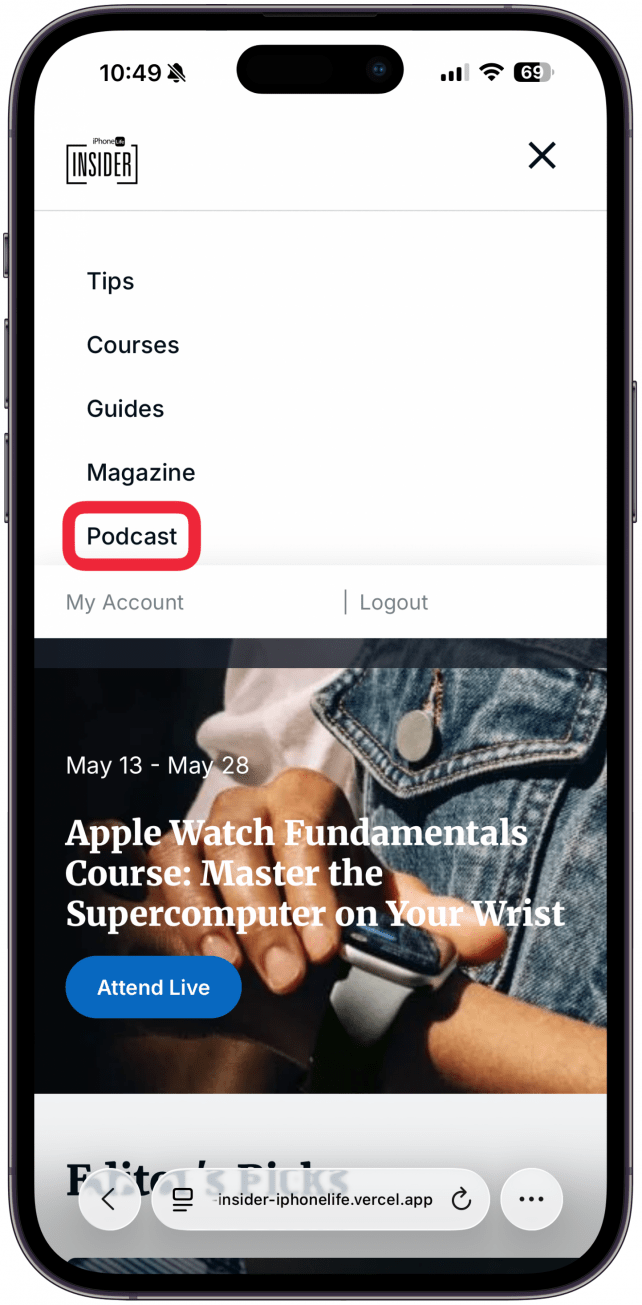
- Tap or click on Podcast in the navigation bar.
![]()
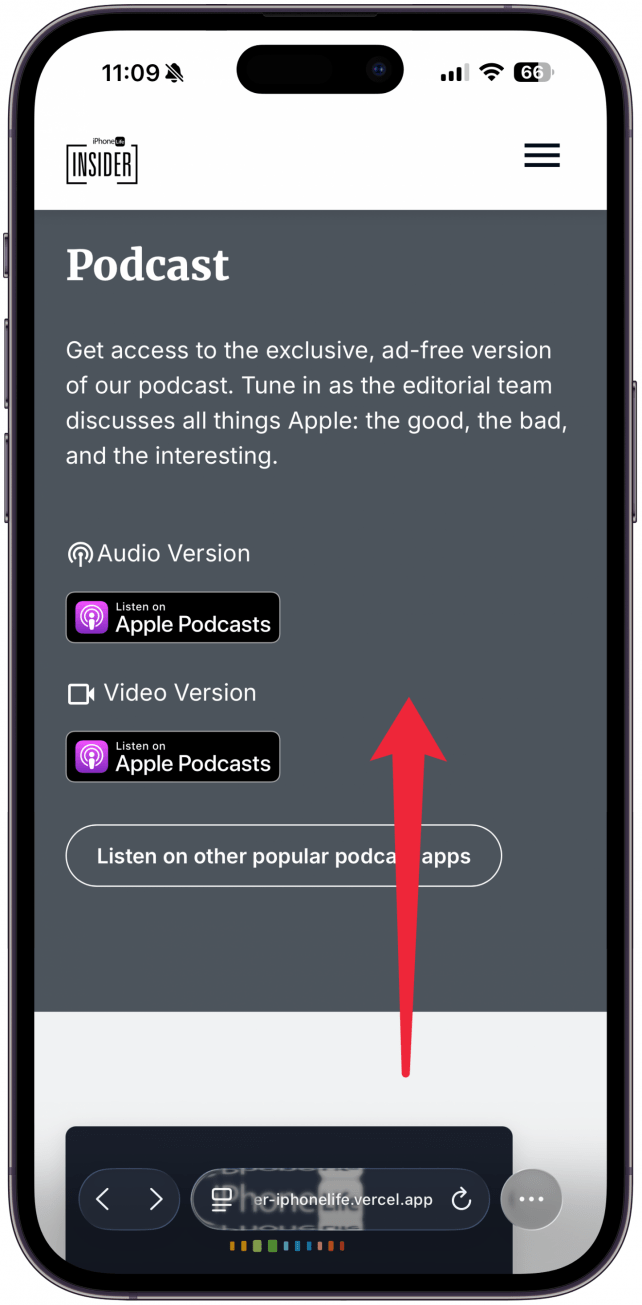
- You will see a list of all of our podcasts episodes.
![]()
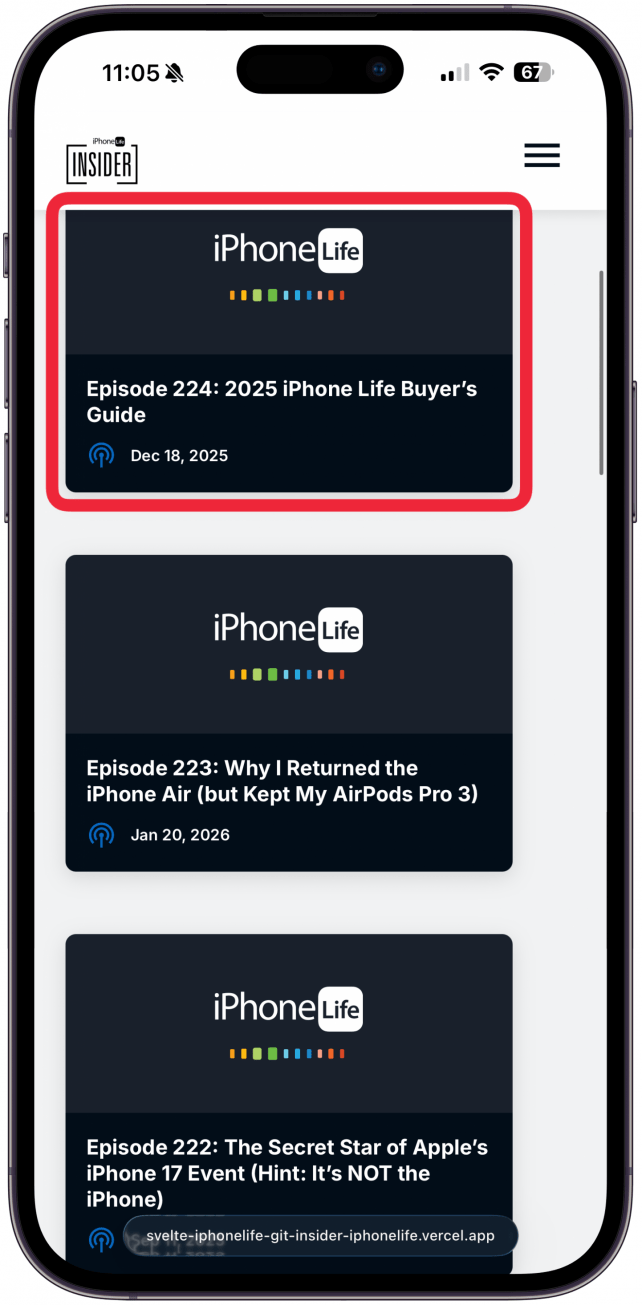
- Tap or click on an episode to view the episode details.
![]()
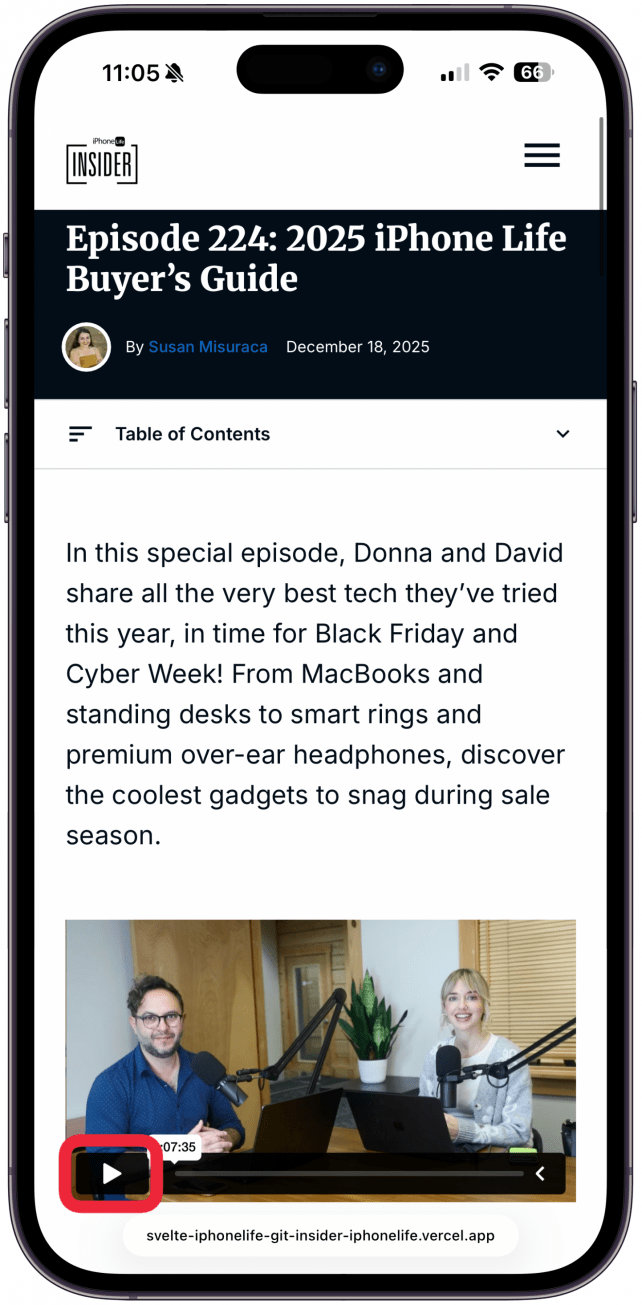
- Press play to begin watching the episode.
![]()

How to Watch or Listen via Apple Podcasts
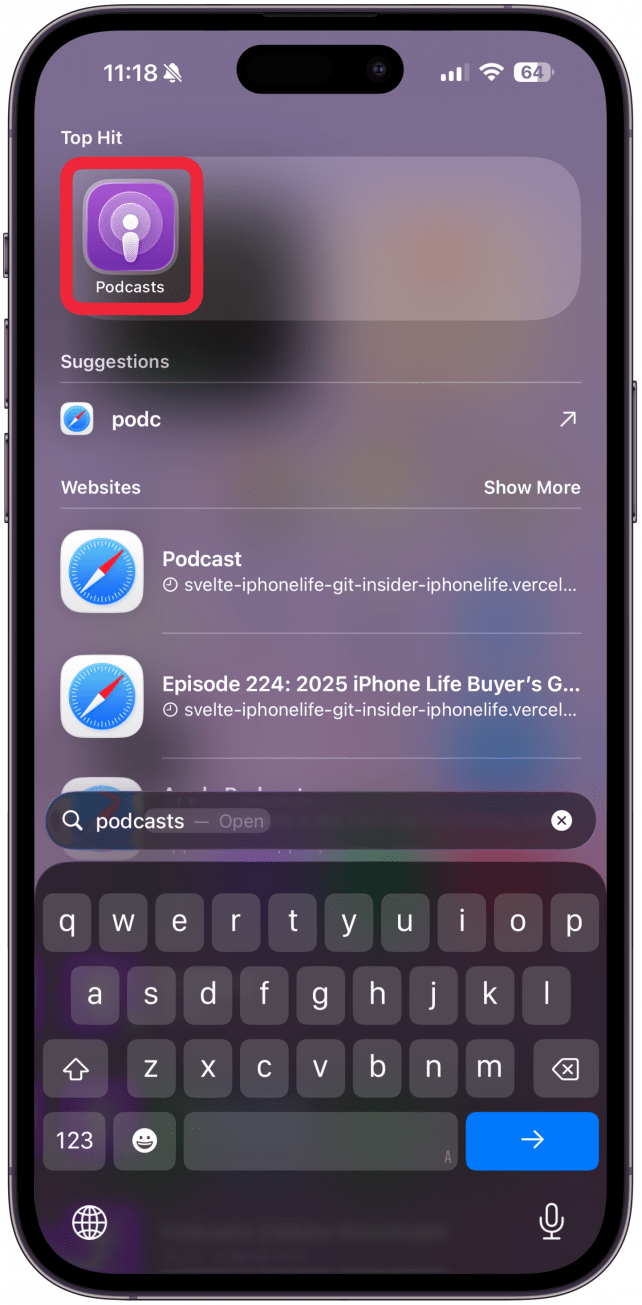
- Open the Podcasts app.
![]()
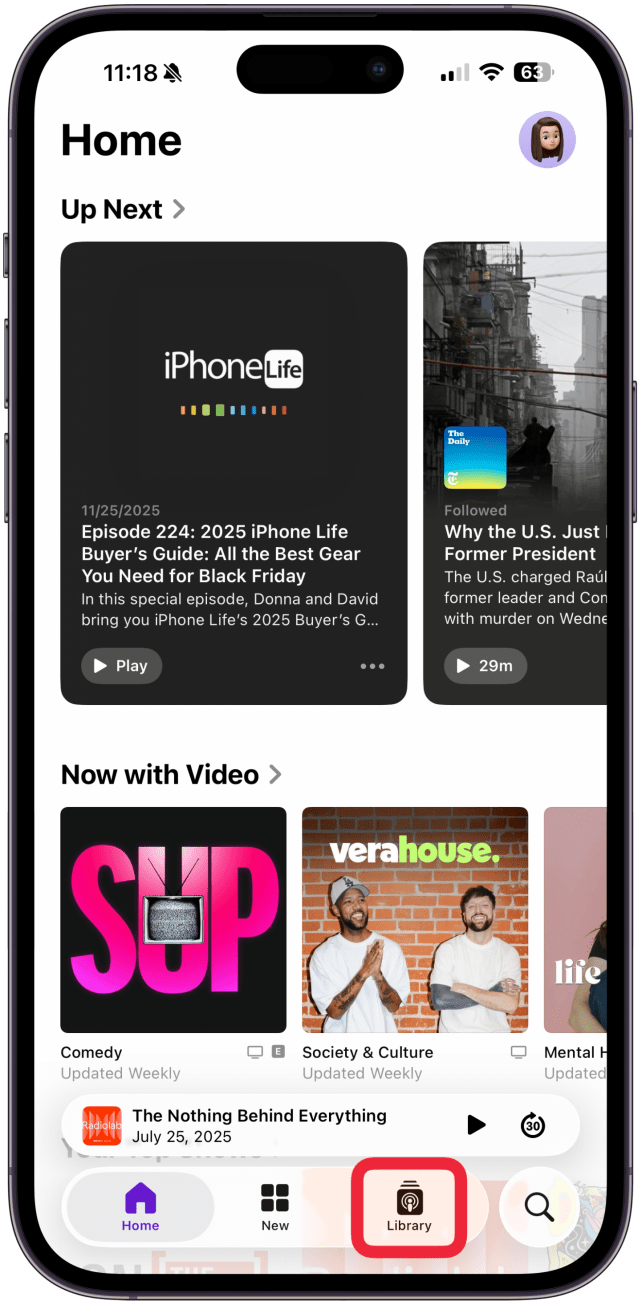
- Tap the Library tab on your iPhone or iPad or click on Shows under Library on your Mac.
![]()
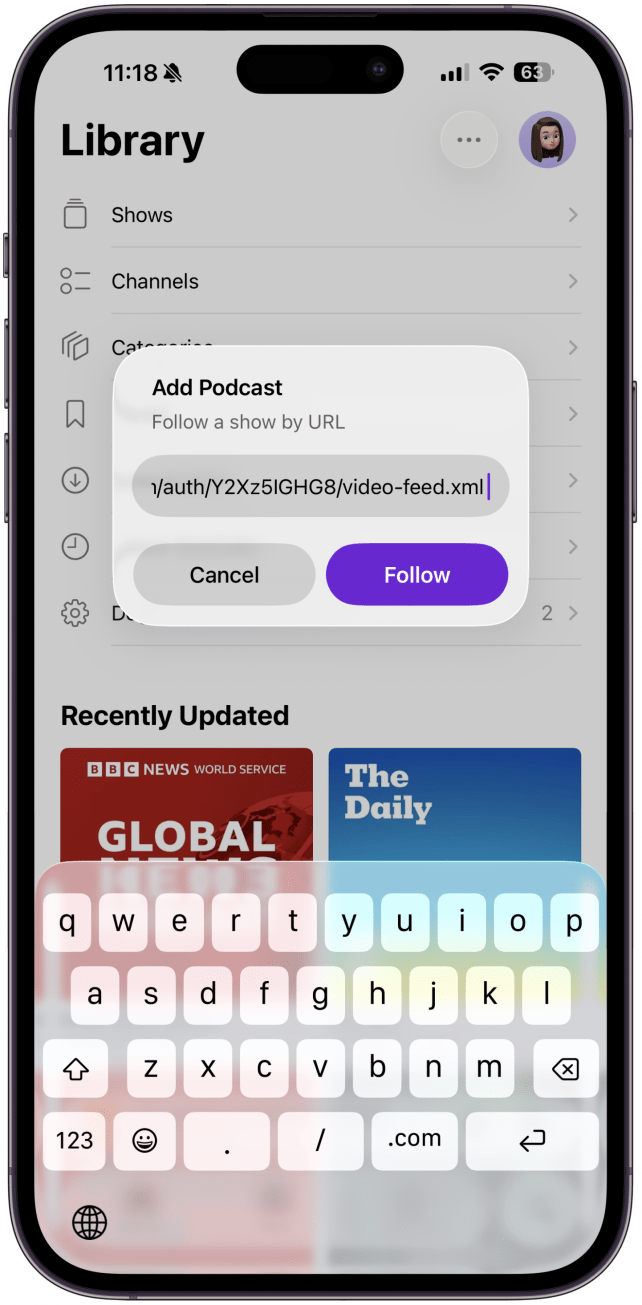
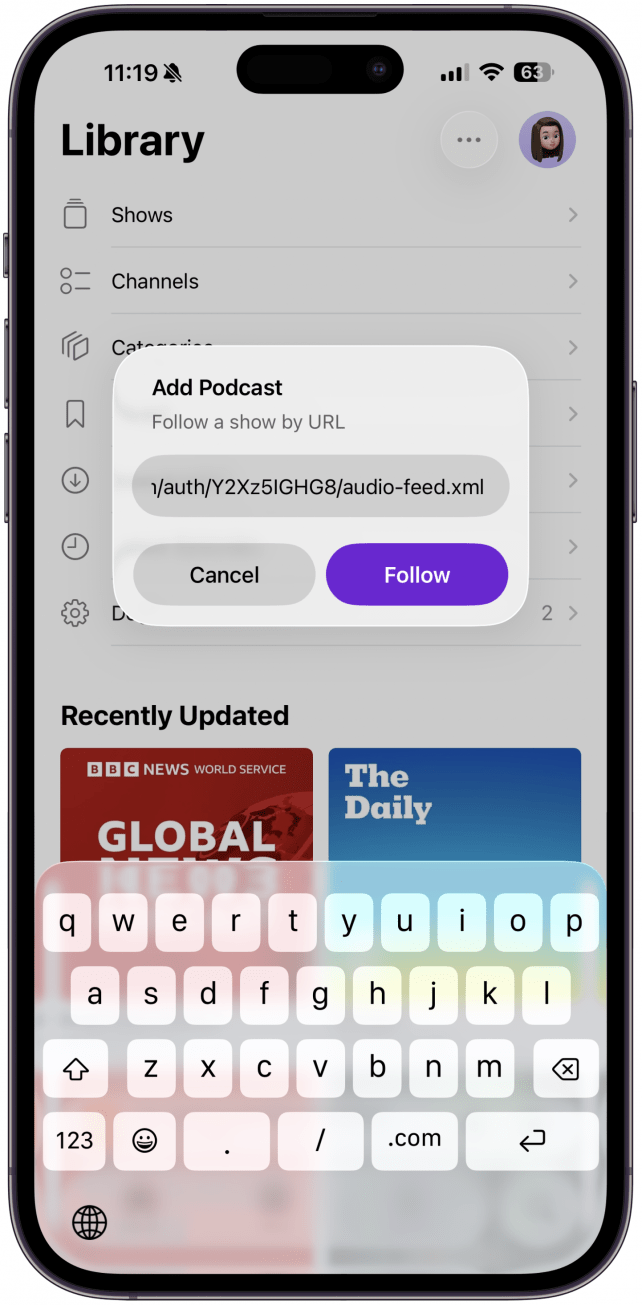
- Tap or click the More icon and select Follow a Show by URL. Then copy and paste the audio or video podcast URL, depending on which format of the podcast you want.
![]()
- To subscribe to the Video Podcast copy and paste this URL: https://www.iphonelife.com/podcast/premium/auth/Y2Xz5IGHG8/video-feed.xml
![]()
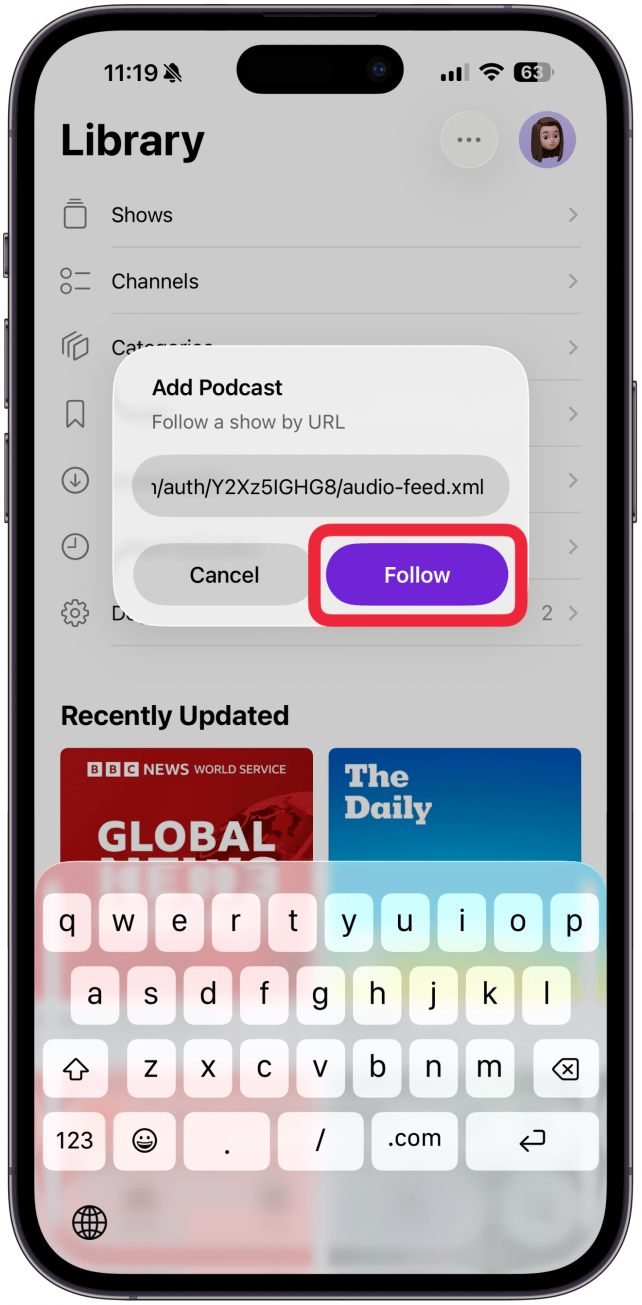
- To subscribe to the Audio Podcast copy and paste this URL: https://www.iphonelife.com/podcast/premium/auth/Y2Xz5IGHG8/audio-feed.xml
![]()
- Tap Follow.
![]()

For more help accessing the iPhone Life podcast, email help@iphonelife.com.

