How to Force Restart iPhone & iPad

What to Know
- A quick iPad or iPhone hard restart (also known as an iPhone hard reset) can help fix an unresponsive device.
- You'll need to push a series of buttons in order to hard restart your iPhone.
- Before you learn how to do a hard reset on iPhones and iPads, keep in mind that doing it during a software update could cause problems.
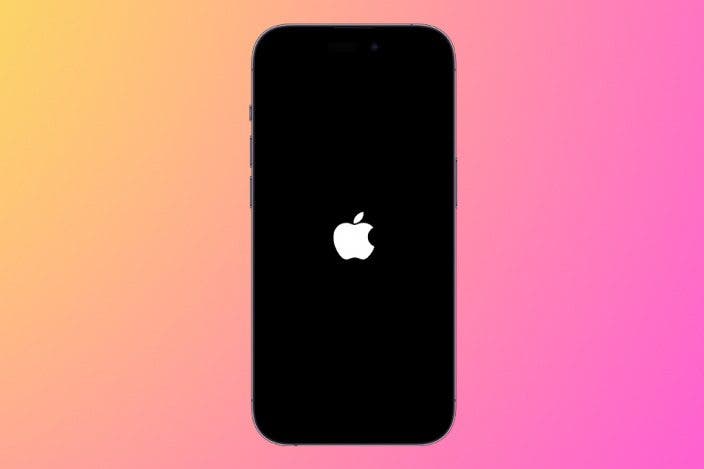
Did your iPhone or iPad freeze or is it otherwise unresponsive? Doing a hard restart can help fix the issue and save you a trip to the Apple Store. We'll teach you how to reset your iPhone and iPad, no matter what model you have.
Before You Force Restart iPad or iPhone
A force restart can be a great way to fix glitches or unresponsiveness on your iPhone and iPad. However, if you do it during a software update, it could cause some issues. Before you perform a force restart, try doing a regular iPhone or iPad restart. If you cannot do this or it doesn't solve the problem, try a force restart next.
If you are looking to sell your iPhone or iPad and want to clear the data and completely reset the device, you want to read these articles on how to factory reset your iPhone and iPad. For more great advice on what to do when your Apple devices glitch or freeze, check out our free Tip of the Day. If you want to force reboot iPhones and iPads to fix technical problems, please keep reading!
How to Reboot iPhones
There are three ways to force restart iPhones based on the model that you have. Keep in mind that not all iPhones with Home buttons can be reset using the Home button! Below you can see links that will teach you how to hard reboot iPhones of various models:
- iPhone X & Newer Models
- iPhone 8 & iPhone SE (2nd & 3rd Generation)
- iPhone 7
- iPhone 6 & iPhone SE (1st Generation)
How to Force Restart iPhone X & Newer Models
Older iPhones could only be rebooted manually using the Home button, but newer models don't have one. If you need to force restart iPhone X, iPhone XS, iPhone XR, iPhone 11, iPhone 12, iPhone 13, iPhone 15, or iPhone 15 (AKA iPhones with Face ID):
- Press the volume up button and quickly release it.
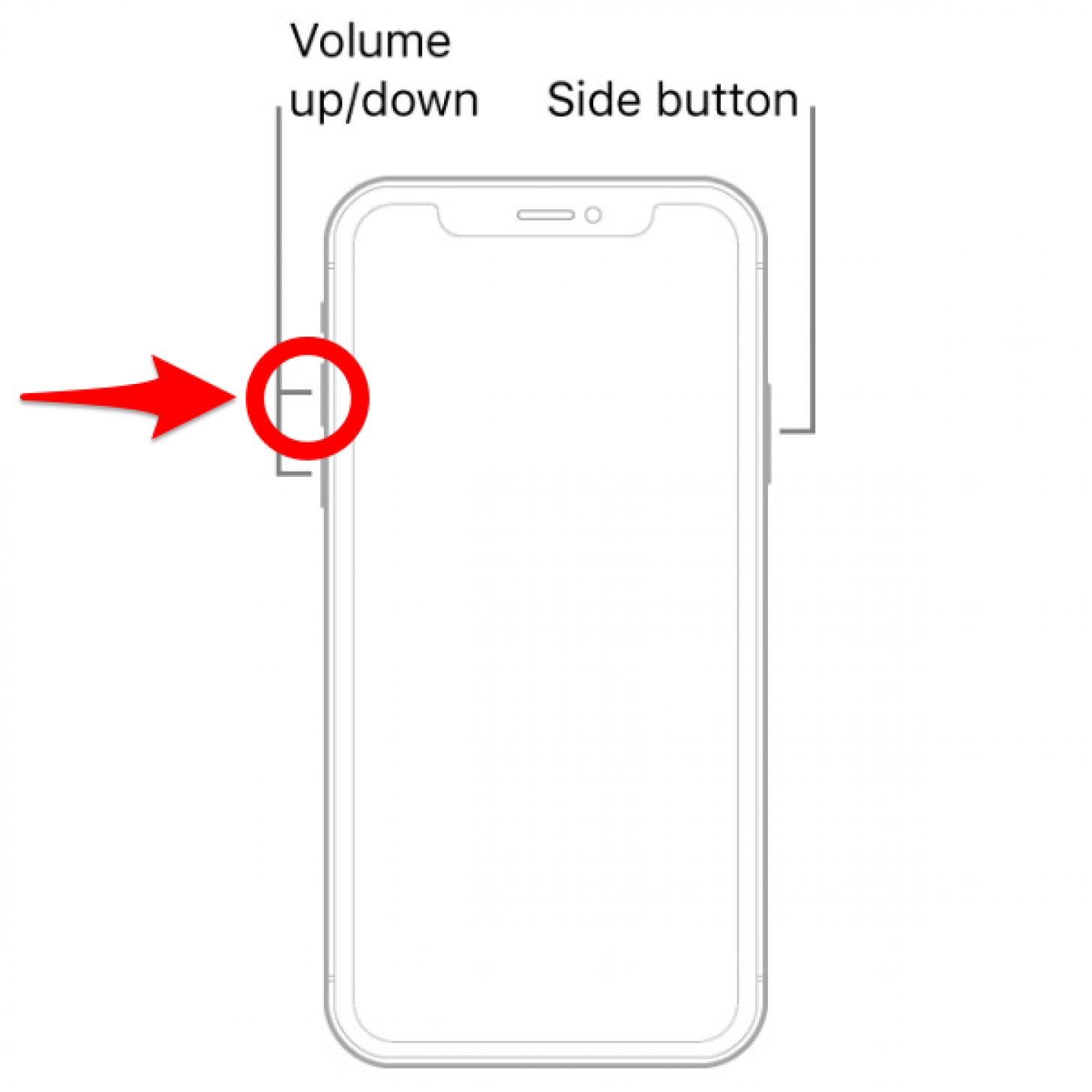
- Press the volume down button and quickly release it.
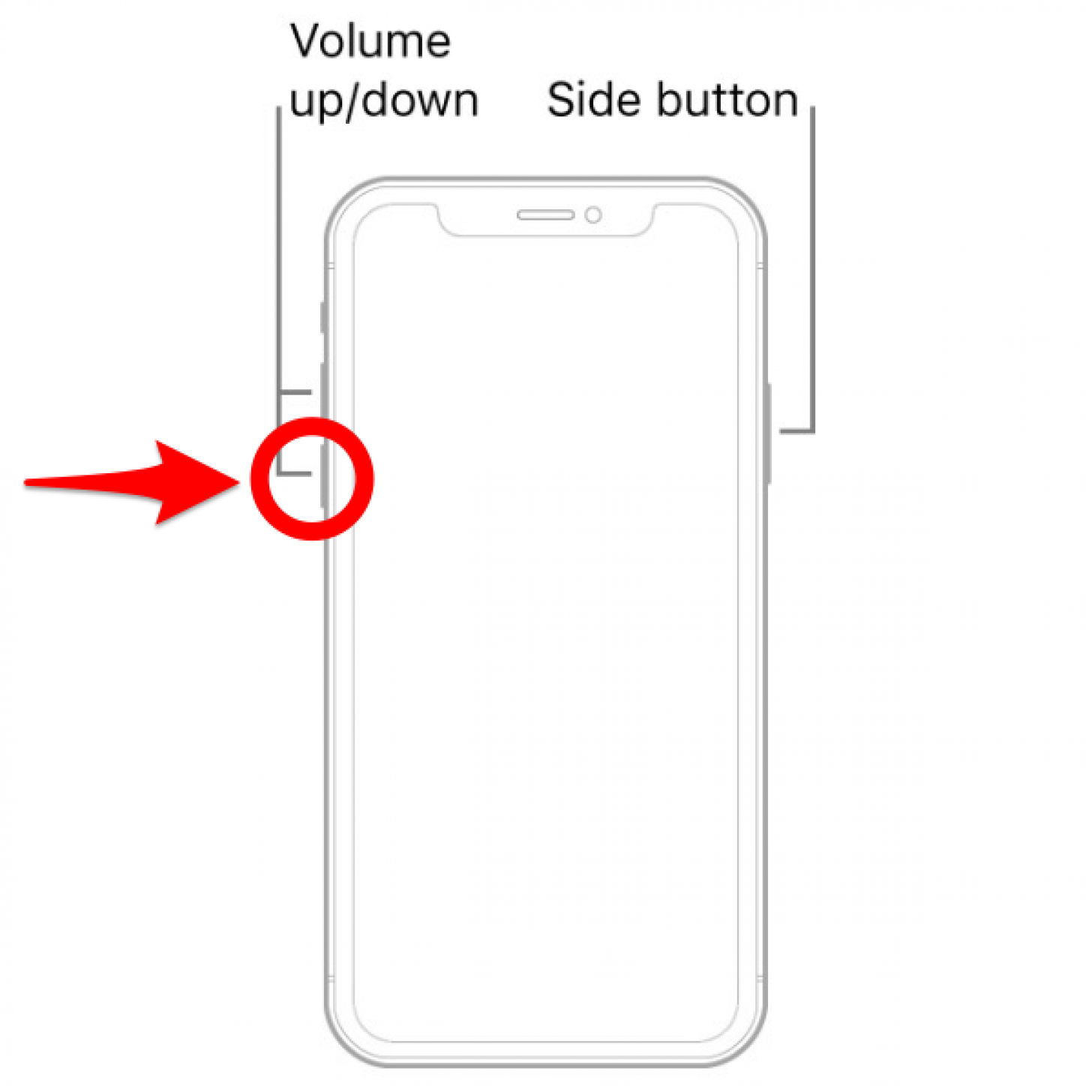
- Press and hold the side button and release it when the Apple logo appears.
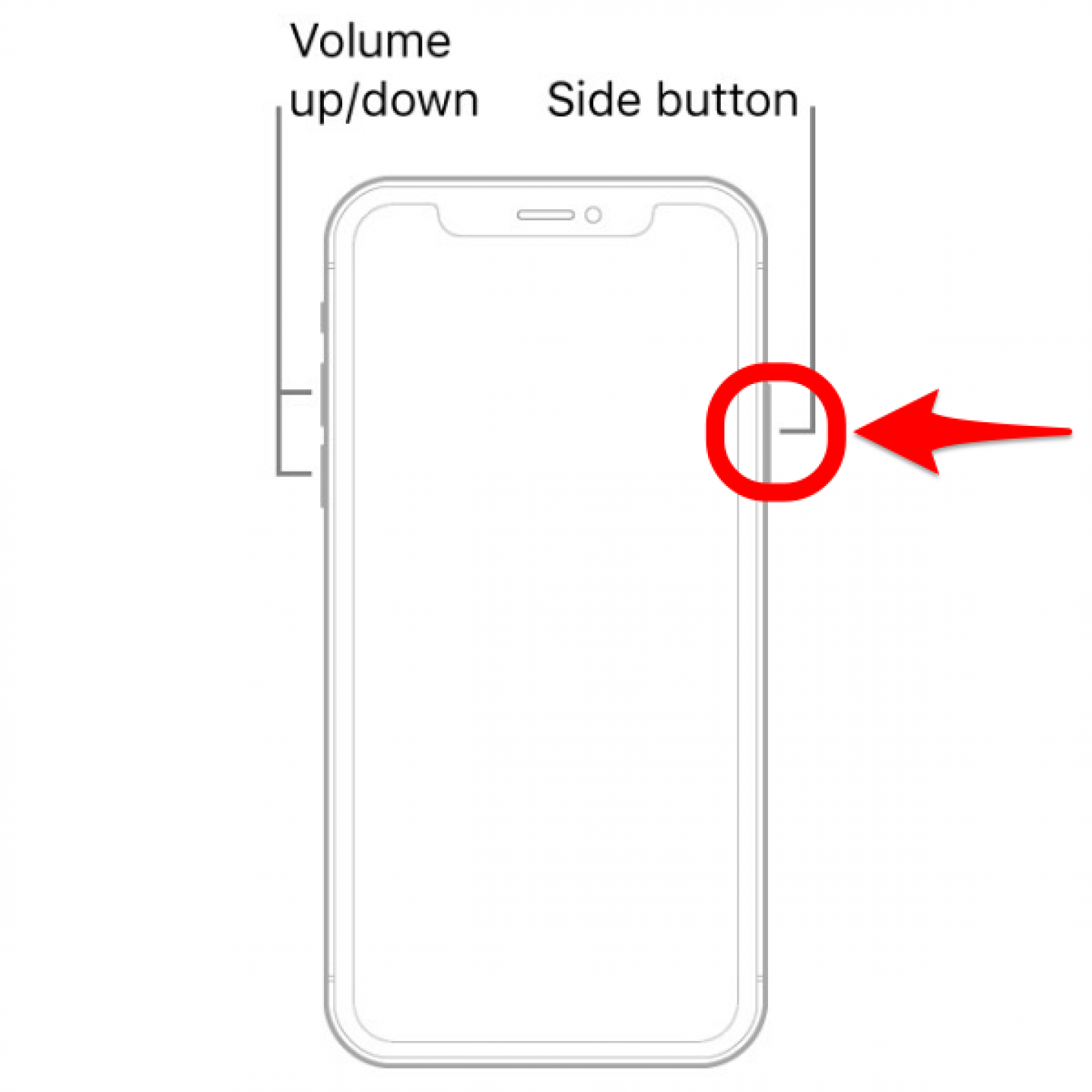
Now you know how to hard reset iPhone X and newer models without Home buttons. Keep reading to learn how to force a restart on iPhones with Home buttons of various models.
How to Force Restart iPhone 8 & iPhone SE (2nd & 3rd Generations)
Even though iPhone 8 and iPhone SE (2nd and 3rd Generations) have Home buttons, they need to be reset using the same method as a newer iPhone. Return to step 1.
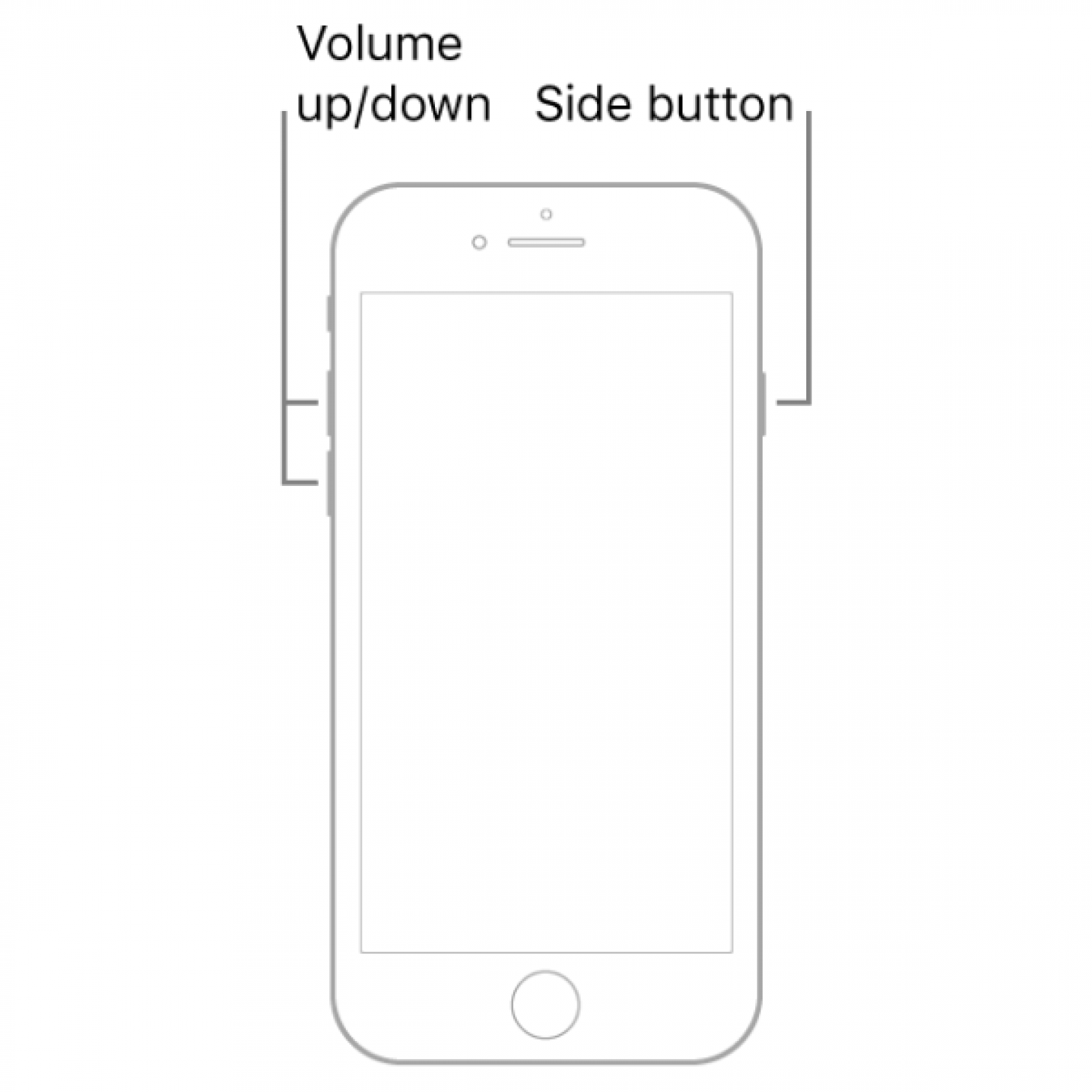
Now you know how to force restart iPhone 8 & iPhone SE (2nd & 3rd Generations).
How to Force Restart iPhone 7
The iPhone 7 has completely unique steps for a reboot or force restart. Even though it has a Home button, do not try to use it to reset the iPhone 7:
- Press and hold the volume down button and the Sleep/Wake button simultaneously.
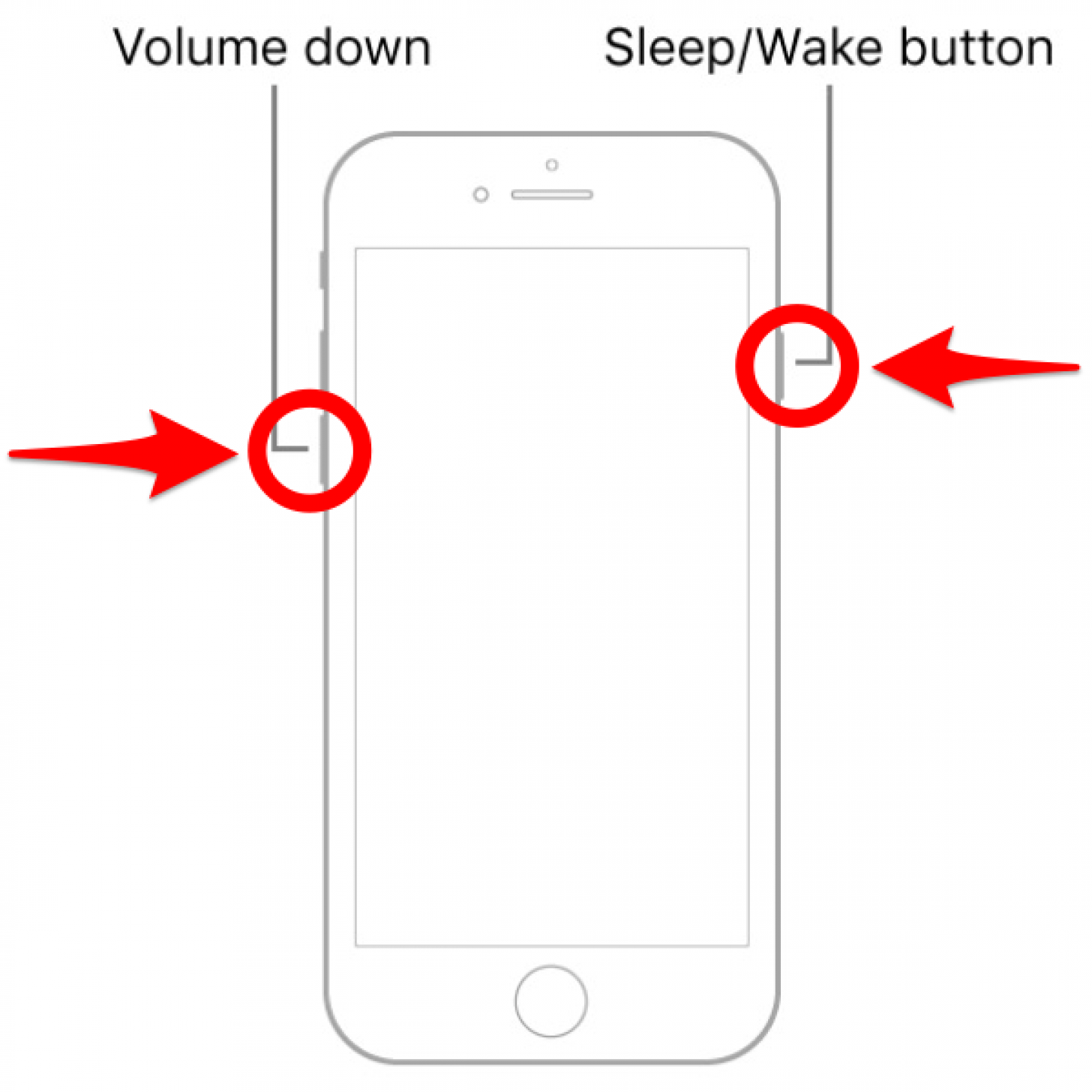
- Release both buttons once the Apple logo appears.
Now you know how to hard restart the iPhone 7!
How to Force Restart iPhone 6 & iPhone SE (1st Generation)
To reset an iPhone 6 or a first-generation iPhone SE:
- Press the Home button and the Sleep/Wake button simultaneously.
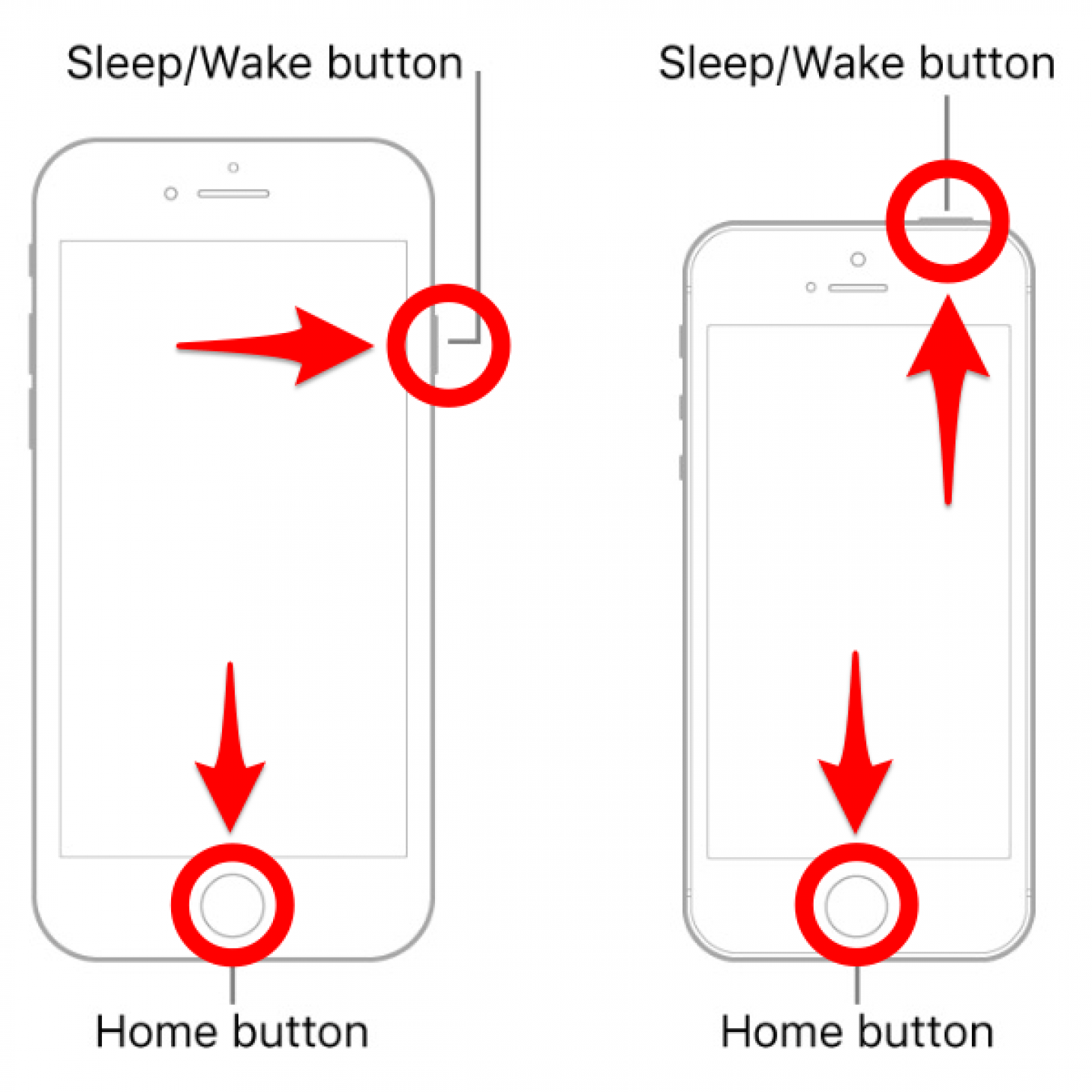
- Release both buttons when the Apple logo appears.
Now you know how to hard restart iPhone 6 & iPhone SE (1st Generation).
How to Reboot iPads
Unlike iPhones, it is easier to force restart iPads, and there are only two ways to do it. The method depends on whether you have a Home button or not. Learn how to restart iPads with and without a Home button by selecting the relevant link below:
How to Force Restart an iPad without a Home Button
To force restart a new iPad Pro or iPad Mini, or any iPad without a Home button:
- Press the volume up button and quickly release it.
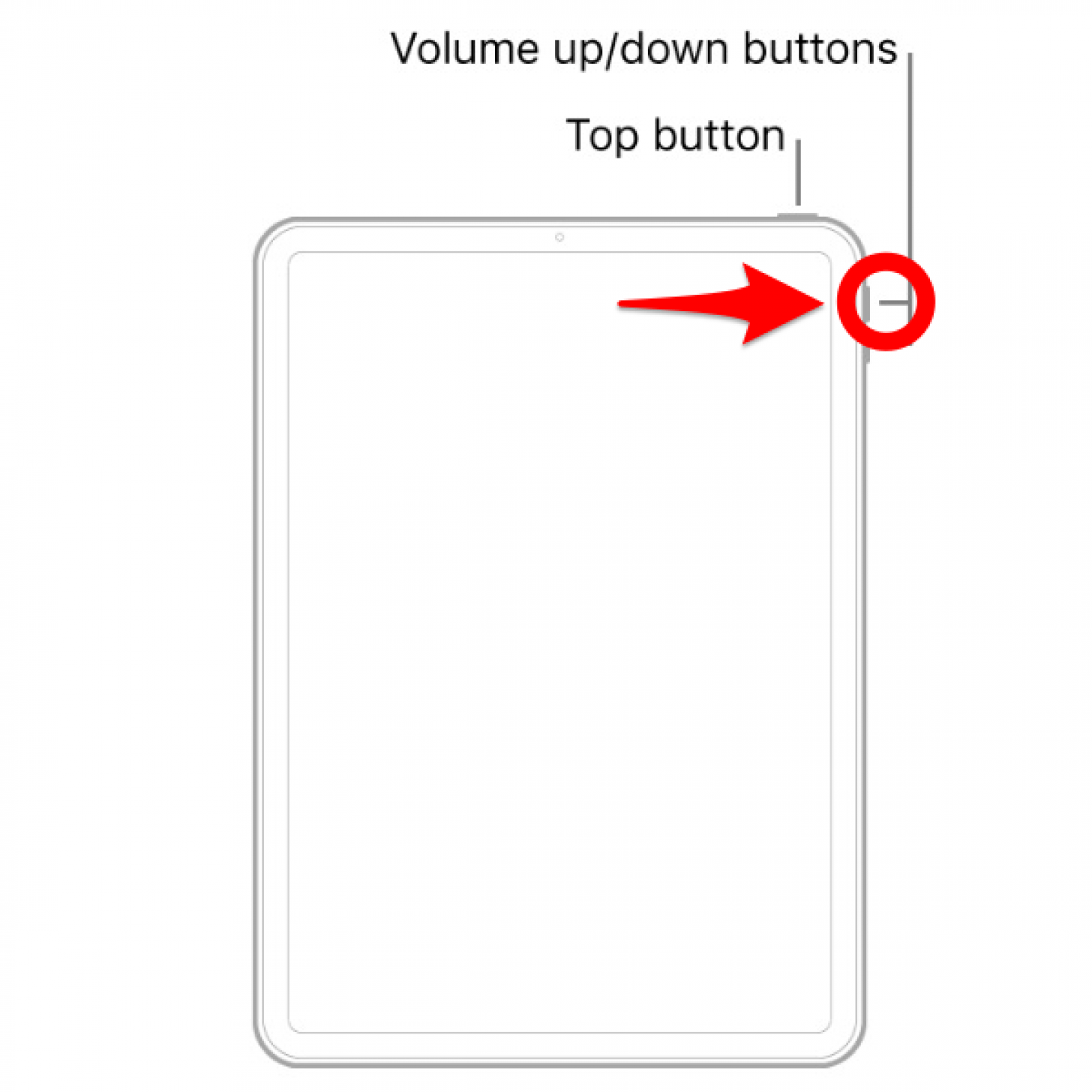
- Press the volume down button and quickly release it.
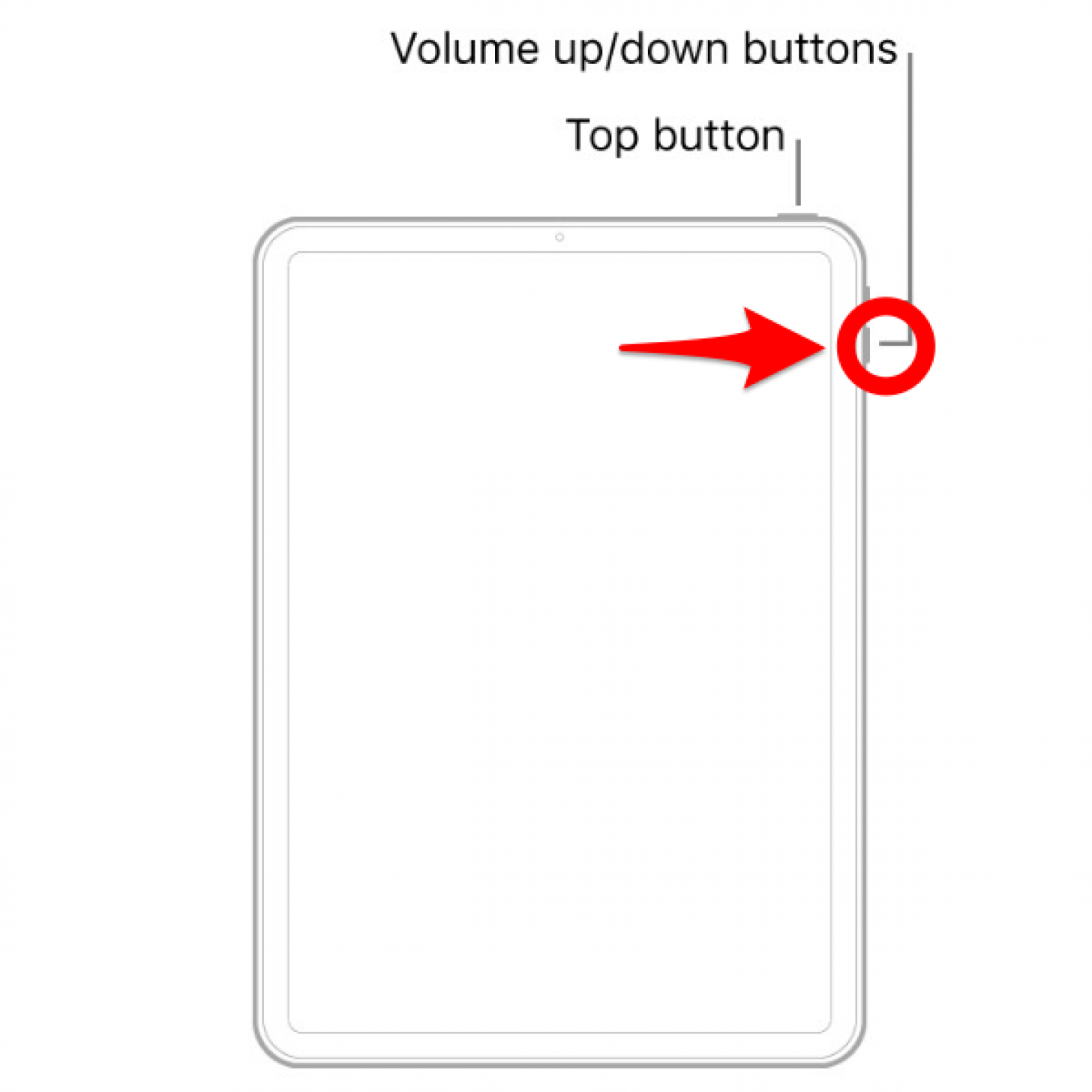
- Press and hold the top button until the Apple logo appears, then release the button.
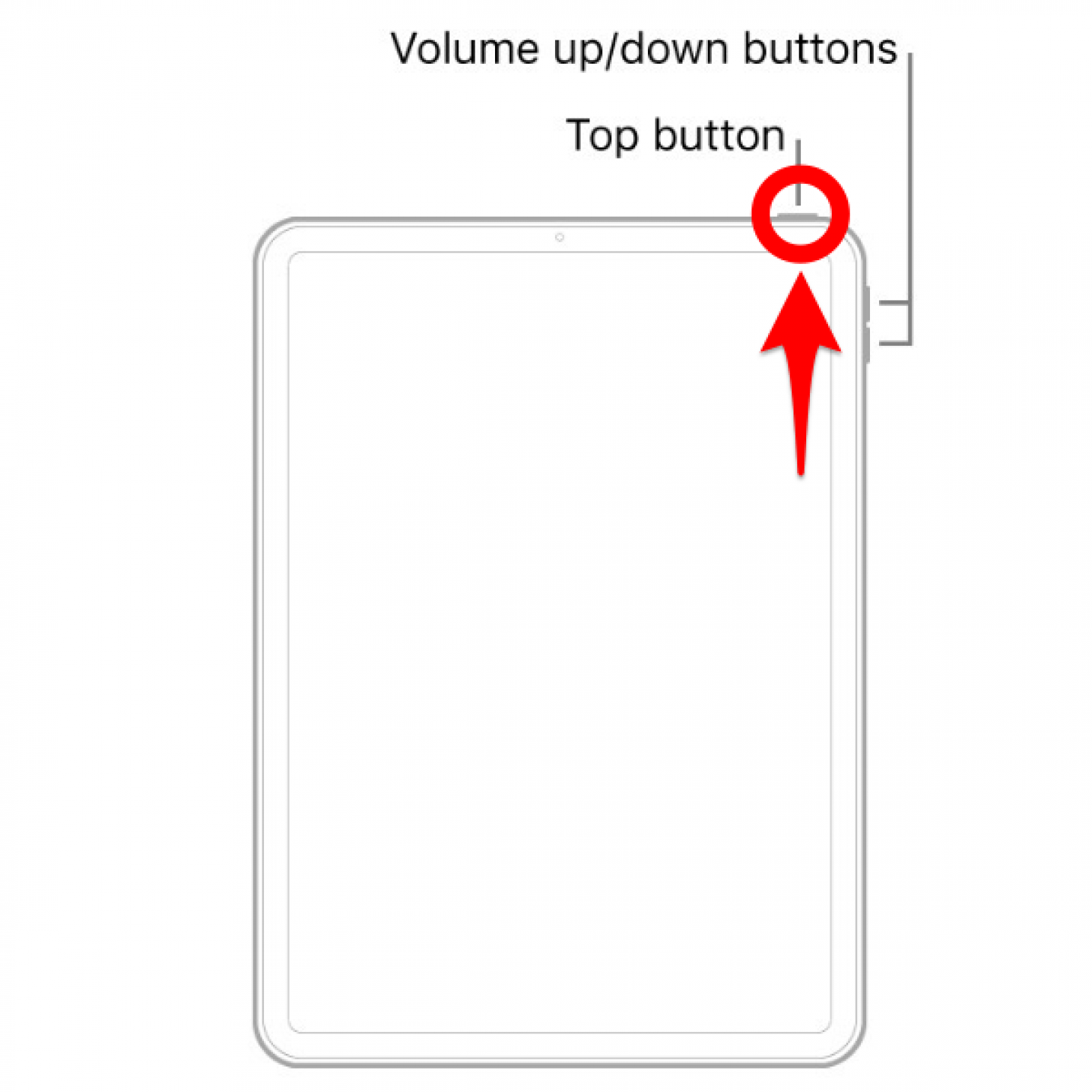
Now you know how to hard reset iPads without a Home button!
How to Force Restart an iPad with a Home Button
To force restart an entry-level iPad or any older iPad with a Home button:
- Press and hold the Home button and top button simultaneously.
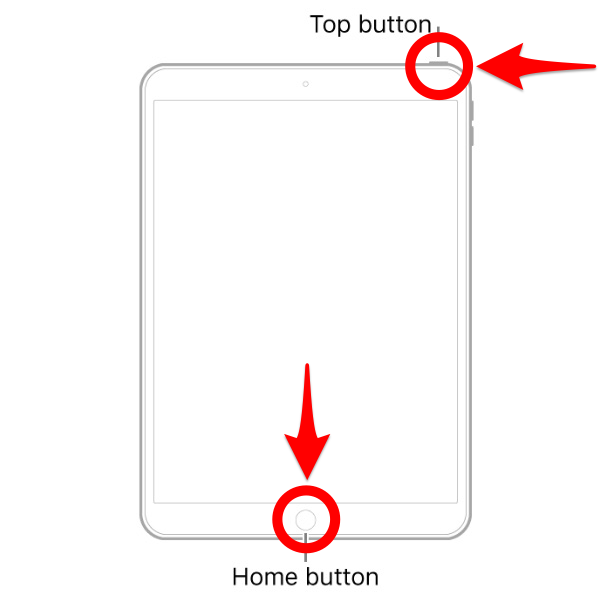
- Release both buttons when the Apple logo appears.
Now you know how to force restart iPads with a Home button!
Using the force restart for iPhone and iPad makes it easier to navigate your devices when there is a glitch or a freeze. Now that our devices run mainly by touch, it can be difficult to troubleshoot when that touch element ceases to work. This method does not remove any of your information or saved items. It simply forces a reset for the iPhone or iPad. Next, we suggest reading up on other ways to fix common iPhone problems in this ultimate troubleshooting guide!
FAQ
- What do I do if my iPad won't turn on? If your iPad or iPhone won't turn on, first plug it into a charger that you are sure is working (by testing it on a different device). If that doesn't help, force restart your device using the steps above.
- How do I factory reset my iPad? Factory resetting your iPad will erase all of your information from it, so you should only do this if you are selling it or trading it on, or if you experience serious problems that you cannot troubleshoot using less drastic steps.
- How do I turn off an iPad? Depending on your iPad model, you have to push either the top button and sometimes the Volume buttons, then use the slider to turn off your iPad.
- How do I restart a MacBook Pro? You can restart a Mac of any model by turning it off and then back on again. Turn off a Mac by clicking the Apple button and selecting Shut Down, then turn it back on by pressing the power button until the screen lights up.
- What do I do if iPhone force restart is not working? If your iPhone won't power off or on even after a force restart attempt, make sure your iPhone is charged and running the latest iOS, toggle off "Press Side Button for Siri," and make sure you are using the correct steps to force restart your iPhone.

Becca Ludlum
Becca is a blogger, freelance writer, and iDevice addict. She lives in the middle of the Arizona desert with her husband and two boys, and can't imagine life getting any better. Read about her crazy life at MyCrazyGoodLife.com, or connect with her on twitter @BeccaLudlum
Related Articles

 Olena Kagui
 Rhett Intriago
The Best Medical Tech for Health Monitoring & More

 Rachel Needell



Apple Announces New M3 Chips in MacBook Pros & iMac
 Amy Spitzfaden Both