See the "Before & After" When Editing Photos on iPhone

Abbey Dufoe is a freelance writer and web producer at a nonprofit in Princeton, New Jersey, with a passion for Apple technology and the latest iOS gadgets.
Learn More Abbey Dufoe is a freelance writer and web producer at a nonprofit in Princeton, New Jersey, with a passion for Apple technology and the latest iOS gadgets.
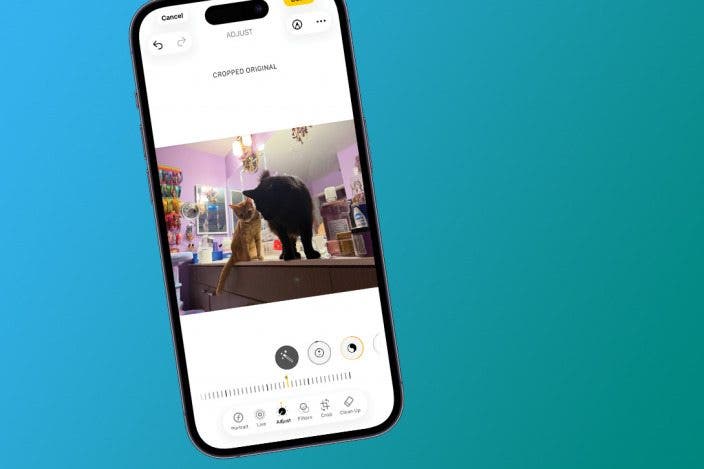
Learn MoreSometimes, in the middle of editing a photo, you start to forget how your original photo looked and wonder if the changes you're making are an improvement! Luckily, you can compare before and after images while you're in the middle of editing a photo. Let's get started learning how to compare photos on iPhone.
Why You'll Love This Tip
- Avoid over-editing by quickly viewing the original photo without pausing editing.
- Get the best editing results by glancing at the unedited version of the photo.
How to Quickly See Before/After Photo Editing
System Requirements
This tip was performed on an iPhone 17 Pro Max running iOS 26.3. Find out how to update to the latest version of iOS.
Once you find something you like, you might want to learn how to add multiple photos to your Instagram story. Don't forget to check out our free Tip of the Day newsletter to learn more iPhone photo editing tips. Here's how to see an unedited image while you are in the middle of making edits.
- Open the Photos app.
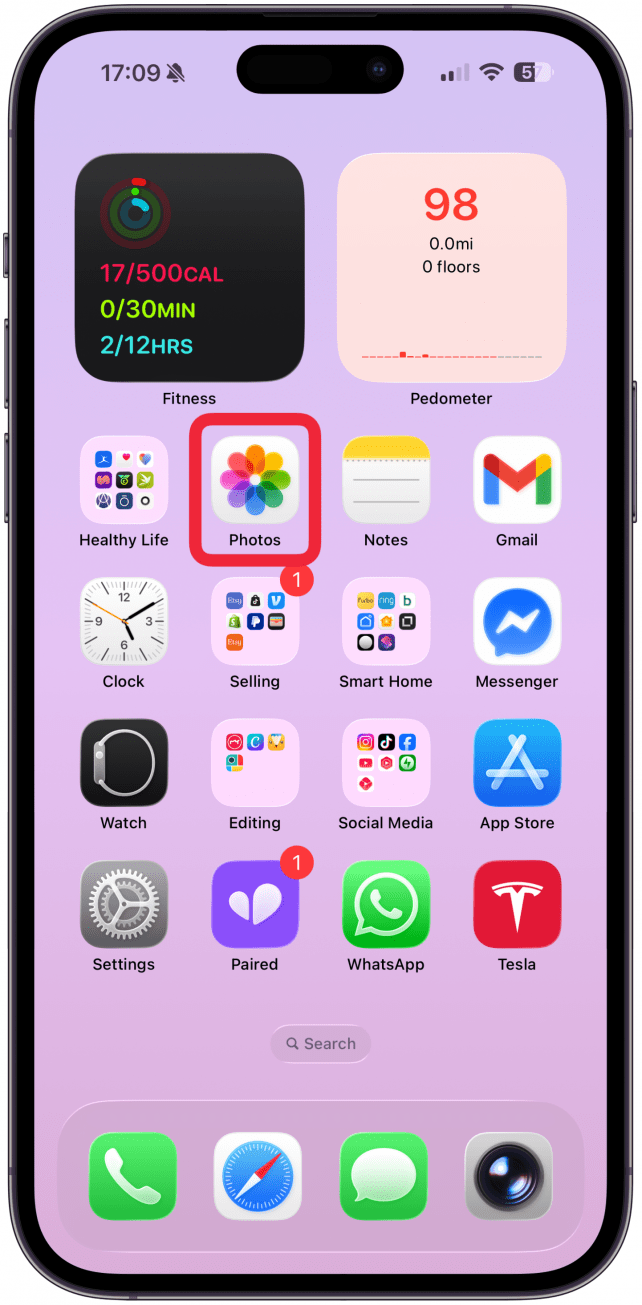
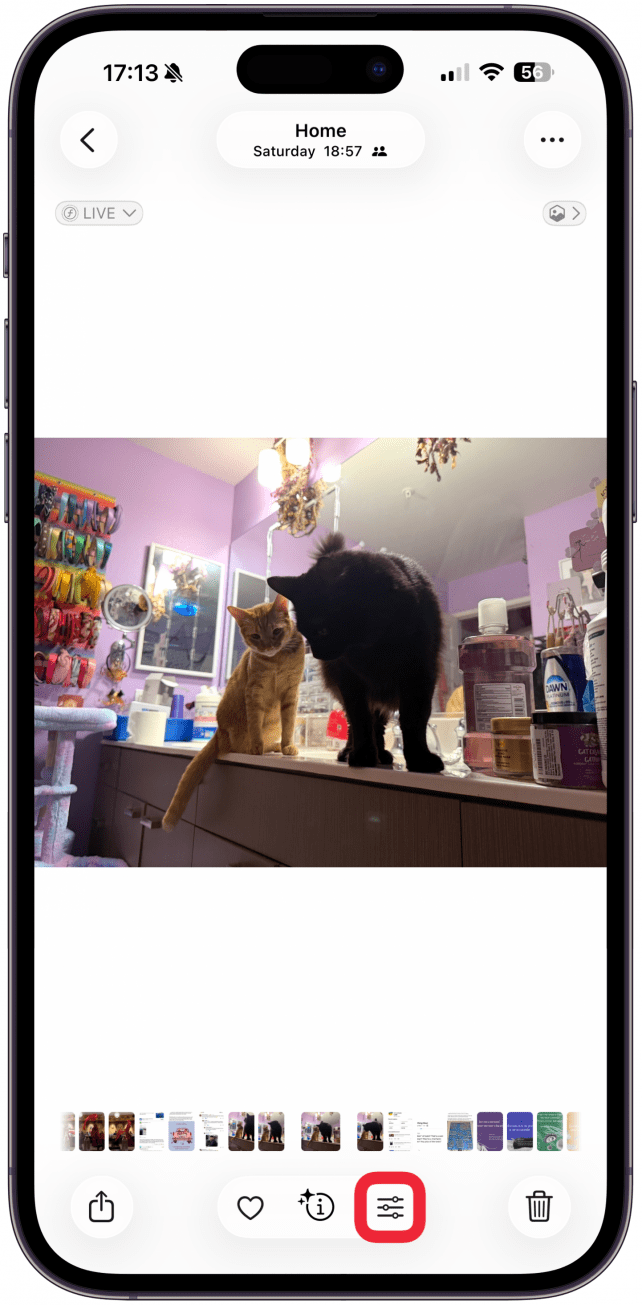
- Select a picture you'd like to edit and tap the Edit icon.
- Begin to make the changes you'd like to your picture. For this example, I used AI to remove some clutter, and I lightened the shadows.
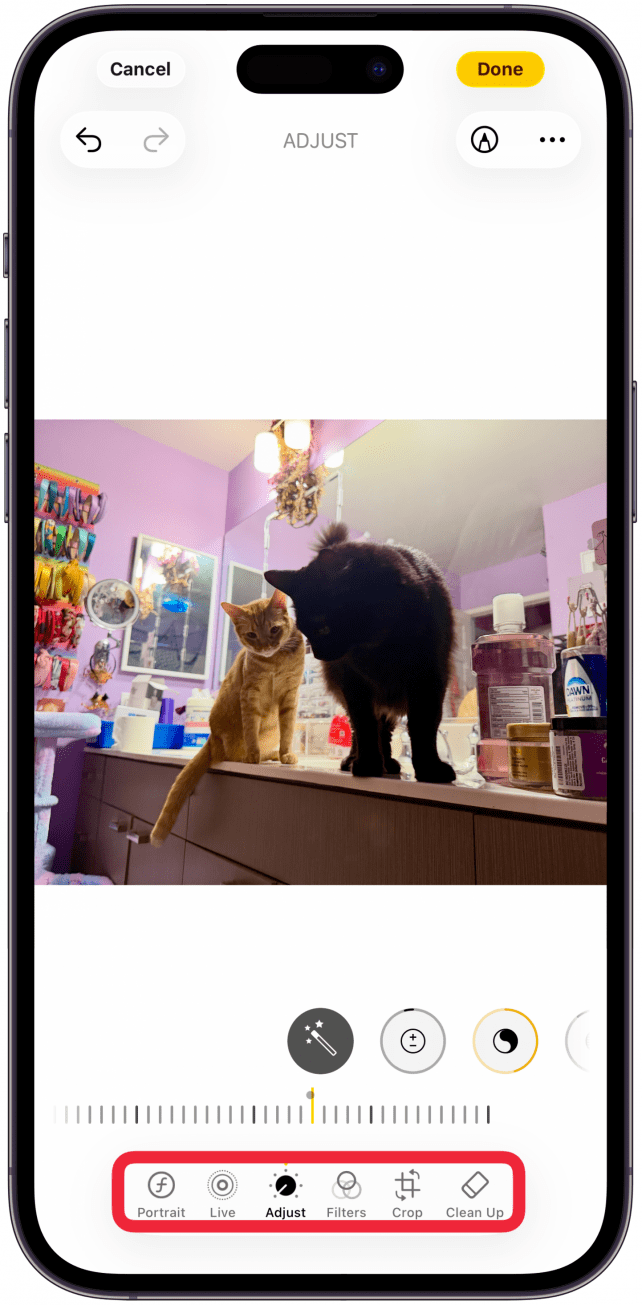
- Tap the edited image to see the original.
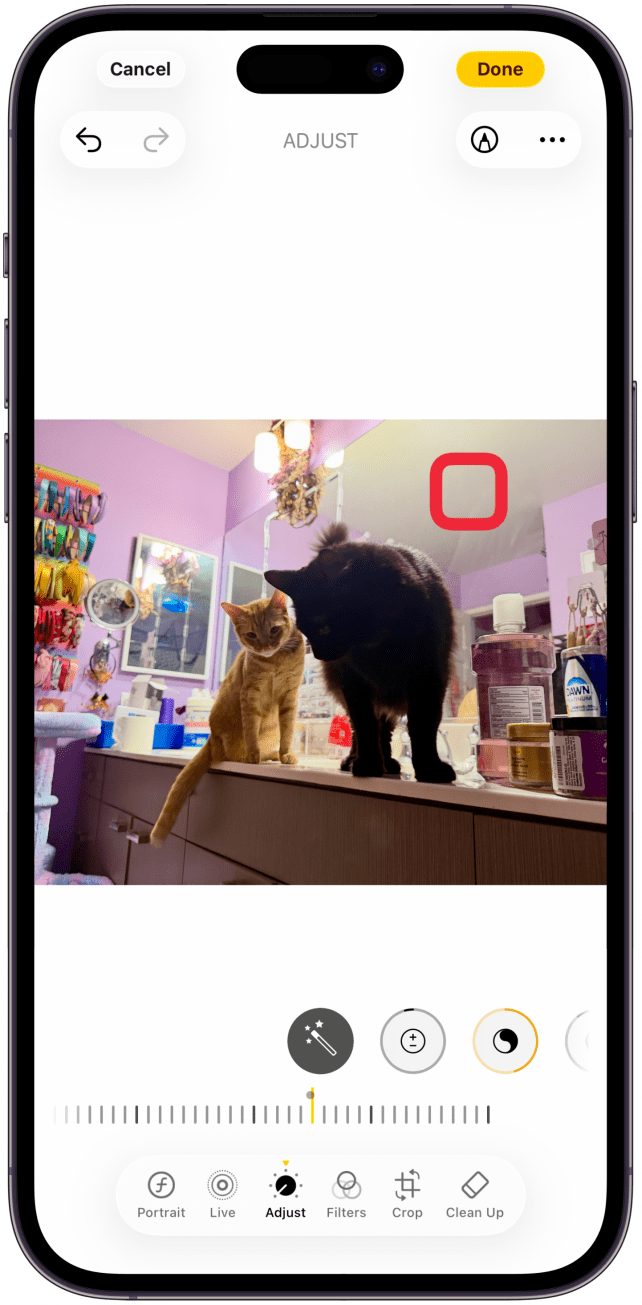
- Tap again to see the edited version.
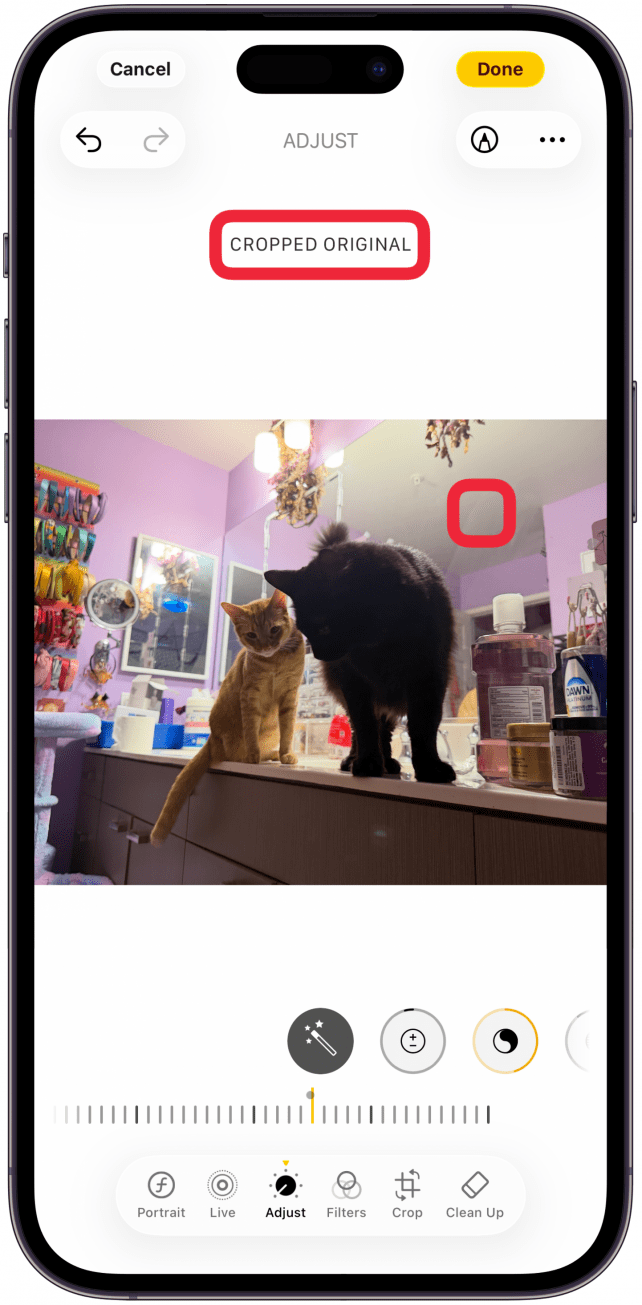
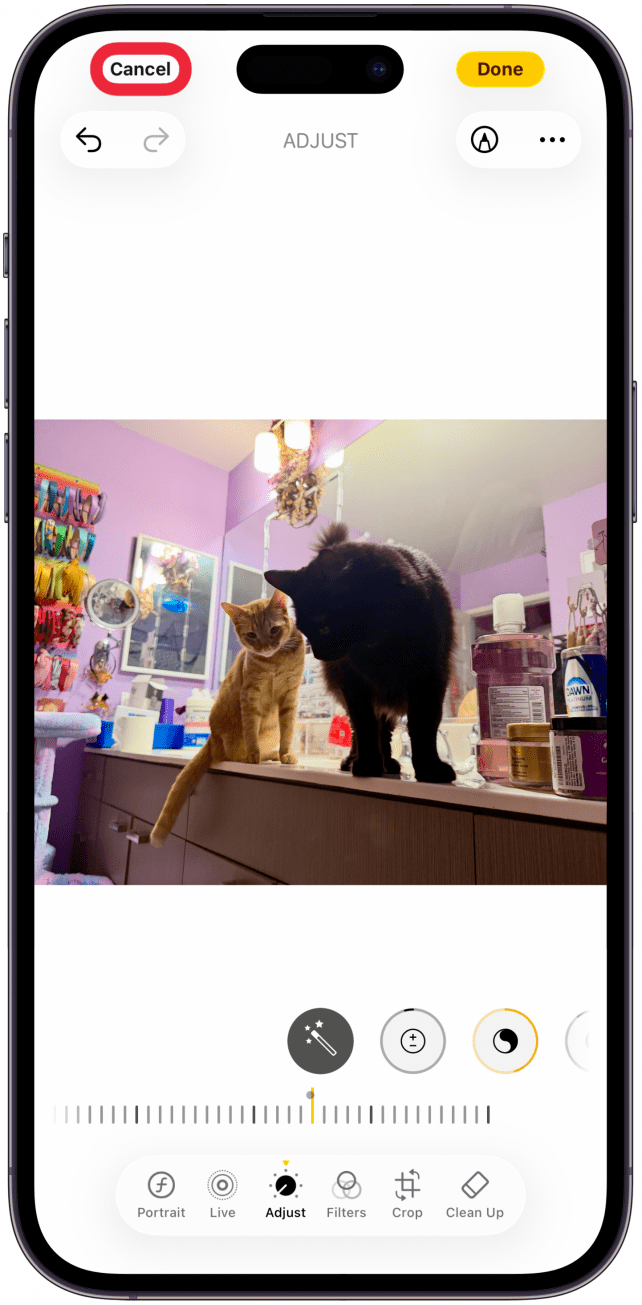
- If you prefer the original version, tap Cancel to discard your edits. You'll have to confirm that you wish to cancel.
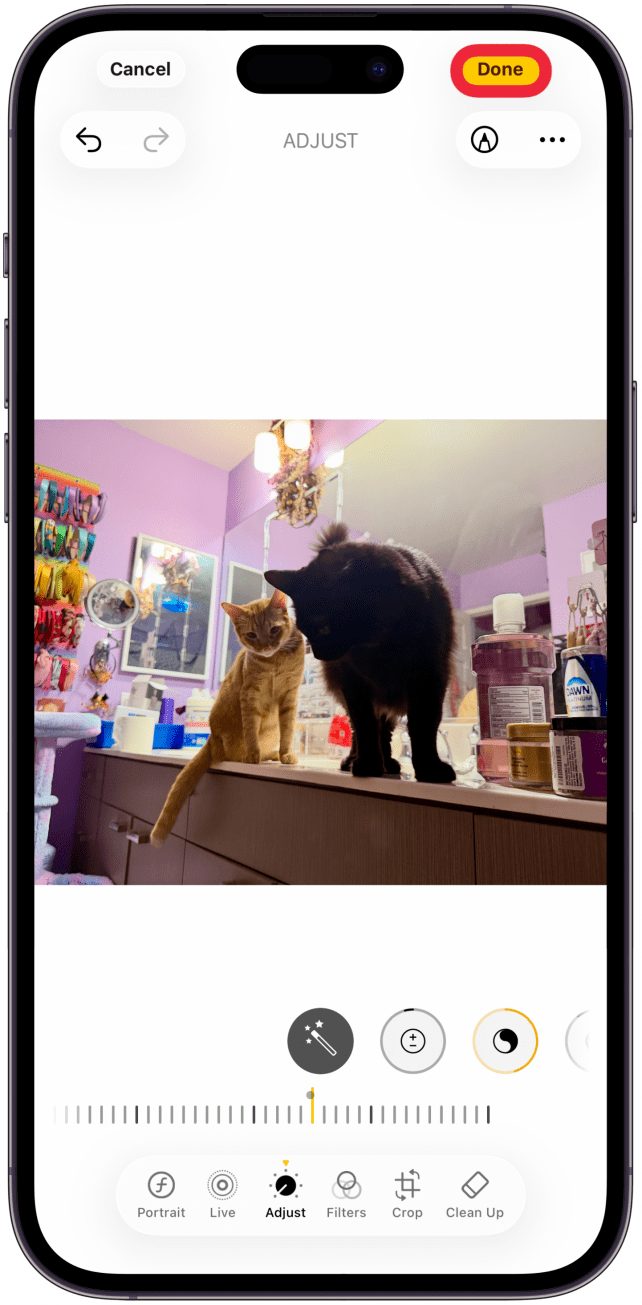
- If you prefer the edited version, tap Done to save your photo edits.
Worried about making image edits and then changing your mind? Even after you've saved the changes, the Photos app makes it easy to revert the photo to its original. Now that you know how to see the before and after while editing images, learn some more photo editing tips.
More On: Photos App

Every day, we send useful tips with screenshots and step-by-step instructions to over 600,000 subscribers for free. You'll be surprised what your Apple devices can really do.

Abbey Dufoe
Abbey Dufoe is a freelance writer and a web producer at a nonprofit based in Princeton, NJ. She's always itching for the newest iOS gadget (current favorite - the Apple Watch). She tweets and blogs about the earth and the Internet on Twitter at @abbeydufoe and at abbeydufoe.com.

 Susan Misuraca
 Amy Spitzfaden Both
 Rhett Intriago
 Cullen Thomas
 Rachel Needell
 Olena Kagui




 Nicholas Naioti

 Leanne Hays