How to Find Unread Text Messages on iPhone

Kenya Smith is a Feature Web Writer for iPhone Life with a background in journalism and strategic communication, including award-winning column writing and newspaper experience.
Learn More Kenya Smith is a Feature Web Writer for iPhone Life with a background in journalism and strategic communication, including award-winning column writing and newspaper experience.
Learn MoreIt's common to have unread text messages in the Messages app on your iPhone. When unread messages mix with messages you've already read, finding important text messages can be a hassle. Luckily, there's an easy way to view only unread messages. Here's how to find unread text messages on iPhone.
Why You’ll Love This Tip
- Quickly single out unwanted and outdated text messages that you want to delete.
- Search for unread text messages that you might have missed.
How to Find Unread Messages on iPhone
System Requirements
This tip was performed on an iPhone 17 Pro running iOS 26.4. Find out how to update to the latest version of iOS.
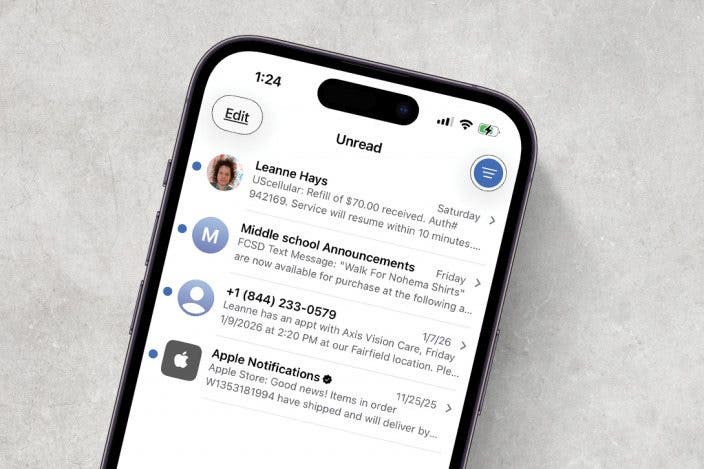
With the Filter Unknown Senders feature, you can easily find unread messages on your iPhone. This is useful if you ever see a notification badge on the Messages app but don't see any unread texts. You can easily track down the mysterious missing message and mark it as read. Here's how to filter unread text messages on iPhone:
- Open the Messages app.
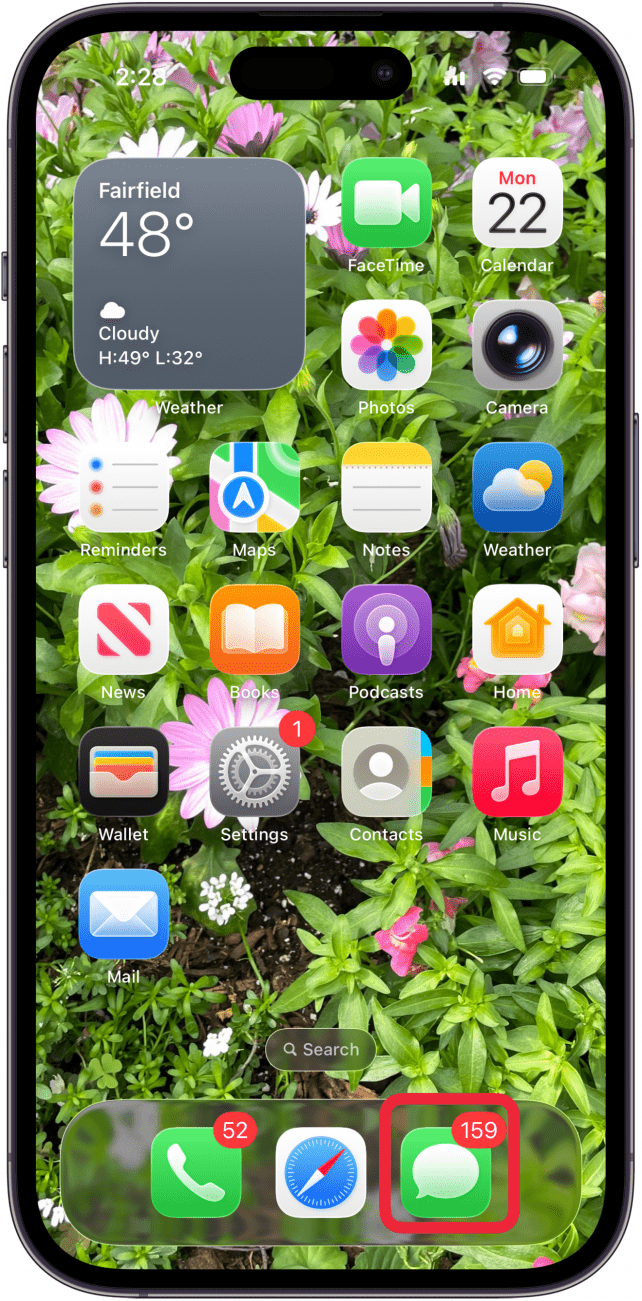
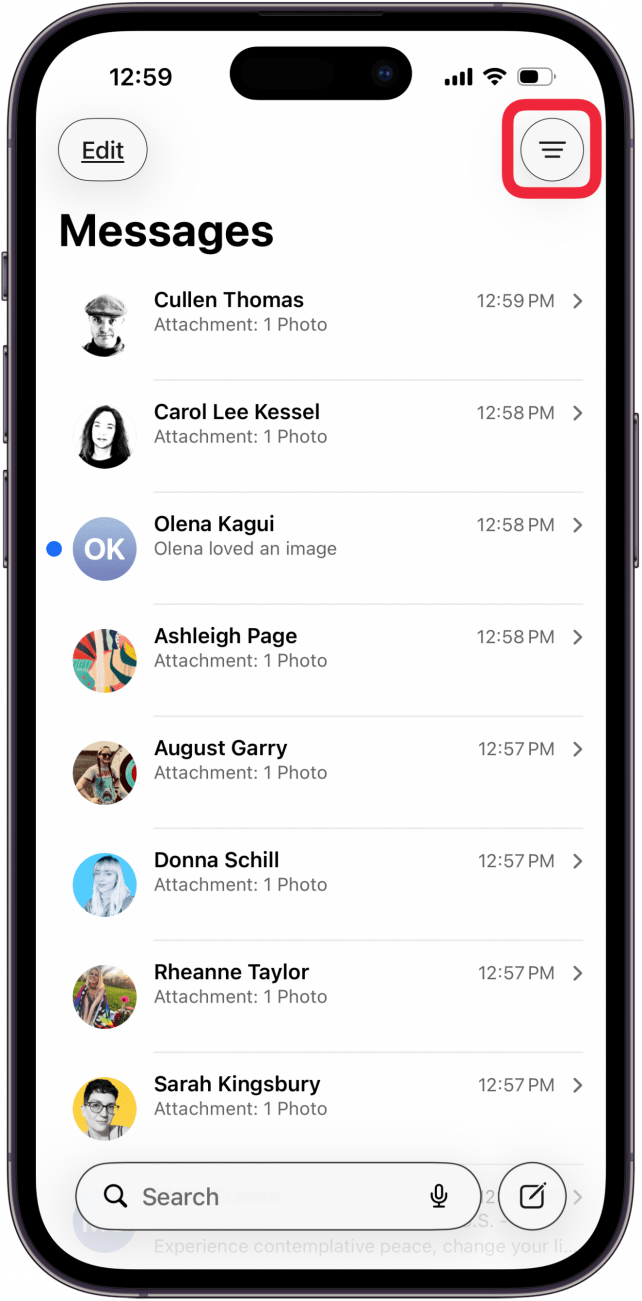
- Tap the Menu icon. (If you don't see Filters, you probably do not have Filter Unknown Senders toggled on. Make sure that the feature is enabled before continuing.)
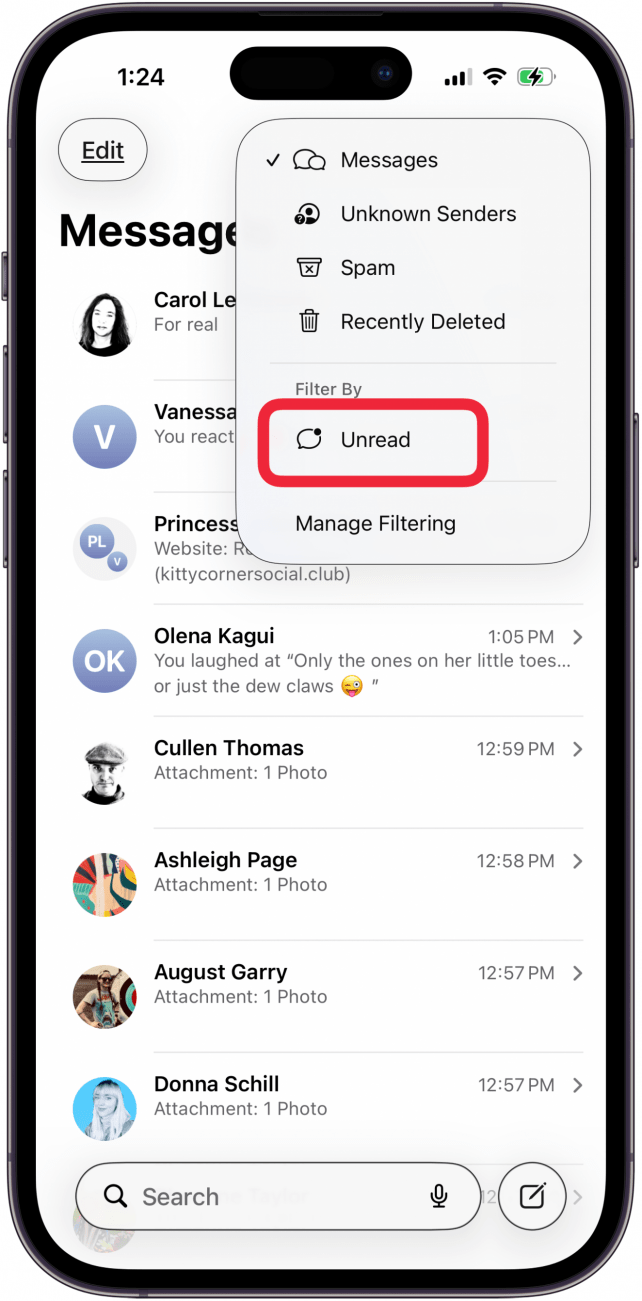
- Tap Unread.
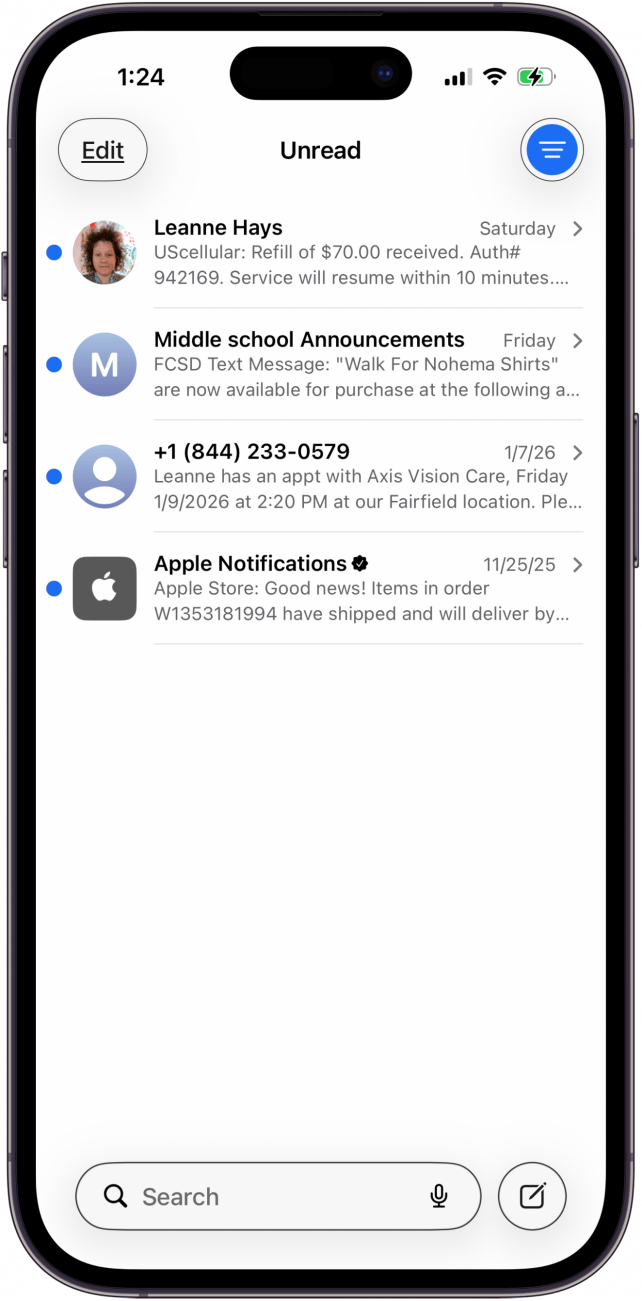
- You will now see all of your unread messages.
Now you know where to find unread text messages on your iPhone. Next, find out how to keep your inbox organized by auto-deleting verification codes or pinning important conversations. Be sure to check out our free Tip of the Day for more great Messages app tutorials.
More On: The Messages App
Top image credit: Chingraph / Shutterstock.com

Every day, we send useful tips with screenshots and step-by-step instructions to over 600,000 subscribers for free. You'll be surprised what your Apple devices can really do.

Kenya Smith
Related topics
Related Articles
 Rhett Intriago
 Leanne Hays
 Ashleigh Page

 Rachel Needell
 Olena Kagui
Will My Alarm Go Off in Do Not Disturb? Here's What to Know
 Amy Spitzfaden Both
 Cullen Thomas