Tip of the Day: iOS 9 Anticipates Which Audio App You Want to Use


Jim Karpen has been writing about technology since 1994 and brings decades of experience with Apple products, along with a Ph.D. in literature and writing.
Learn More Jim Karpen has been writing about technology since 1994 and brings decades of experience with Apple products, along with a Ph.D. in literature and writing.
Learn More
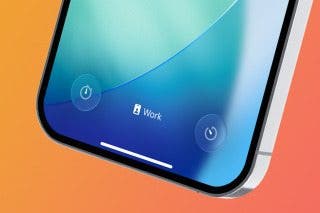
One of the interesting new features of iOS 9 is its "proactive" smarts. Apple wants your device to anticipate what you want to do depending on the context. A good example of that is how your iPhone or iPad now responds when you plug in earbuds or headphones. Your device figures that you want to listen to something, and a small icon appears in the lower left corner of your lock screen that shows the most recent audio app you've been using, whether that's Apple Music, Spotify, Podcasts, or any other app.
To use this new proactive feature of iOS 9, simply plug in a headset and the icon will appear at lower left in the lock screen.

If the icon that appears is indeed the app that you want to use, simply swipe up on it, and the app will open.
Top image credit: stock_shot / Shutterstock.com

Every day, we send useful tips with screenshots and step-by-step instructions to over 600,000 subscribers for free. You'll be surprised what your Apple devices can really do.

Jim Karpen
Related Articles
Compromised Passwords on iPhone: What Are They & What to Do
 Rhett Intriago
 Olena Kagui
 Rachel Needell
Quick Launch a Selfie with a Shortcut You Didn't Know Exists
 Amy Spitzfaden Both

 August Garry